X Academy – Backup DAC
Performance If you are in a performance role at an agency, brand, or own your own business, we recommend the following coursework to understand the foundations of performance advertising and Twitter’s unique performance opportunities. You will learn how performance advertising can help drive ROI for your brand, how to launch a successful performance campaign on […]
Performance
If you are in a performance role at an agency, brand, or own your own business, we recommend the following coursework to understand the foundations of performance advertising and Twitter’s unique performance opportunities. You will learn how performance advertising can help drive ROI for your brand, how to launch a successful performance campaign on Twitter, our first and third party measurement solutions available for these initiatives, as well as best practices and real-world examples.
Why Twitter. Why now
1. Why Twitter. Why now
-
Twitter’s innovation story
Twitter is what’s happening and what people are talking about right now.
Over the years, Twitter has become the undisputed home for breaking news and real-time public conversations for sports, music, entertainment, technology, gaming, business, seismic cultural shifts, and much more.
The speed, breadth, and depth of conversations on Twitter give us a distinct advantage in helping you breakthrough with your latest launch offerings, while building cultural relevance. And we’re getting even better. Let’s dive into that by taking a look at some of the ways we’re innovating our platform to help better facilitate conversations between you and your audience.
How we’re innovating.
Conversations start with the people on Twitter, and we know how important these audiences are to growing your business. So, to improve the Twitter user experience, grow your audience, and build the signals required to strengthen your full-funnel advertising solution, we’ve focused our innovation in three key areas:

Topics and interests
In the past, it’s been difficult to find or follow what you care about on Twitter. So we’ve invested heavily in content relevancy — making it far easier to discover, follow, and engage with what interests you.
Three new features — Topics, Communities, and Enhanced Lists — are providing more relevant content experiences by matching needs, interests, and passions through improved machine learning. These features are creating stronger signals further enhancing our first-party data for ad targeting.

Conversations
To serve a truly global conversation, we need to expand access to everyone. This means offering people more ways to participate in conversations beyond just 280 characters. Our conversations strategy has two parts:
- Creating new use cases for conversation on the service with things like Twitter Spaces, which allows for voice communication, and Twitter Blue, which gives access to specific conversation-centric features.
- Rethinking incentives on the platform. Some of our incentive-focused initiatives include Super Follows and Tips.
We’ll explore some of these new products & services below.
- Twitter Spaces
Space is an entirely new way for people and brands to have live audio conversations on Twitter that amplify the power of the human voice. The emergence of audio across social represents the most authentic opportunity for brands to communicate with people — and Spaces is a natural extension of the conversation people are already having on Twitter.
- Twitter Blue
This new monthly subscription gives people exclusive access to premium features that allows for more customization over their Twitter experience.
Twitter Blue is available in Canada, Australia, US, and New Zealand and across Android and iOS. You can expect to see additional regions, and more premium features soon.
Twitter Blue highlights:
- Undo Tweet
Now you can review and revise your Tweet before it’s visible to your followers on Twitter.
- Bookmark Folders
Organize your bookmarks into folders, and easily find the saved content you want to read later.
- Reader Mode
Keep up with Twitter threads by turning them into easy-to-read, long-form text.
For more information on Twitter Blue, check out our help center.
- Super Follows
Super Follows is a way for people’s most engaged followers to help them earn money for their contributions on Twitter. When someone offers a Super Follows subscription, their Super Followers can see bonus Tweets created especially for them. Super Followers receive badges on all their replies to the person they’ve Super Followed, letting them stand out in the conversation.
Through Super Follows, people can set a monthly subscription of $2.99, $4.99, or $9.99 a month to monetize bonus, behind-the-scenes content for their most engaged followers on Twitter. And followers get extra special access to their unfiltered thoughts, early previews, and subscriber-only conversations from their favorite accounts.
For more information about Super Follows, check out our help center.
- Tips
We know that people are often informed, entertained, and even moved by conversations on the Home timeline and in Twitter Spaces. We’re making it easier to support the people leading those conversations by introducing Tips.
Tips is a feature that lets you add links to select third-party payment services to your Twitter profile. When you turn on Tips on your profile, people can support you by tapping on your Tips icon to send you money or Bitcoin off-platform via the third-party payment services and platforms you have added.
For more information about Tips, please check out our help center.

Trust and health
At Twitter, brand safety means human safety. We believe it’s essential for public conversations to be healthy — meaning they should be safe and free from abuse, harassment, and misleading information.
Over the past three years, we’ve made this our No.1 priority to ensure we’re meeting the needs of both our consumers and customers. This includes:
- Products that protect.
- Policies that lead.
- Partnerships that drive industry-wide change.
Partnerships that drive change.
Keeping brands safe is bigger than any one company. So we’ve partnered with other industry leaders to develop new standards for accountability. Twitter is a founding member of the Global Alliance for Responsible Media. The following are some of the industry leaders we’re proud to partner with.
We’re committed to all four MRC Audits — starting with brand safety, and we’ve just earned the Trustworthy Accountability Group’s Brand Safety Seal in March, certifying our global operations. We believe a safer Twitter is a better Twitter, and these partnerships reinforce our commitment.
-
Meet Twitter’s global audience
Why is Twitter’s audience so valuable?
Twitter’s superpower has always been our active, leaned-in audience. And today, it’s even more valuable to our customers, thanks to three key strengths:

Growth
User growth is a strong indicator of a platform’s relevance in the broader media landscape. In the past two years, we have tripled our growth of monetizable daily active users, finishing Q4, 2020 with a reach of 192MM mDAU.
Our ambition is to get to 315MM mDAU by 2023. And we’re committed to achieving this through continuous product improvements, launching new surfaces and features, and growth marketing.

Influence
We know our growing audience is important to you, but it’s their behaviors that really set them apart.
While users of other platforms have a “look at me” attitude, people on Twitter say “look at this!” or “did you hear?”
They come to Twitter hungry for information and connection to the world around them. And together, they make and shape the movements, memes, and conversations that drive news and culture.

Community
Our audience is always hungry for more. And as we give them more ways to discover relevant content, we’re seeing growth in a myriad of communities that matter to our customers.
From #FinanceTwitter to #MusicTwitter, #GamingTwitter to #BeautyTwitter, these passionate, real-time conversations enable you to understand, engage, and drive action around what your audiences care about right now.
Twitter is the No. 1 platform for brand interaction.
Our audience growth creates more opportunities for you to drive results across our brand, video, and performance ad products. In a Twitter study of how people engage with brands on social media, Twitter had the highest percentage of people who rated the platform as good or great for brand interaction.
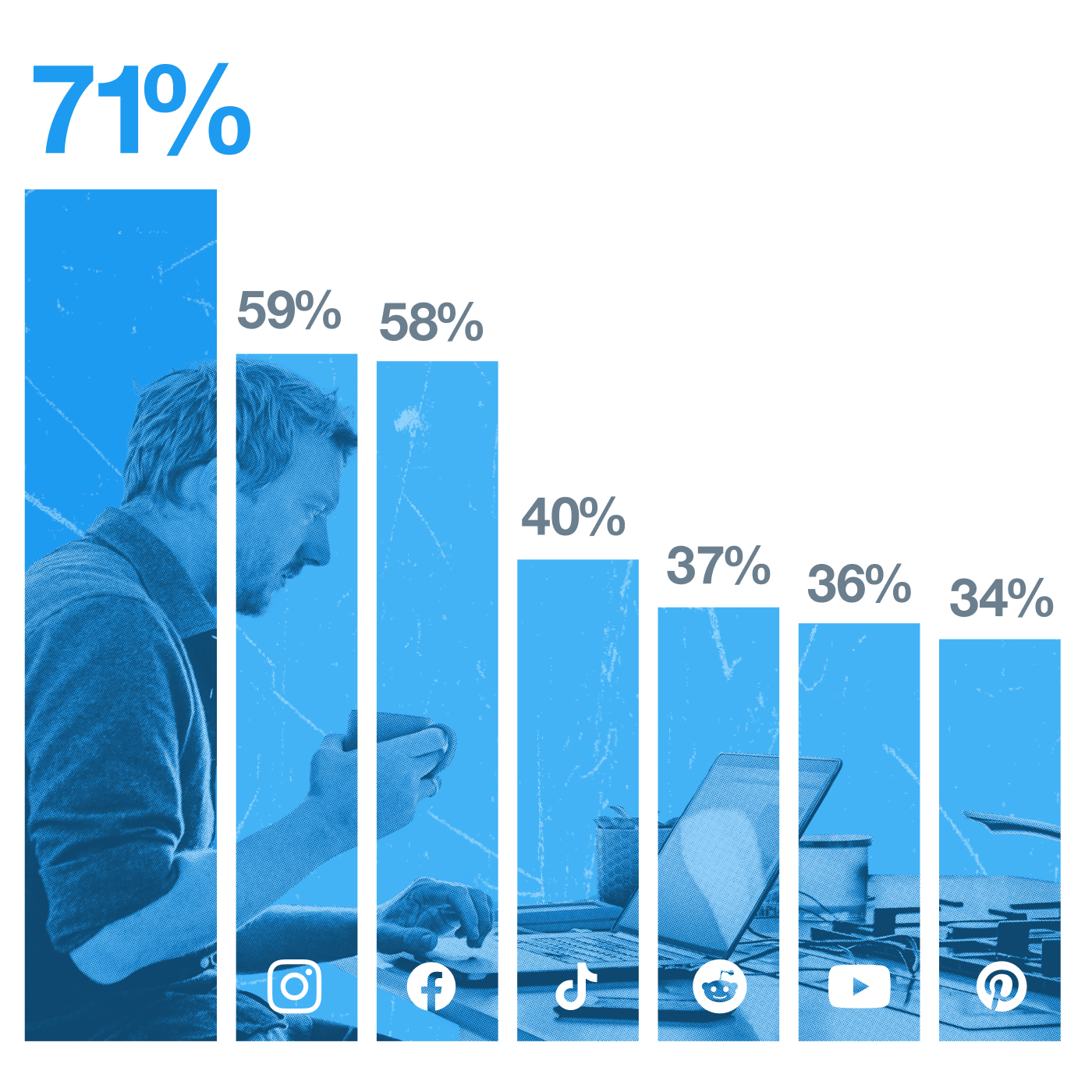
Source: Bovitz, Conversation as a Superpower Study, commissioned by Twitter, 2021, US
This gives you a distinct advantage when introducing new products and building cultural relevance as Twitter communities are immersed in the culture and want to interact with you.
Conclusion
Simply put: Twitter’s audience is our superpower. And it can be yours, too.
- They’re young, affluent, and growing fast.
- Their real-world influence makes them more valuable consumers.
- And you can truly connect with culturally passionate communities that view brands on Twitter as equal participants.
-
Twitter’s full-funnel solutions
Full-funnel solutions that help you meet your goals.
Over the past few years, we’ve made significant progress to become a full-funnel solution. We want to drive business outcomes for our advertisers, while seamlessly integrating them into the Twitter experience. To do this, we’re investing in the following solutions:

Stronger foundations
We’ve rebuilt ad servers to improve the underlying infrastructure. This rebuild means we can build and ship products twice as fast.
We’re also continuing to prepare our systems for privacy-preserving advertising. Currently, this includes our compliance with Apple’s App Tracking Transparency framework, our support of SKAdNetwork, and efforts to integrate with Private Click Measurement (PCM).
This work, alongside our innovation efforts, gives us a strong foundation to deliver more personalized performance for our customers.
Profile presence and personalization
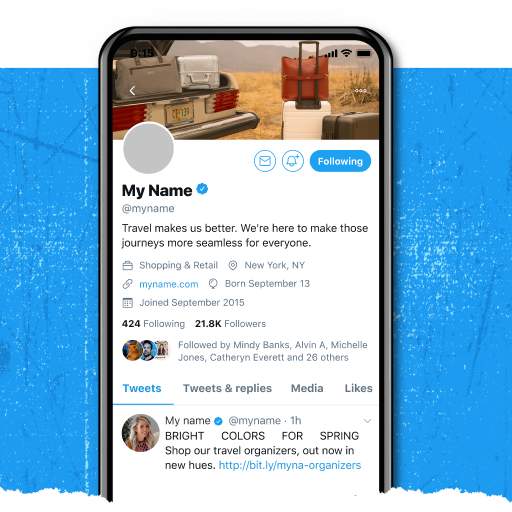
Professional Profiles are a new feature that will enable businesses, non-profits, publishers, and creators to display specific information about their brand. This means, for the first time, brands and creators will have a unique and clearly defined presence on the platform, distinct from the general person scrolling the timeline.
So whether you’re a creator who wants to display contact info for future brand deals or a brick-and-mortar business that wants to drive foot traffic, this feature lets you display information that speaks to your specific needs.
Note: Professional Profiles have not been rolled out to all people on the platform at this time. Please visit our Twitter Business site for more information.
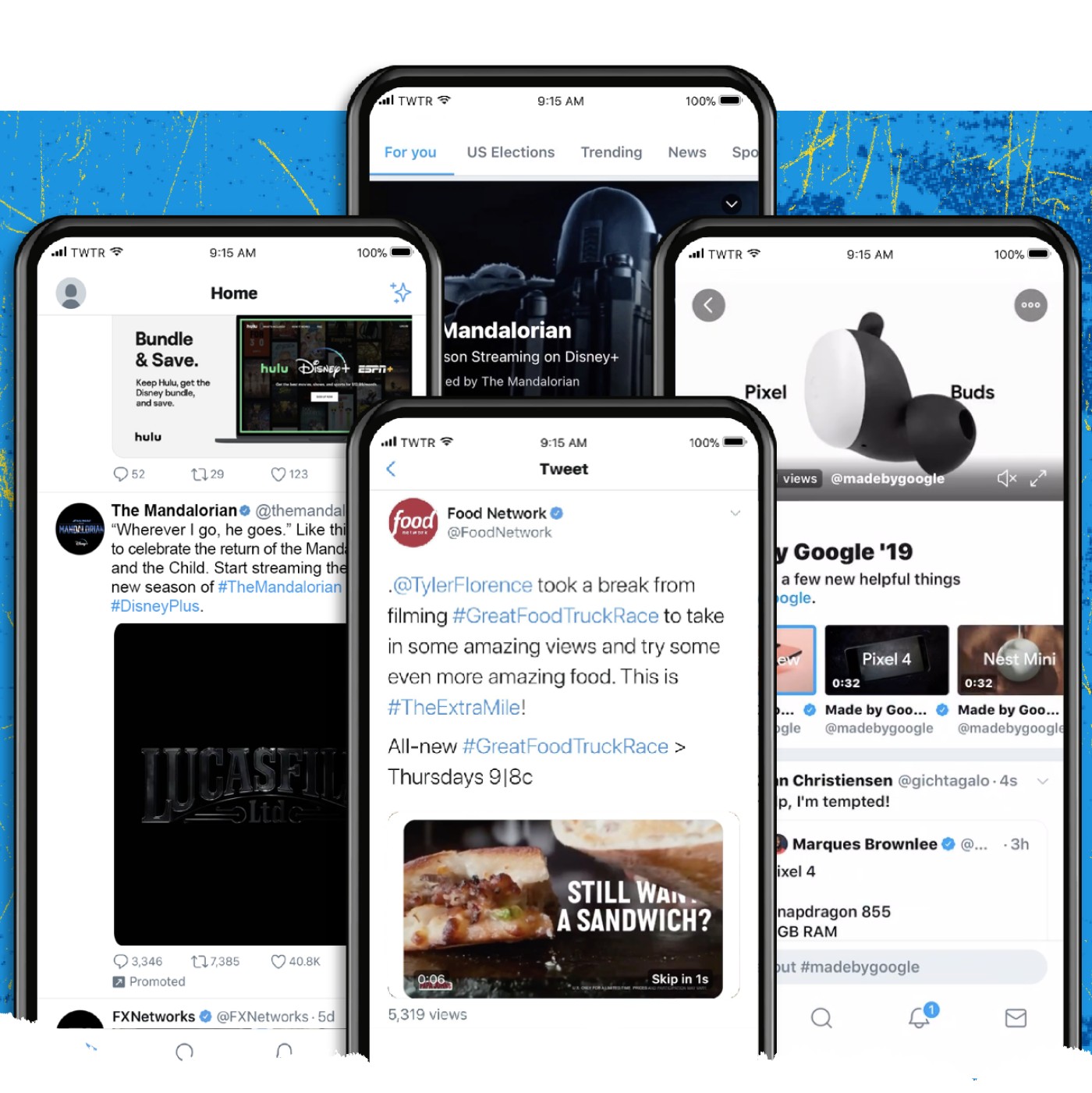
New and improved ad formats
Twitter has never been better positioned to help you drive results across the funnel.
We’ve seen strong results with our Takeover products, Amplify Video solutions, and core branded features to drive awareness for our brand advertisers.
And we’re rapidly improving Twitter’s lower-funnel performance across website and mobile app solutions to provide our customers the right solutions to drive actions.
Performance products
Performance marketing remains a top priority for us. We’re accelerating our roadmap by expanding and improving both app installs and direct response offerings to help drive traffic and eventually convert the right actions for our customers.
In the process of executing against our roadmap, we are also preparing our products and solutions to support privacy-preserving advertising. This allows us an opportunity to build effective, privacy-sensitive solutions for advertisers in this next phase of advertising.
Measurement solutions
We’ve recently made several improvements to our ad’s personalization and targeting options. We introduced city targeting and plan to invest more in this area to gain higher quality signals from people on Twitter.
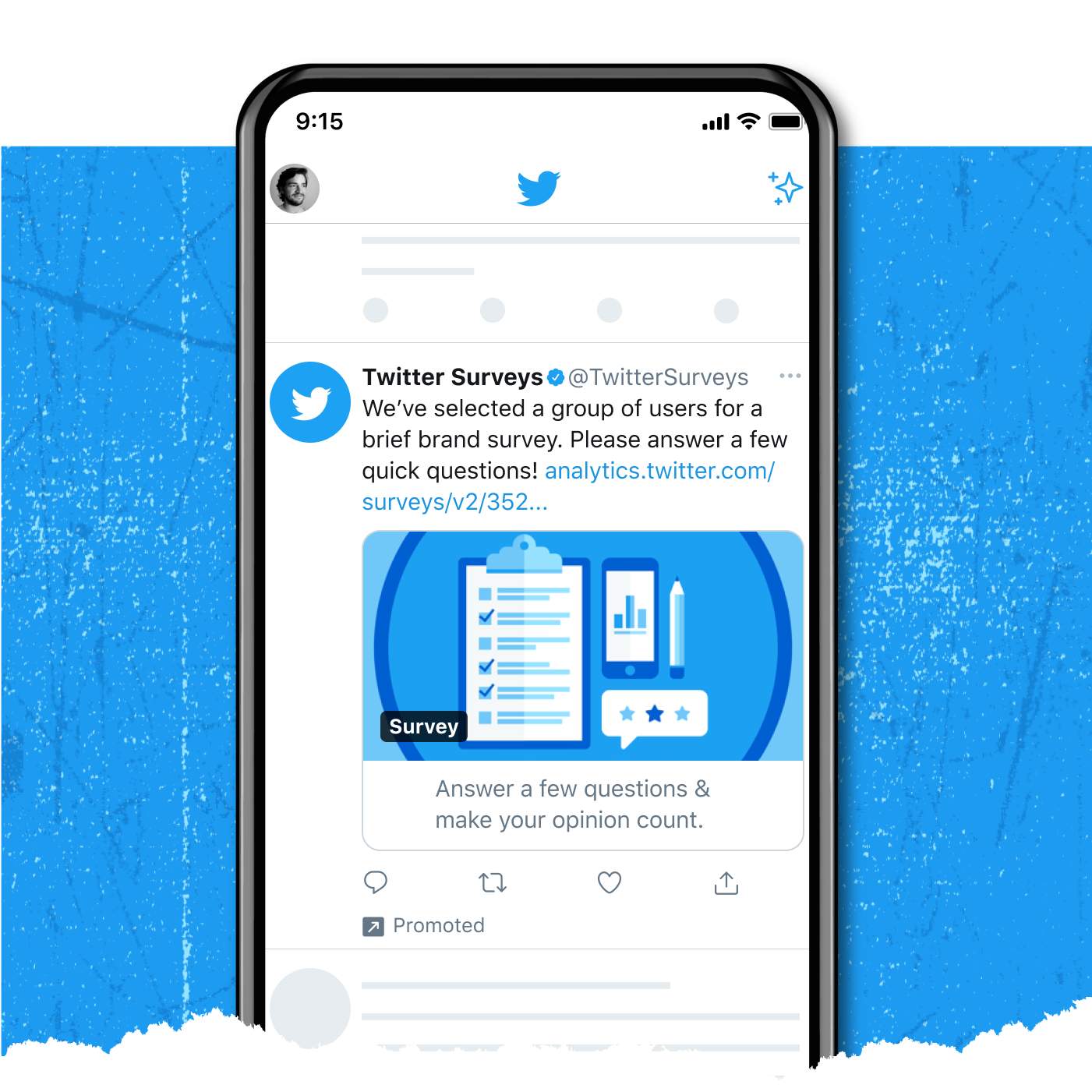
We’re also making meaningful investments in our first and third-party measurement solutions. We improved our first-party brand survey solution and teamed with third-party mobile measurement partners to enhance our ability to measure the effectiveness of performance campaigns.
Helping you thrive in a post-IDFA world.
As we orient our own products to address the impact of broader privacy initiatives across our industry, we are also preparing strategies that tap into our partner ecosystem to help brands achieve their marketing goals in a compliant way.
As you know, ad creative is perhaps the most powerful component of any Twitter campaign. With new privacy measures that limit how you can target and optimize paid media, brands need to develop a scalable ‘test and learn’ approach to succeed. Our creative partners (e.g., VidMob and Shuttlerock) provide video optimization tools to help provide you with a seamless experience to test, learn, and test more to ensure you’re reaching the right audiences with the most engaging ads to drive the best results.
We’re also doubling down on our approach to first-party data with partners like Jebbit, offering brands partner tools to create high-quality and affordable mobile landing page experiences to capture valuable customer leads.
Conclusion
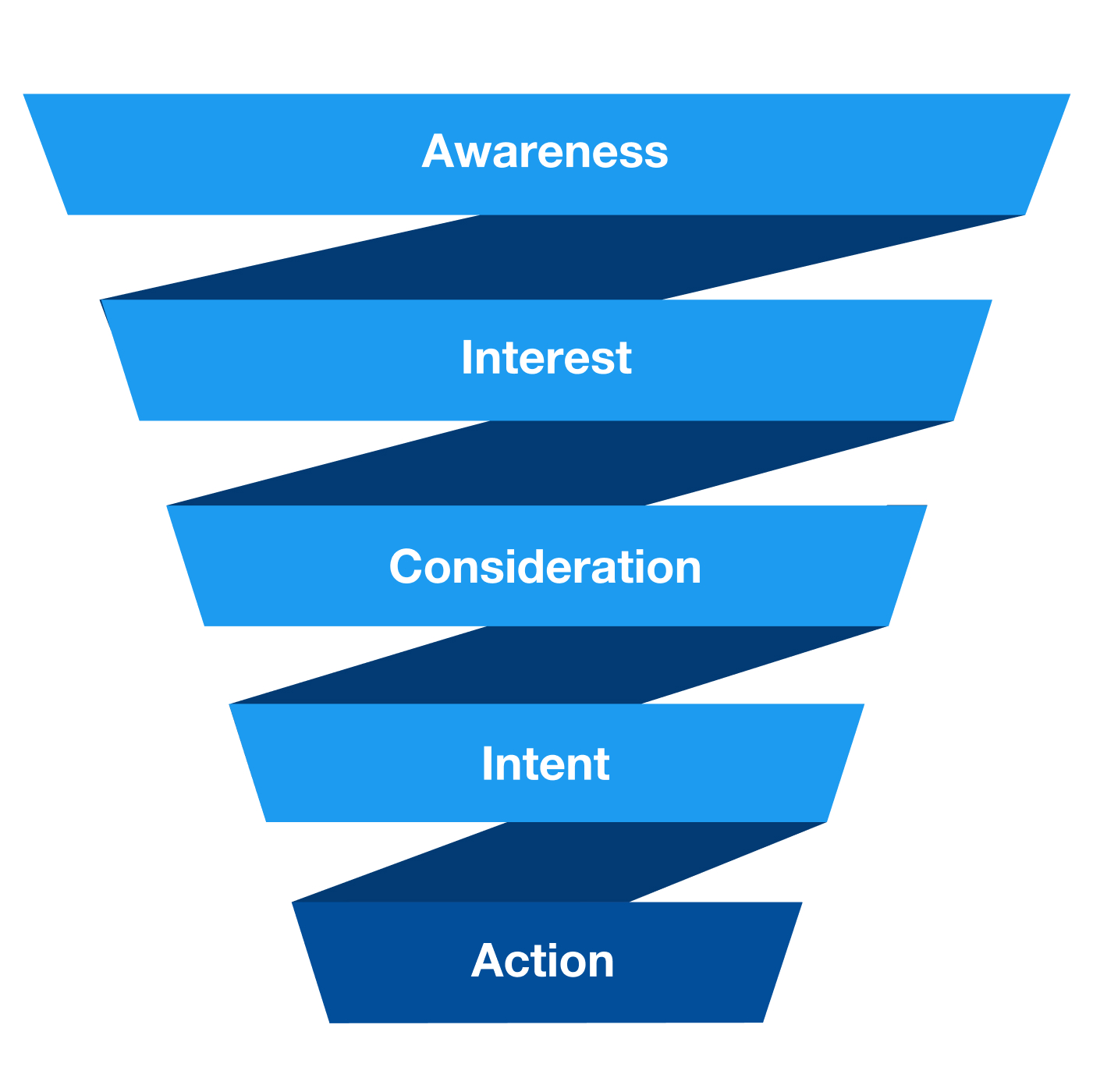
To recap, Twitter offers a full suite of ad solutions to help grow your business and serve every phase of the marketing funnel.
Whether it’s building awareness through our Takeover and Amplify products, driving consideration through our Promoted Ads and Branded Features, or getting people to convert or take action through our Carousel Ads, we provide advertisers seamless ways to showcase their content and creative and flexible buying objectives. This ensures that every campaign is optimized to help you achieve the right goals for your brand objectives.
Source: Twitter Internal Data
-
When to activate on Twitter
When to use Twitter.
So, how does Twitter’s product innovation, valuable audience, and expanding full-funnel solution come together to help you grow? We drive results for our customers in two powerful ways – when you’re launching something new or connecting with what’s happening. Let’s review both of these use cases in a bit more detail below.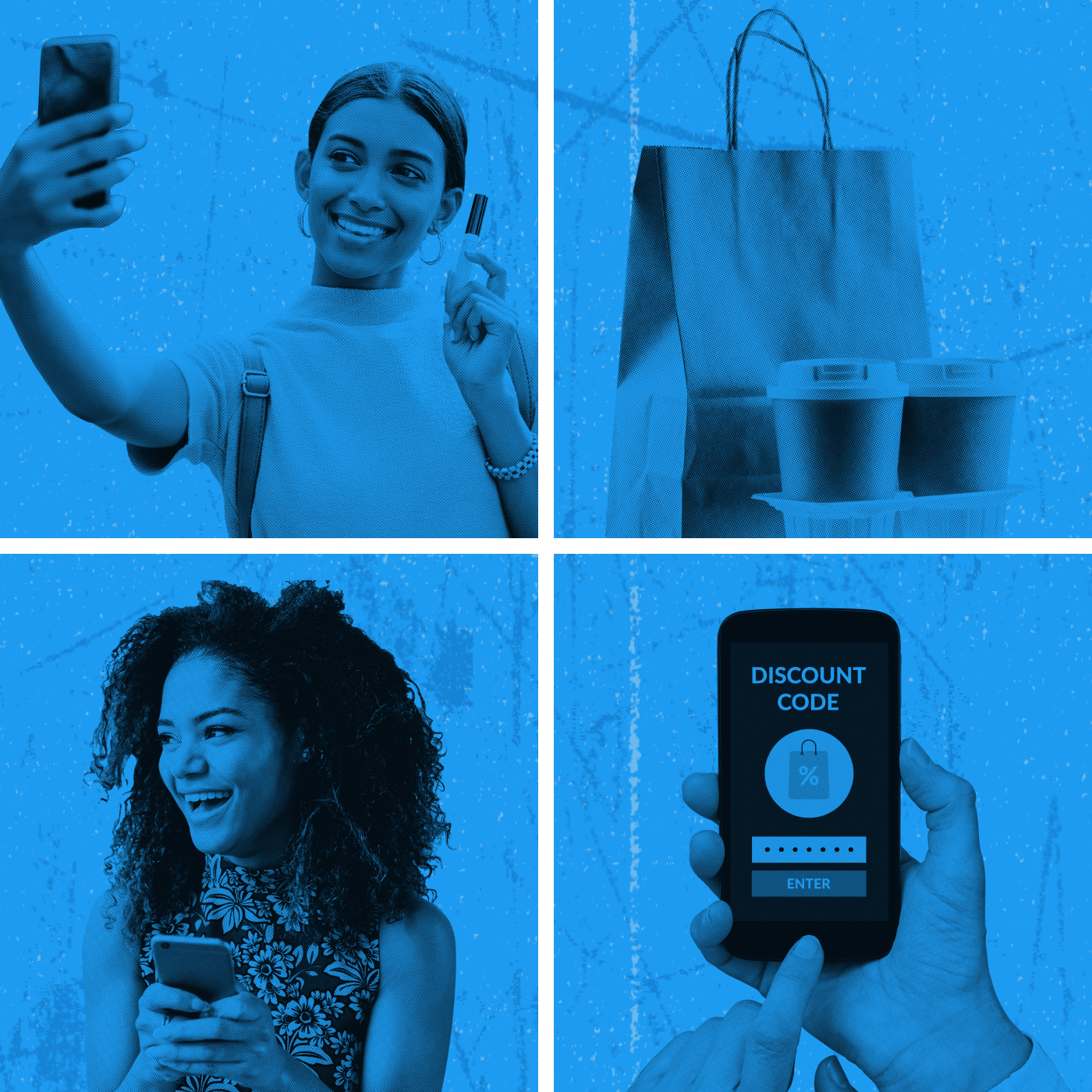
Something new
When we say “launch,” we mean building awareness and interest in something new. We see thousands of launches every day, but for the most part, they fall into these categories:
- New Product, Service, or App
- New Promotion or Offer
- New Feature
- New Messaging or Positioning
- New Company or Brand
Critical but difficult
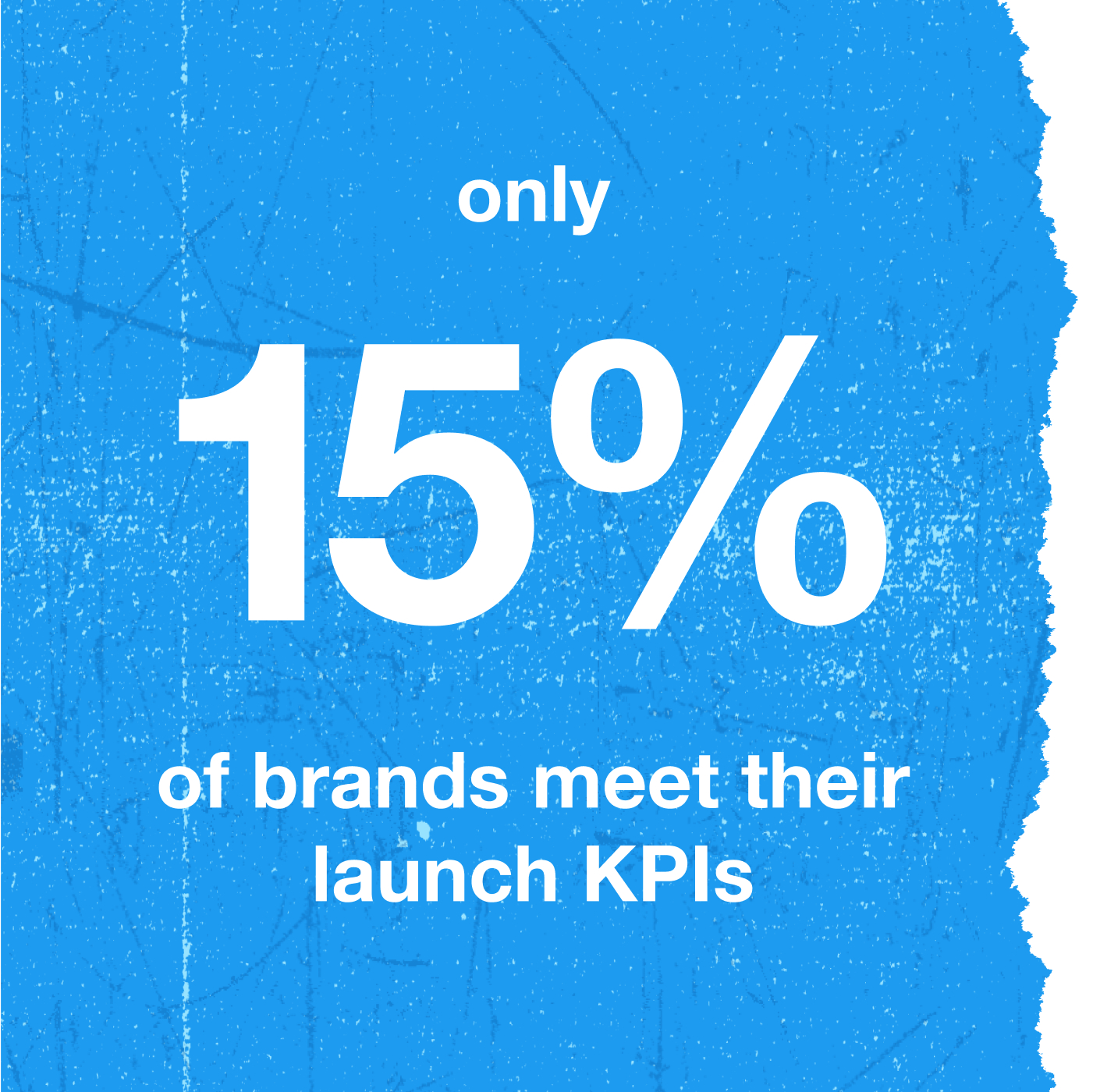
We know that launches have always been critical to business growth. We partnered with Bain & Company to research the launch experiences of 100 global brands. We found that only 15% of brands were successful in meeting their launch KPIs.
The takeaway is clear: To land your launch, you need a partner that can help you breakthrough.
Source: Bain & Company, commissioned by Twitter, 2019 Launch Marketer Survey, 2019, USA, Base = US marketers, n=650
Twitter can help you hit your KPIs.
Helping our customers breakthrough in this competitive context is where Twitter thrives. In the same Bain study of global brands, we found that marketers who met their launch KPIs were 2.3x more likely to include Twitter in their launch mix. Let’s explore why.
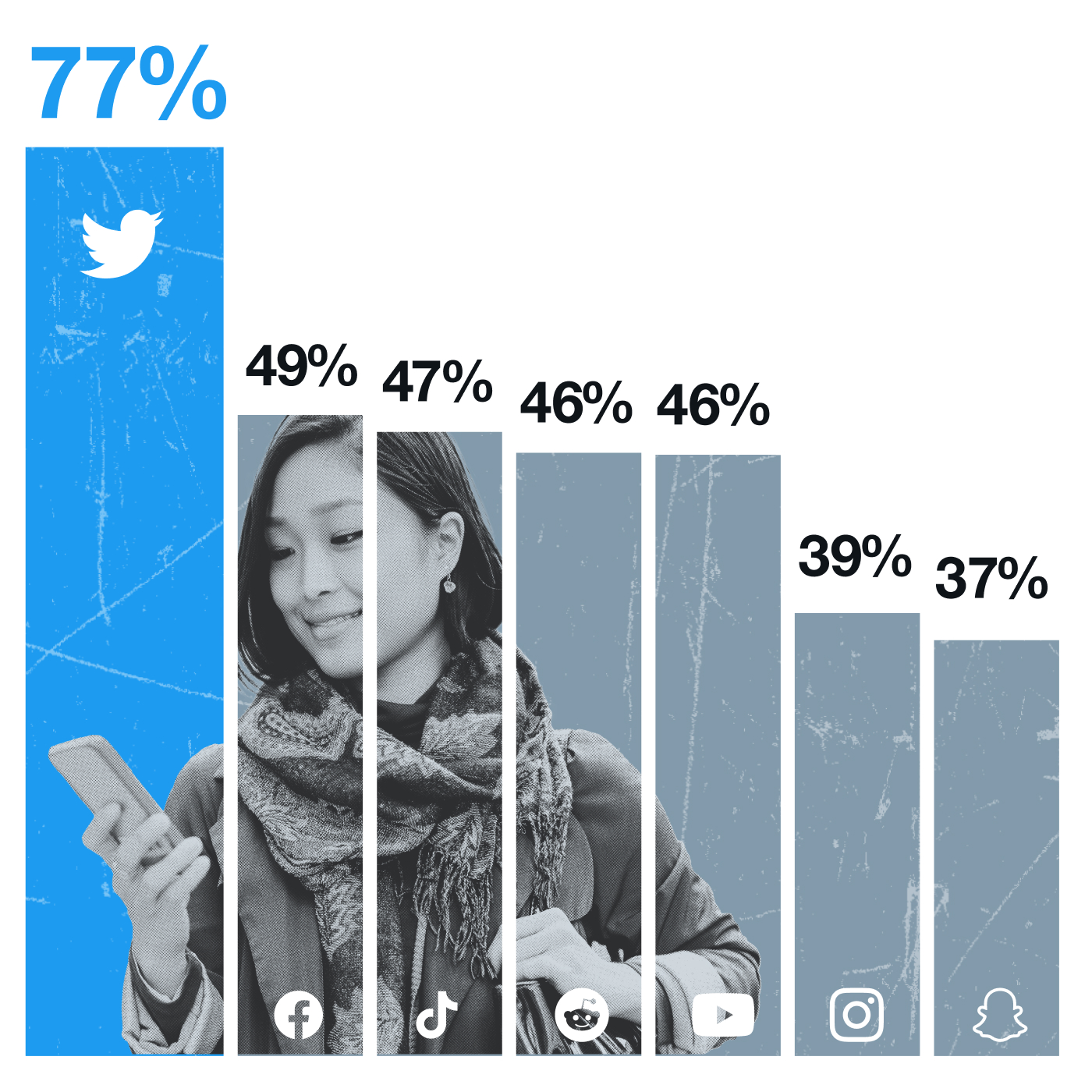
Source: Twitter Insiders, Trend Research, July 2020, USA, Q8. “How well does this site perform at the following when it comes to trends?”, Base: Twitter Users (n=503), Facebook Users (n=739), Instagram Users (n=490), Snapchat Users (n=180), Youtube Users (n=693), TikTok Users (n=126), Reddit Users (n=183)
It starts with consumer behavior: Quite simply, Twitter is the best place to discover what’s new. We asked users of each platform to rate that platform for discovering trending information, and Twitter had the highest percentage of favorable responses. As the home of the real-time global conversation, it’s intuitive that we’re the first place to start and spread your launch message.
Launches on Twitter breakthrough faster and spread wider.
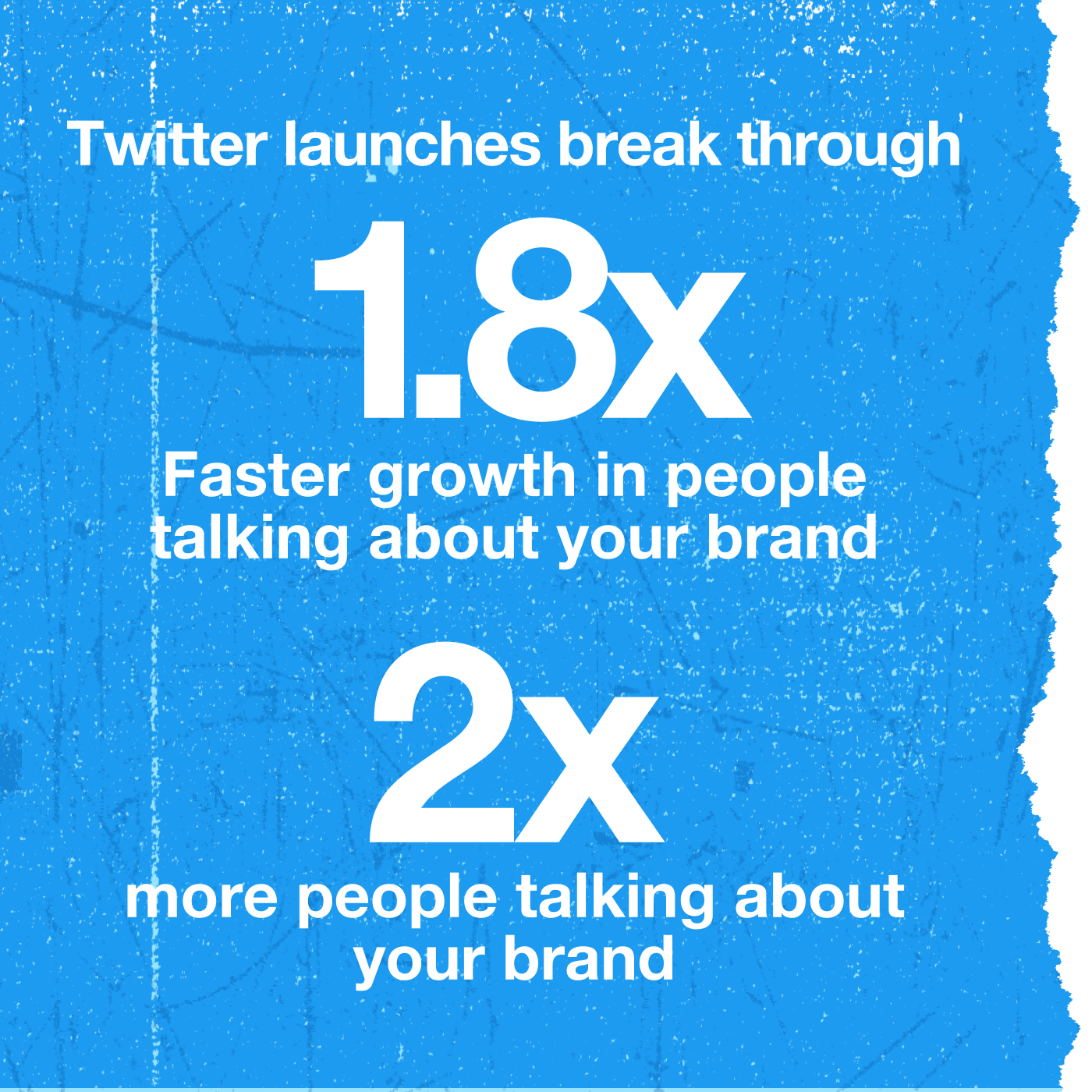
Speed of launch is critical to breaking through in today’s media landscape. Twitter helps your launch breakthrough faster and spread wider. Recently, we compared people who saw launch campaigns on Twitter to those who didn’t. The learnings were clear: People who see Twitter launches start talking about your campaign almost twice as quickly as those who don’t. And twice as many people talk about it. Check out the chart below.
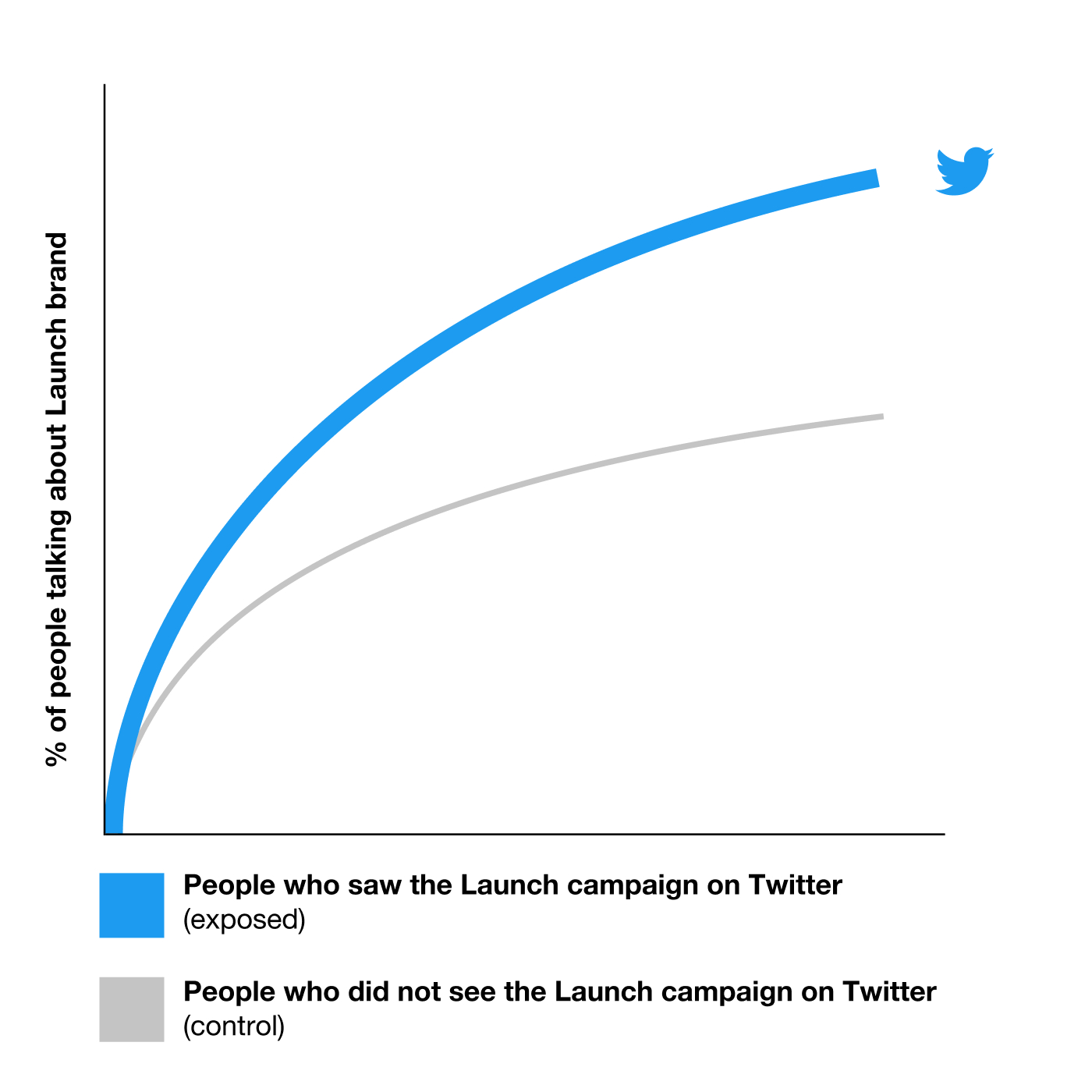
Source: Twitter Launch Speed Study, US/Canada/Brazil/UK, 2021(n=31 Launch campaigns from 2020)
Connecting with what’s happening.
The second powerful use case for activating on Twitter is to connect with what’s happening and build cultural relevance.
Our unique position as the real-time, conversational layer of the internet means there isn’t a more relevant media environment to connect with your audience through the events, occasions, and trends they’re talking about.
Cultural relevance matters
In a hyper-connected world, how and where a brand shows up has never been more important.
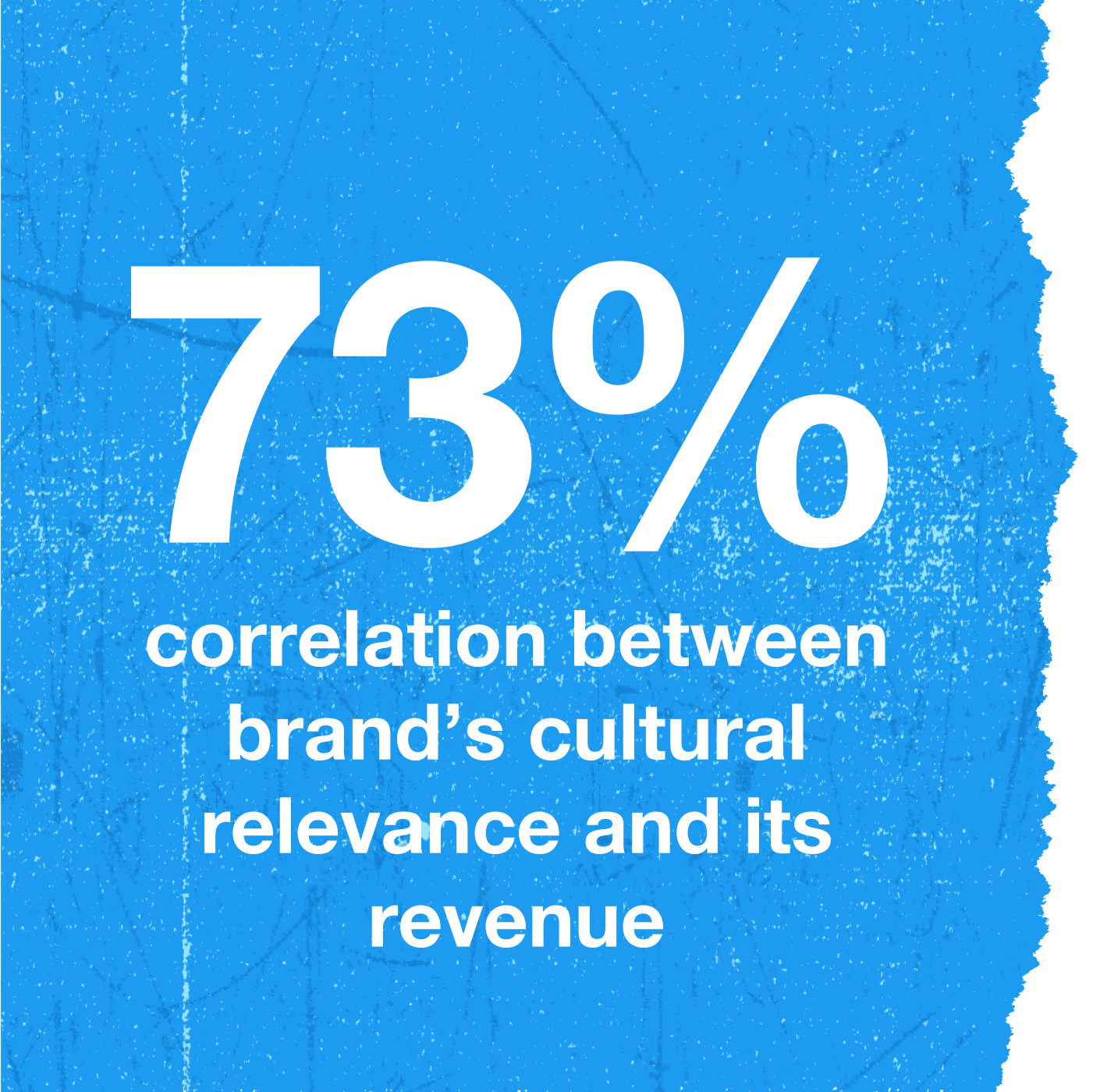
And here are the numbers to prove it: In a study conducted with Kantar, we saw a 73% correlation between a brand’s cultural relevance and its purchase intent.
Source: Kantar & Twitter cultural relevance research, total population,100 US brands tested, Dec 2019. Methodology: Pairwise correlation analysis for overall brand cultural relevance scores (NatRep) and Q3/Q4 brand revenue (source: Google Finance & secondarysources)
Twitter helps build relevance
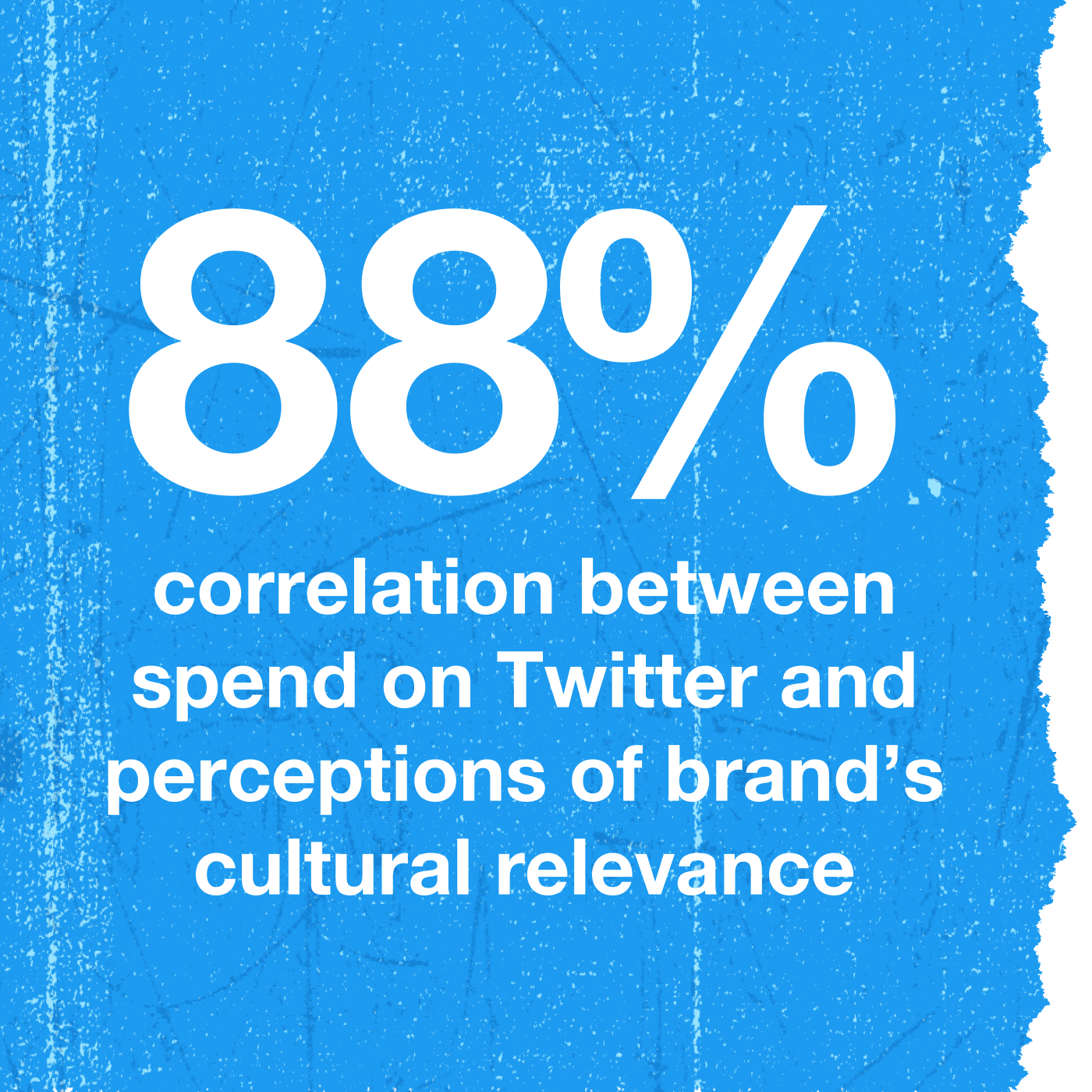
Here’s the even better news: The more active a brand is on Twitter, the more people see it as culturally relevant – there’s an 88% correlation.
Source: Kantar, commissioned by Twitter, Cultural Relevance Research, Dec 2019, USA, Base = 100 US brands tested. Methodology: Correlation analysis, which shows the strength of the relationship between two variables/metrics.
What makes Twitter the place to connect?
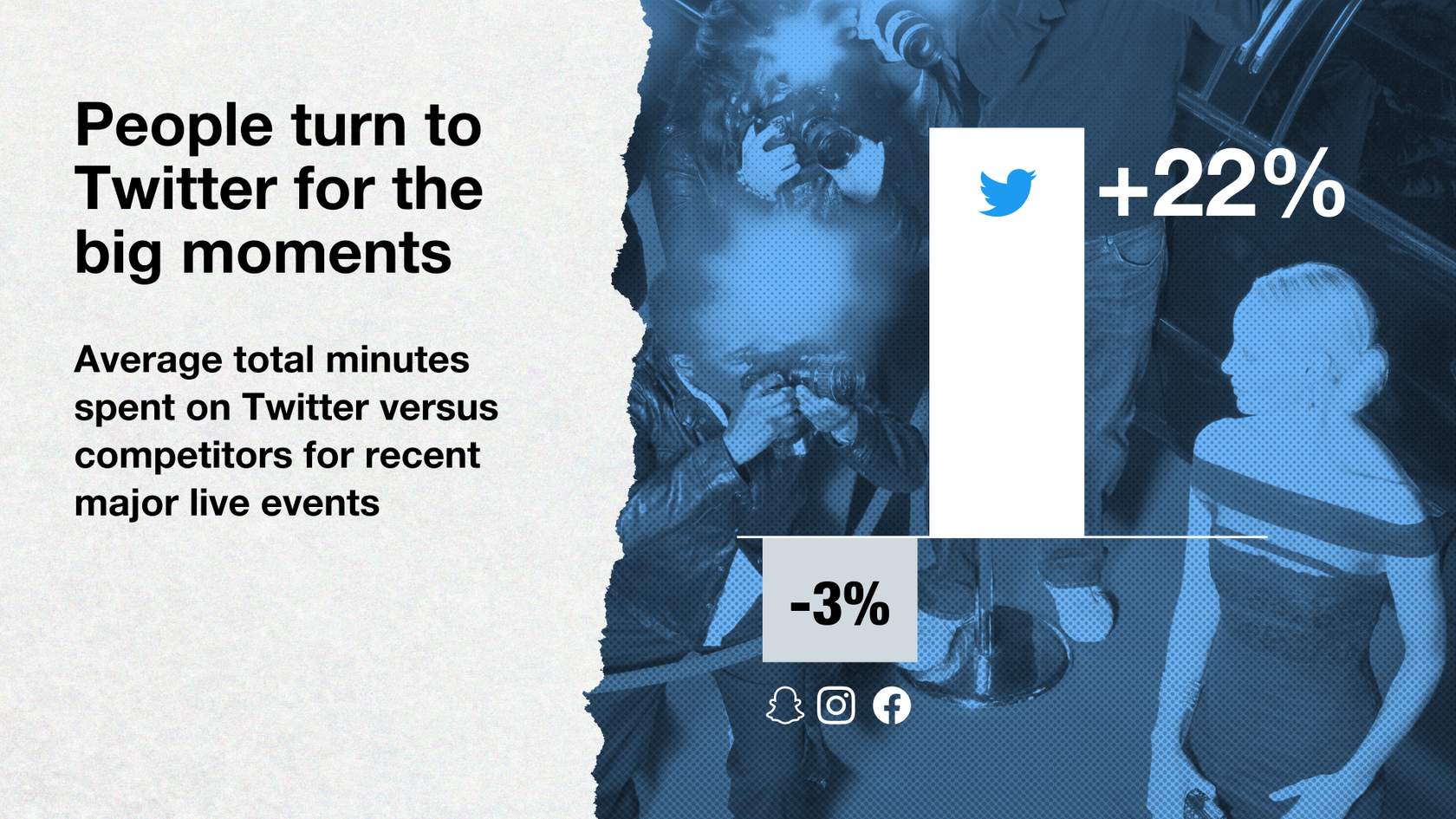
When something’s happening in the world, people turn to Twitter first. A recent study of major live events revealed people spend on average 22% more time on Twitter and less time on competitor platforms (this is an average of listed competitors). In these moments and beyond, we continue to be the most relevant media platform in the world.
77Source: Comscore Media Metrix & Mobile Metrix, Custom Daypart Analysis, Shift in total minutes on Twitter vs. other social platforms (Event vs. average of 3 weeks prior during same day of week & airing time), Super Bowl 2/2/20, USA; NFL Draft 4/23/20, USA; Oscars 2/9/20, USA; Premier League 7/5/20, UK; General Election 11/19/19, UK
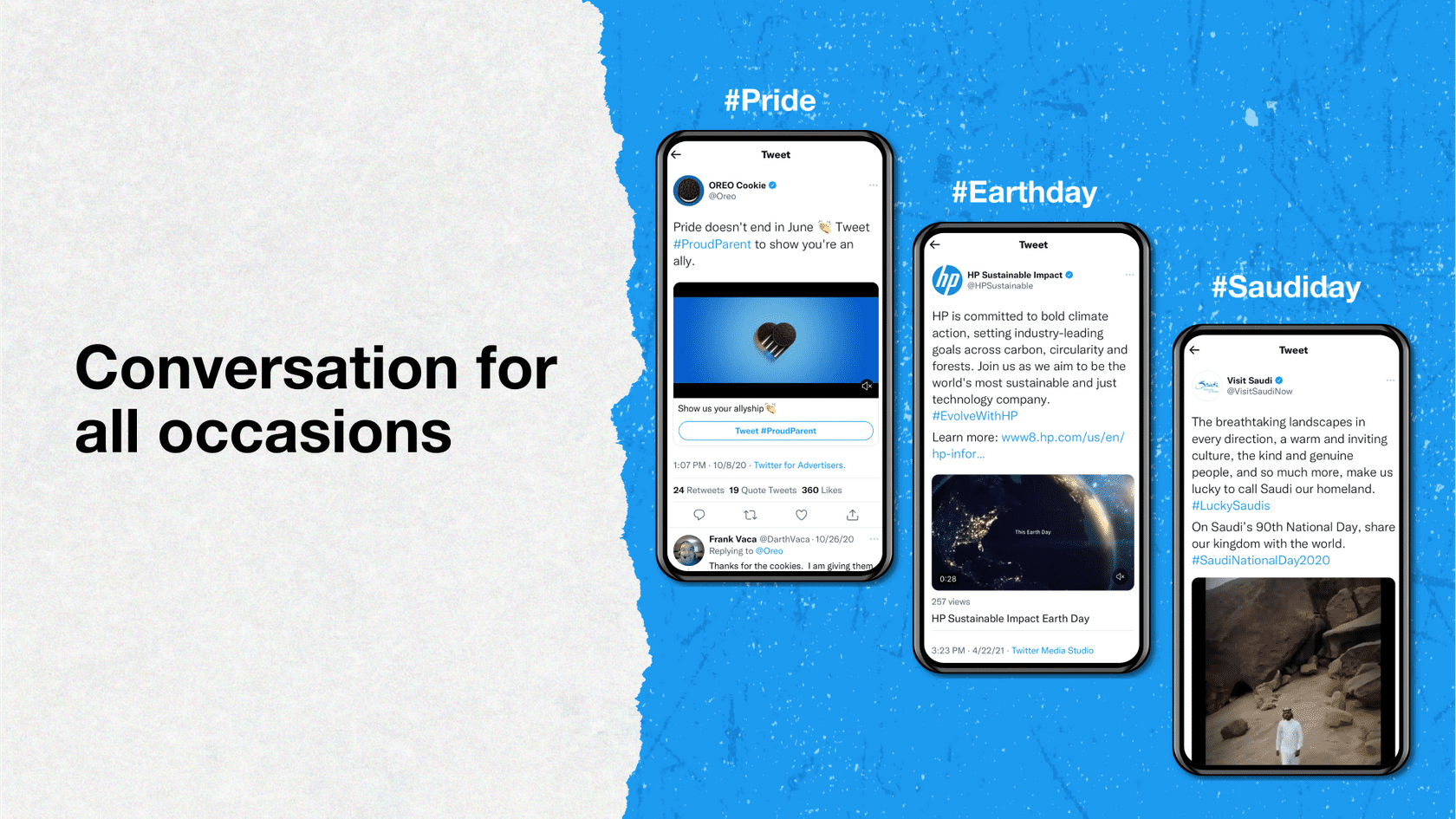
But our breadth of influence goes far beyond live events. From #Pride to #Earthday, to #SaudiDay, brands across the world are building relevance by connecting with the occasions their audiences care about.
One of the most powerful ways we help brands connect is through our Amplify premium video solution. As the second screen and first scroll for cultural moments, Twitter is the perfect partner to your TV plan – increasing incremental reach by 13% among adults 18-34, and 7% across all audiences.
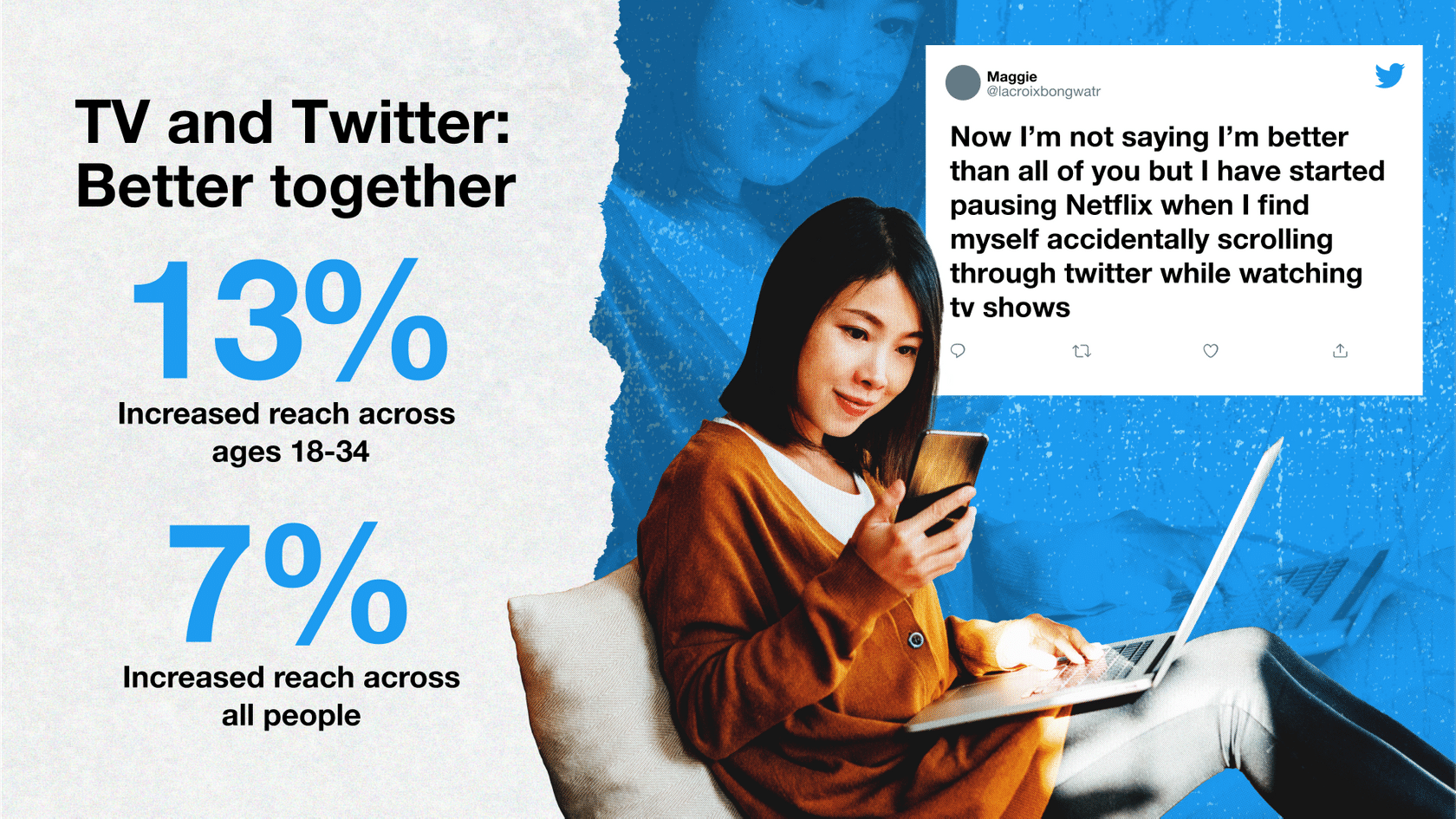
With video consumption surging across the platform, let’s take a look at the most powerful verticals our customers are using to connect with their audiences.
Source: Nielsen Total Ad Ratings, 03/11/2018 – 12/31/2020, 43 Twitter campaigns, U.S. only.
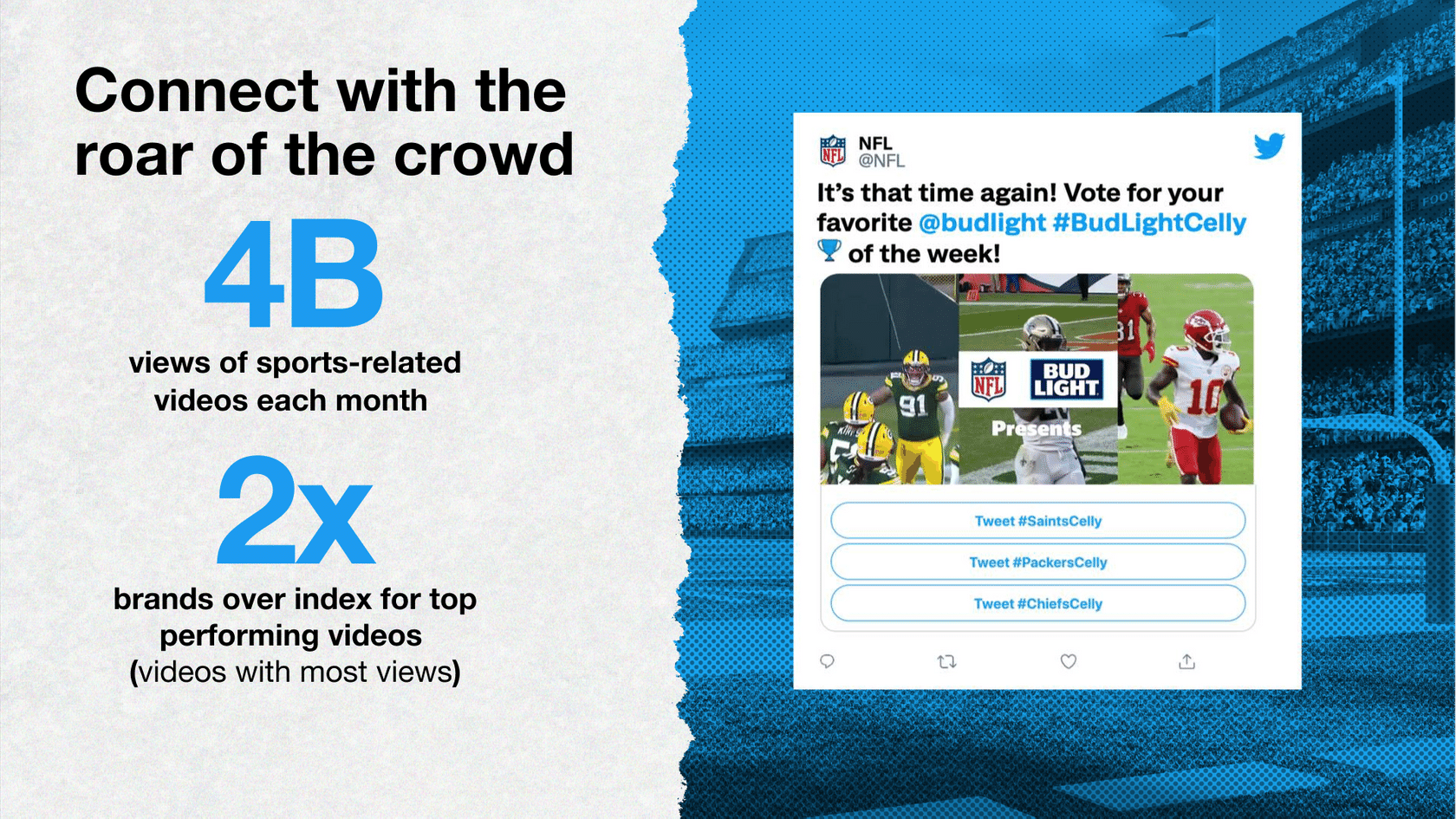
Sports are massive on Twitter. We averaged 4B monthly video views about sports last year, and continue to innovate with our global content partners to deliver breakthrough brand experiences. For the past two seasons, Bud Light has successfully leveraged Twitter to engage NFL fans and drive cultural relevance through a custom content program called #BudLightCelly of the Week.
In partnership with the NFL, Bud Light showcased top touchdown celebrations, giving fans the chance to vote for their favorite every week. During the 2020 regular season alone, the campaign drove over 127,000 program mentions, generating millions and millions of impressions, successfully modernizing their traditional sponsorship. And making Bud Light an integral part of the NFL conversation.
Source: Tubular Labs, commissioned by Twitter. Global video view data. Data pulled Dec 2020 – Feb 2021.
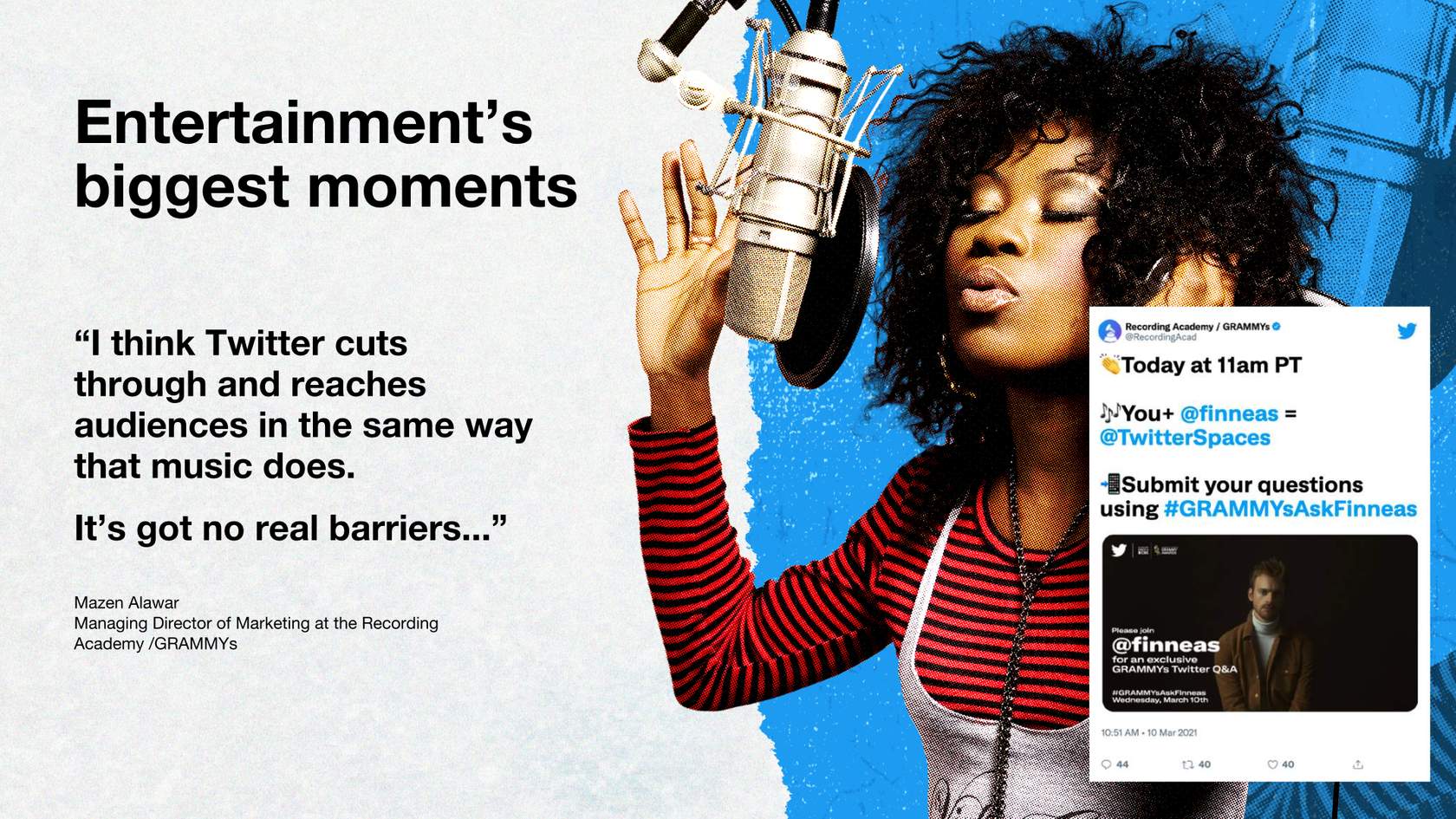
Twitter is where entertainment takes center stage. Through 2020 we regularly averaged over 3.5 billion monthly video views for entertainment content, and we continue to bring unrivaled innovation to the second screen experience. At this year’s Grammys, we created a live stream of nominations, celebrity Q&As, and a virtual afterparty on Twitter Spaces.
In the words of our partners at The Recording Academy: “We cut through and reach audiences in the same way that music does. There are no real barriers…”
Source: Twitter Internal; (Desktop + Mobile): Global Web Index, Audiences -Twitter Gamers: (Twitter user reach + Devices used for gaming; Console, PC, Tablet, Streaming service, smartphone, handheld) Twitch Gamers: (Twitch user reach + [same platforms]), Q3 2016 to Q3 2019

And Twitter has a thriving gaming audience. In fact, we reach more than 8x as many gamers on mobile than Twitch. From mega-hits like Animal Crossing to emerging favorites, conversation on Twitter is the pulse of what gamers care about right now.
Ready to learn more about how to launch and connect?
Now that you see that Twitter can help drive results when launching something new, take a deeper dive by checking out our Twitter Flight School Launch and Connect course for more information on how to execute it.
Get Started with Performance Advertising
1. Introduction to Performance Advertising
-
What Is Performance Advertising?
How do we define performance advertising? Performance advertising on Twitter refers to digital ads that ask someone to complete a specific call to action like Buy Now or Install.
Performance advertising has existed for a while but has lately become more popular because it ties directly to business results—unlike TV, radio, or out-of-home advertising.

Music companies use performance advertising to encourage people to install their apps and subscribe to their streaming services.

Mobile phone companies use performance advertising to encourage people to visit their website to select and sign up for new phone plans.

Fast food companies use performance advertising to encourage people to download their mobile apps to easily place orders and sign up for perks.
Digital users can complete an action on two primary platforms:
- Using a browser in a web-based environment
- Using an app on a mobile device
People are mobile-first
In recent years, mobile internet use has risen to meet desktop use, and people are using mobile devices more than ever. Since 2012, the amount of time spent browsing the internet on a mobile device has increased by over 200%. Check out these stats on mobile growth year-over-year:
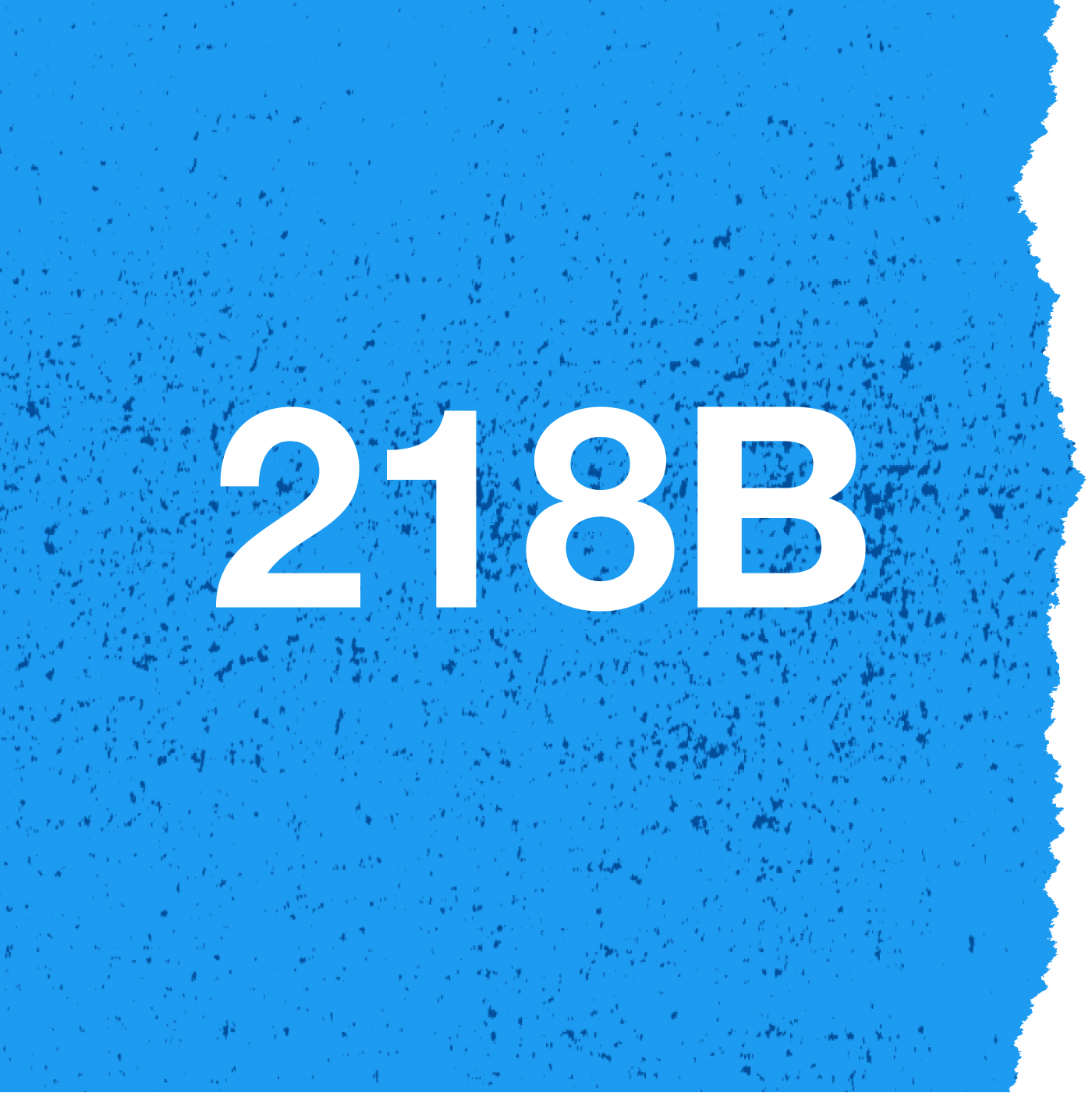
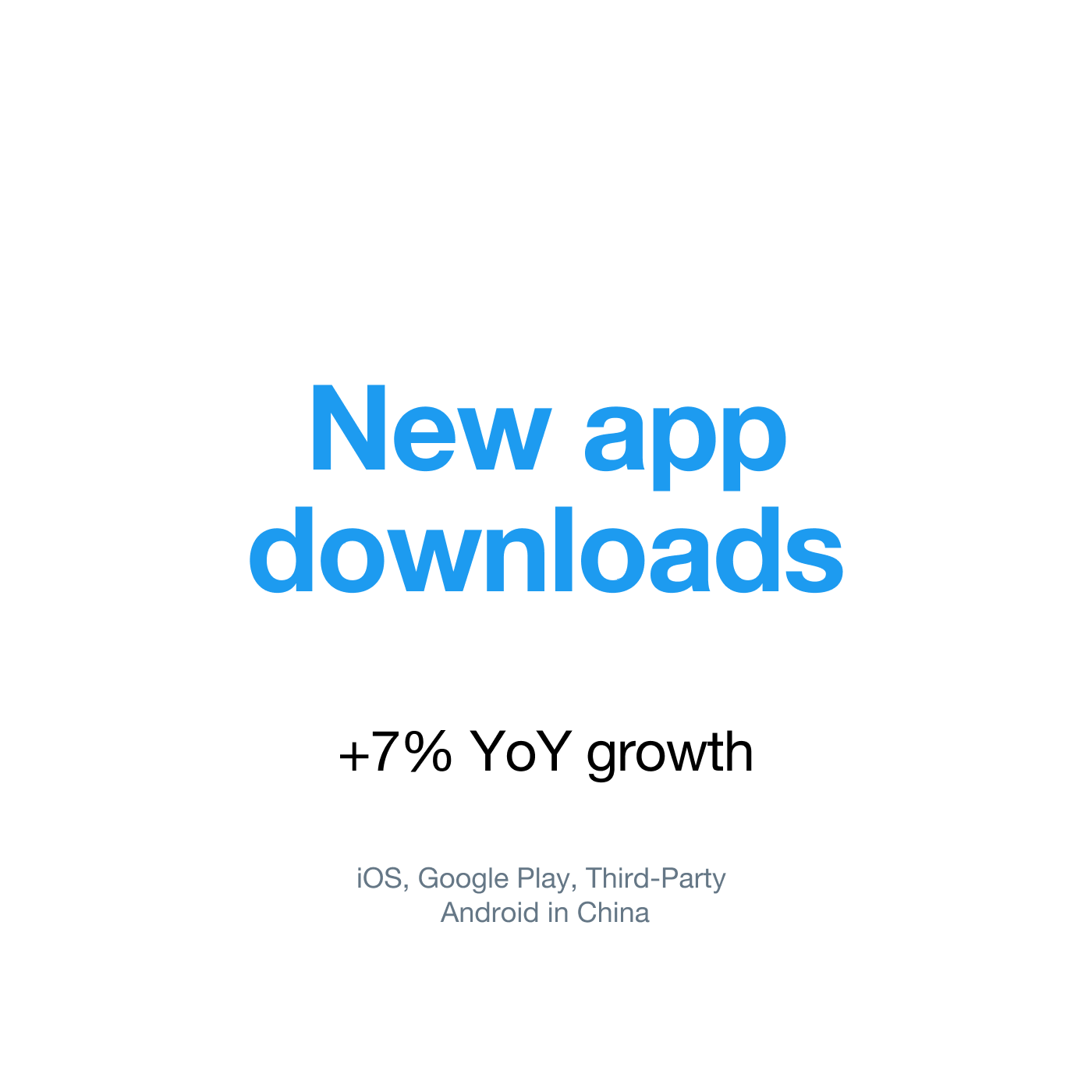
Source: App Annie | State of Mobile 2021
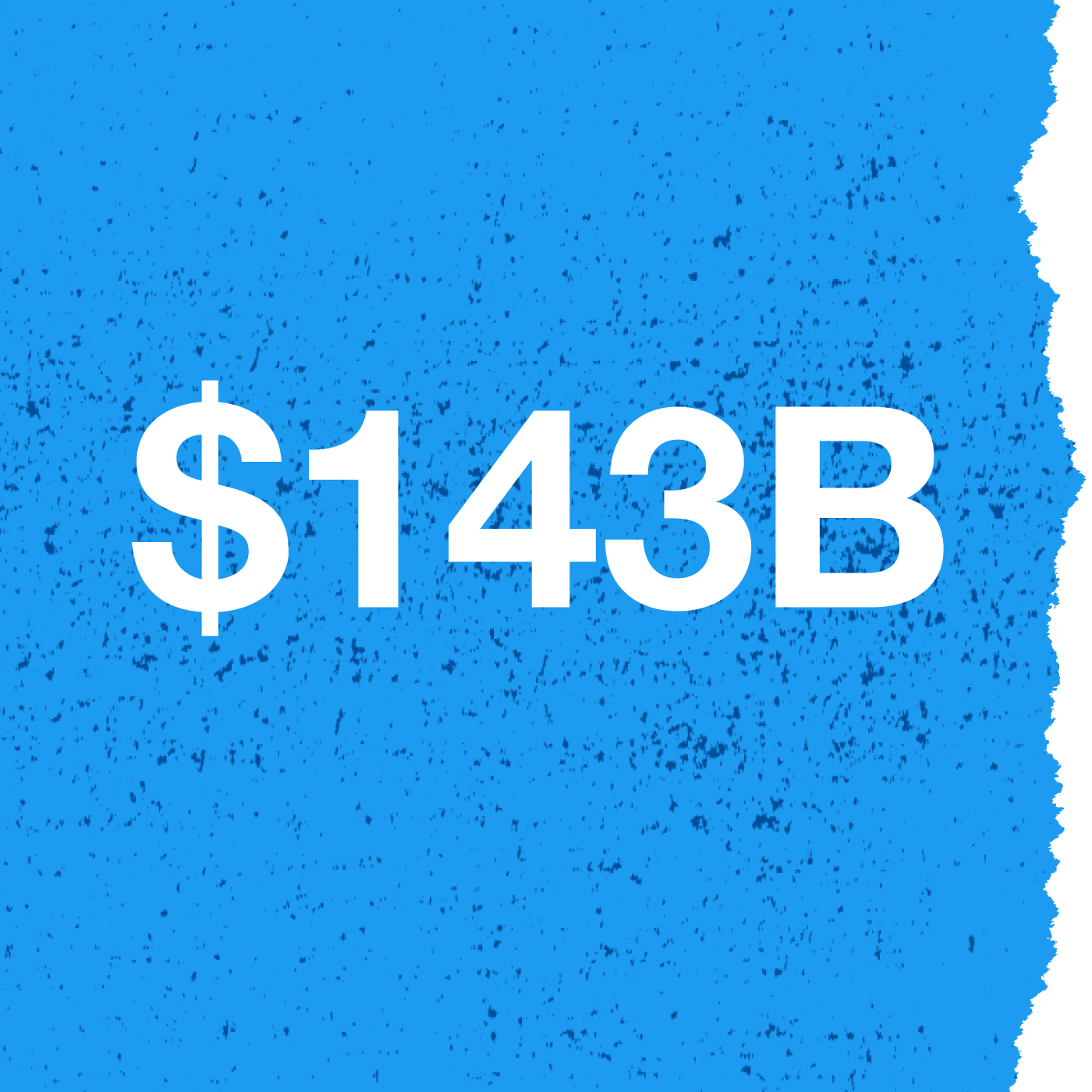
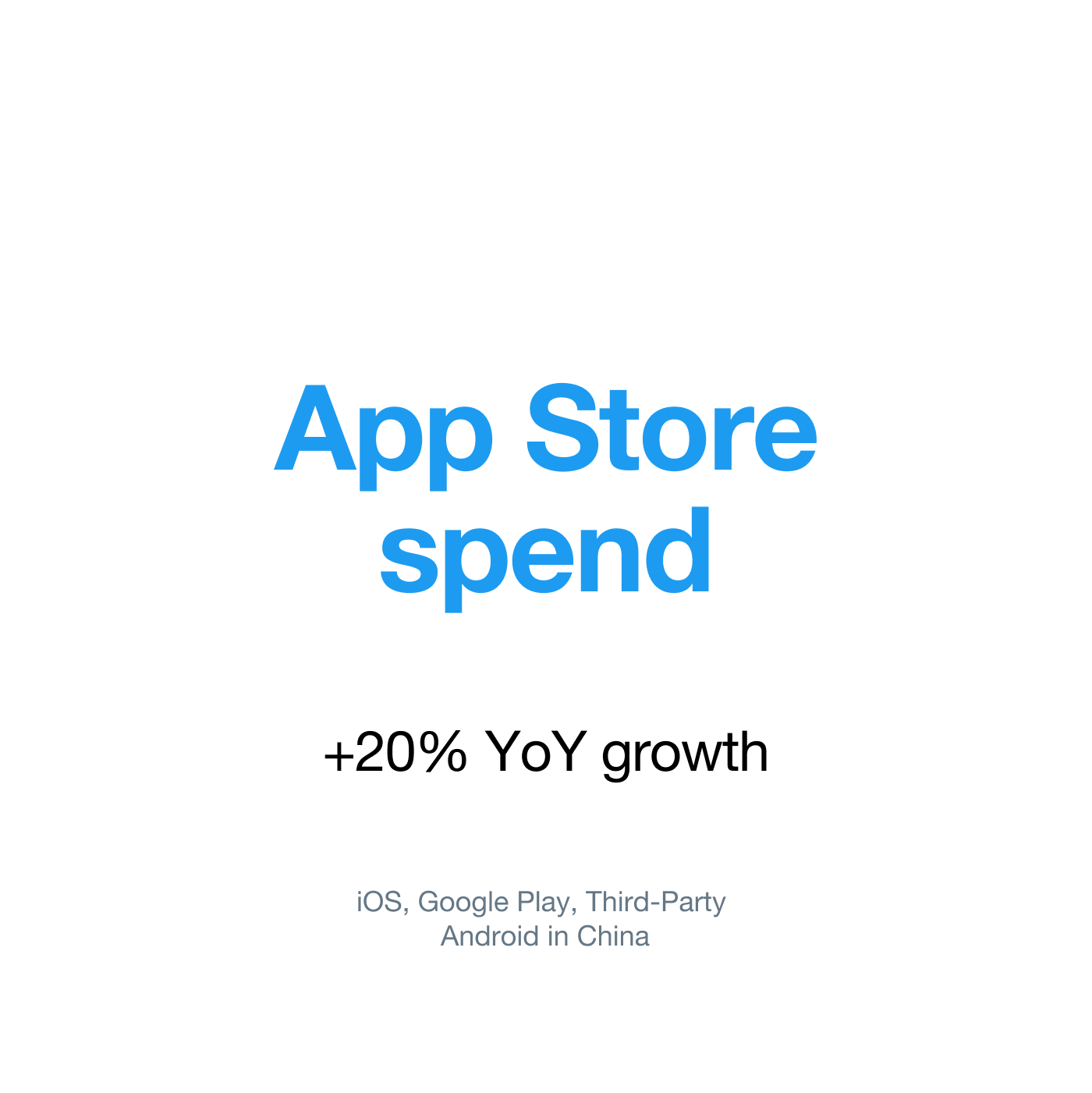
Source: App Annie | State of Mobile 2021
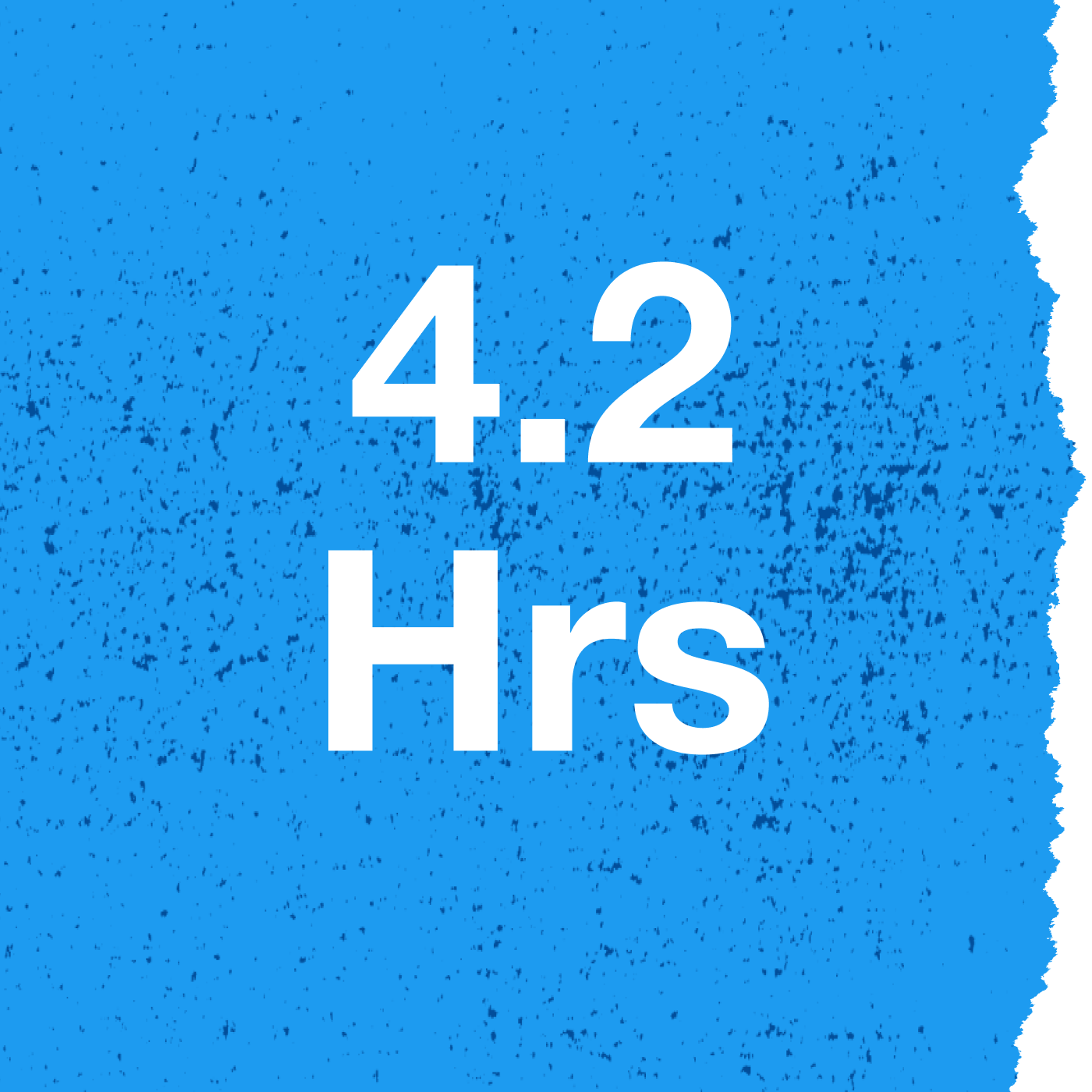
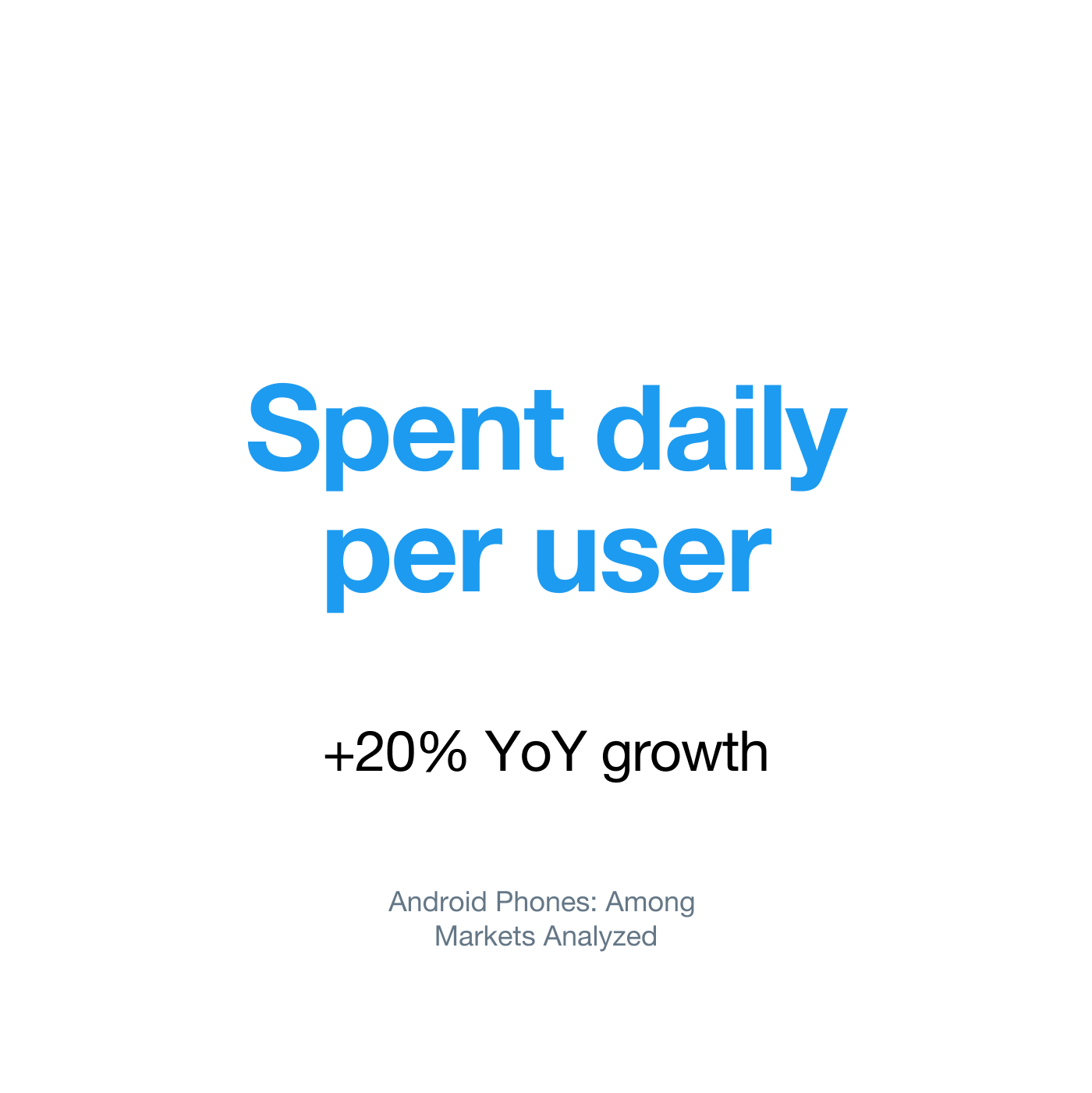
Source: App Annie | State of Mobile 2021
Conclusion
While performance advertising used to be entirely web-based, the rise of the smartphone has opened up a new set of possibilities for advertisers. The web-based marketplace might still be larger than the mobile-based one—but mobile is only continuing to grow! Keep this in mind as you plan your next performance campaign.
-
Common KPIs for Performance Advertisers
What matters to performance advertisers?
Performance advertisers care about driving performance at scale and being able to measure the results. They view their budgets as investments that generate tangible returns. They need to control advertising costs to ensure a positive ROI (return on investment).
Every performance advertiser focuses on driving a specific KPI (key performance indicator). Each KPI is a measurable value demonstrating how effectively a campaign is reaching an objective.
Performance advertisers typically care about both the KPI and the volume of actions they’re looking to drive. Click through the tabs below to explore some of the most common KPIs for performance advertisers.
Common KPIs:
- CPM
CPM stands for Cost per 1,000 impressions, and advertisers use it to gauge the relative cost of their buying inventory. How it works:
CPM = Spend / (impressions/1,000)
Example: $20 in advertising spend/(5,000 impressions/1,000) = $4 CPM
- CPC
CPC stands for Cost per Click, and it refers to the actual price you pay for each click in your pay-per-click (PPC) campaign. In performance advertising, there are two additional types of CPC:
CPAC – Cost Per App Click: Calculated by taking Spend/Total App Clicks. CPAC is commonly used in Twitter App Install campaigns.
CPLC – Cost Per Link Click: Calculated by taking Spend/Total Link Clicks. CPLC is commonly used in Twitter Website Click campaigns.
Example: $50 in advertising spend/100 clicks = $0.50 CPC
- CTR
CTR stands for Click-Through Rate. Advertisers frequently use CTR to analyze their creatives and understand which ones drive the most clicks or perceived interest from users. How it works:
Clicks/Impressions *100
Example: 60 clicks/ 2,000 impressions = 3% CTR
- CVR
CVR stands for Conversion Rate, and it’s a key performance indicator for digital advertising campaigns, mobile applications, and commercial websites.
How it works:
Conversions/Clicks *100
Example: 10 conversions / 200 clicks = 5% CVR
- CPA
CPA stands for Cost per Action. The action can be any conversion the advertiser is interested in. Some examples include:
- CPI (Cost per Install) – Total Spend/Total Installs
- Cost per Purchase – Total Spend/Total Purchases
Example: $300 in advertising spend / 50 actions = $6 cost per action
- ROAS
ROAS stands for Return on Ad Spend. Many advertisers aim to make a designated amount of money back from each user within a certain period. They want to ascertain whether the acquired users are monetizing at the targeted rate.
Calculating ROAS using Cohort Analysis – The advertiser may define a target ROAS percentage to hit within a certain time frame following a new user’s acquisition. For example, if an advertiser has a goal of hitting 10% ROAS by day 3, they need to make 10% of the average amount paid for the user back within the first three days of the user’s acquisition.
In other words, if the advertiser spends $1000 per new user on day 1, they need to generate $100 from each user by the end of day 3 to achieve their 10% ROAS goal.
- LTV
LTV stands for Lifetime Value and is an estimate of how much a user will spend during their lifetime.
Advertisers study the average monetization patterns of their users as well as their users’ average duration. LTV is a projection based on a user’s spend rate and the average lifetime duration of users with the company. Advertisers typically want a user’s LTV to be higher than their acquisition cost and use LTV estimates to set cohort ROAS or CPA goals.
Example: An average gaming user typically spends 100 days playing a game (average customer lifetime), and spends 10% of their total lifetime spend three days after the game’s installation. Based on these statistics, advertisers can extrapolate a new user’s lifetime value based on how much revenue that user generates by the third day after installing the game. If a new user spends $5 by day three, their LTV would be $50. As long as the cost to acquire this new user is less than $50, the advertiser was ROI positive with their investment.
-
Explore the Performance Landscape
The rise of digital performance marketing has created a big playing field with a lot of options for advertisers. While more options is generally a good thing, having so much choice can make choosing the right partners challenging.
Performance advertisers generally classify themselves as:
- Publishers
- Ad Networks
- Exchanges
- DSPs (demand-side platforms), retargeting solutions
- API Partners
- Ad Servers
- DMPs (data management platforms)
- Attribution/measurement technologies
As the field of digital marketing has grown, so has competition. The competition has led to fragmentation. Companies that are active in digital marketing may classify themselves as publishers, ad networks, exchanges, DSPs, retargeting solutions, API partners, DMPs, ad servers, and attribution/measurement technologies.
As mentioned earlier, performance advertisers focus on driving performance at scale and measuring their success. In order to achieve their goals, they collaborate with advertising platforms and partners, measurement and attribution partners, and data partners.
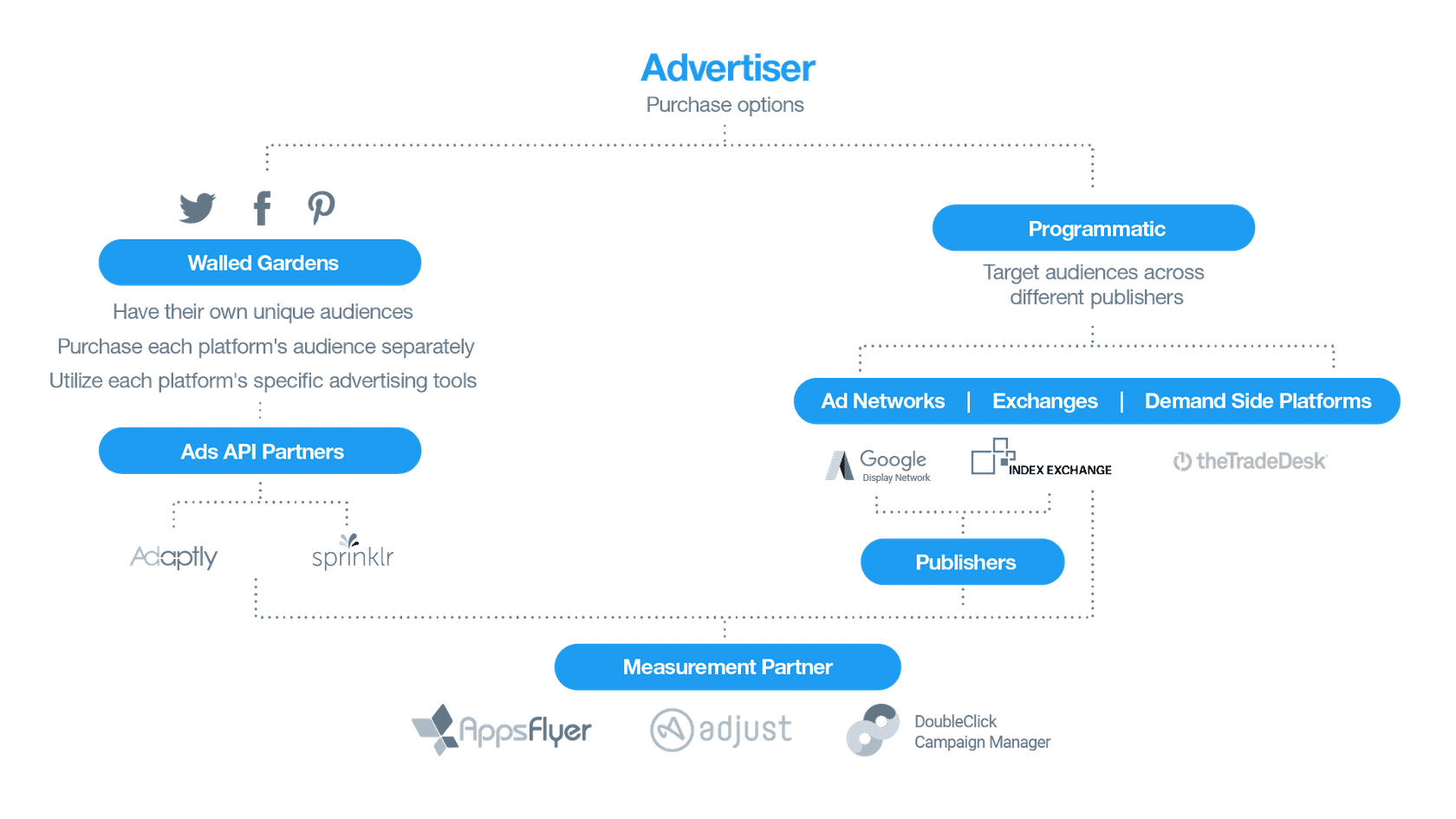
There are two primary types of advertising platforms:
Programmatic: One-to-Many Relationships
An ad tech partner acts as a broker. It will not necessarily own the many different sites displaying ads. Programmatic actors fall into three categories:
- DSPs are demand-side platforms that enable advertisers to buy inventory from multiple sources (The Trade Desk, MediaMath, MoPub Acquire).
- Ad networks tend to aggregate publishers. They offer premium inventory to be sold in various ways, either directly or programmatically (Google Display Network, Adconion, Brightroll).
- Ad exchanges have been rising as well, providing access to an extended depth of inventory—including remnant inventory—with the end goal of maximizing publisher revenues.
Walled Gardens: One-to-One Relationships
Twitter is an example of what’s commonly referred to as a “walled garden,” meaning we work directly with advertisers. We serve ads only through Twitter ad formats (Promoted Ads, Amplify, etc.) on our platform.
Twitter monetizes by displaying ads on our properties. Advertisers buy ad placements, either directly or through an intermediary, paying the price determined by an auction or bid-based system.
-
Get Started with Performance Ads on Twitter
Twitter’s Performance Solutions
Twitter offers three performance ad objectives; each of them helps target your brand’s most important audience. You can use these objectives to reach a highly leaned-in audience and achieve your KPIs across mobile and desktop. Let’s take a look…

App installs
App install campaigns are the perfect way to connect with Twitter’s mobile-first audience and drive more app downloads. This performance ad objective promotes your app’s widespread visibility to the people who are most likely to convert seamlessly from Twitter to the app store. If you’re looking to showcase new features or reach new mobile audiences, an app install campaign is a great fit for your goals.

App Re-engagement
This campaign objective keeps your app top of mind and drives brand loyalty and in-app conversions from your existing customers. By surfacing and promoting new content and rewards, this campaign is ideal for re-targeting your apps infrequent users.

Website Clicks
Increase traffic to a designated webpage and encourage visitors to take action—such as reading your latest press release or making a purchase—once they arrive. This campaign leverages Twitter’s unique data signals to target the right audiences, driving cost-efficient link clicks across platforms.
What formats can be used with performance ads on Twitter?
We offer several different ad formats to help your performance campaign succeed. These formats pair images and video with app store integrations and website CTAs, driving users from their Twitter timelines directly to your app or website. Let’s take a look!
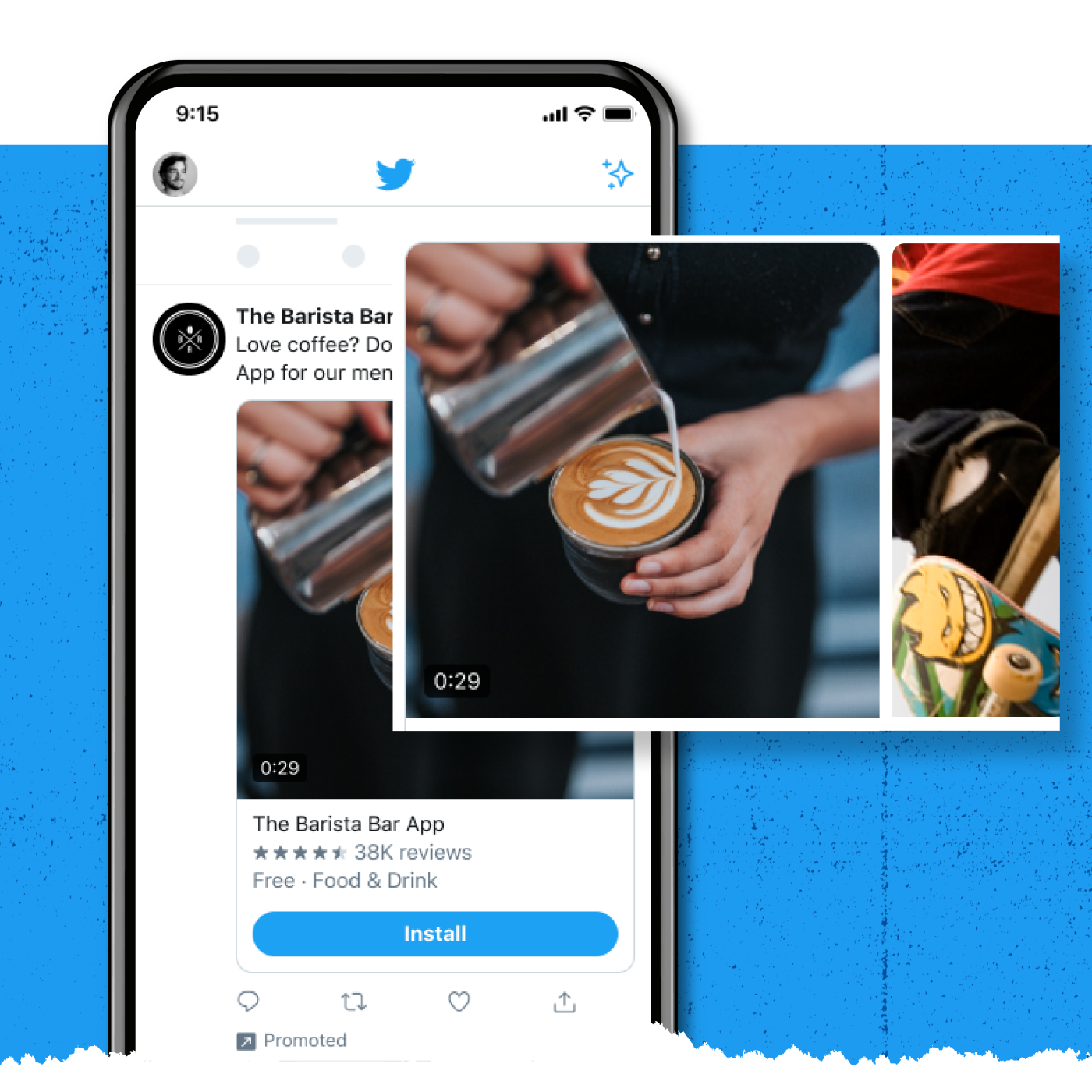
Carousel Ads
Carousel Ads on Twitter use multiple images or videos to help you reach new people and drive them to your app or website. Show off different aspects of your app, tell a story, or highlight new features—all within a single, swipeable ad.
Our new Carousels feature an edge-to-edge design and encourage swiping by displaying peek previews of your sequence’s next image or video. Carousels now also offer improved analytics and measurement coverage—including a new swipes metric and card-level reporting—to help you understand performance.
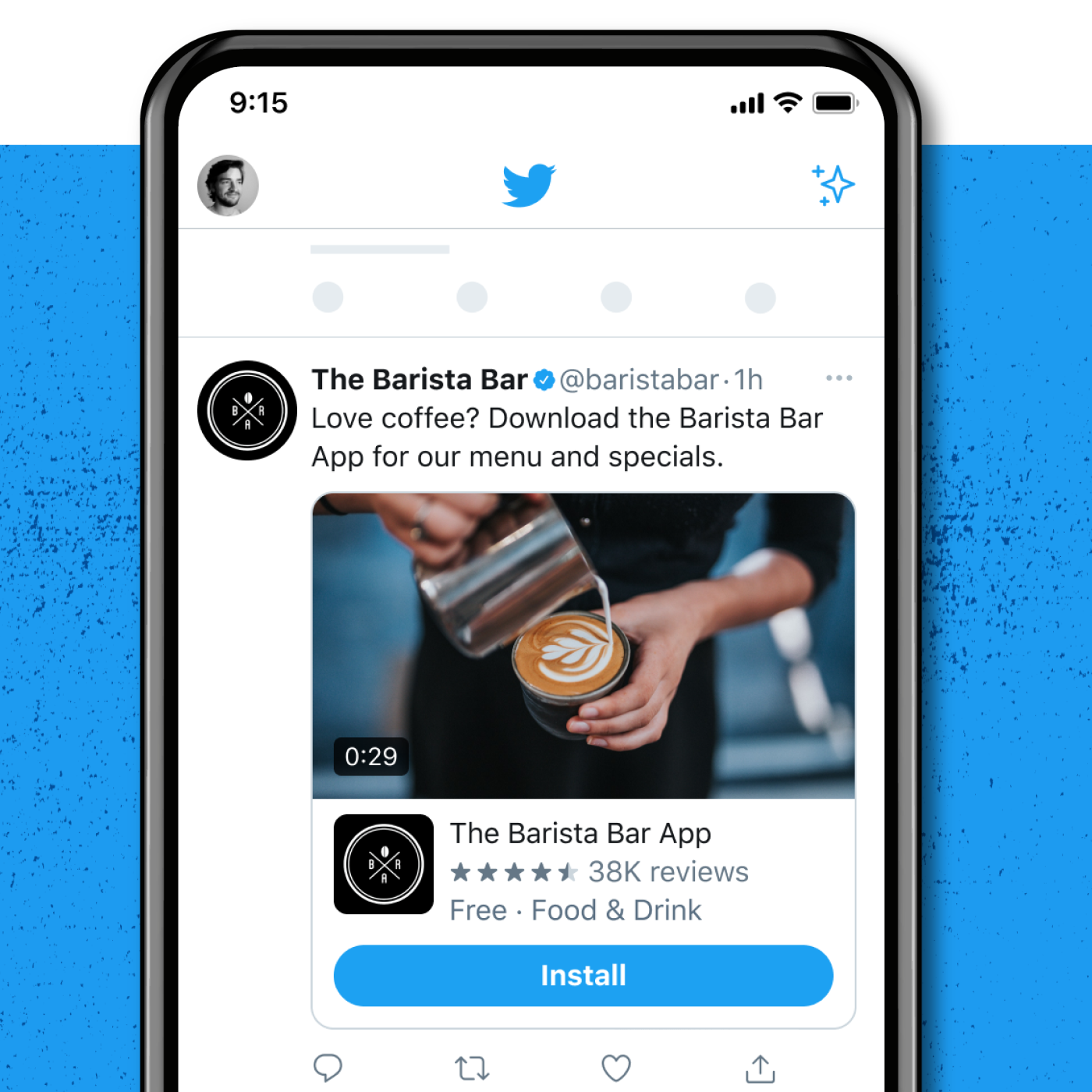
Image & Video Ads
Attract engaged audiences by running app install or website click campaigns with Image or Video Ads.
With the flexibility to run both 16:9 and 1:1 images, you can try different creatives to determine which one drives the best performance. Test each format to determine whether 1:1 or 16:9 creative is the better fit for your App Install Ads.
Where can I see these ads?
App Install Ads can show up in several places on Twitter. These placements include:
- Home Timeline
Tweets in your campaigns may be visible within someone’s timeline if an advertiser has promoted a Tweet relevant to that person.
- Partner Apps via TAP
The Twitter Audience Platform (TAP) extends your reach by placing ads in the thousands of apps your audience uses every day, achieving a grander scale for your campaigns.
- Relevant Search Pages
App campaigns from our advertising partners are called out at the top of certain search results pages on Twitter.com, as well as through select ecosystem partners.
- Profile Pages
When someone you targeted visits a Twitter profile or Tweet detail pages, they may be eligible to be served your impression.
-
TAP: Twitter Audience Platform
Using TAP, advertisers can expand their reach and scale by serving App Install, App Re-engagement, and Website Clicks ads to additional people who aren’t on Twitter.
- TAP
TAP provides additional reach to 800M+ devices across Twitter and thousands of other apps. TAP also gives you access to Twitter’s users, as well as similar users on other platforms.
- ADVERTISER OPTIONS
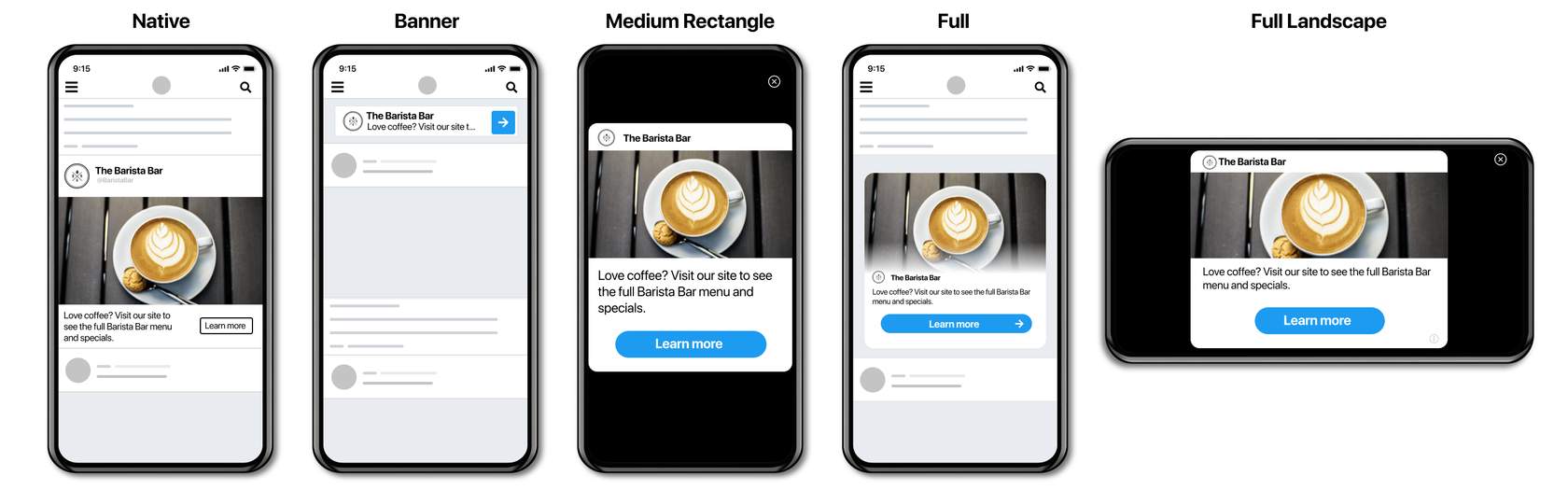
You can make use of a campaign’s existing Promoted Ads by automatically syndicating them across the various ad formats available on TAP. These formats include full screen, banners, medium rectangle, native, and video. You can also easily select which ad format best fits your creative requirements. TAP creative is compatible with both Image and Video Ads.
- HOW TO ACTIVATE
Your campaign will be automatically extended to TAP by default; you can select the specific formats you want to run under the campaign form’s creative section.
Where does TAP run?
TAP lets you run ads across Managed Publisher MoPub inventory for premium apps. Our TAP inventory is continually growing and includes high-quality apps from throughout the developer ecosystem.
Seamlessly run ads across a variety of formats on TAP
What are the inventory differences between Twitter and TAP?
TAP offers vast scale and the ability to reach audiences beyond Twitter. When audiences aren’t on Twitter but use other apps, there is greater variance in behavior.
We typically see that TAP drives significant volume for app installs and app re-engagement. Sometimes we see differences in the user quality of the conversions driven by Twitter-owned and operated inventory vs. TAP. Note that Twitter-owned and operated inventory typically drives a higher cost per click/install—but a higher average value per click/install.
You can view performance differences between Twitter-owned and operated inventory and TAP within our dashboard and your third-party measurement dashboard.
We suggest not using TAP with website clicks campaigns unless the KPI is focused on cost per click instead of cost-per-site-visit or lower-funnel metrics.
2. Performance Measurement Basics
-
Get started with Attribution
Measurement is critical to performance-focused advertisers because they need to prove their advertising drives results.
In digital marketing, it’s easy to associate results with advertising because we have more data on user behavior. However, accurately attributing results to an advertising campaign is both an art and a science. To do so, advertisers must make assumptions about whether the advertising influenced users to take action using associations and rules.
If a user takes action, all the platforms that showed the user an ad can claim their ad drove that action. It’s up to the advertiser to determine the rules assigning credit to each platform.
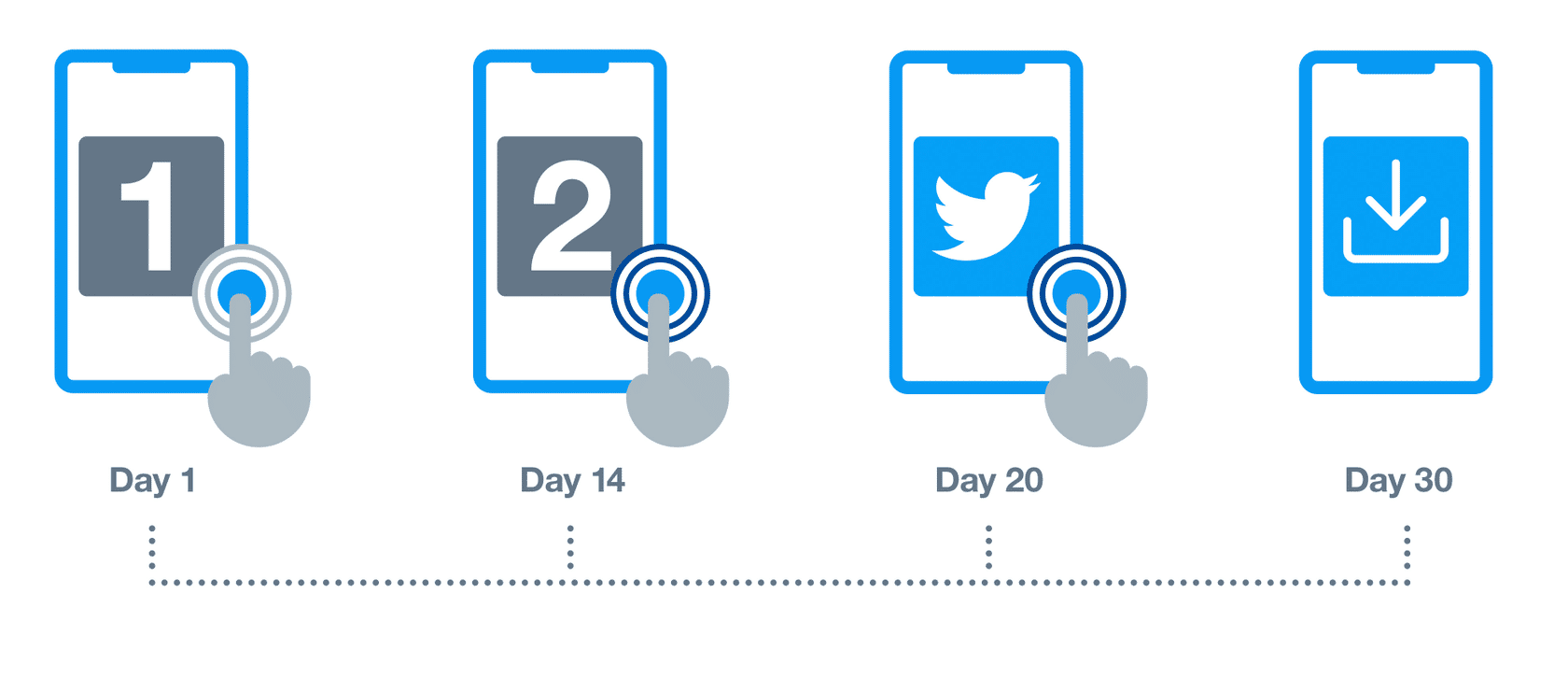
30 Day Click – 1 Day View.
All advertising platforms will claim the install and show 1 install.
Measurement discrepancies can occur when:
- You have different measurement sources, and each source attributes actions to advertising in a slightly different way.
- Each source receives different levels of information. It’s up to you to decide on a source of truth in reporting. Most likely, you will have to reconcile measurements across different sources.
- The same advertising campaign measured via different methods can reflect different levels of success to the advertiser.
-
How does Attribution work?
Attribution is a system in which you assign credit to different advertising partners and platforms for driving conversion. Conversions can occur after the user is exposed to or interacts with ads across multiple platforms and channels. Industry trends—such as cookie tracking prevention and Intelligent Tracking Prevention (ITP)—suggest attribution will evolve over time.
So how does the advertiser give credit?
There are different ways to perform attribution. As the industry changes and technology improves, attribution methods will be adjusted accordingly. Let’s explore a few possible attribution models.
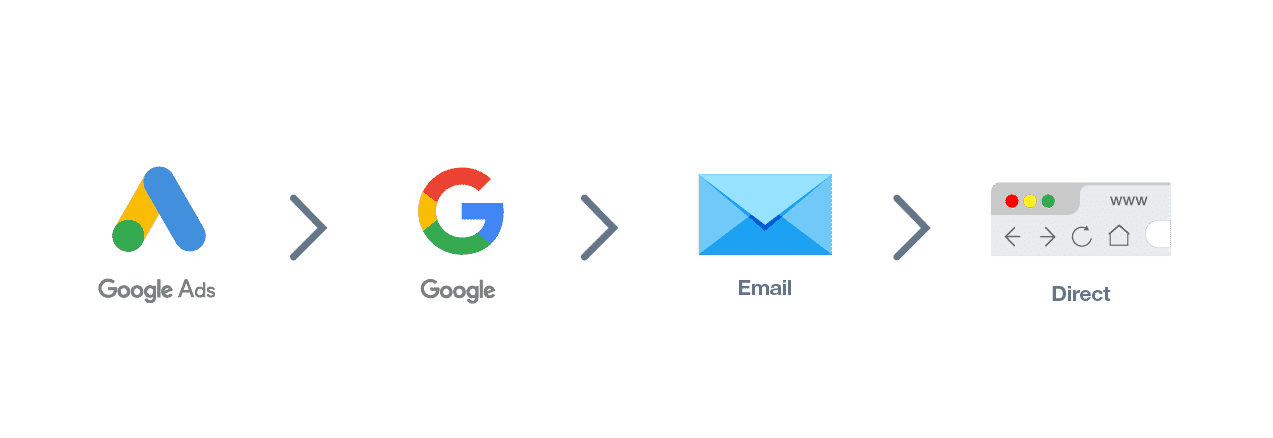
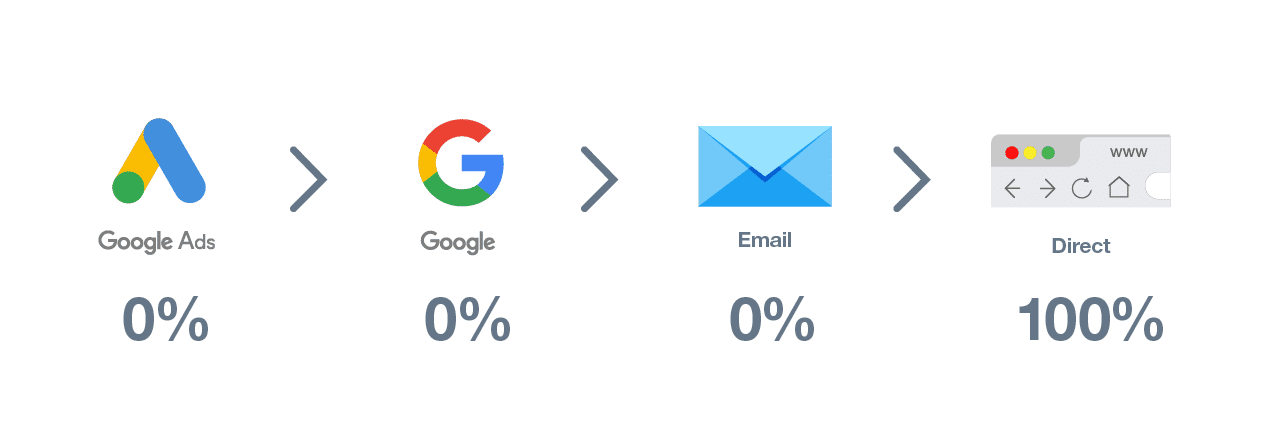
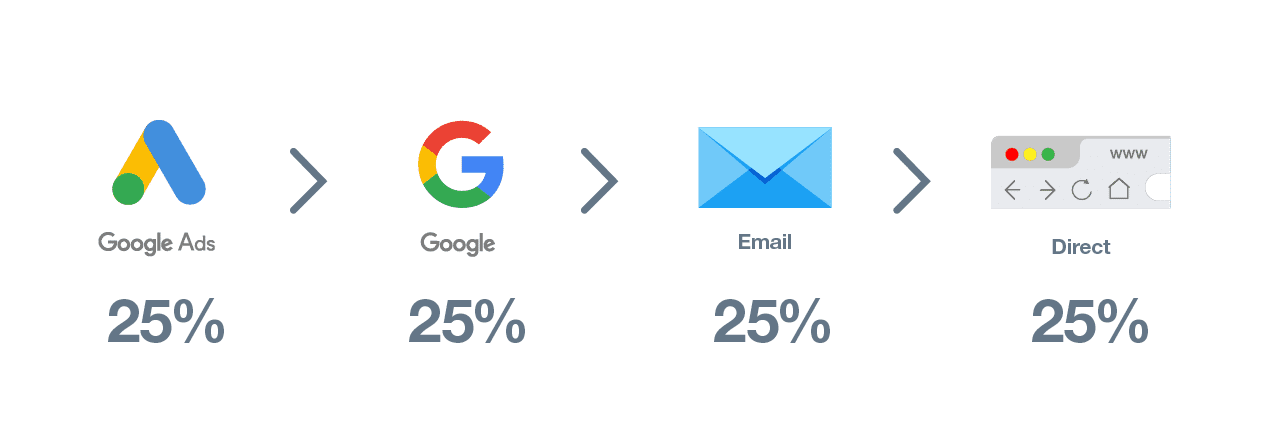
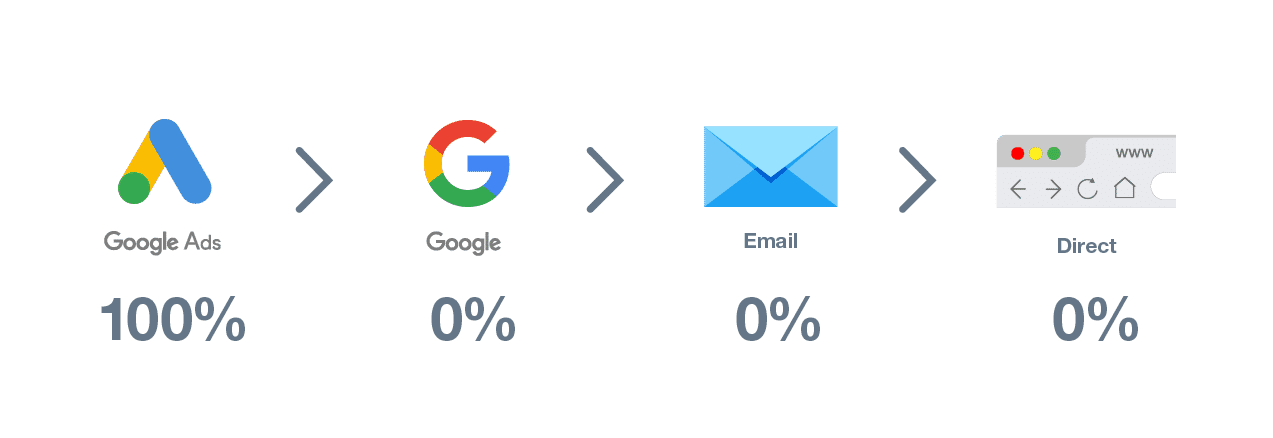
- Step One: An anonymous visitor clicks on a Google ad and lands on your site.
- Step Two: The visitor uses a brand search in Google and visits a case study page, where they sign up for your newsletter
- Step Three: Two weeks later, they click through to a blog post via a newsletter.
- Step Four: After two months, they visit your pricing page directly. From there, they convert by clicking a button to schedule a meeting with sales.
LAST TOUCH
Last touch attribution is the most common attribution model in the performance advertising space. In this model, the last platform impacting the user before they convert gets 100% of the credit.
MULTI-TOUCH
In multi-touch attribution, all platforms impacting the user get a portion of the credit. We’ll examine this model more closely in a later section.
FIRST TOUCH
In first touch attribution, the first platform to impact the user gets 100% of the credit.
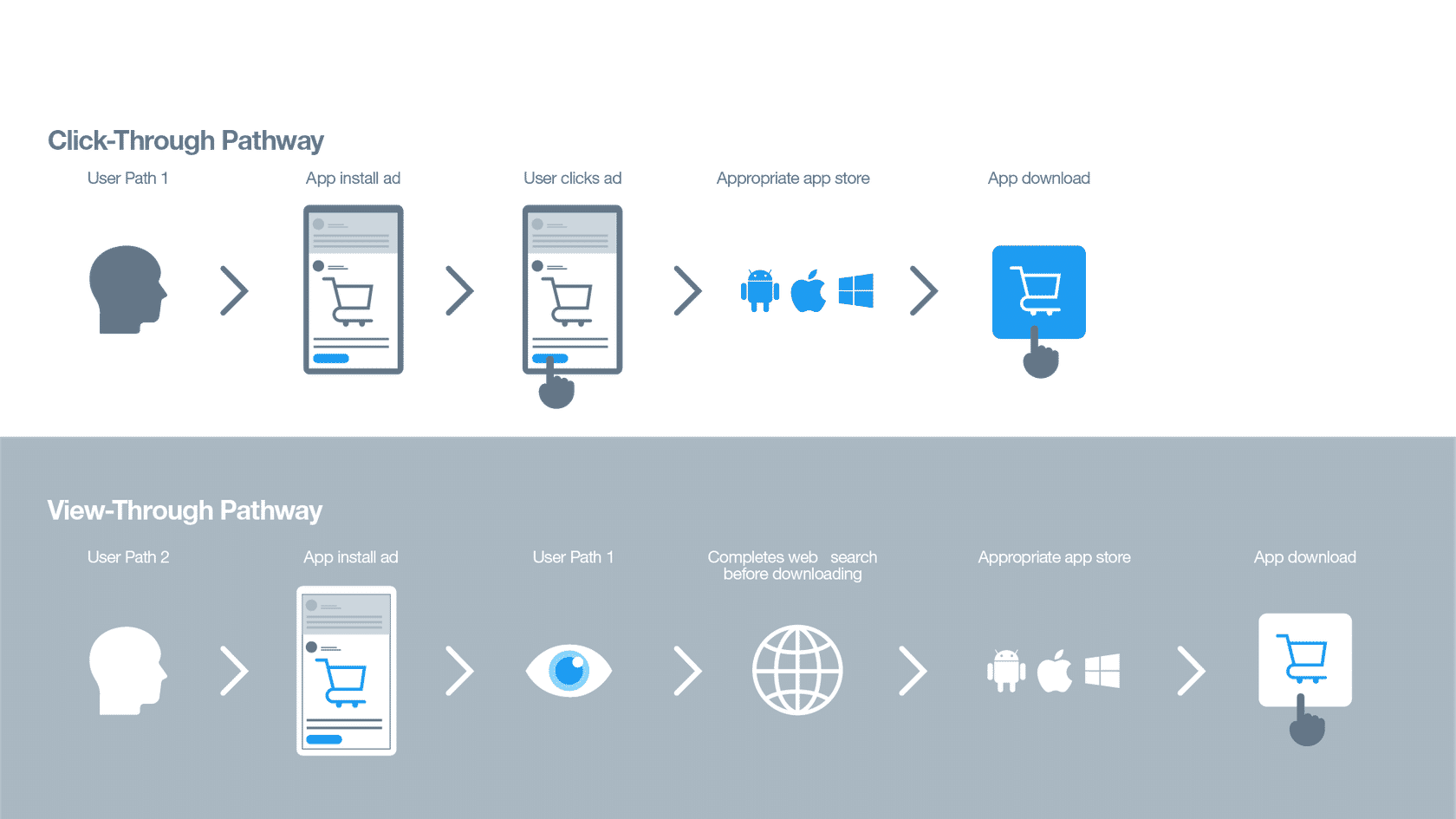
View-through vs. Click-through attribution
An advertiser gives view-through attribution credit when a user sees the ad and takes action afterward. They give click-through attribution credit when a user clicks on the ad and takes action later.
Click-through attribution is known as post-engagement on Twitter.
Usually, there is a limited window during which platforms can earn click-through and view-through attribution credits. These windows may be different lengths (e.g. 7-day click, 1-day view).
Click-through vs. View-through
Attribution Window
An attribution window is defined as an allowable period between the moment someone viewed or clicked on your ad and the moment they took action, in which an advertiser believes there was a causal relationship. The advertiser defines the length of the attribution window, which is usually consistent across all engaged platforms. This ensures all platforms are held to the same standard.
What is needed for attribution?
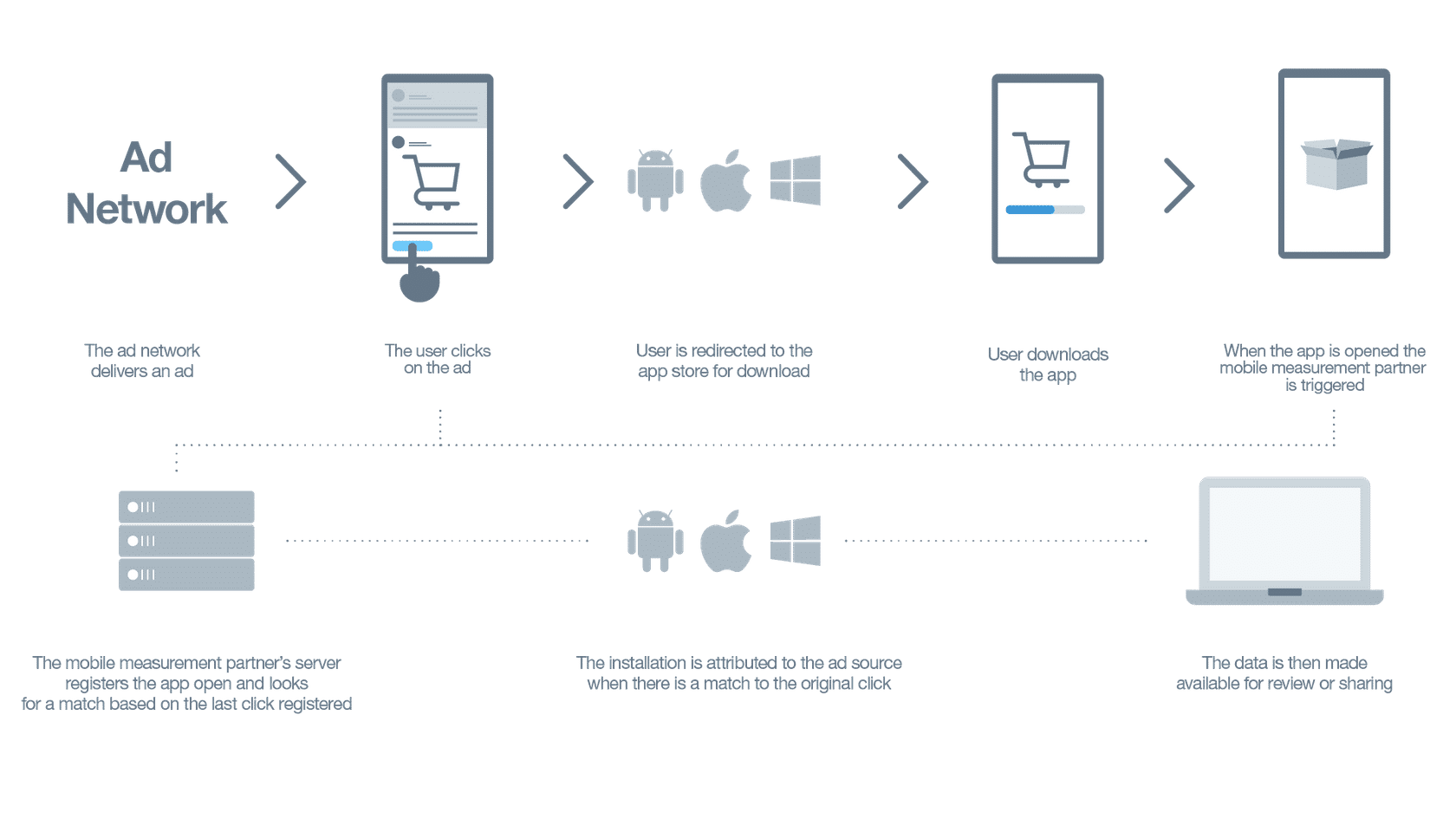
For attribution to happen, data and information must be shared between the client and Twitter. This means a connection must be made between both sides, which can happen for the web by applying a website tag or URL parameter, and for apps by integrating with a mobile measurement partner (MMP) (via SDK). Twitter must also be connected to those various solutions to take credit for conversions and to display attributed conversions in its user interface (UI).
Attribution
Matching the click/impression with the installation:
-
How to calculate performance
It’s helpful to know how advertisers calculate advertising performance. Below are some key formulas used in performance advertising.
Performance calculation formulas
CPM
CPM stands for Cost per 1,000 impressions, and advertisers use it to gauge the relative cost of their buying inventory. How it works:
CPM = Spend / (impressions/1,000)
Example: $20 in advertising spend/(5,000 impressions/1,000) = $4 CPM
CTR
CTR stands for Click-Through Rate. Advertisers frequently use CTR to analyze their creatives and understand which ones drive the most clicks or perceived interest from users. How it works:
Clicks/Impressions *100
Example: 60 clicks/ 2,000 impressions = 3% CTR
CVR
CVR stands for Conversion Rate, and it’s a key performance indicator for digital advertising campaigns, mobile applications, and commercial websites. How it works:
Conversions/Clicks *100
Example: 10 conversions / 200 clicks = 5% CVR
CPA
CPA stands for Cost per Action. The action can be any conversion the advertiser is interested in. Some examples include:
- CPI (Cost per Install) – Total Spend/Total Installs
- Cost per Purchase – Total Spend/Total Purchases
Example: $300 in advertising spend / 50 actions = $6 cost per action
ROAS
ROAS stands for Return on Ad Spend. Many advertisers aim to make a designated amount of money back from each user within a certain period. They want to ascertain whether the acquired users are monetizing at the targeted rate.
Calculating ROAS using Cohort Analysis – The advertiser may define a target ROAS percentage to hit within a certain time frame following a new user’s acquisition. For example, if an advertiser has a goal of hitting 10% ROAS by day 3, they need to make 10% of the average amount paid for the user back within the first three days of the user’s acquisition.
In other words, if the advertiser spends $1000 per new user on day 1, they need to generate $100 from each user by the end of day 3 to achieve their 10% ROAS goal.
LTV
LTV stands for Lifetime Value and is an estimate of how much a user will spend during their lifetime.
Advertisers study the average monetization patterns of their users as well as their users’ average duration. LTV is a projection based on a user’s spend rate and the average lifetime duration of users with the company. Advertisers typically want a user’s LTV to be higher than their acquisition cost, and use LTV estimates to set cohort ROAS or CPA goals.
Example: An average gaming user typically spends 100 days playing a game (average customer lifetime), and spends 10% of their total lifetime spend three days after the game’s installation. Based on these statistics, advertisers can extrapolate a new user’s lifetime value based on how much revenue that user generates by the third day after installing the game. If a new user spends $5 by day three, their LTV would be $50. As long as the cost to acquire this new user is less than $50, the advertiser was ROI positive with their investment.
3. Twitter’s Measurement Solutions
-
Get Started with Measurement on Twitter
Twitter uses both first- and third-party measurement solutions offering a wide variety of high-quality options. These options allow for increased accuracy and quality formatting, giving you the advantage when it comes to measuring campaign results.
Twitter provides transparency into campaign performance through measurement solutions and third-party studies based on your objectives. We aim to empower advertisers by providing measurement solutions that demonstrate how campaigns help to achieve broader marketing and business goals.
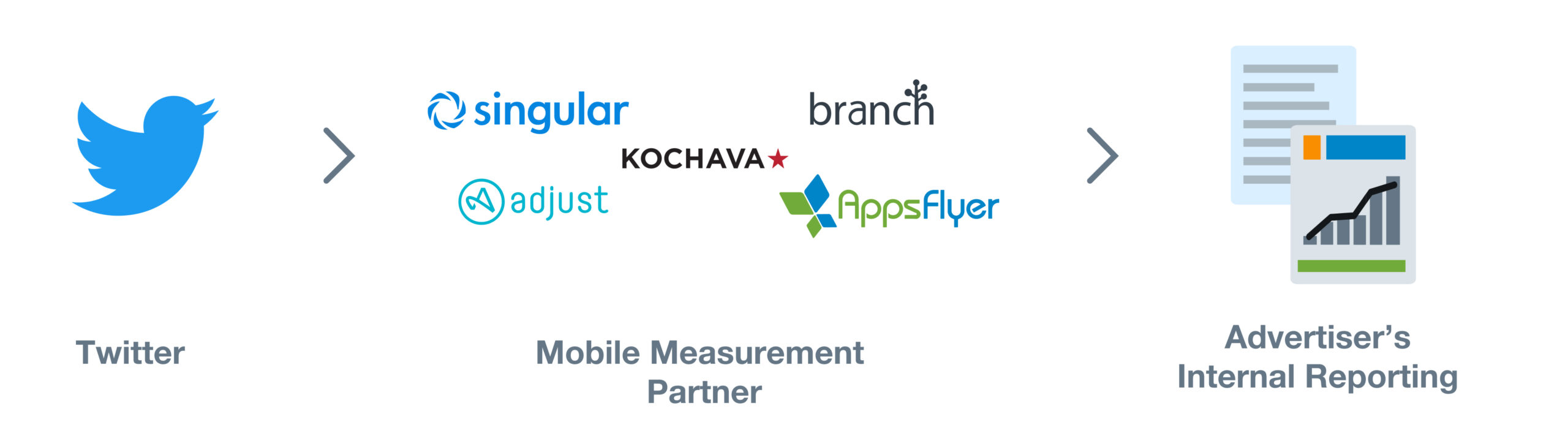
Twitter’s measurement solutions
First, let’s take a look at Twitter’s own measurement solutions. There are two main ways advertisers measure on Twitter: Twitter Pixel and Twitter’s server-to-server integration with DCM.
Twitter Pixel
Twitter Pixel is a piece of code placed on your website to pass information back to Twitter. We currently offer two types of website tags:
Universal Website Tag
A universal website tag is a unique snippet of code placed across your entire website to track multiple site actions or conversions.
For most advertisers, we recommend using the Universal Website Tag, as it simplifies the tagging process and allows for tracking of a user’s journey across your entire website.
Single Website (Event) Tag
A single website tag is a unique snippet of code that tracks a single website conversion on your website.
In rare cases, you may need a Single Event Tag to track a conversion for a non-page loading event (i.e., downloading a white paper or submitting a registration form).
If your key KPI is site visits, we recommend using a JavaScript universal website tag to take advantage of Click ID’s benefits. Click ID is a unique identifier that is automatically appended to your site’s URL. It provides a reliable method of tracking site visits in a world without third-party cookies. We plan to expand to conversion events in the future.
The Twitter Pixel can be found in the Twitter Ads Manager by clicking Tools > Conversion Tracking.
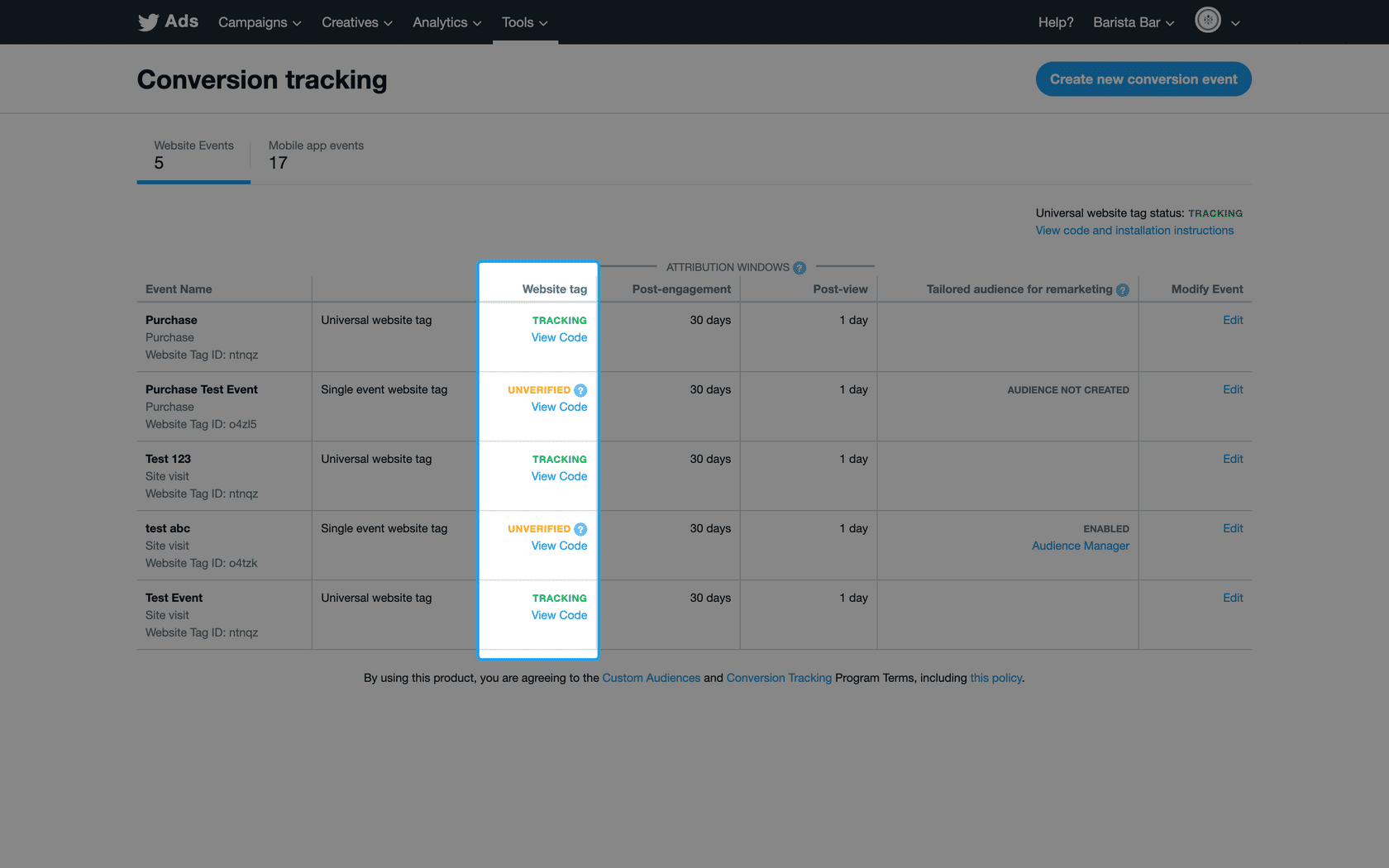
If your Universal Website Tag is implemented correctly, the status will show as tracking.
Twitter DCM Server-to-Server Integration
There are many partner-provided measurement systems out there (e.g. Adobe Analytics, Sizmek), but Twitter only has a direct integration with Google’s DoubleClick Campaign Manager (DCM).
- A URL link fires when a Twitter user sees a promoted impression and passes it back to Google
- It relies on an ID bridge between Google and Twitter (it only reports on users Google can recognize)
We don’t have a direct integration with measurement partners outside of Campaign Manager 360 (CM360). Still, we do offer click-based measurement for advertisers who use partner-provided measurement solutions.
Partner-provided measurement solutions
Partner-provided measurement tools measure your campaign performance across all the platforms and channels to which you apply the measurement.
They’re offered by third-party companies that are not associated with Twitter, including both web and mobile measurements. Examples of partner-provided measurement tools include:
-
Mobile Measurement Providers (MMP)
Mobile measurement providers (MMPs) are partner-provided tracking solutions. These platforms collect, organize, and standardize app data to deliver a uniform assessment of campaign performance metrics. Twitter does not currently offer a Twitter-provided SDK (software developer kit) solution for App metrics.
To use this solution, you would need to implement the mobile measurement provider’s SDK and apply it to your app. This allows the mobile measurement provider to track app actions among users as they occur.
The mobile measurement provider can establish connections with advertising platforms to pass along the event information for measurement purposes.
You’ll need to determine what app actions you would like to share with advertising platforms for analysis. The setup is done on the advertiser side via their mobile measurement provider’s dashboard.
These app events are viewable in Ads Manager by going to Tools > Conversion Tracking > Mobile App Events after Twitter has started receiving event data.
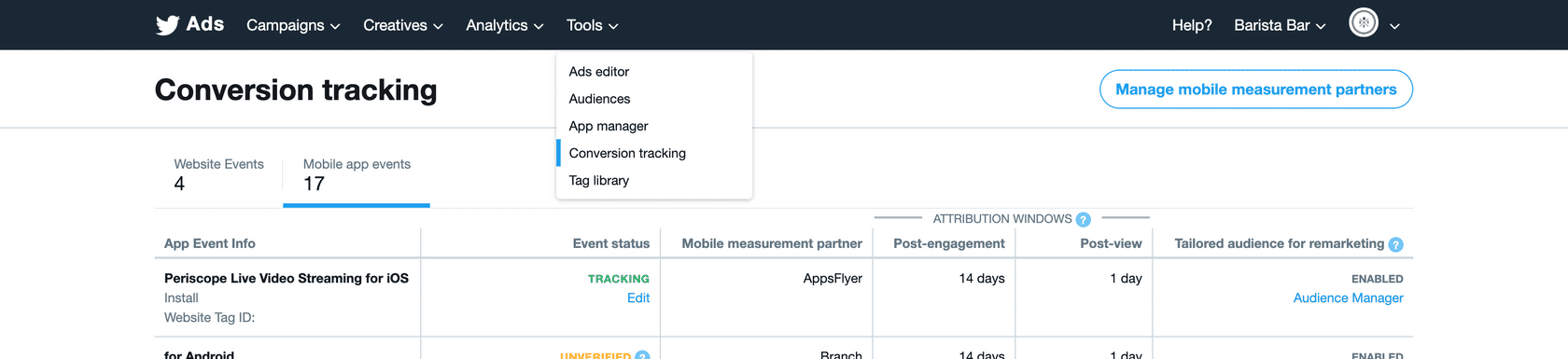
Twitter does not work with all mobile measurement providers in the market, but we do work with some of the most popular ones, including Adjust, Appsflyer, Branch, Kochava, and Singular.
How do mobile measurement providers work?
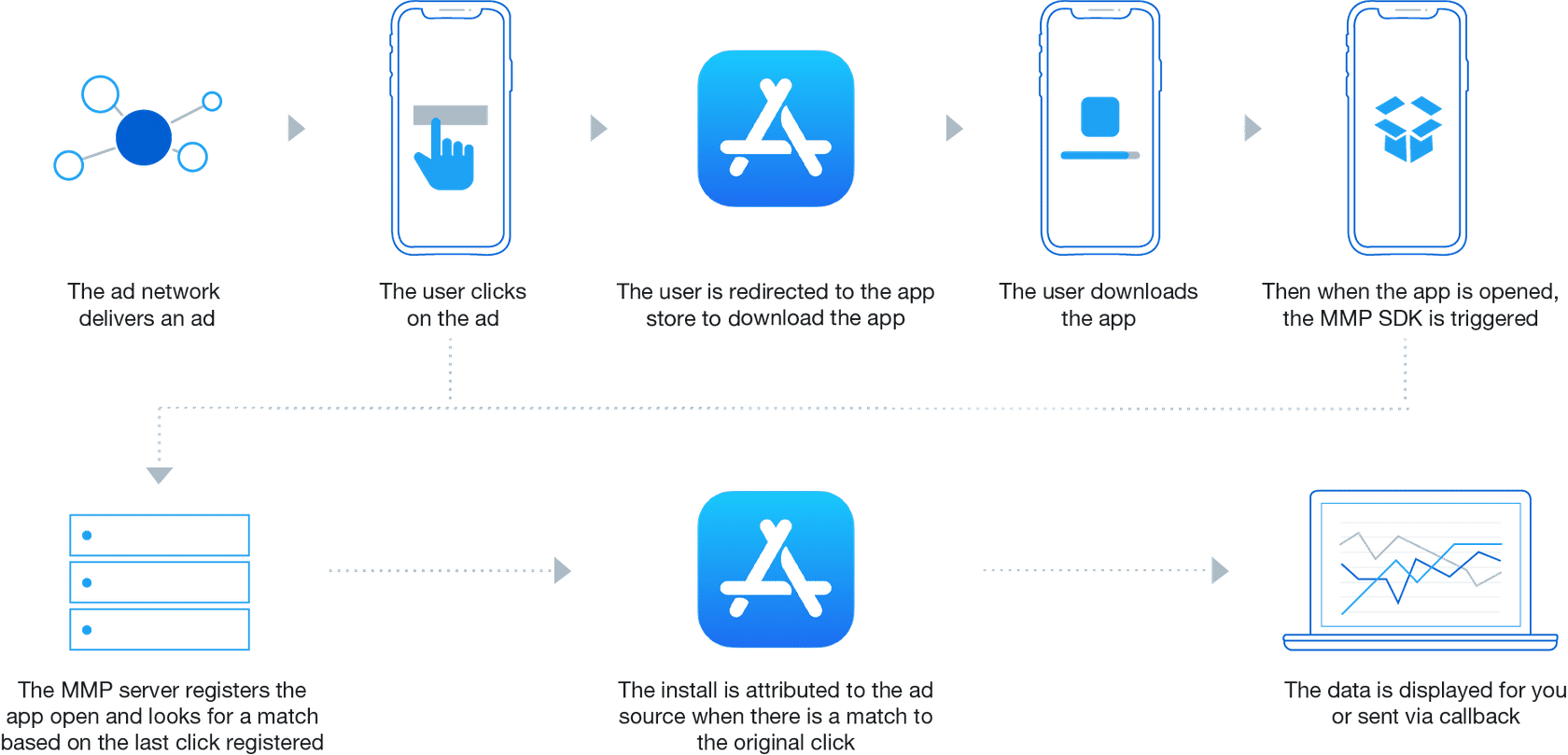
You will need a mobile measurement partner to measure the Mobile App Promotion conversions, and you’ll need to connect your MMP with Twitter to measure your Twitter campaign performance.
If you use a mobile measurement partner that we do not work with, we cannot report on installs and downstream actions as a result of campaigns.
-
Twitter and iOS 14: What You Need to Know
Background Information
Apple announced their AppTrackingTransparency framework, as part of iOS 14, in 2020. Now that Apple has started enforcing AppTrackingTransparency (ATT), apps will be required to prompt people to access their device’s identifier for advertisers (IDFA). IDFAs are often used for mobile app advertising—for example, for measurement and attribution.
The AppTrackingTransparency framework will impact the broader advertising industry as it will likely lead to a significant decrease in the number of identifiable users. This will make it difficult to attribute conversions or actions driven by an ad platform accurately. It may also impact ad delivery models, targeting capabilities, and measurement solutions.
Twitter’s position
At Twitter, we believe in choice. We have long prioritized people’s privacy, and we continue to provide people with control regarding how we use the information and manage their ad preferences.
The enforcement of ATT will trigger additional changes in an already dynamic industry. Understanding how ATT will impact advertisers has been one of our top priorities. Our teams will continue striving to balance people’s and advertisers’ needs for our service. There are still many unknowns in the process, but we are committed to finding solutions and defining the right path forward.
What this means for your App Install and Re-engagement campaigns
These changes will affect App Install and App Re-engagement campaigns, impacting measurement, prediction, targeting, and campaign performance. The IDFA is a key input in mobile app campaigns, and with a reduction in the number of IDFAs driven by this change, campaigns will be altered. Specifically, operations and measurements of iOS app campaigns on Twitter will shift:
- SKAdNetwork: To reach audiences who have opted out of tracking, you will need to work with an approved Mobile Measurement Partner (MMP) to leverage SKAdNetwork on Twitter. At this time, not all MMPs are integrated with SKAdNetwork on Twitter; we recommend contacting your MMP to learn more.
- Measurement: Click- and view-through install reporting will be aggregated at the ad group level for SKAdNetwork installs.
- Campaign Setup: You will need to ensure that you are only running up to 70 ad groups at a time for a single advertised iOS app.
For a more detailed breakdown of the changes coming with iOS 14, please visit this page on our Twitter Business Website.
Audiences who have opted in to tracking will still be measurable at the device ID level.
What this means for your Website campaigns
We expect ATT to affect Website campaigns—particularly Website Click campaigns leveraging the Twitter Audience Platform using the third-party measurement integration for Google Campaign Manager 360.
For Web campaigns using Twitter Audience Platform with third-party impression-based trackers, note that third-party impression tag-based measurement currently relies on IDFA when measuring Twitter Audience Platform inventory. Therefore, in third-party dashboards, event-based results (Site Visits or other conversion events) through the Twitter Audience Platform will exclude people who have not opted into the ATT tracking consent prompt (i.e. devices where we don’t have access to IDFA). Redirect-based measurement will continue to work. Specifically, operations and measurements of Web campaigns on Twitter will shift:
- Using Twitter Audience Platform with third-party measurement: If you would like to continue to leverage the Twitter Audience Platform with your Web campaigns and see event-based results in your third-party measurement platforms, we suggest using a redirect-based tracker. If you leverage a tag-based tracker or a tracker that does not redirect, you will not be able to see results for people who have not opted in via the ATT prompt. If you are unsure whether your tracker redirects, we recommend contacting your third-party measurement provider.
- Verify your Web tag implementation: If you haven’t already done so, we recommend shifting from image tags to javascript tags. You should also confirm they’re properly set up to help with measurement and targeting.
Twitter Audience Platform on-platform results—such as Impressions, Clicks, Views, etc.—will still be reported and available to view in Twitter Ads Manager.
The full extent of AppTrackingTransparency’s impact on our advertising products is still to be determined. We will continue to evaluate the situation, and will share any new updates as ATT enforcement begins. Please reach out to your Twitter Client Partner if you have any questions, and visit this page on our Twitter Business website for more detailed iOS 14 information.
-
Alternative Measurement Methods
Other measurement methods, such as performing multi-touch attribution, require partner-provided solutions. There are numerous MTA advertising measurement partners. Two frequently-used options are Neustar and VisualIQ.
Multi-Touch Attribution
- Relies on a partner-provided measurement partner to perform multi-touch attribution (MTA)
Marketing Mix Modeling
1. A marketing mix modeling (MMM) study is a statistical analysis (such as multivariate regressions) on sales and advertising spend data over time. It estimates the impact of different advertising strategies on sales.
Using this statistical analysis, you can estimate each advertising platform’s influence on your total key performance indicators (KPIs.)
2. An MMM study is usually run once per a defined period of time (e.g. once a quarter or once a year).
Results of the MMM study can help dictate the advertiser’s day-to-day cost per action (CPA) goals for a platform. For example, if an MMM study shows that Twitter advertising drives a positive return on investment (ROI) in terms of sales, you may decide to let Twitter have a higher allowable cost per purchase within campaigns.
3. You can run these studies in-house with info from your own data. Our Marketing Insights & Analytics (MI&A) team can support MMM studies.
Third-party measurement companies—like Neustar, Kantar, Analytic Partners, etc.—can also support this type of study.
How partner-provided measurement works with Twitter
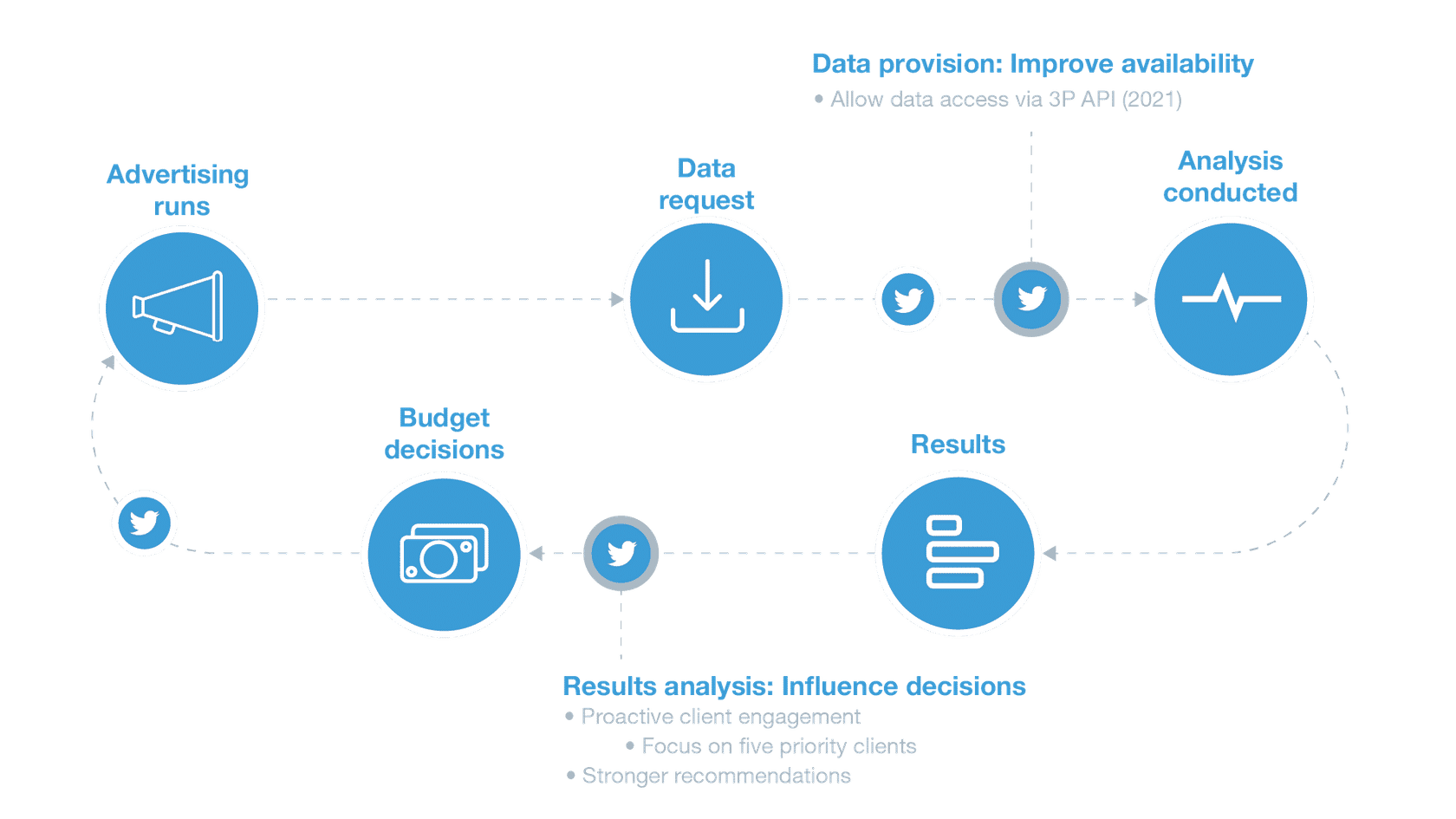
Create a Mobile App Promotion Campaign
1. Get Started with Attribution
-
Add Your App to Your Ads Account
To set up a Mobile App Promotion campaign, you will need to add your application to your Twitter Ads account. Then, set up a third-party mobile app conversions (MACT) partner to track the desired actions from customers who view or engage with your ad.
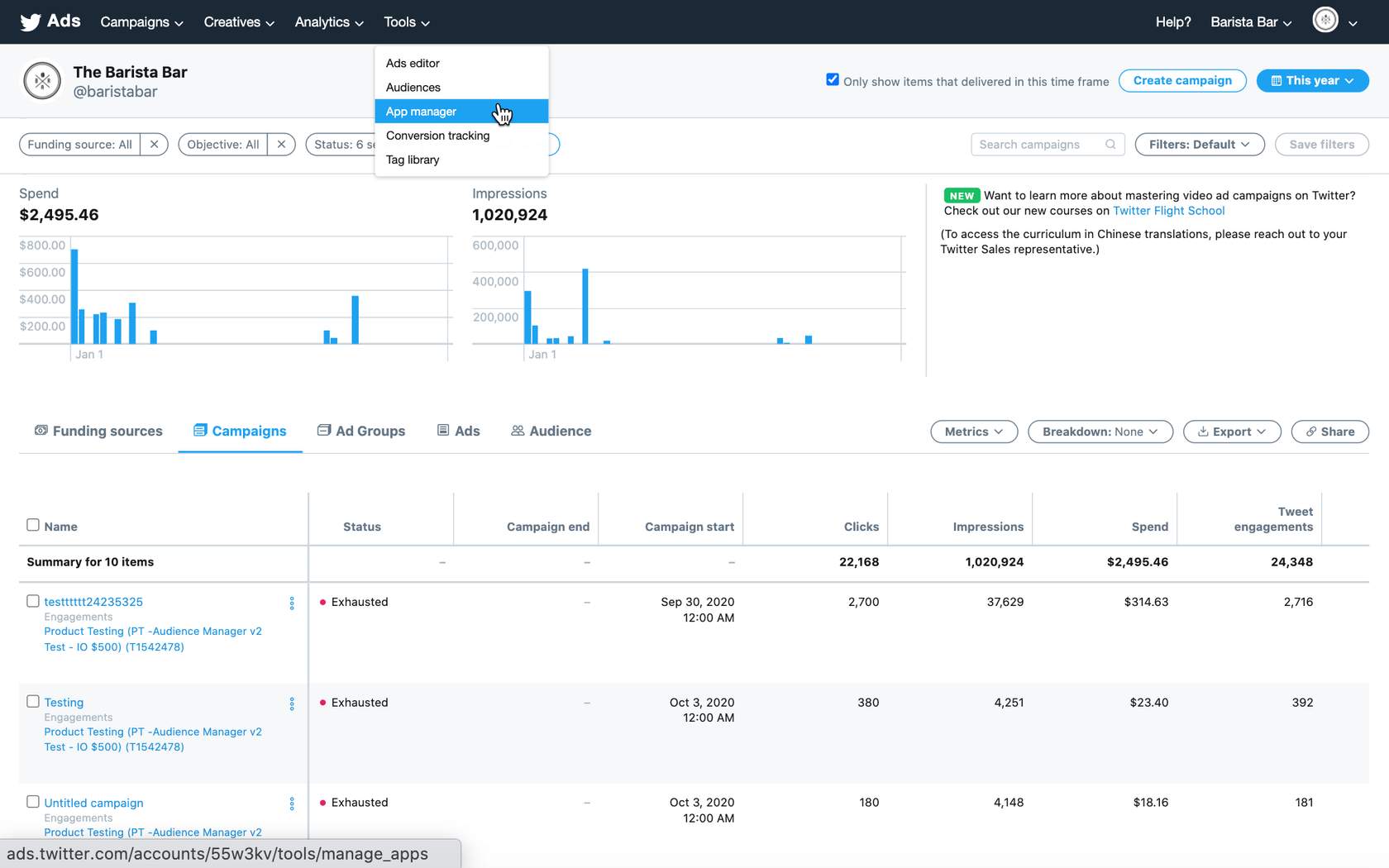
App Manager is a tool in your Twitter Ads account that allows you to add, group, and edit mobile apps for use in app install or app re-engagement campaigns.
- Log in
Log in to your Twitter Ads account.
Navigate to Tools > App Manager.
- Add your app
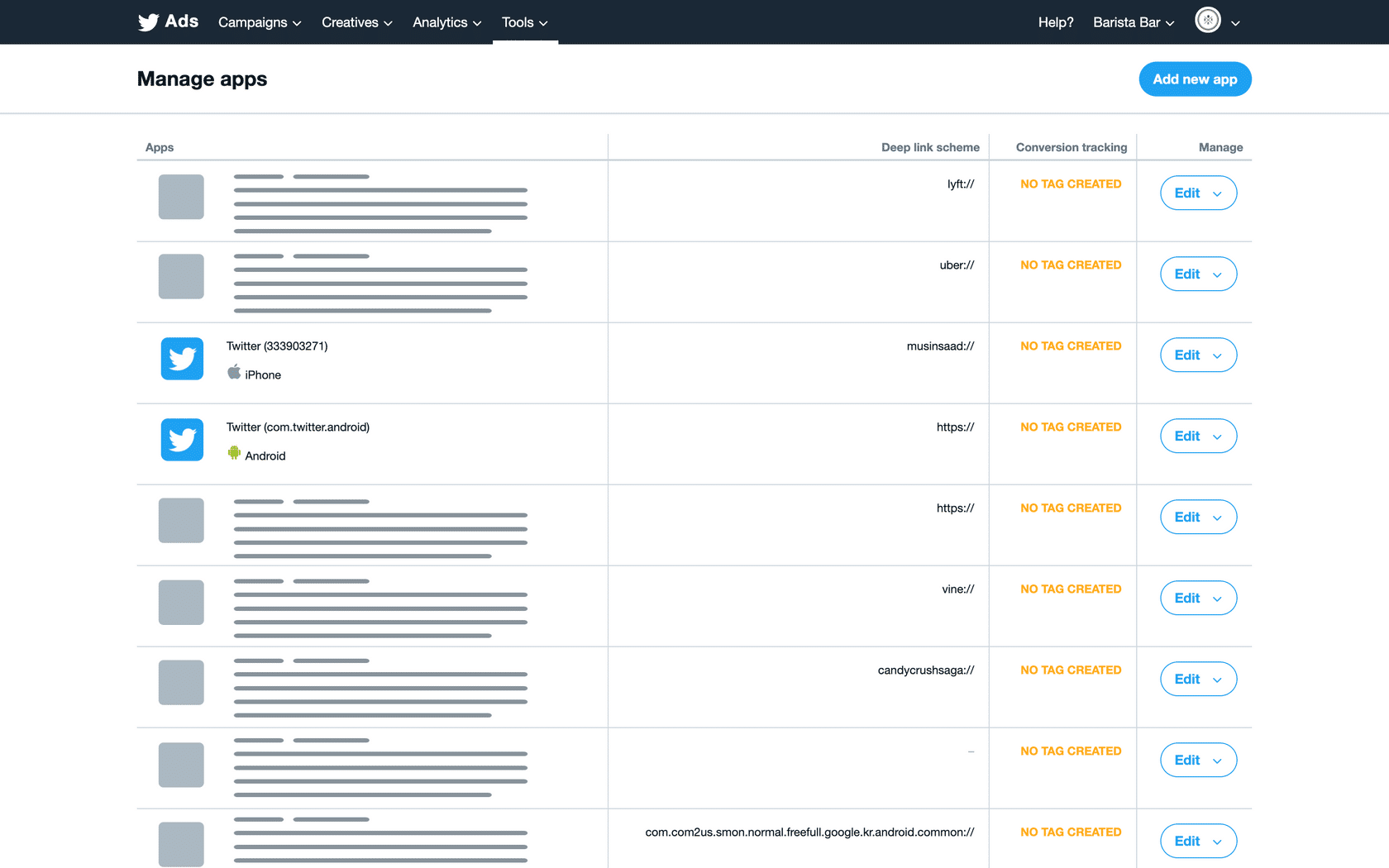
Click Add new app in the top right corner.
Select Android, iPhone/iPad or iPad.
- Link your app
Input the Google Play URL or ID, or App Store URL or ID for your app.
Click Save.
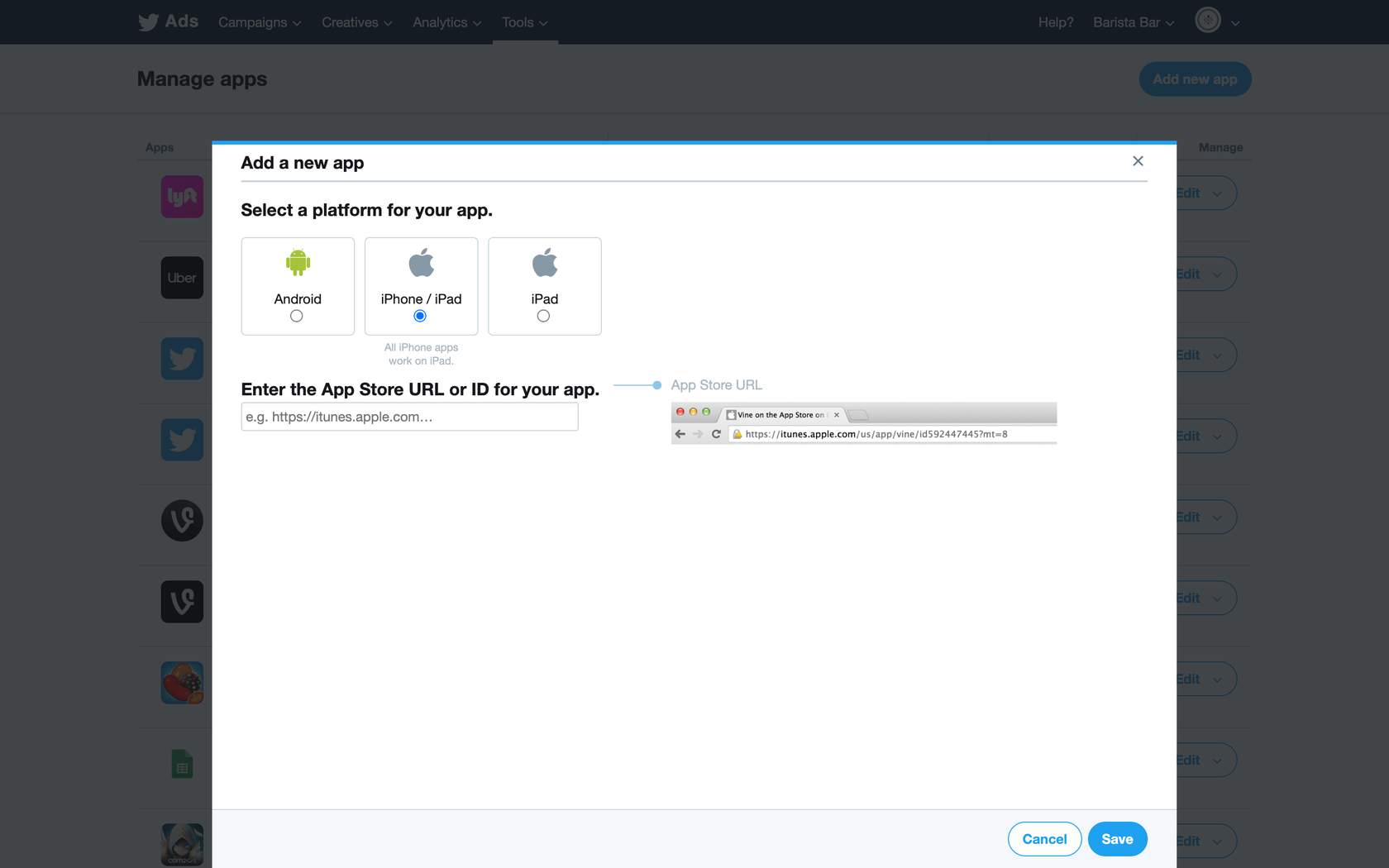
That’s it! Your app has been added to your Twitter Ads account. Next, we’ll discuss setting up your MACT partner.
-
Set Up Your MACT Partner
Setup to Begin Promoting Your App
Once your app has been added to your App Manager, you can begin promoting it in app install or app re-engagement campaigns.
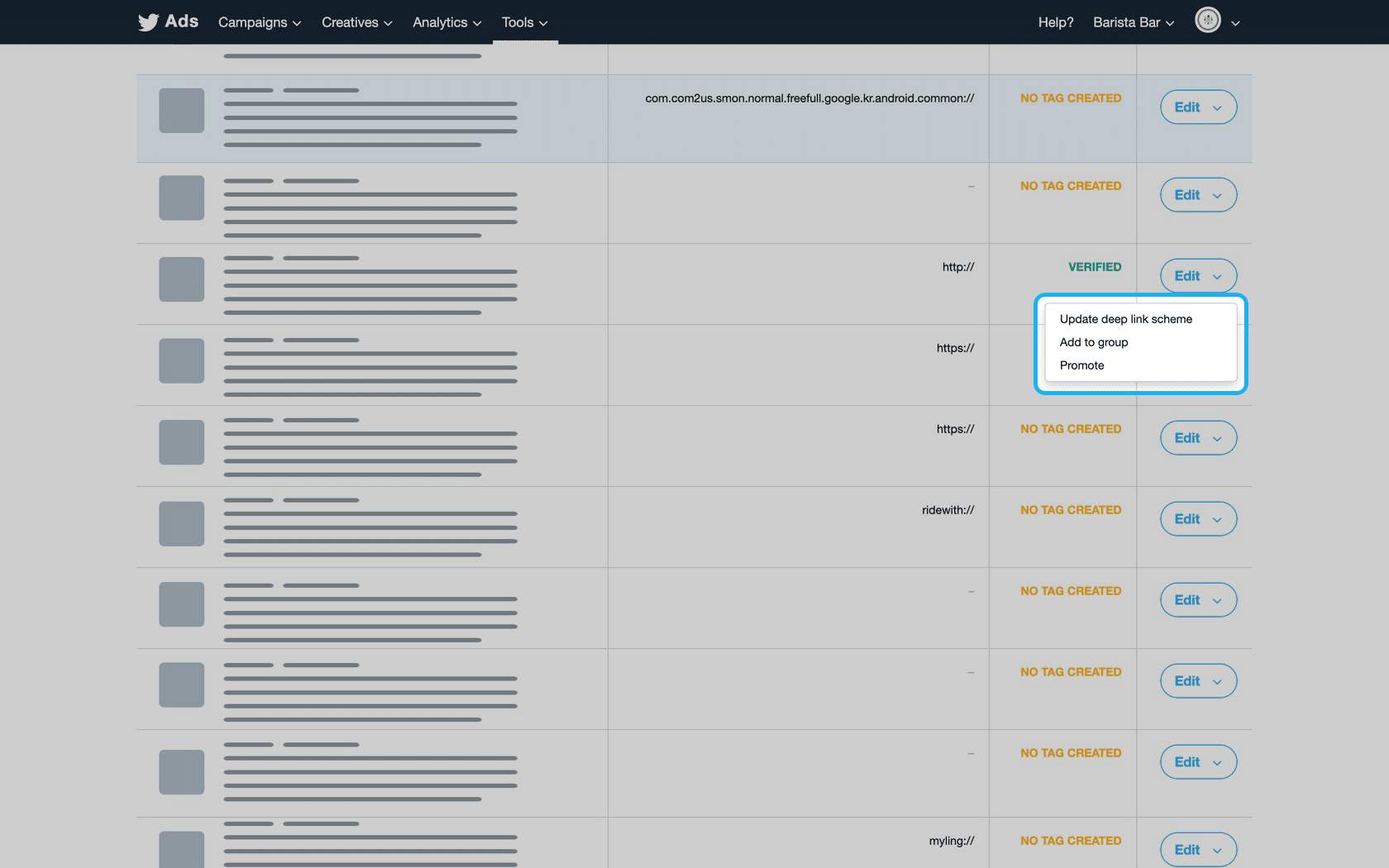
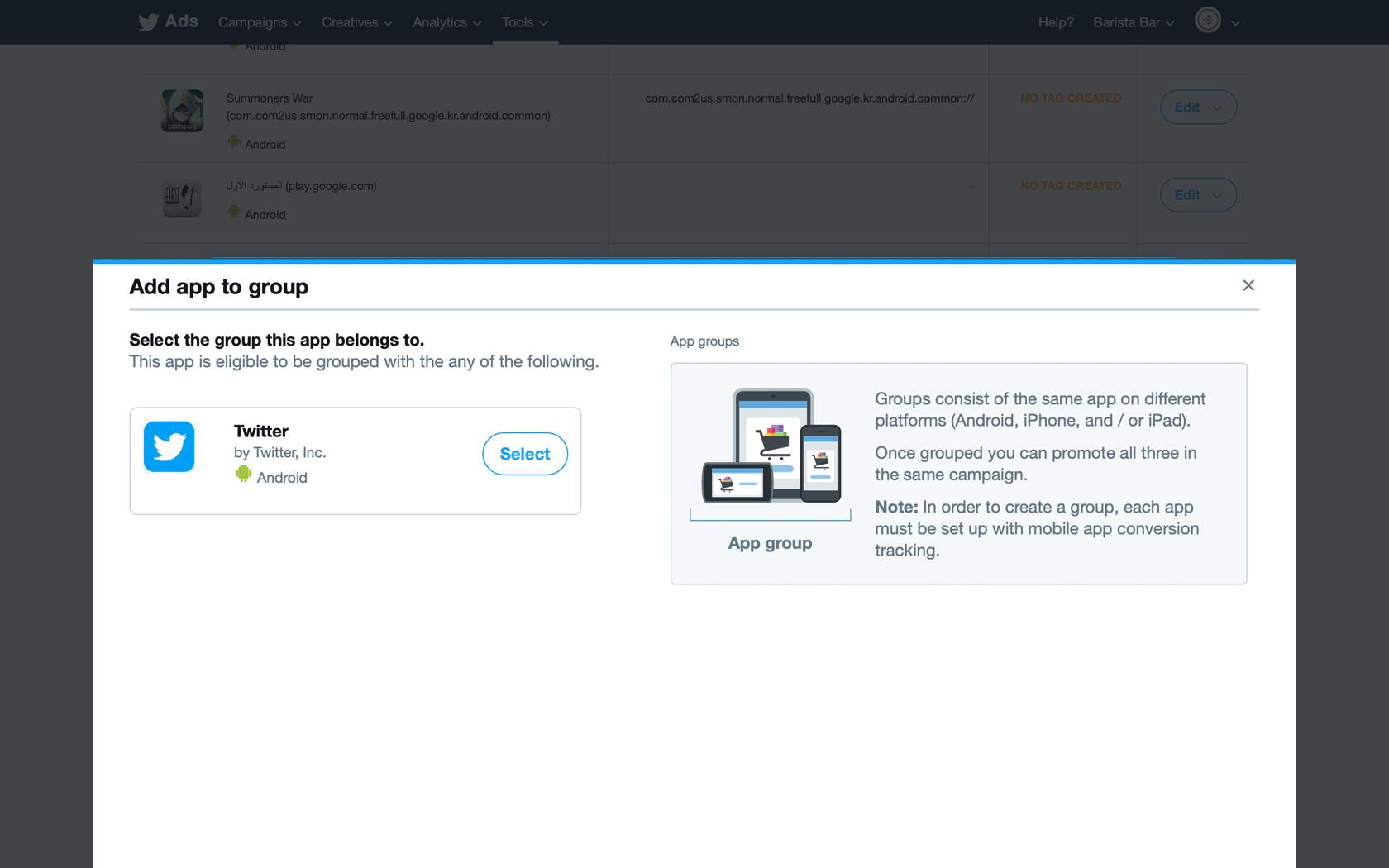
Mobile App Conversion Tracking (MACT)
MACT stands for mobile app conversion tracking. To optimize your app install campaign to installs, we recommend configuring a third-party mobile app conversion tracking partner to your Twitter Ads account. The measurement capabilities of mobile app promotion allow you to view your mobile App Card engagement and conversion metrics. They also bolster cost-efficiency and return on investment.
Set up your MACT partner
Integrate with one of Twitter’s chosen third-party mobile measurement partners to track conversions down to the app installs or re-open level. App measurement is typically done via a tracking software development kit (SDK), a code package installed in your mobile app. The tracking SDK can measure events related to app installs.
To enable measurement of the number of people performing the desired action after viewing or engaging with your ad, go to Tools> Conversion Tracking> click the heading Mobile App Events> choose your partner.
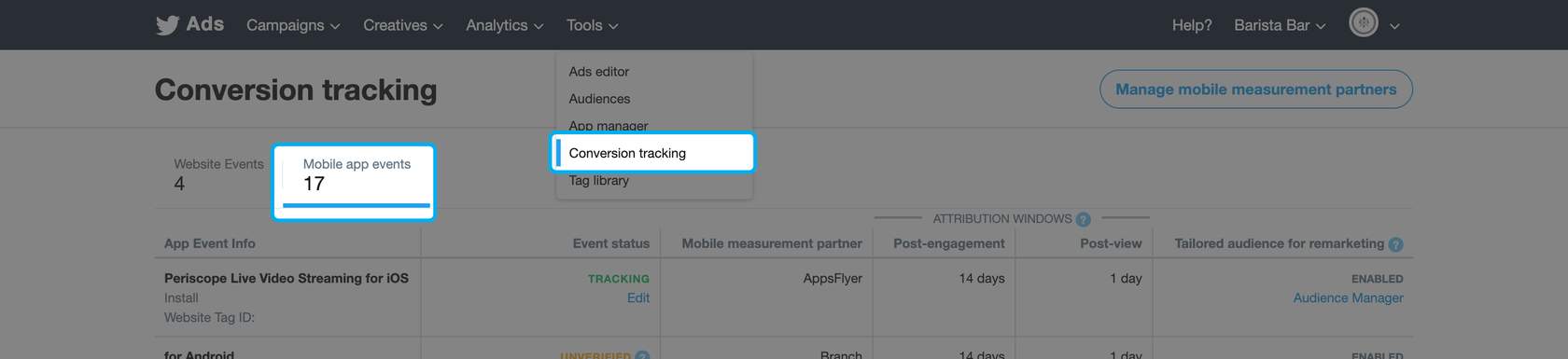
Twitter works with several different mobile measurement partners, including Adjust, AppsFlyer, Branch, Kochava, and Singular.
After selecting your third-party MACT partner, set up your app to track app installs and events to send to Twitter’s system. Consult your MACT partner’s support documentation for instructions. Once this is done, the SDK in your app will send the Twitter Ads system conversion events to your Twitter Ads account.
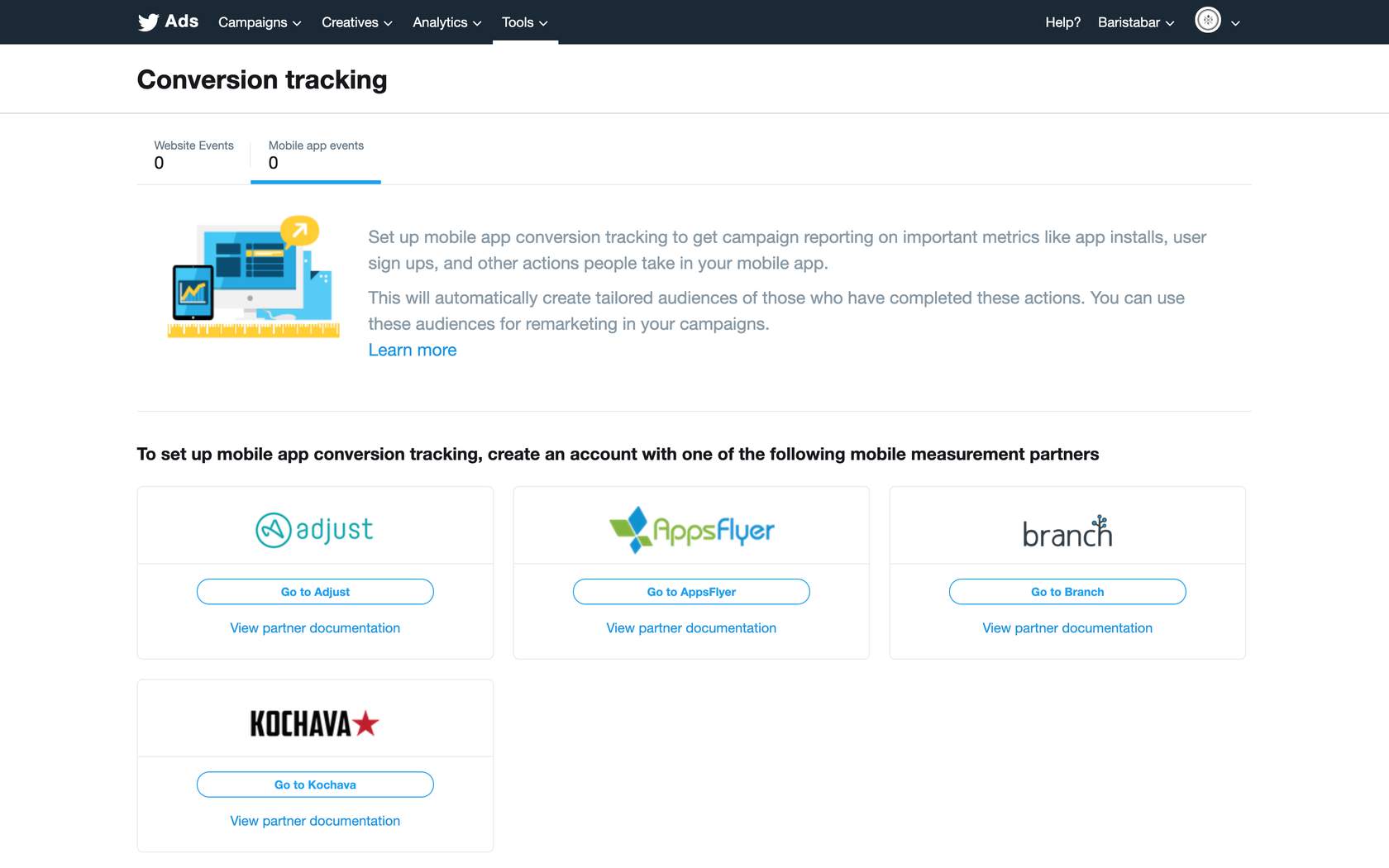
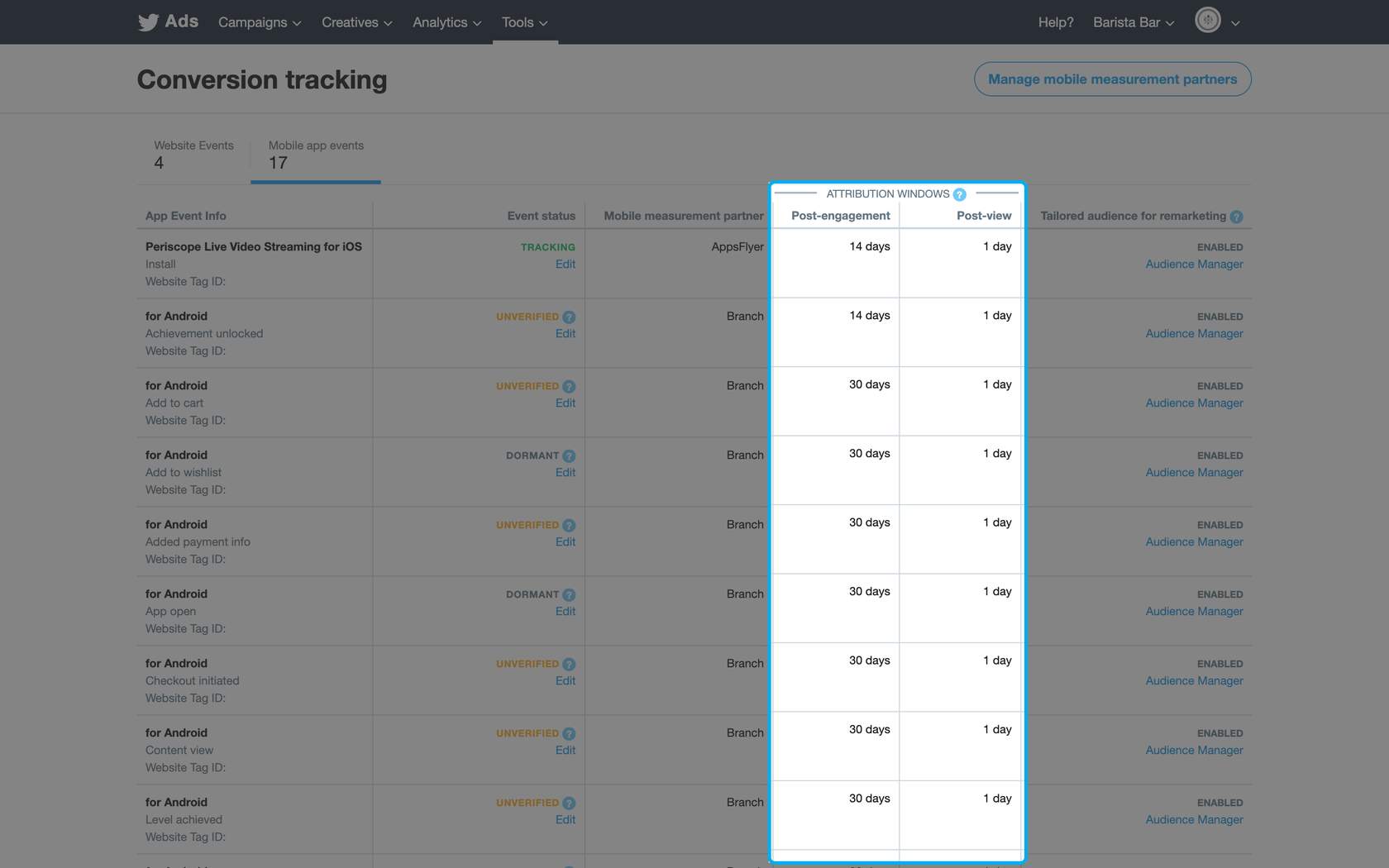
The Twitter Ads system completes conversion attribution on your conversions based on the attribution window you set. Both post-engagement and post-view attribution are available on Twitter. You can select attribution windows for each (i.e., 1, 7, 14, 30 days). To ensure matching conversions, configure your mobile measurement partner dashboard to the same attribution windows you set in your Twitter conversion events.
A note about iOS 14…
It’s critical to be prepared for the changes taking place due to iOS 14 and AppTrackingTransparency. Be sure you are set up with SKAdNetwork, Apple’s ad network on iOS, which can measure the traffic that has not opted into tracking. Work with an approved MACT partner to leverage SKAdNetwork on Twitter.
-
Manage Your Conversion Events
After creating mobile app events in your MACT partner dashboard, input your Twitter Ads account ID to configure the events. This will send the data to Twitter, and your mobile app conversion events will automatically appear in your Tools > Conversion manager tab.
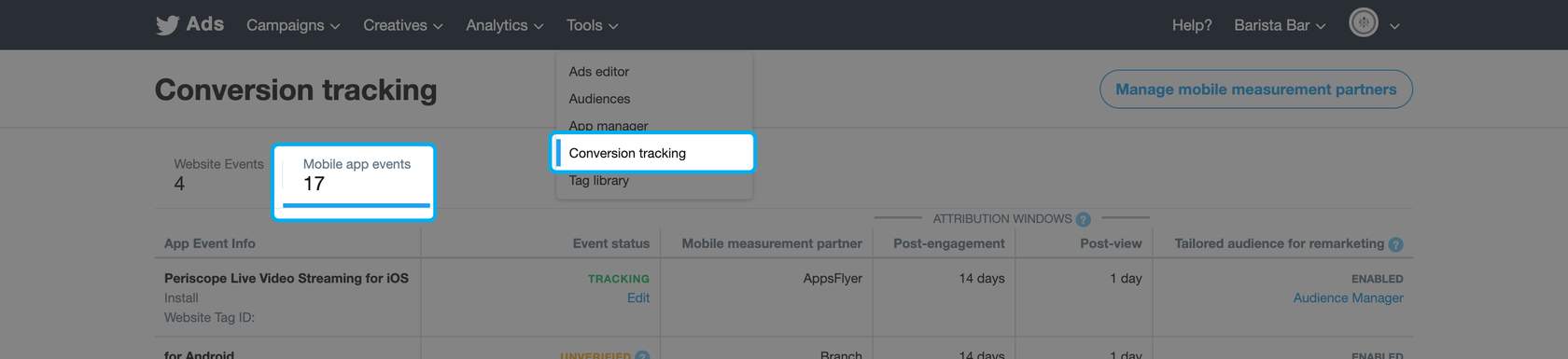
If your tracking partner is successfully sending information, your event will show as tracking. If your event is showing as dormant, contact your tracking partner to troubleshoot.
Customize your view of mobile conversions on the attribution window by clicking Edit under each event in the Event Status column.
You can set the following attribution windows:
Post-Engagement
Choose the time window for crediting Twitter with conversions that happen after someone engages with your ads. You can change this setting at any time, and your conversion data will retroactively update.
Post-View
Choose the time window for crediting Twitter with conversions that happen after someone views (but does not engage with) your ads. You can change this setting at any time, and your conversion data will retroactively update.
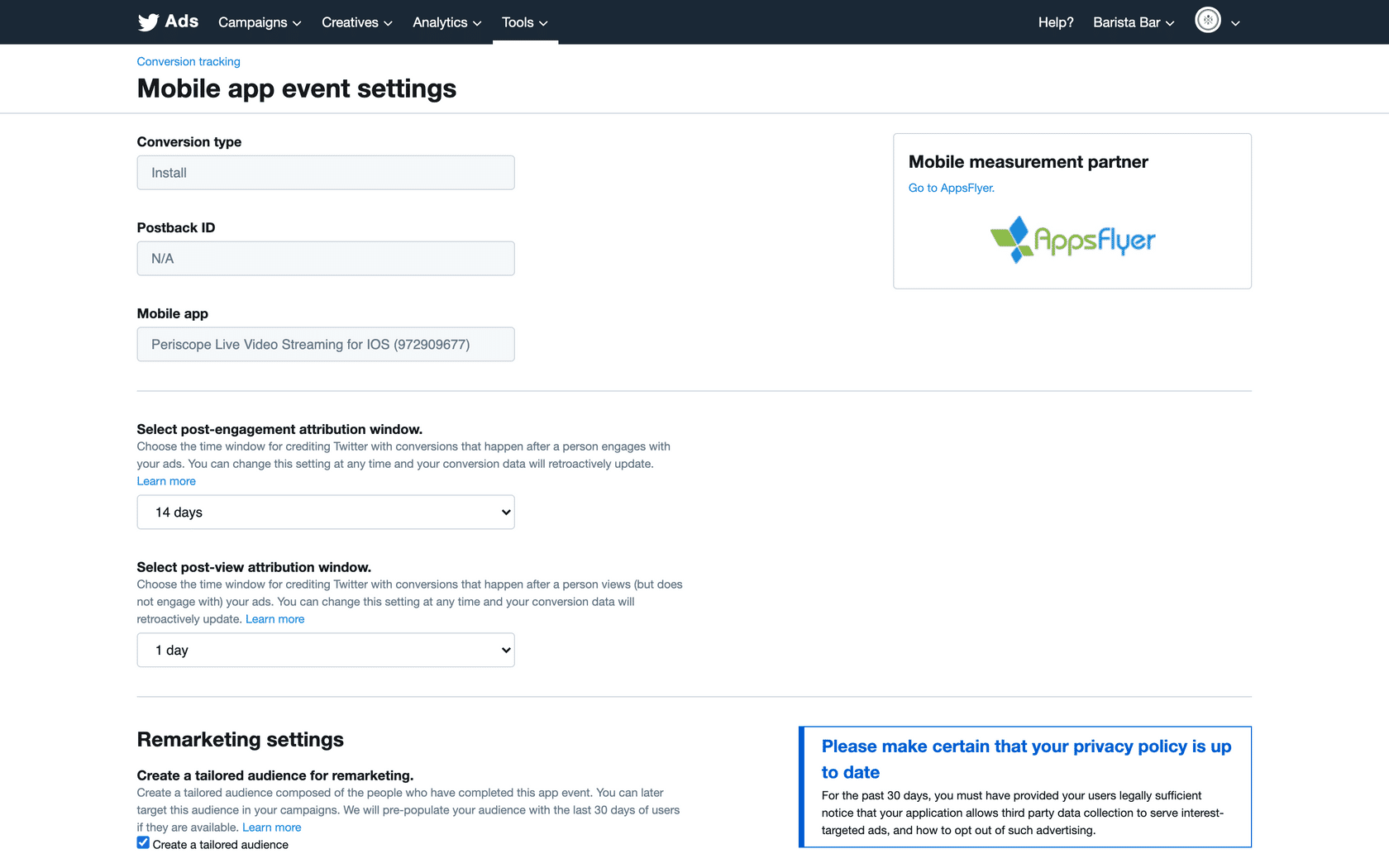
To ensure the conversions in your Twitter Ads account match those in your MACT partner dashboard, make the settings of your attribution windows the same for each event.
-
Troubleshooting Attribution
Troubleshooting is an essential skill for any marketer, especially when it comes to measuring your performance campaigns. Partner dashboards, attribution windows, and other issues can create discrepancies between Twitter and third-party analytics reports.
Common Problems
My conversion events aren’t showing as tracking.
Make sure you’ve correctly set up your mobile conversion tracking events in your MACT partner dashboard. You’ll have to send the events to your Twitter Ads account ID for them to appear.
My reported conversions are changing over time.
Twitter reporting is finalized within 24-48 hours of when impressions are served. Before that time, we estimate data to provide real-time feedback, but the data is subject to change. The Twitter conversion reporting UI has two process pipelines to display data. First, a streaming job directly collects page visits, purchases events from live log data, and pulls metrics into reporting. Then, an ongoing batch process removes duplicate tag fires, adjusts conversion attributions, and handles identity merging for multi-device conversions.
My tracking partner doesn’t match Ads Manager.
The most common cause of a discrepancy between your Twitter Ads UI and your mobile tracking partner is your attribution window. Confirm you’ve set the same attribution window in your tracking partner dashboard and your Twitter Ads account conversion manager.
What is the Advanced Mobile Measurement (AMM) Program?
The AMM program offers expanded device-level data for non-EU users only. To access this program, grant Twitter audit rights ensuring that Twitter data is being used exclusively for measurement purposes. AMM can then help improve row-level reporting via the MMP, consistent with industry-standard practices.
2. App Installs Campaign Basics
-
Get Started with App Install Ads
What is an App Install Ad?
An App Install Ad is a promoted ad that allows you to reach the audiences most likely to download your app. Use our image, video, or Carousel ad formats to grab people’s attention and prompt them to download your app directly from their Twitter timeline.
Why should I run an App Installs campaign on Twitter?
Most of the people on Twitter view Twitter on a mobile device. App Install campaigns connect advertisers with people who are likely to convert seamlessly from the Twitter app to the Google/Apple app stores.
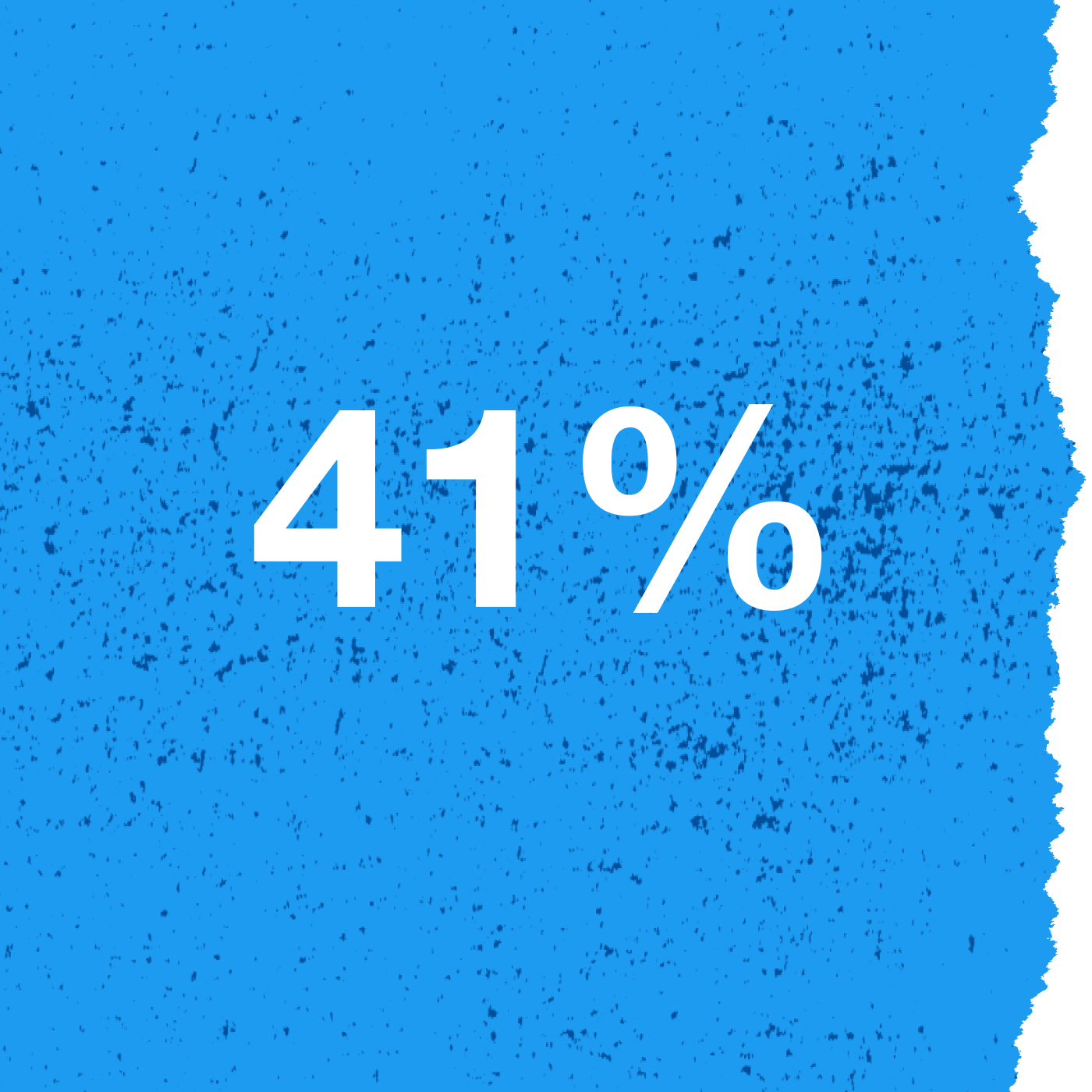
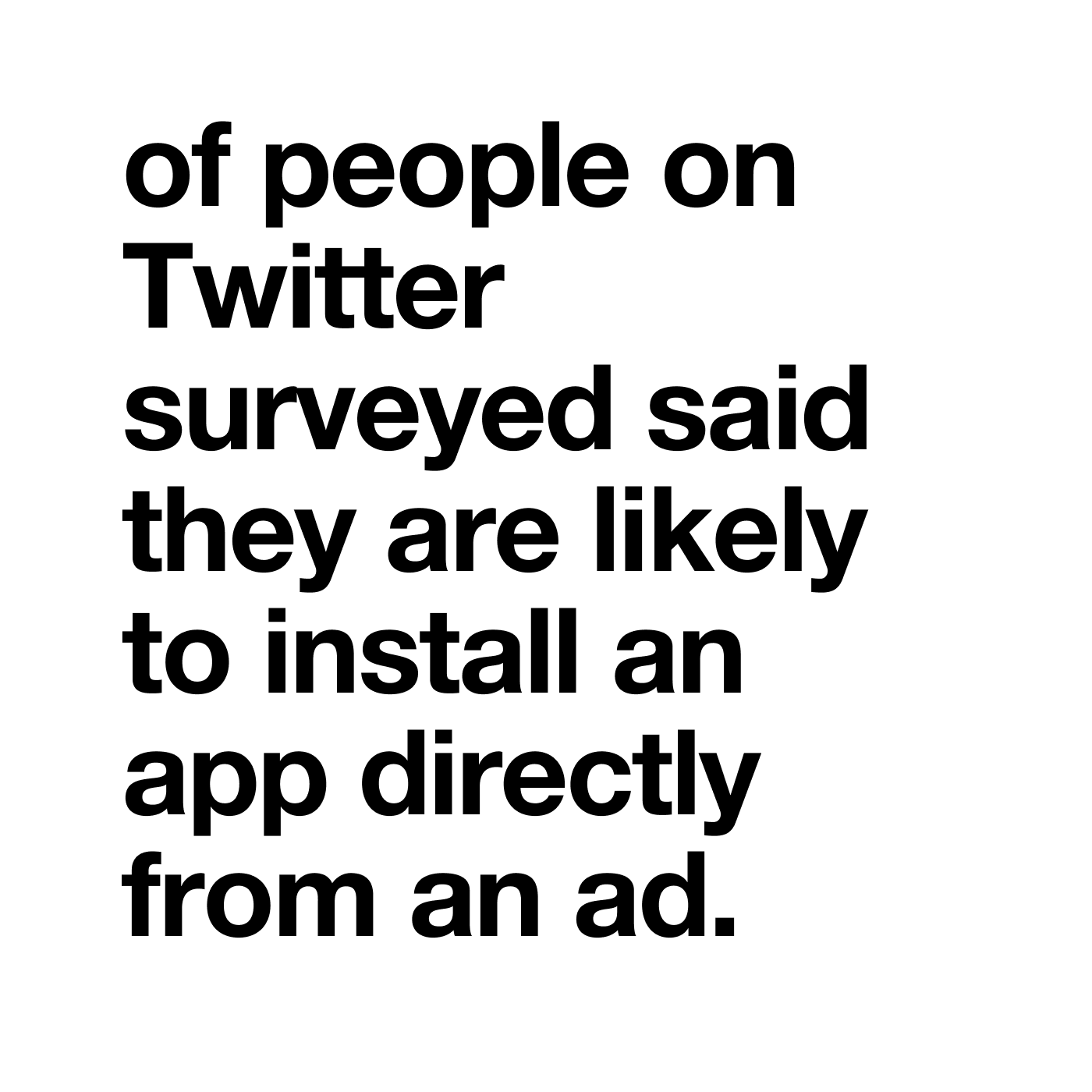
Source: Twitter US x Sparkler, MAP Mobile Ethnography, N = 30, Mobile App Users 18+, 2020.
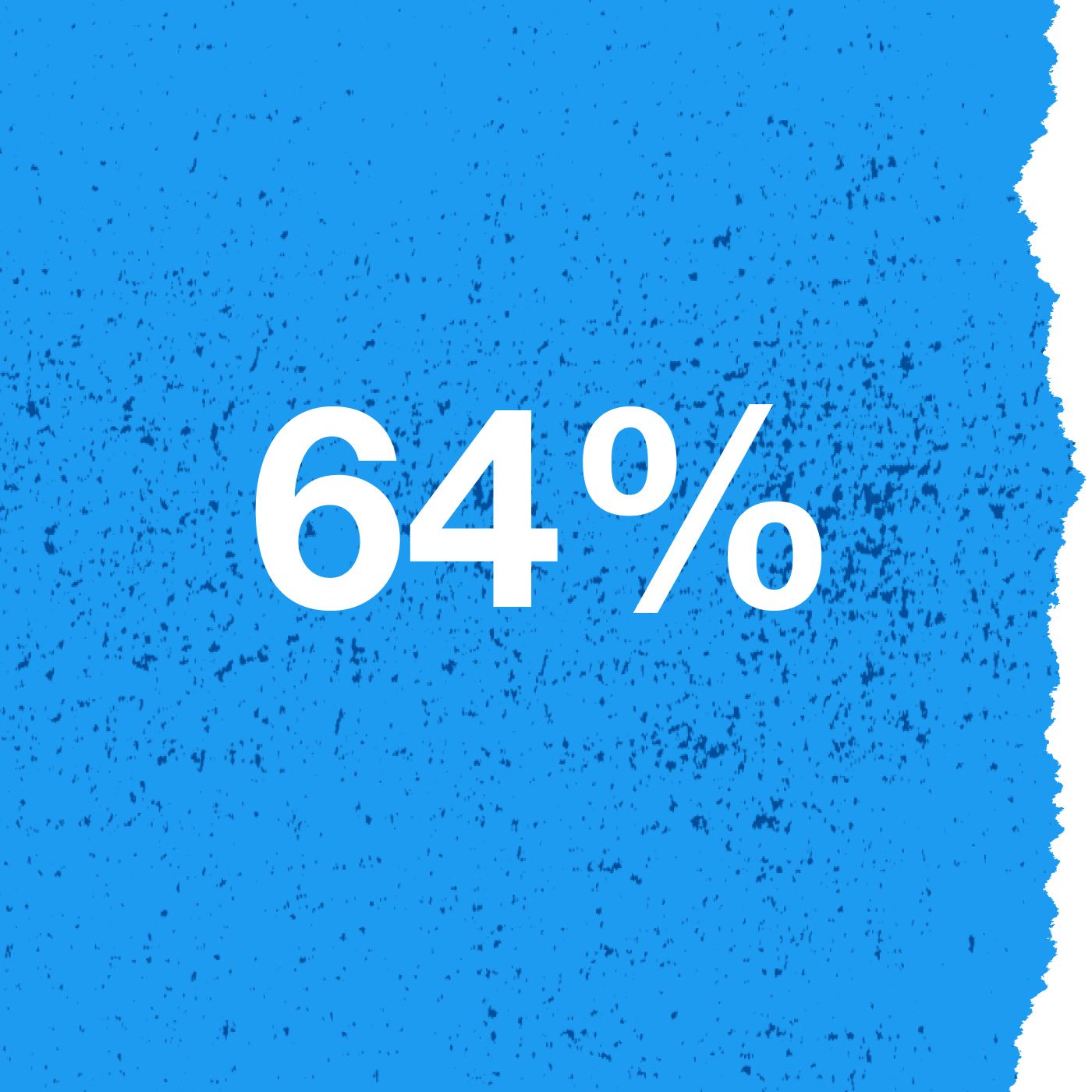
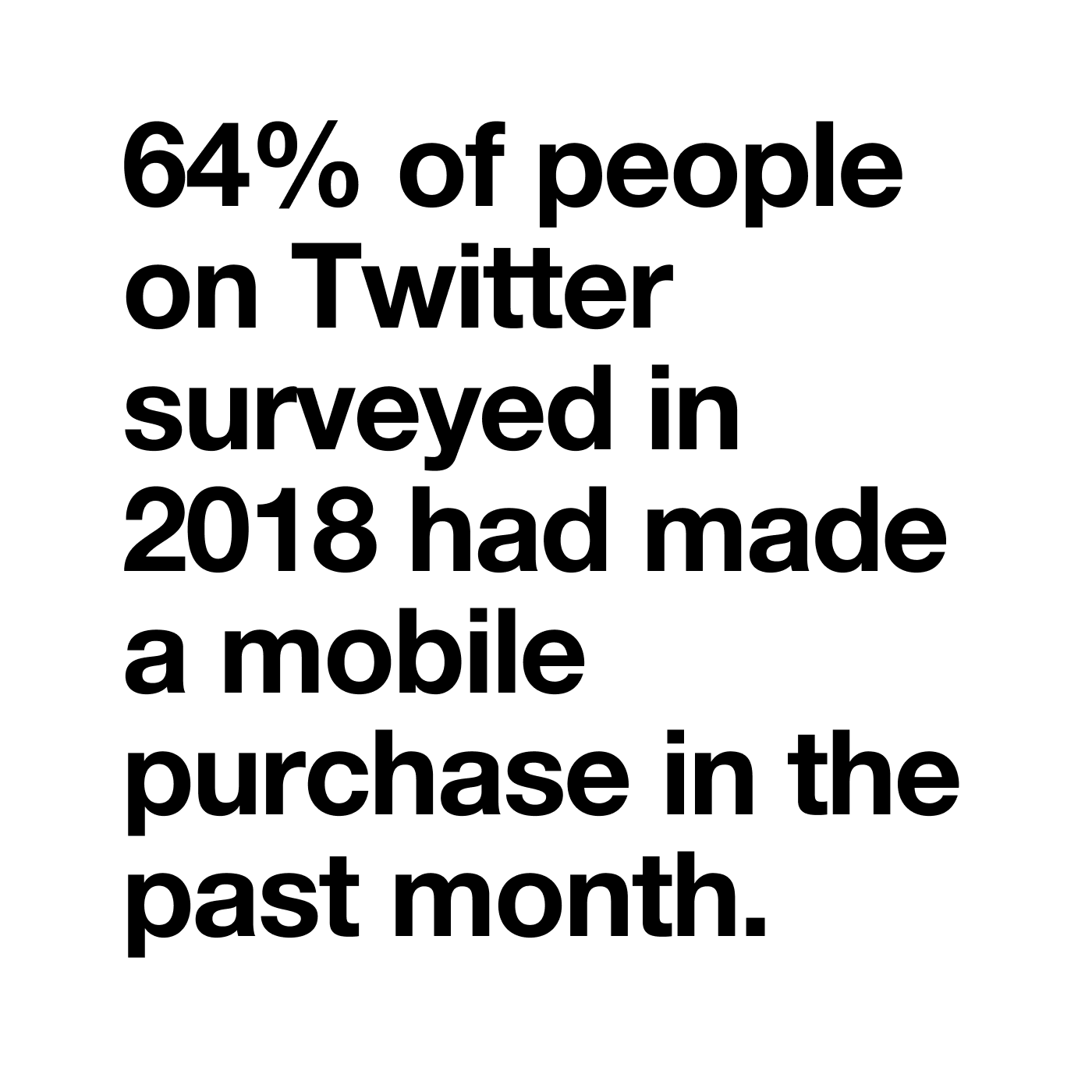
Source: GlobalWebIndex, Q4 2018
When should I run an App Install campaign?
Run an App Install campaign when you are launching a new app or looking to reach new users for your existing app.
How it works
Design and build your App Install Ad with eye-catching visuals, a tagline, and supporting copy. We’ll automatically display your app’s rating (if higher than 4 stars), price (even if the app is free), and app icon on the App Install ad as well.
Your ad will be displayed in multiple locations—including Home timelines, profile and Tweet detail pages, search results, and apps across our Twitter Audience Platform. Ads are also labeled as Promoted.
-
Targeting and Bidding for App Install Ads
How do I connect with audiences that are compatible with my App Install Ads?
You have access to all Twitter social targeting and demographic targeting to find the right audience for your campaign.
Real-time intent data & target signals
Applying selected filters that progressively narrow the field will define the specific audience for your campaign. Overlay data to reach your target audience.
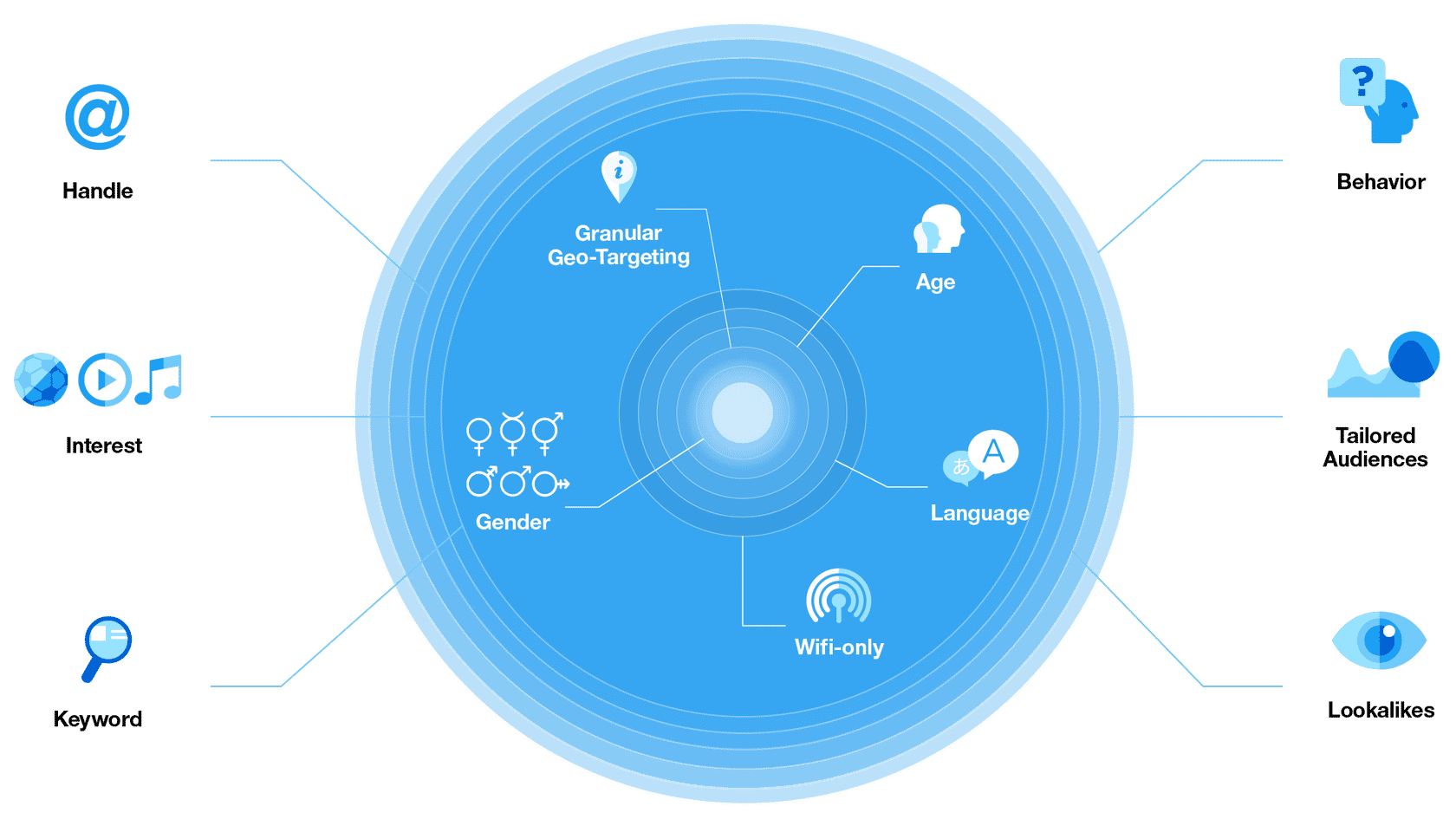
Note: We recommend targeting large, broad audiences. Try not to use too much demographic targeting (e.g. gender, age), as it may limit campaign scale.
How do I buy an App Install campaign?
Buying an App Install Ad on Twitter has three parts: your goal, your bid strategy, and how you pay.
Your goal
Cost per App Click (CPAC)
App clicks are clicks that lead to the app store or directly into the app. When someone takes that specific action, you pay for the App click. With this bidding option, our platform will optimize to drive as many high-value app clicks as possible. Your average daily CPC will be at or below your stated target. We guarantee we won’t charge more than 20% of your target bid throughout the campaign.
Which advertisers should use CPAC? This option is ideal for advertisers seeking to achieve scale quickly. Use CPAC with narrowly targeted campaigns, such as your core audience targeted with very specific @usernames or keywords. If performance starts to decline, you may want to expand to the other bid types.
Optimized Action Bidding (OAB)
OAB is similar to CPAC but enables you to bid on the install rather than the app click. While you’re only charged on an app click, your max bid value represents (approximately) what you are willing to pay for an install. With this option, you shouldn’t pay significantly more than your bid amount. Still, the final number could be slightly higher or lower than your original bid. Since OAB campaigns rely on predicted installs, the max bid is never exact.
For an OAB campaign, input your maximum cost per install for a one-day, post-click, 0-day post view; the system translates that number into a CPAC bid that dynamically changes based on your conversion rate. The system then charges you per app click driven.
Your bid strategy
Automatic Bid: Your bid will auto-optimize to get the best results at the lowest price (within your budget). The automatic bid is the easiest way to quickly get your campaigns live and serving impressions on the platform.
Maximum Bid: This bid type allows greater control over how much you pay per app click or install. Choose exactly how much you are willing to pay for either an app click or an install (your maximum bid), and your charge will not surpass this price. This bid type is well-suited for experienced advertisers who know exactly how much they intend to pay per click or install at scale.
How you pay
For App install campaigns, your “Pay by” metric will default to “App clicks.”
-
Create an App Install Campaign
Before we get started…
You will need to configure two things before creating your first App Install Ad: Your SKAdNetwork (SKAN) connection and your Mobile App Conversion Tracking (MACT) partner. For more information on setting up your MACT partner, visit this page on our Twitter Business site. For details on setting up your SKAN integration, please reach out to your MACT account manager.
Create an App Install Ad using Ads Manager
Once you’ve taken care of your configurations, it’s time to create your first App Install Ad. Go to Twitter Ads Manager at https://ads.twitter.com and log in using your Twitter username and password.
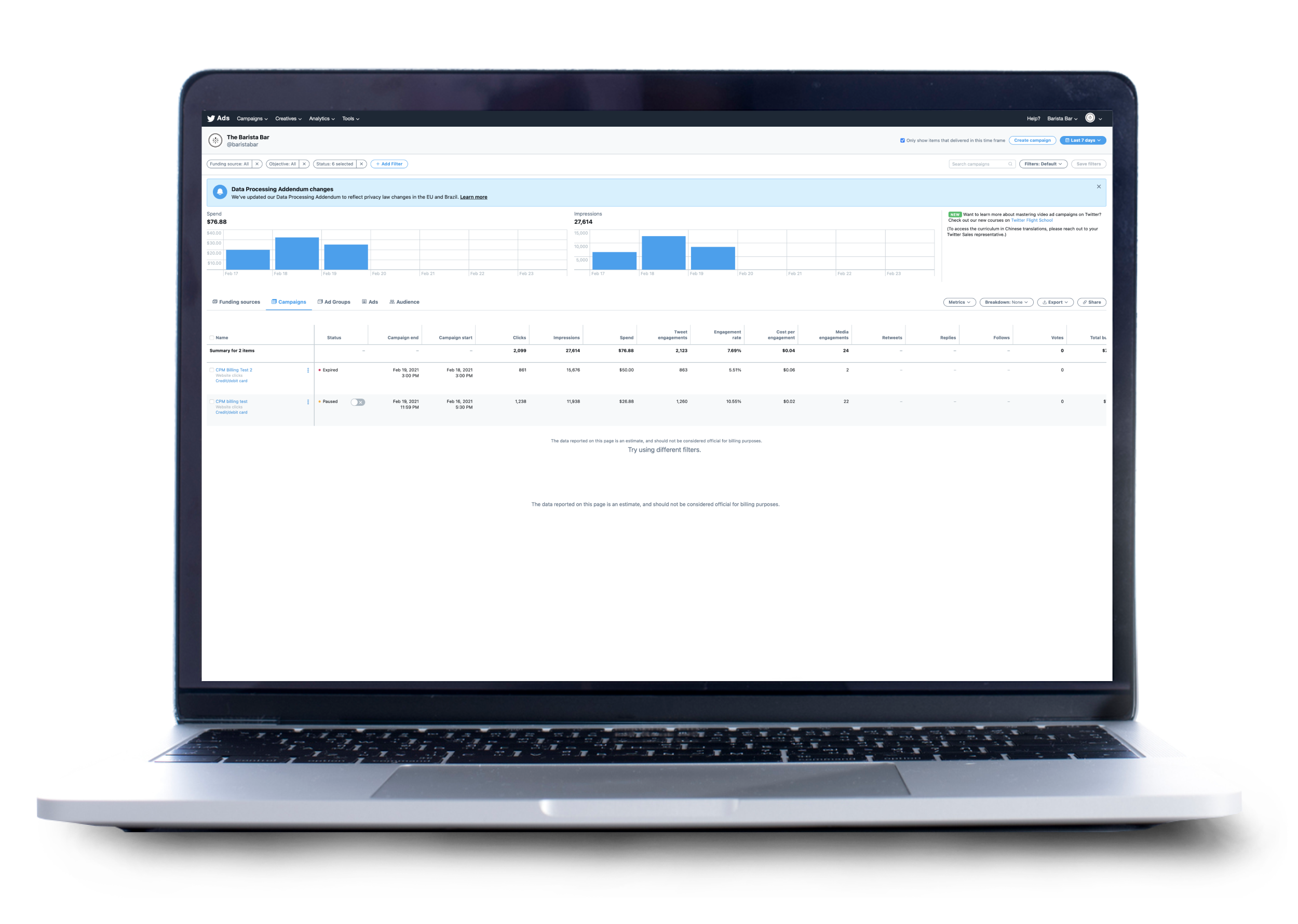
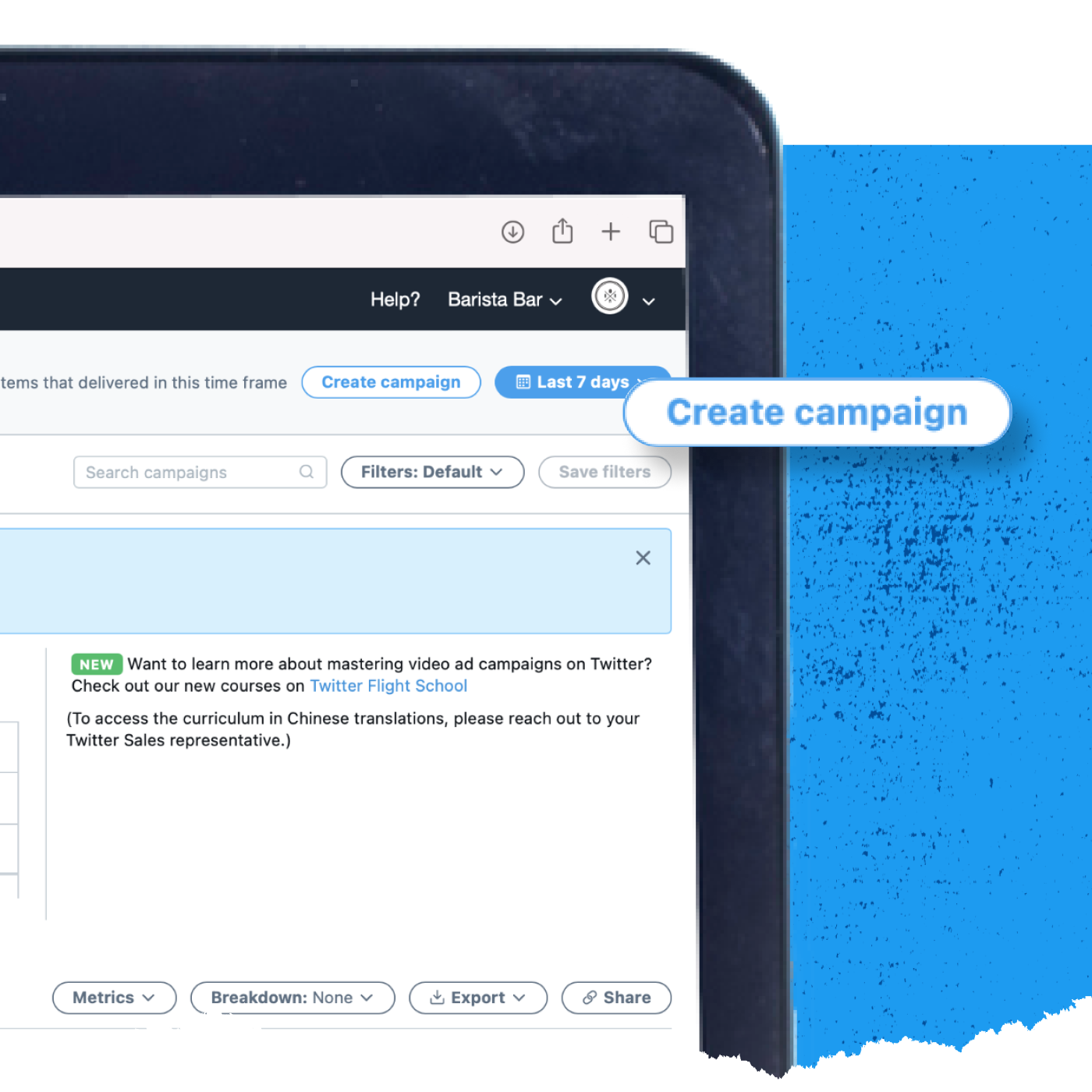
Create your campaign
Once you’re logged into Ads Manager, click the Create Campaign button at the top right to begin creating your App Install Ad.
Select the App Installs objective
Next, you’ll see the objective picker. Select App Installs from the list of available objectives. Click Next at the bottom right to continue.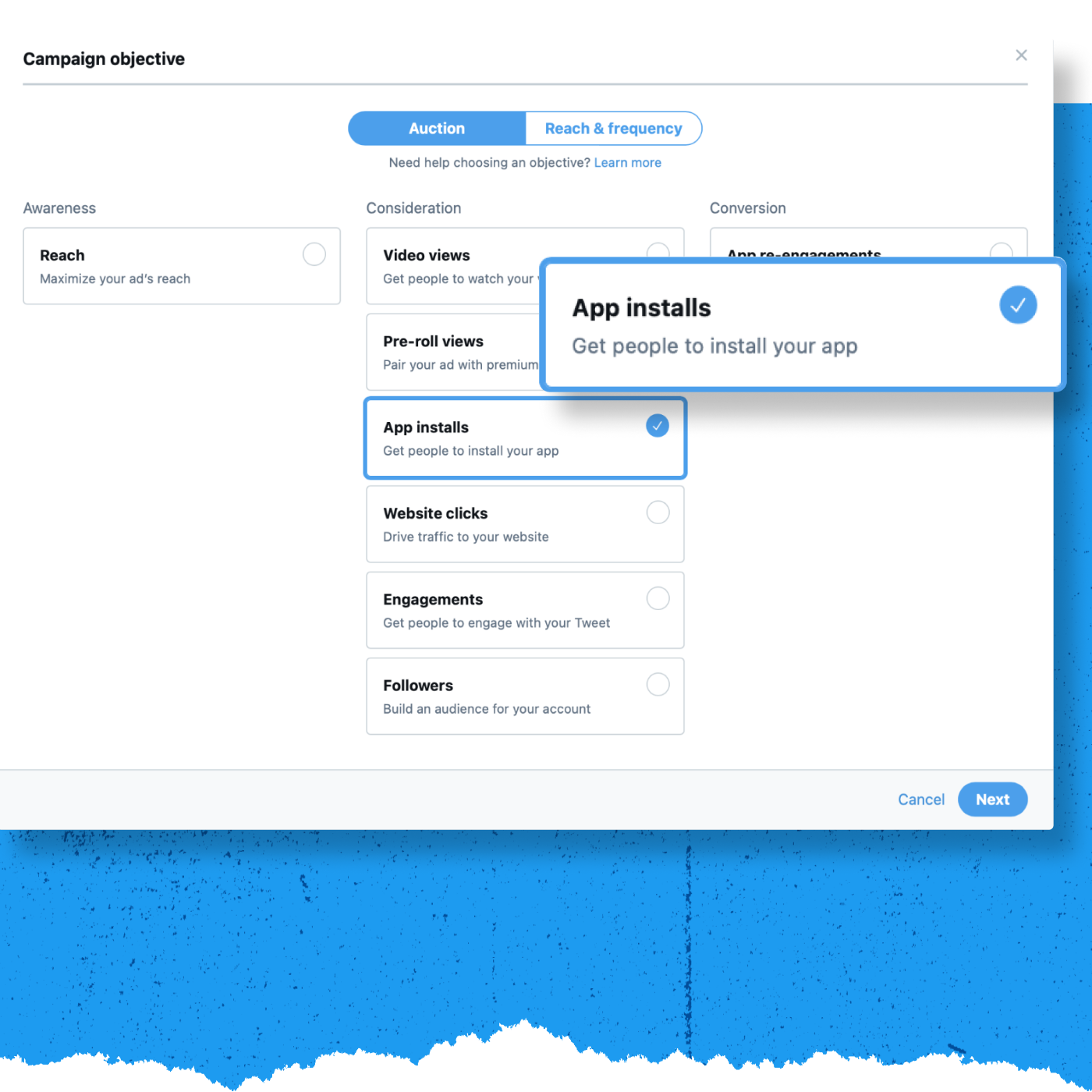
Enter your campaign details
On the campaign details screen, choose the app you want to promote, name your campaign, and enter your budget and timeline information.
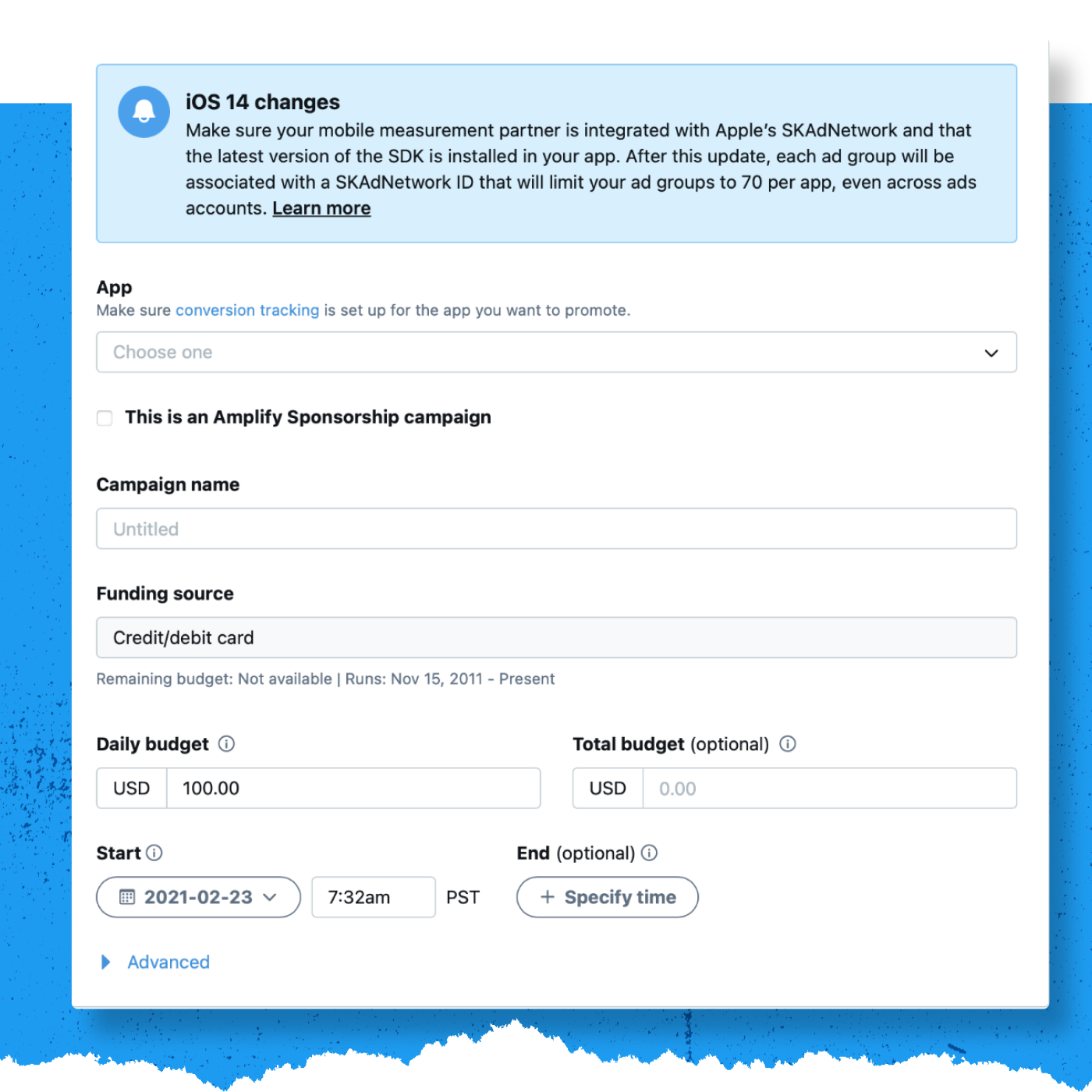
Choose your app
In the drop-down menu, select the app you’d like to promote with your App Installs ad. Be sure to set up conversion tracking beforehand. If you haven’t, you can do so by going to Tools>Conversion Tracking.
For more information on how to set up conversion tracking, see this article.
Name your campaign
Choose a name for the campaign. The naming isn’t important (you can change it later), but try to create something unique and memorable that will identify the campaign later.
Choose your funding source
Select a funding source from the list. If you don’t have a funding source set up for your account, visit this page for more information.
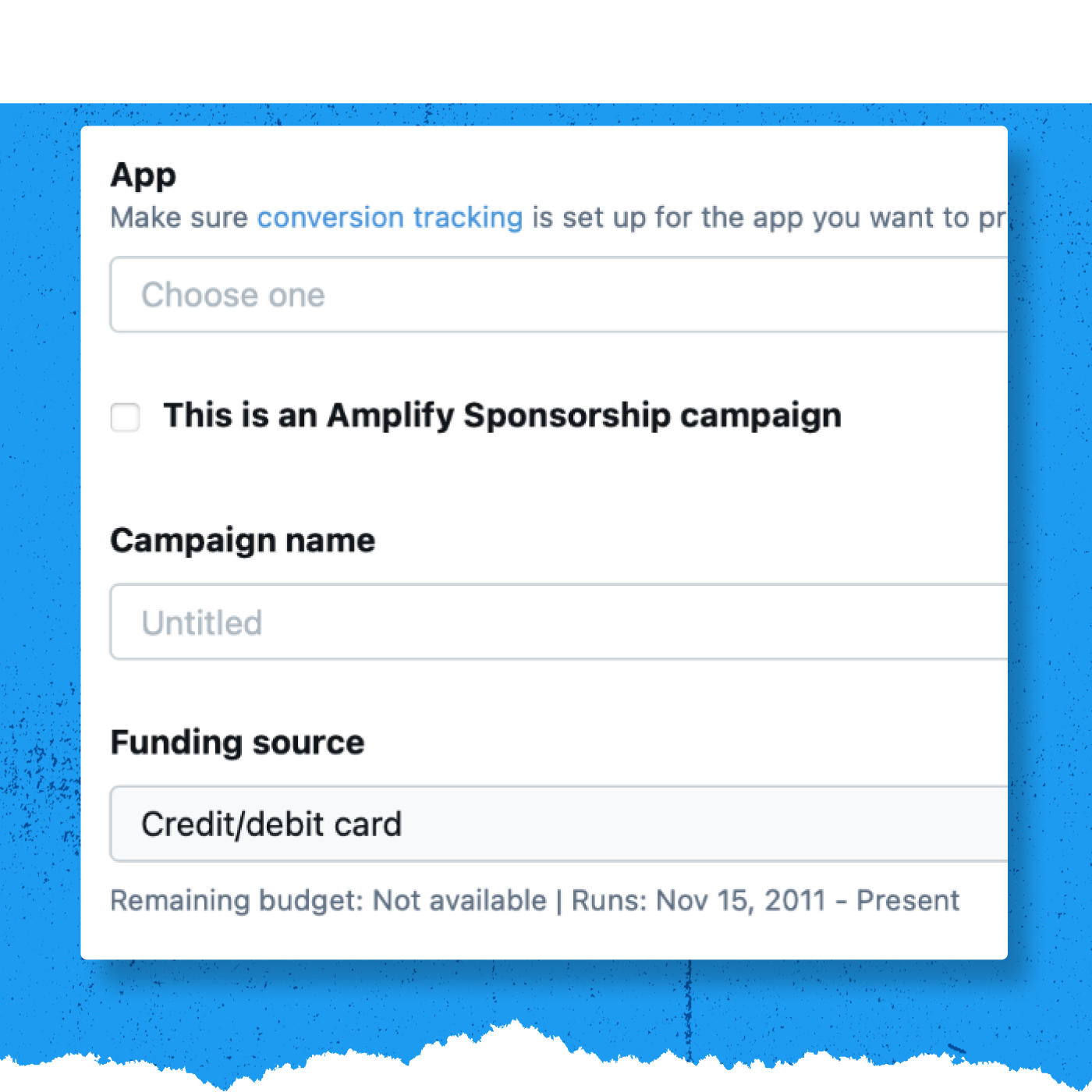
Click Next to continue.
Set up your Ad Group
Now, it’s time to set up your Ad Group details. Ad groups allow you to run different audiences, creatives, and bidding types in one campaign. You can create ad groups within your campaign during its setup. Every campaign will, by default, have one ad group—but you can create up to 100 ad groups within a campaign.
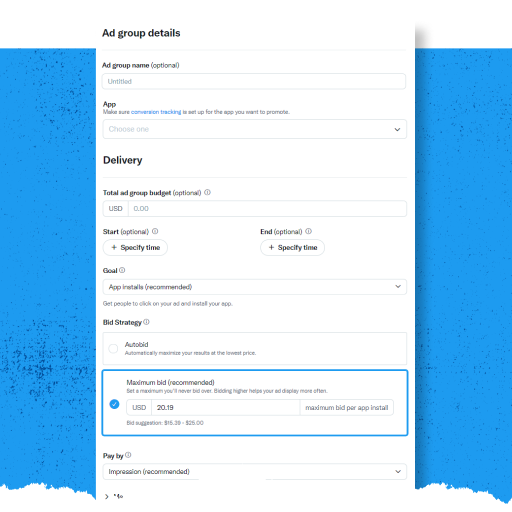
Click Next to continue.
Set your targeting criteria
The targeting you choose determines the size of your campaign’s audience. Generally, the larger your campaign audience is, the more efficiently your campaign will serve, as there will be more people to receive your ad. For more detailed targeting information, visit this page on the Twitter Business website.
You can target your campaigns to specific geographies, genders, age ranges, and languages. For more information, click here.
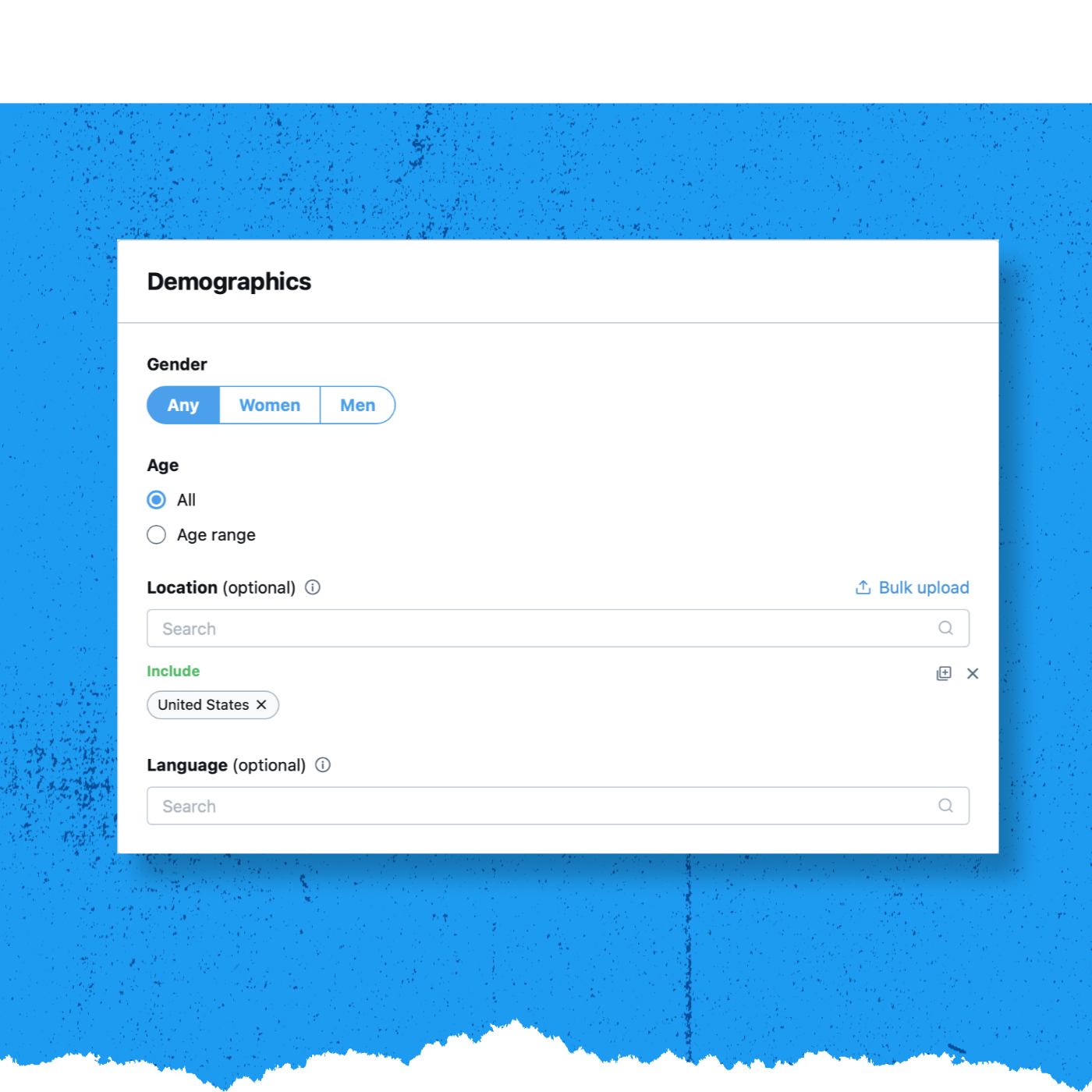
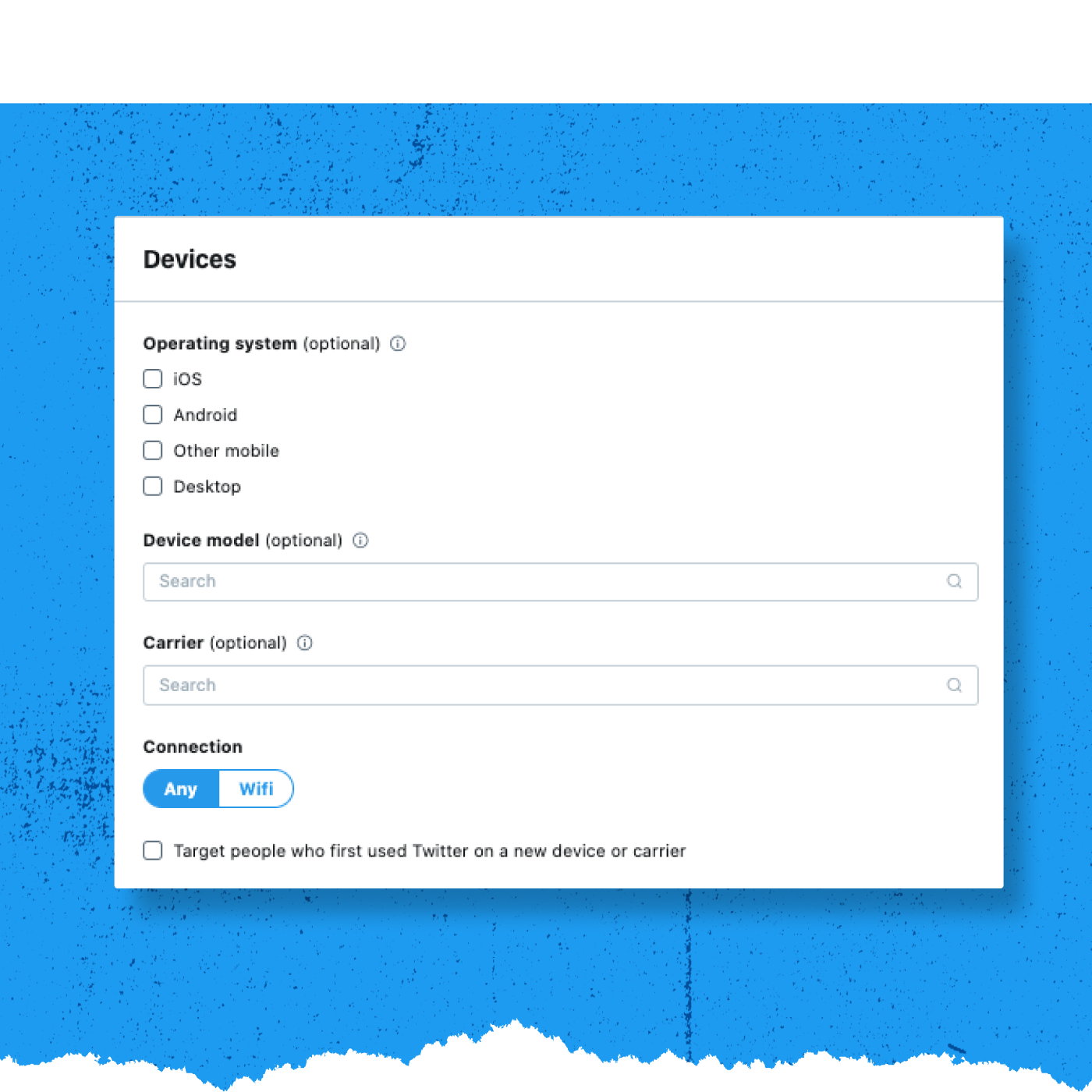
App Install campaigns can also target people based on the type of mobile device they use, their device’s operating system, and/or their mobile carrier. For more information, click here.
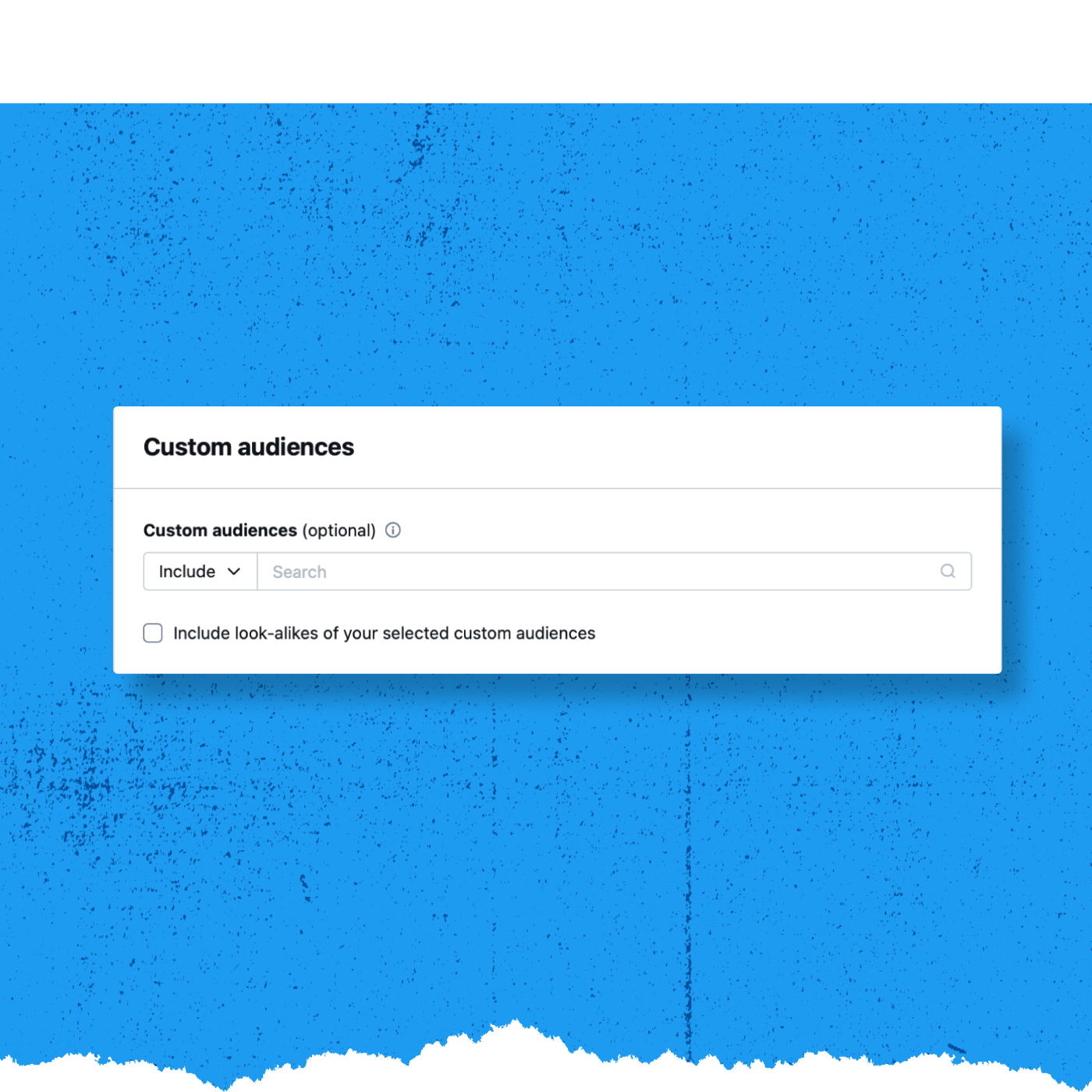
Custom Audiences target your existing followers and customers to create relevant re-marketing campaigns by uploading your own CRM lists to reach highly-specific groups of people. Visit our Twitter Business site for more information on custom audiences.
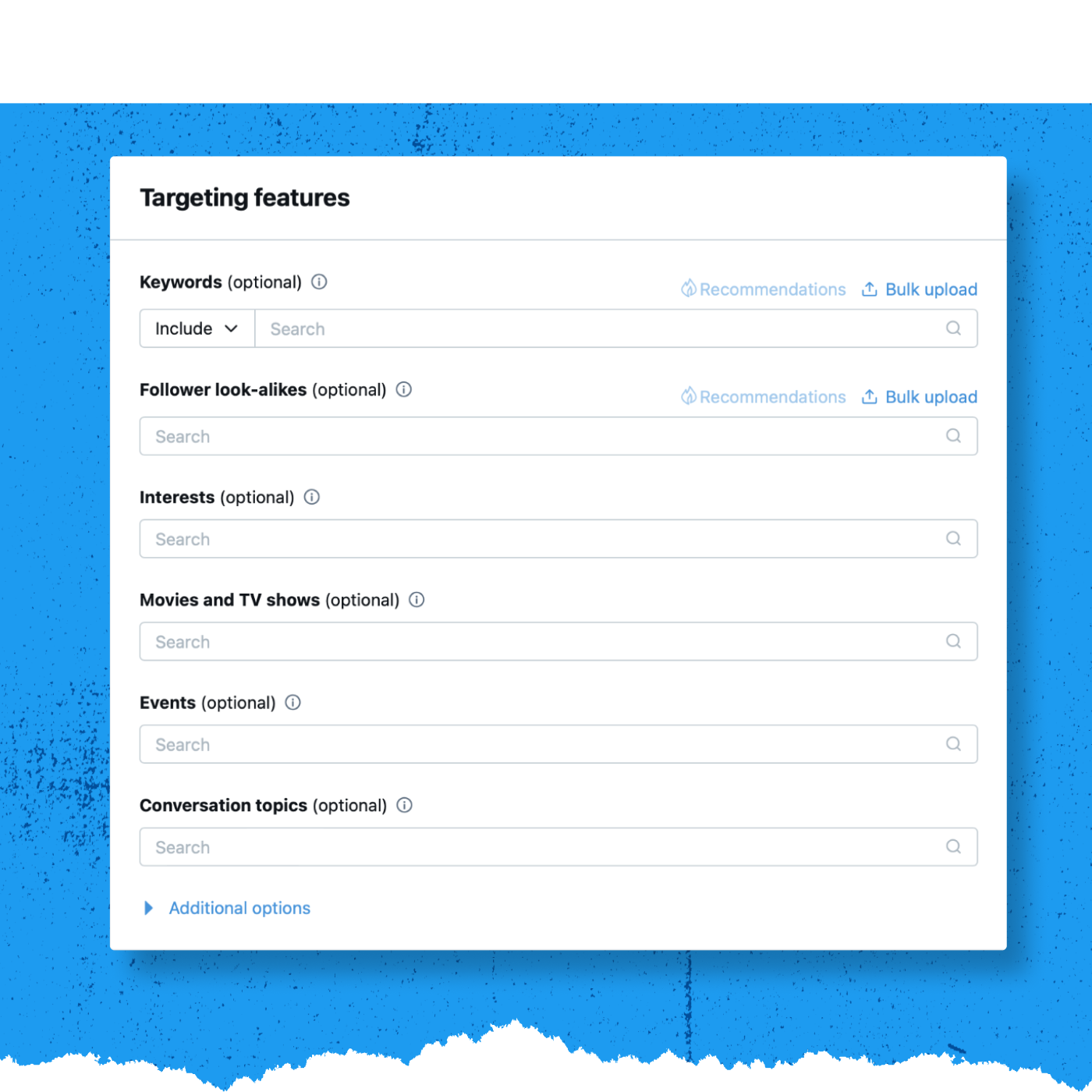
Targeting features allow you to target people based on keywords, Follower look-alike, interests, movies & TV shows, events, and conversations. For more information on how to use these targeting options, click here.
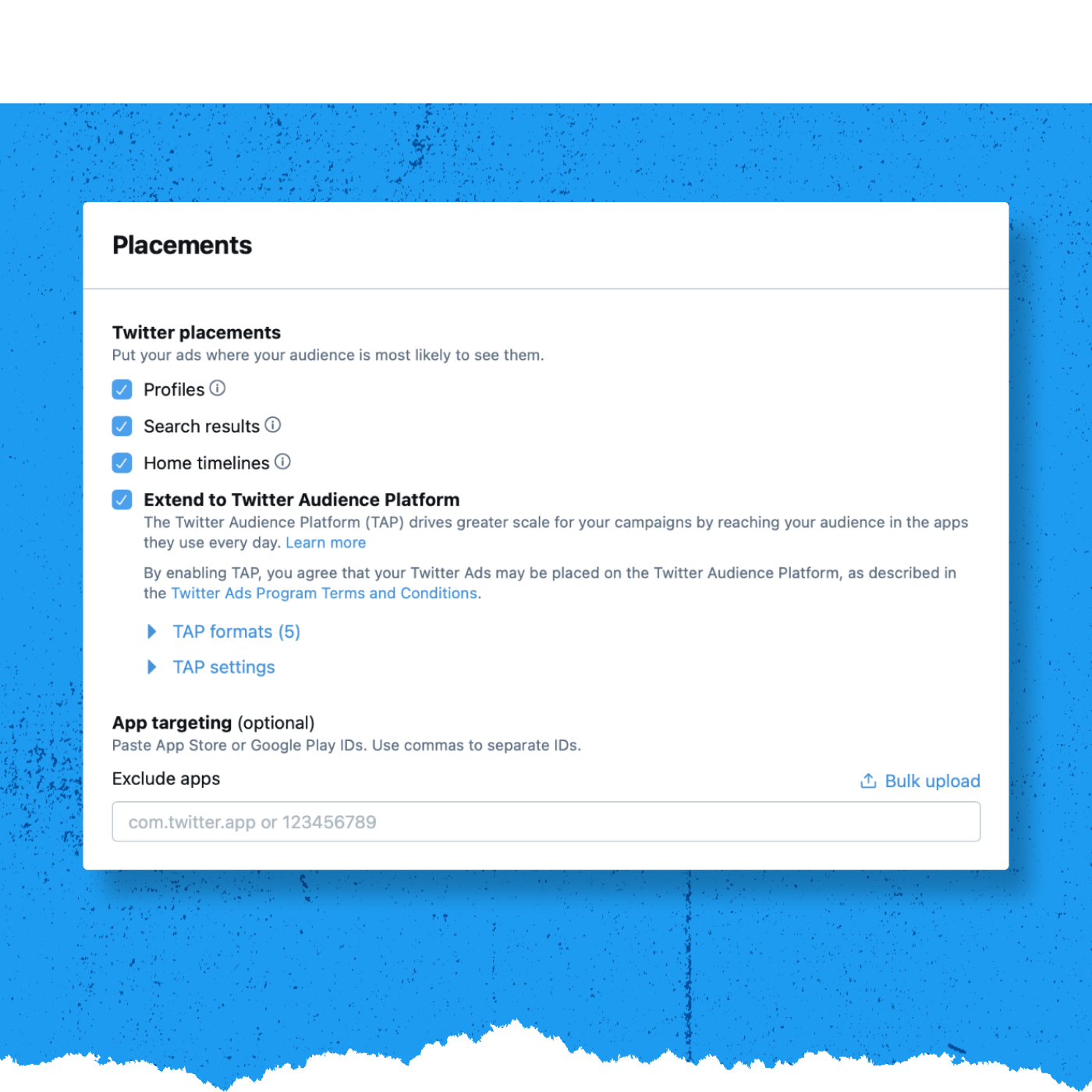
Decide where within the Twitter environment your message should appear. Click the check box next to each location you’d like to select. You can also enable and customize your Twitter Audience Platform (TAP) settings on this screen. For more information about TAP, please visit this page on the Twitter Business website.
Click Next to continue.
Choose your creatives
Next, choose the creatives you’d like to include in the campaign. Click the check box on the right-hand side to select the individual Tweets you’d like to use in your App Installs Ad.
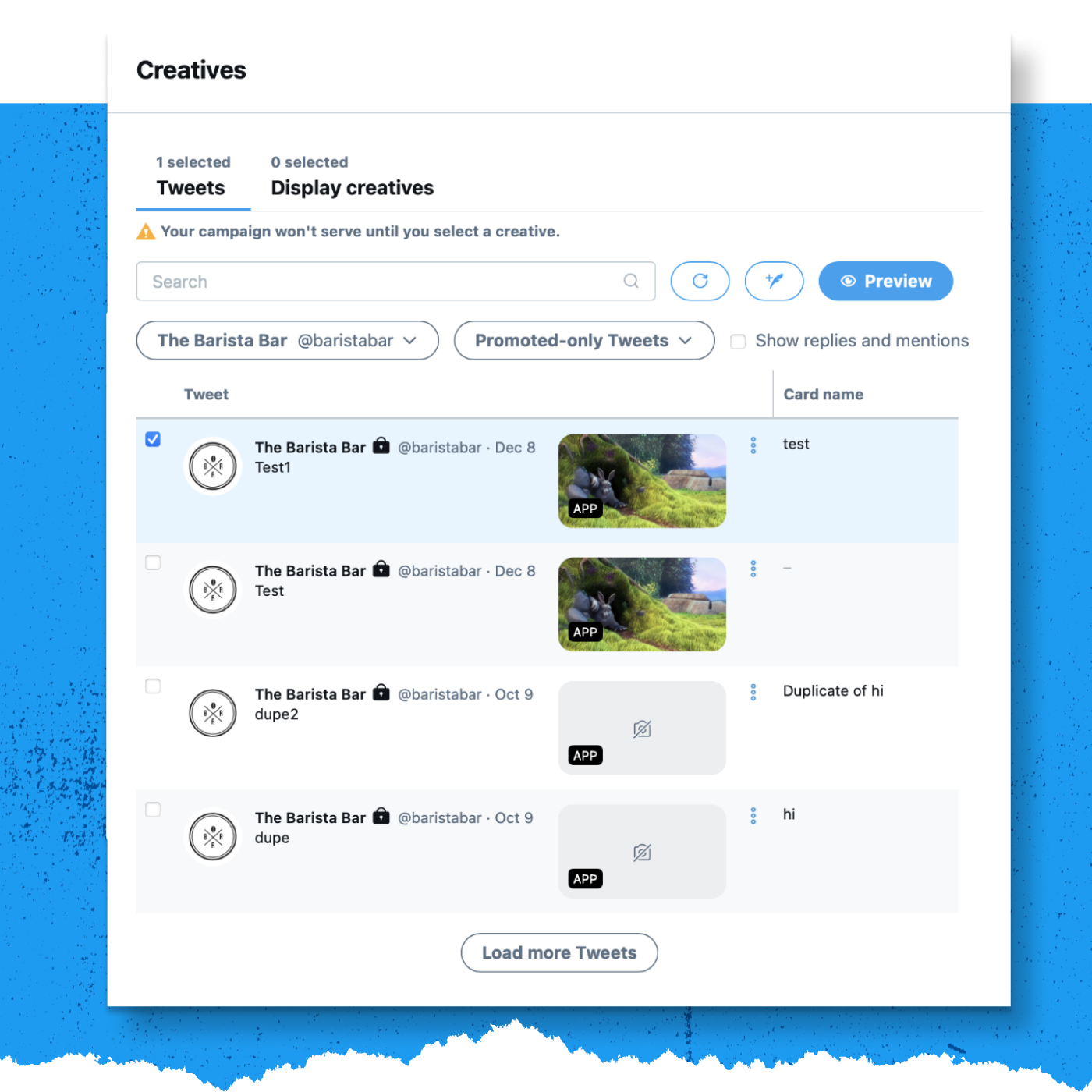
Click Next to continue.
Review and launch your campaign
The final step is reviewing your campaign details. Make sure each section reflects what you’d like to see in the campaign. When you’re ready, click Launch campaign. If you’ve set a specific date range, the campaign will begin serving during that window. If you’ve chosen to go live immediately, the campaign will start serving once you launch.
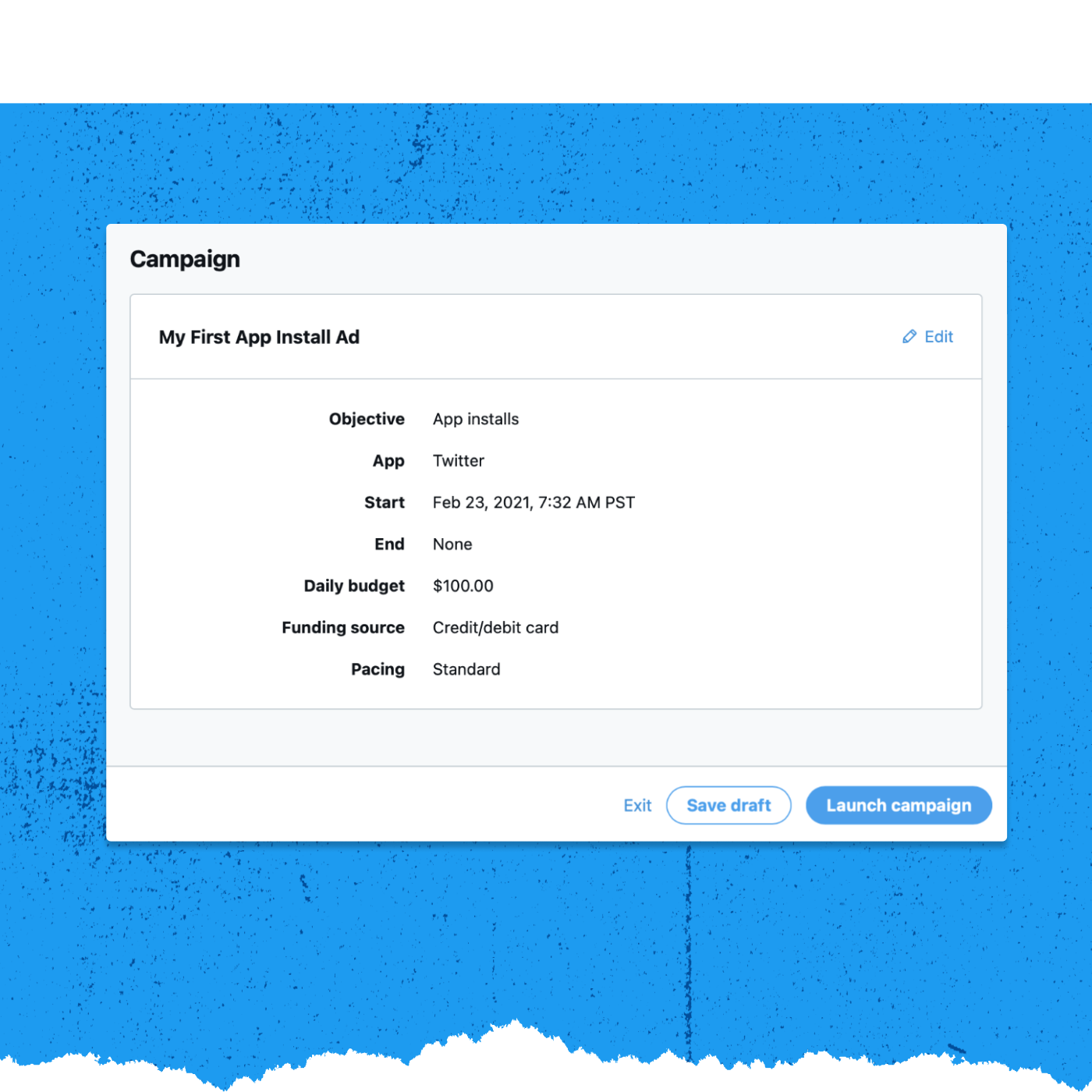
3. App Re-engagement Campaign Basics
-
Get Started with App Re-engagement
Twitter’s app re-engagement ads focus on reaching your existing users to help drive loyalty and engagement. These ads can drive people on Twitter to open, update, or take action in your app, directly from their Twitter timelines.
Why is app re-engagement important?
Marketers use this objective to increase app usage and maximize revenue. New apps are released every day, but consumers regularly use only a handful of apps.
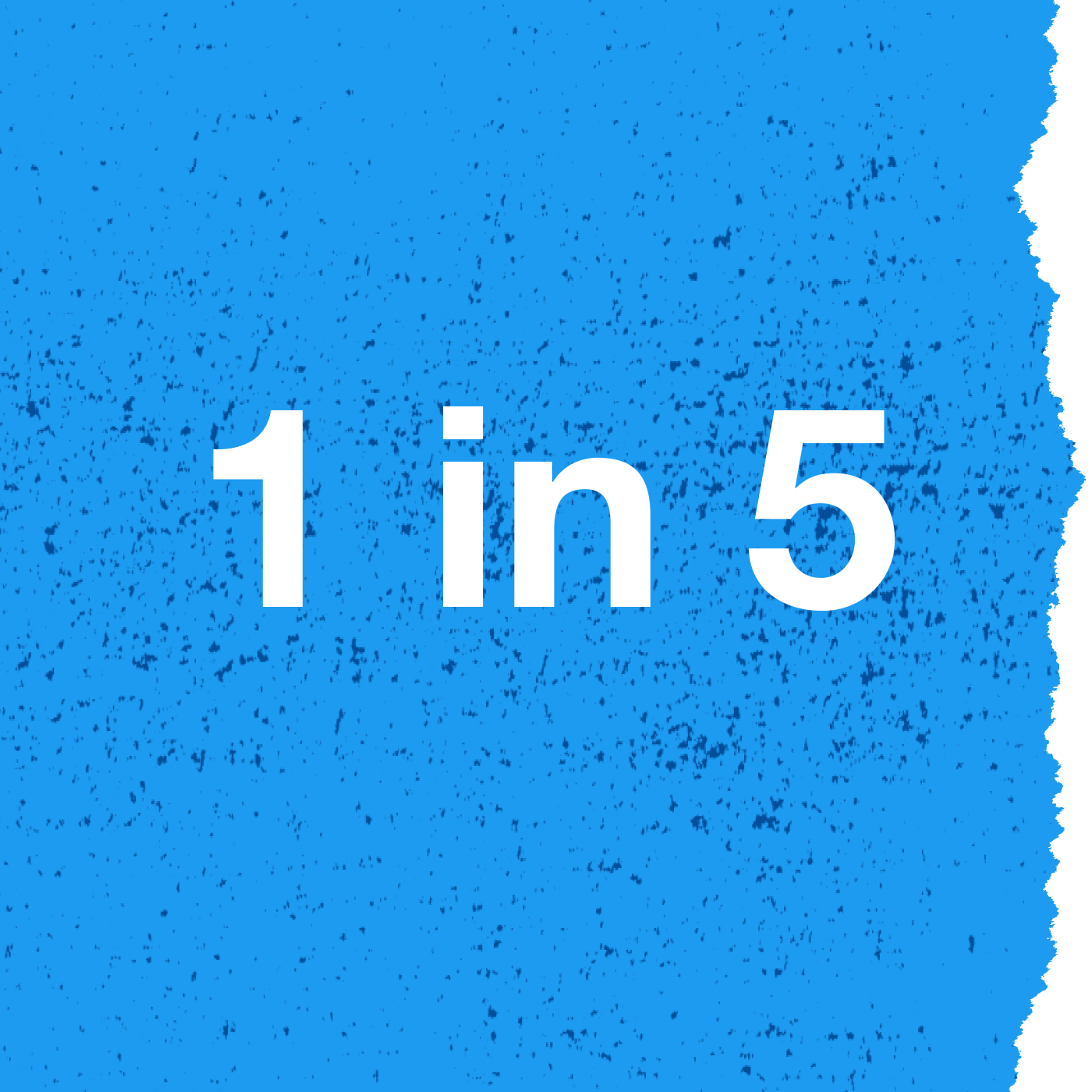
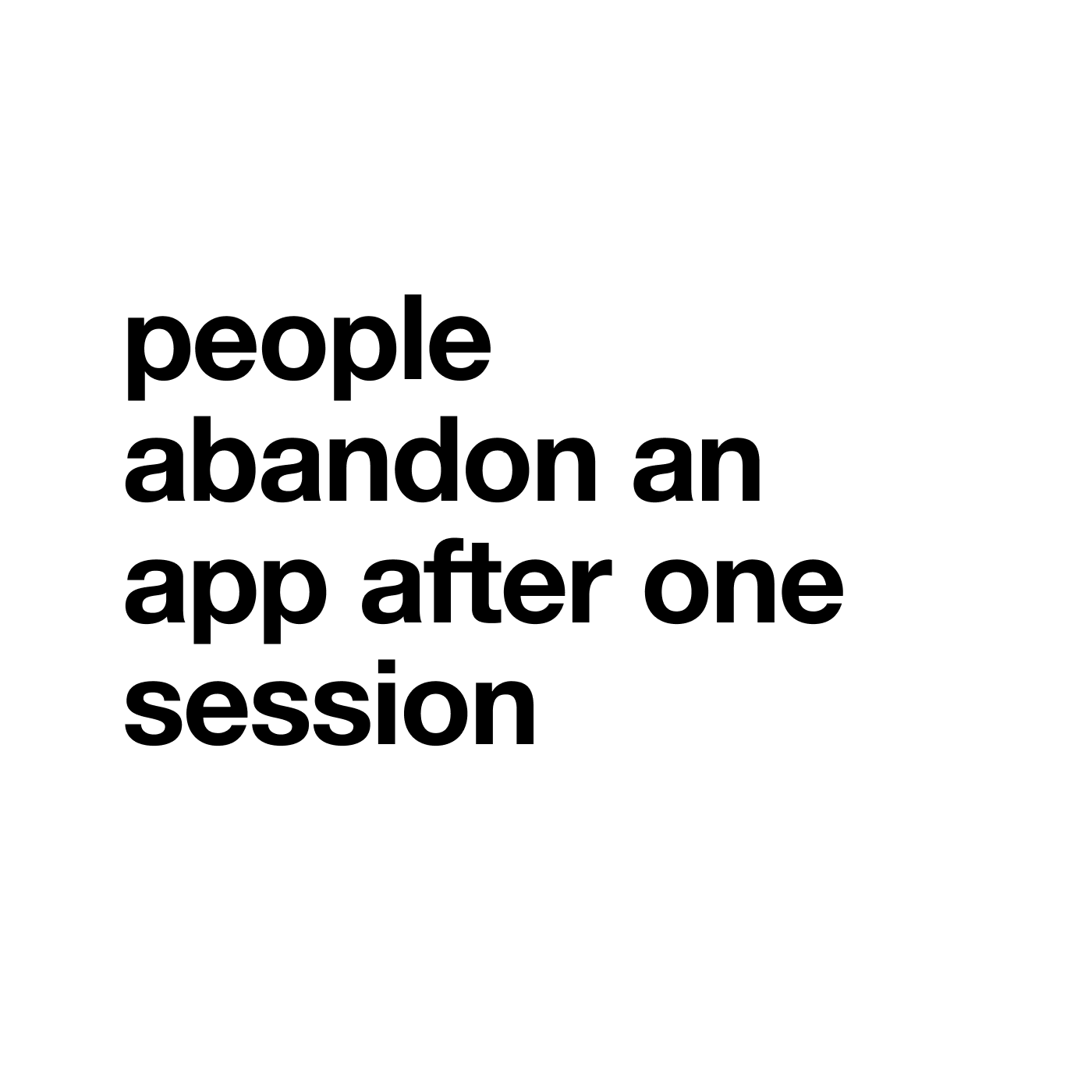
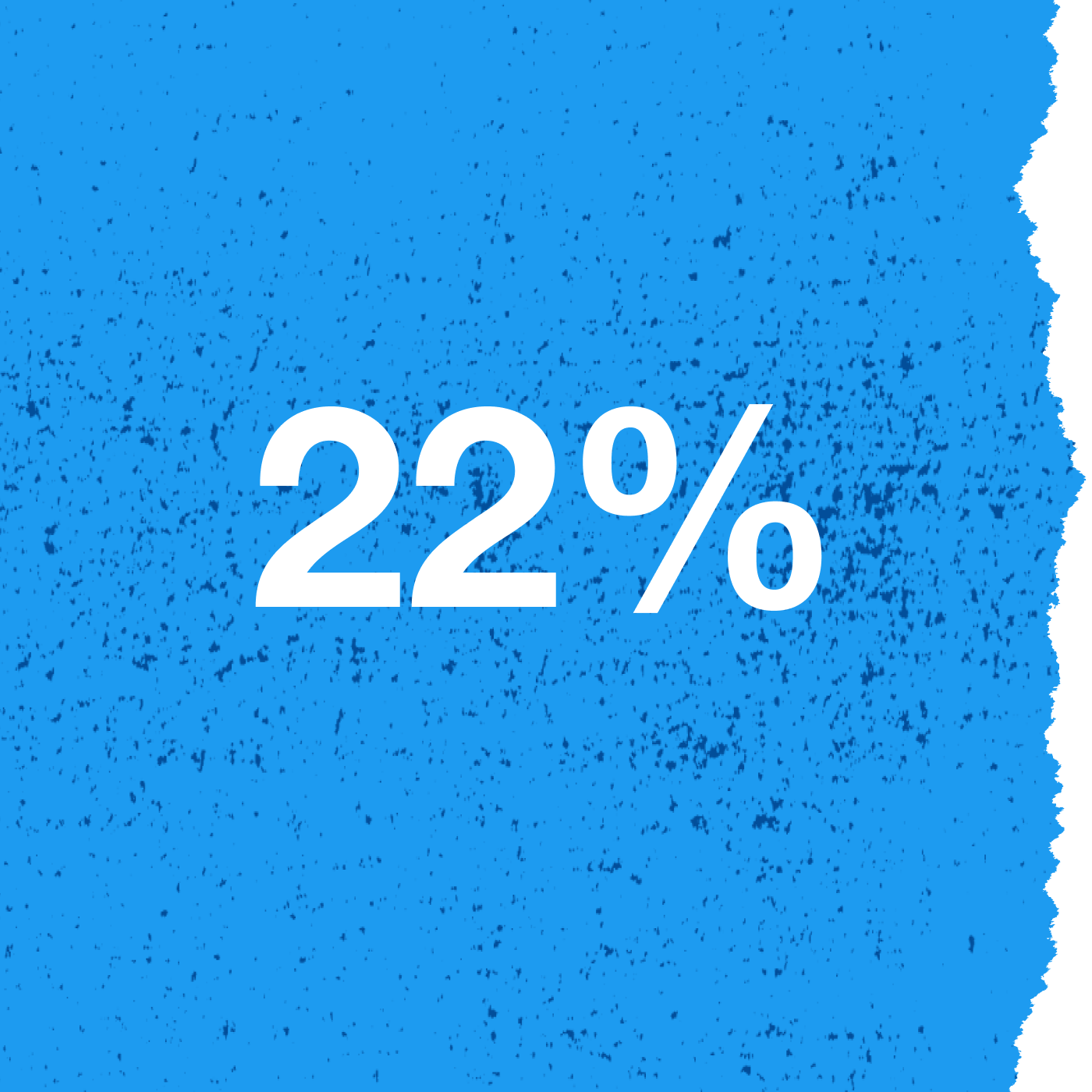
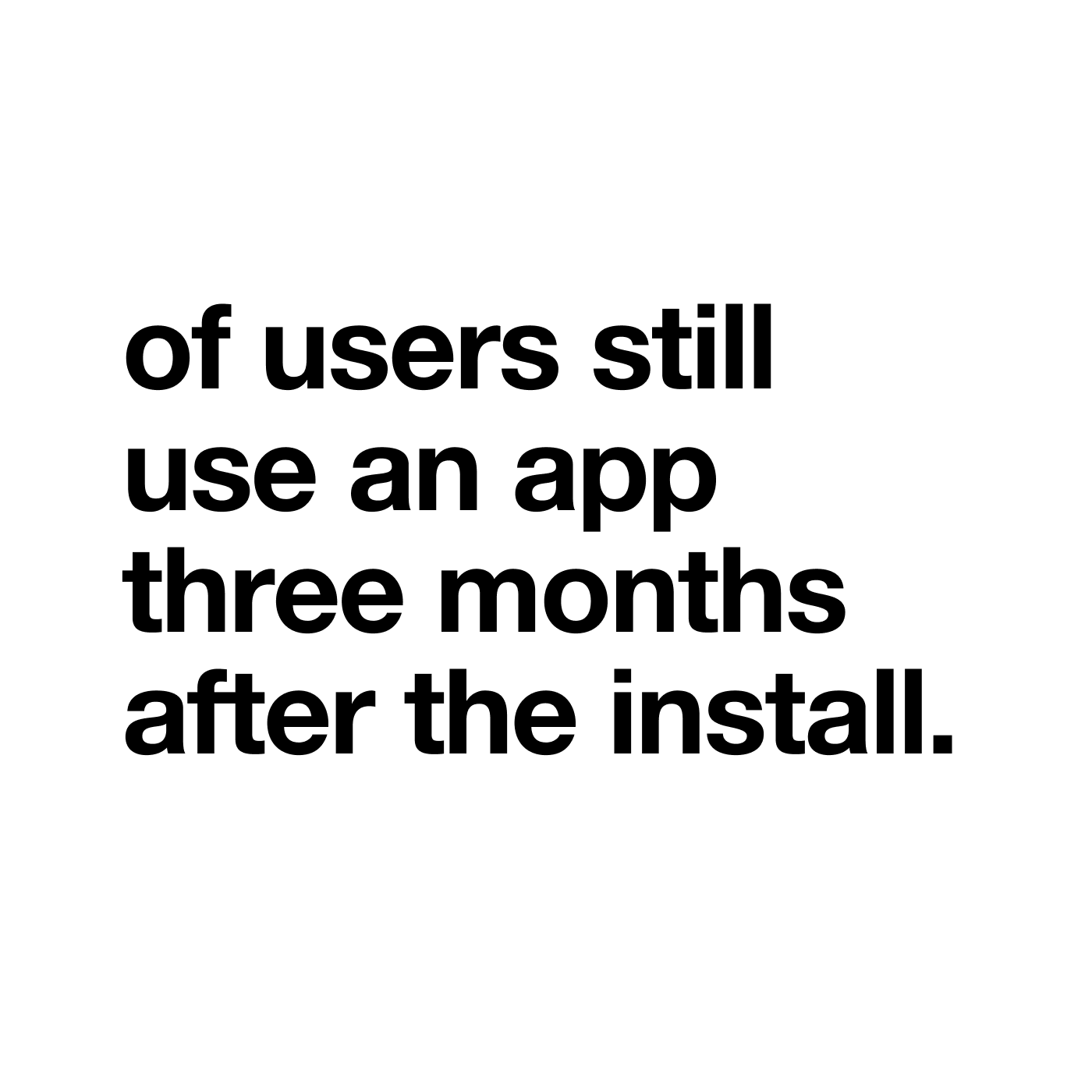
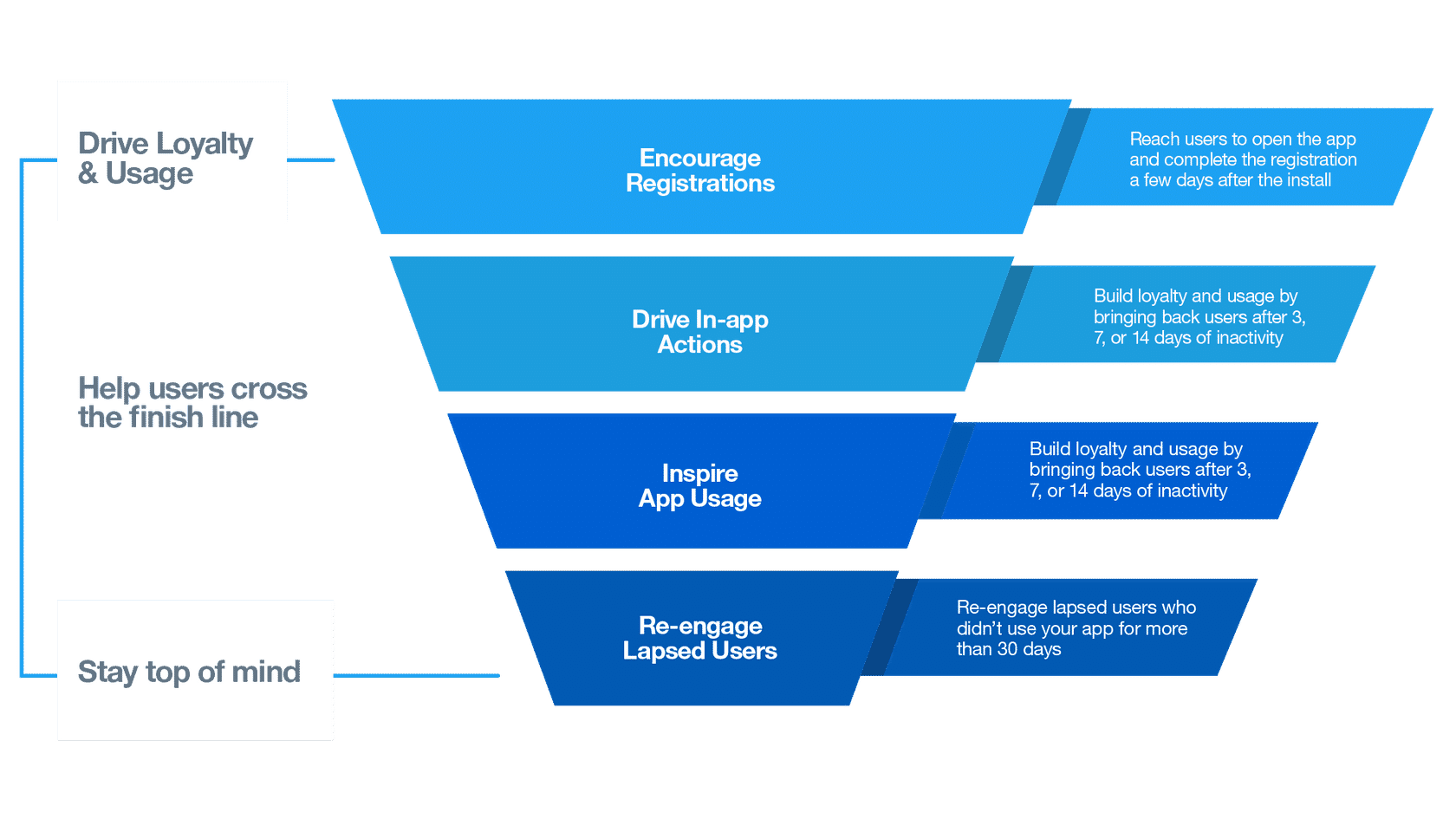
Using Re-engagement helps you…
- Drive loyalty and usage.
- Stay top of mind.
- Get ahead of the app deletion phenomenon by keeping valuable users engaged with new content, features, products, and promotions.
-
Targeting and Bidding for App Re-engagement
What are the targeting options for App Re-engagements?
For re-engagement, you need to be able to find your existing app users on Twitter. You can target existing users with our mobile tailored audiences feature. Mobile tailored audiences are created automatically when you link your app events with Twitter through your mobile measurement provider.
These audiences also automatically update, leveraging our integration with Mobile Measurement Providers.
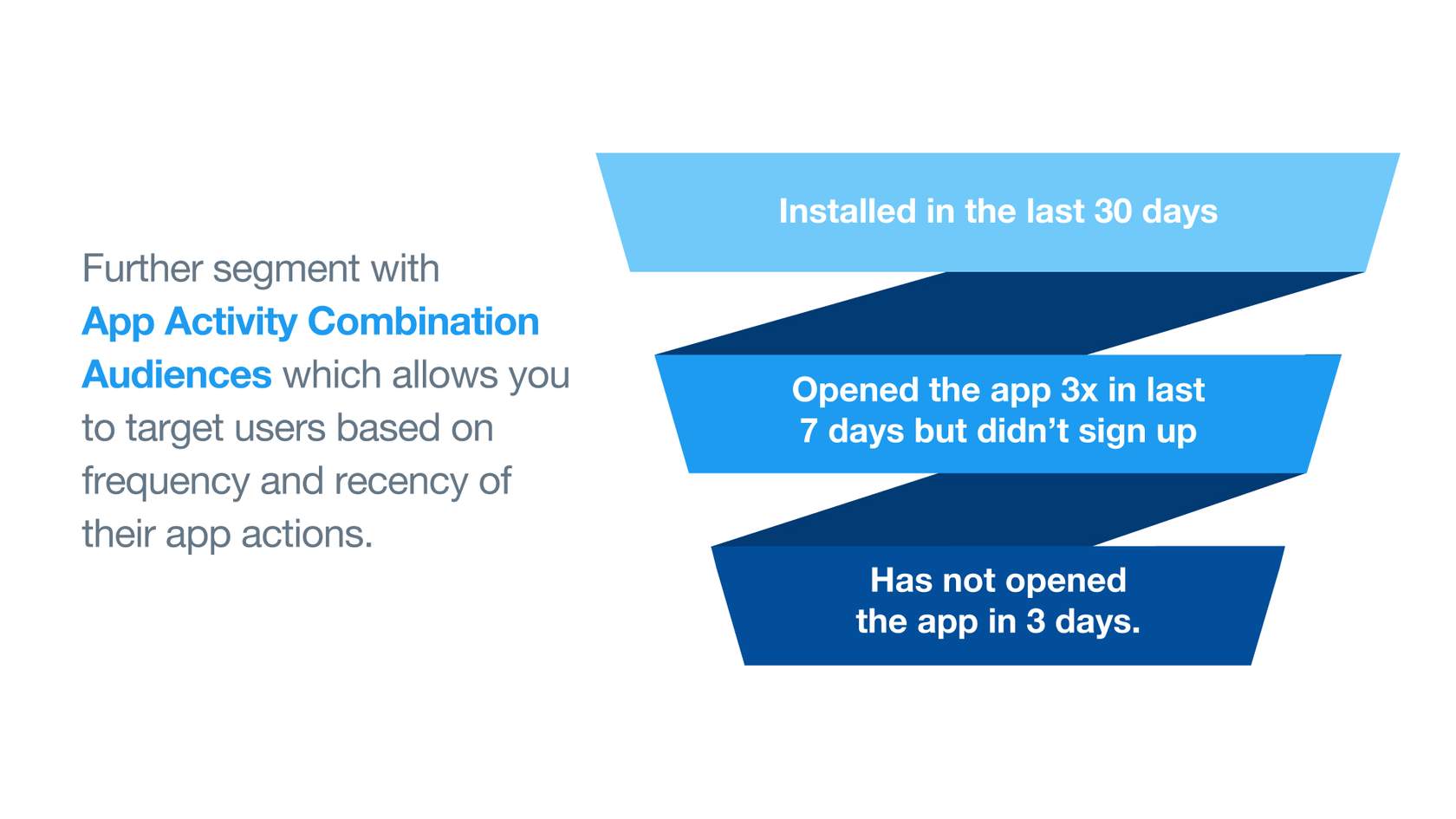
In addition to retargeting a broad mobile custom audience, app marketers can go deeper by further segmenting their audiences using App Activity Combination.
App Activity Combination allows you to refine your App Activity Custom Audience based on the frequency and recency of user actions. This tool is a handy feature because it attributes values to users based on desirable app usage patterns.
How do I buy App Re-engagements?
Whether you’re a small business or a large brand, campaigns are customizable to accommodate your budget. Twitter Ads have no required minimum charge, and you always have complete control over how much your campaigns spend.
App Re-engagement campaigns run on a cost-per-app-click (CPAC) bidding system—meaning you bid on app click, you pay for app clicks.
App clicks are clicks that lead to the app store or directly into the app. In the CPAC bidding system, you are only charged when a user takes that action. Our platform optimizes to drive as many app clicks as possible (and as many high-value app clicks as possible). The average daily CPC will be at or below your stated target. We guarantee you won’t be charged more than 20% of your target bid throughout the campaign.
When you run an App Re-engagement campaign, you’ll only be charged for an app click. Impressions that don’t result in this action are free.
The cost you pay per app click depends on your budget and bid, as well as the targeting you select. You’ll receive real-time bid guidance based on the targeting in your campaign setup.
AUTOMATIC OR TARGET
When setting up your app re-engagement campaign, you can select either automatic or target cost as your bid type. We suggest choosing the target bid option. This gives you the flexibility to successfully bid on app clicks from the users who are most likely to engage with apps—while staying near or below your target costs. When you set up your campaign and input your bid, think of your target bid as the price you’re willing to pay per app click.
BID AMOUNTS
It’s essential to think carefully about the value each app click brings to your business. The recommended bid is a good indicator of the amount you will need to bid for your campaign to reach its goal. You will never be charged more than your bid, and advertisers are often charged less. However, if your bid is not competitive relative to other advertisers, your campaign may not serve.
OVERALL SPENDING
In addition to controlling the amount you pay per action, you also have complete control of the amount you spend overall. After setting your bid, you are prompted to enter a total budget for the campaign and, optionally, a daily budget as well. When your overall budget is reached, your campaign will stop serving until you increase the budget. When your daily budget is reached, your campaign will stop serving until the next day.
You input your target cost per app click, and the system charges based on app clicks driven. An app click is any click on an App Re-engagement ad.
-
Create an App Re-engagement Campaign
Before we get started…
Before creating your first App Re-engagement, be sure to configure your SKAdNetwork (SKAN) connection and your Mobile App Conversion Tracking (MACT) partner. For more information on setting up your MACT partner, visit this page on our Twitter Business site. For details on setting up your SKAN integration, please reach out to your MACT account manager.
A quick note about iOS 14
We currently expect a broad impact on app re-engagement campaigns when AppTrackingTransparency enforcement begins, as part of iOS 14 (expected to be enforced on iOS versions 14.5 and above). Device ID (IDFA) availability will likely diminish as a result of AppTrackingTransparency enforcement. Accordingly, our ability to reach audiences who have previously installed your app will likely be negatively affected.
We recommend monitoring the performance of any re-engagement campaigns after AppTrackingTransparency enforcement begins. The full extent of the impact is still to be determined.
Keep in mind that the above applies only to iOS app campaigns and does not impact Android app campaigns.
Creating an App Re-engagement campaign using Ads Manager
Once you’ve taken care of your configurations, it’s time create your first App Re-engagement campaign. Go to Twitter Ads Manager at https://ads.twitter.com and log in using your Twitter username and password.
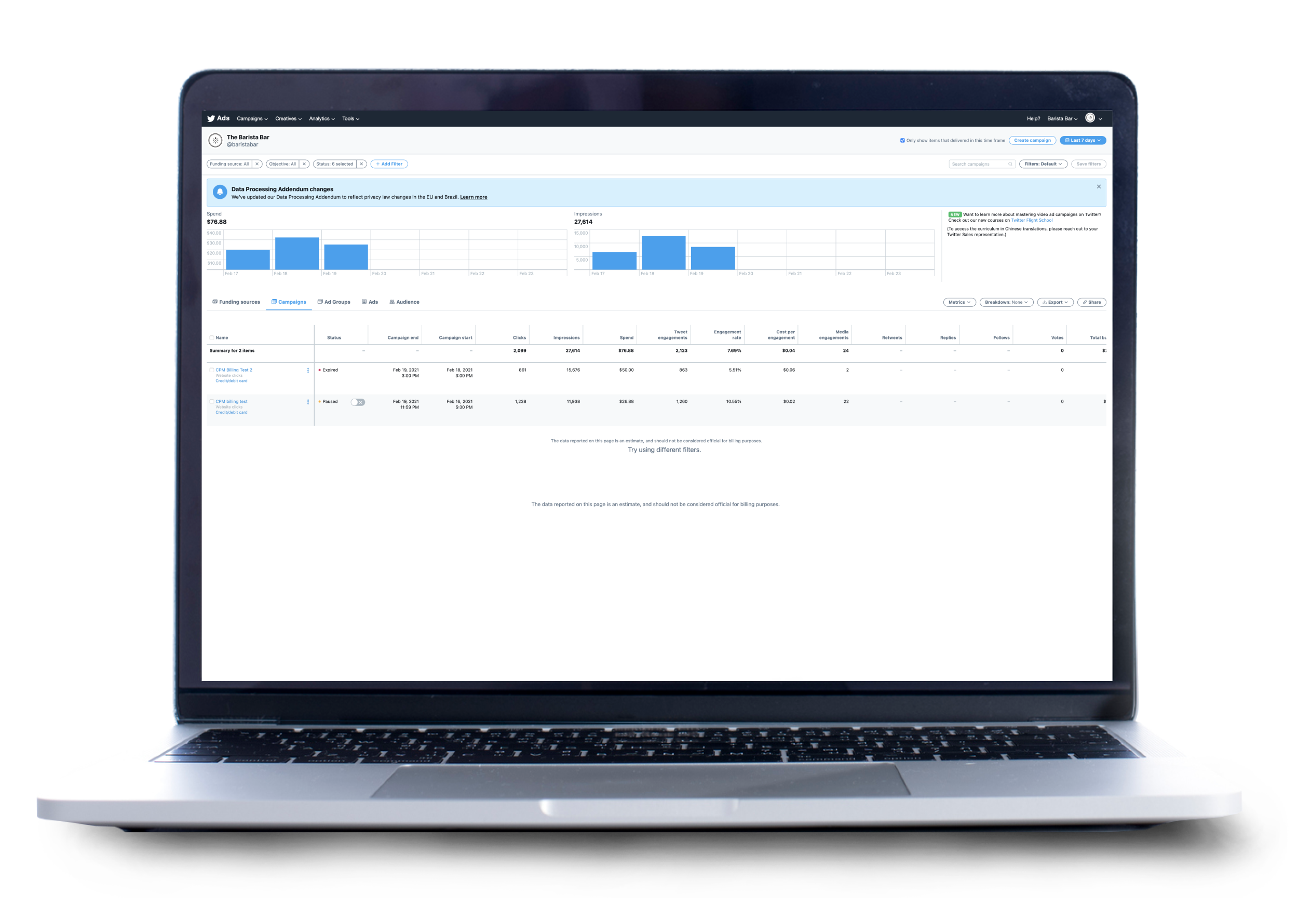
Create your campaign
Once you’re logged into Ads Manager, click the Create Campaign button at the top right to begin creating your App Re-engagement campaign.
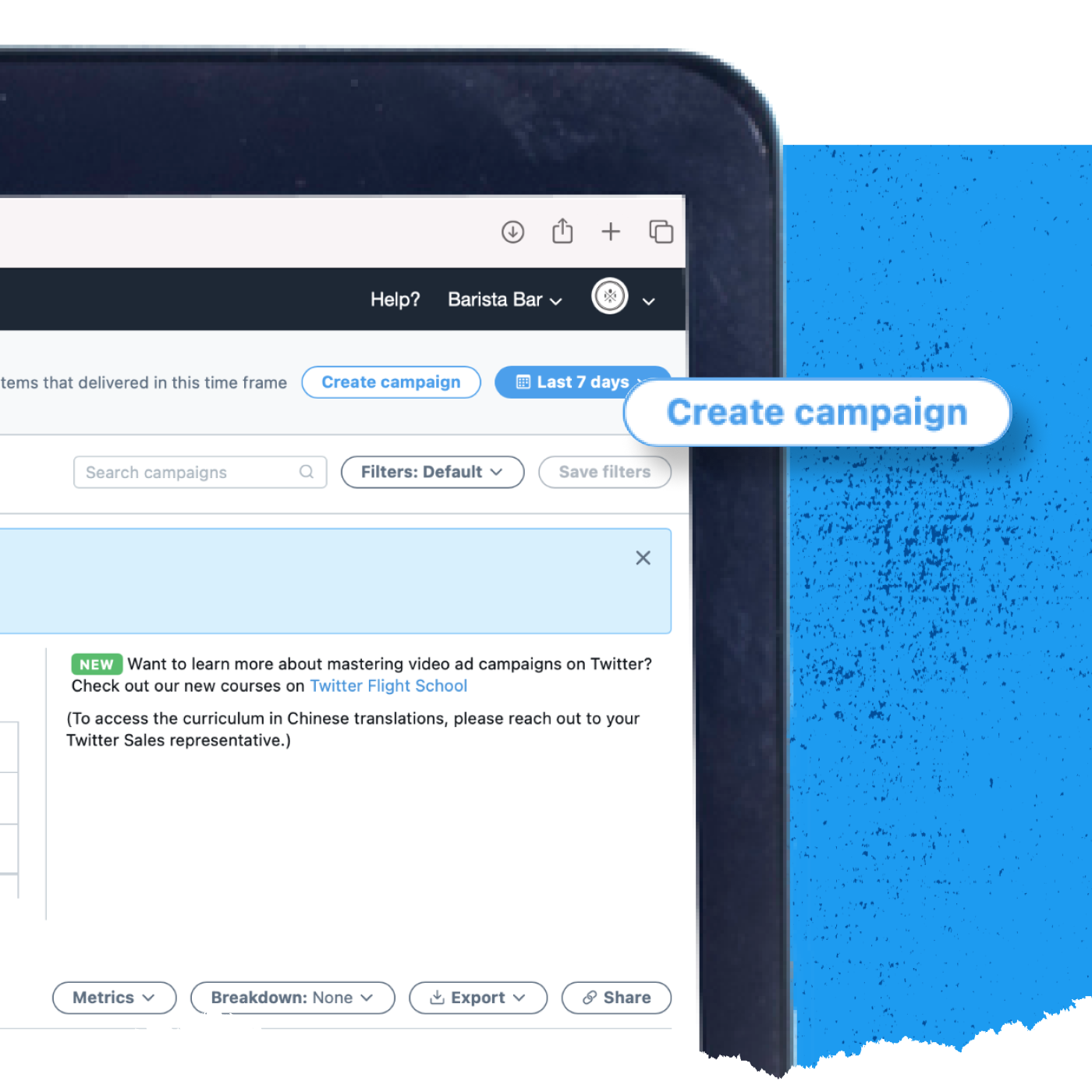
Select App Re-engagement
Now you’ll see the objective picker. Choose App Re-engagement from the list of available objectives. Click Next at the bottom right to continue to the next step.
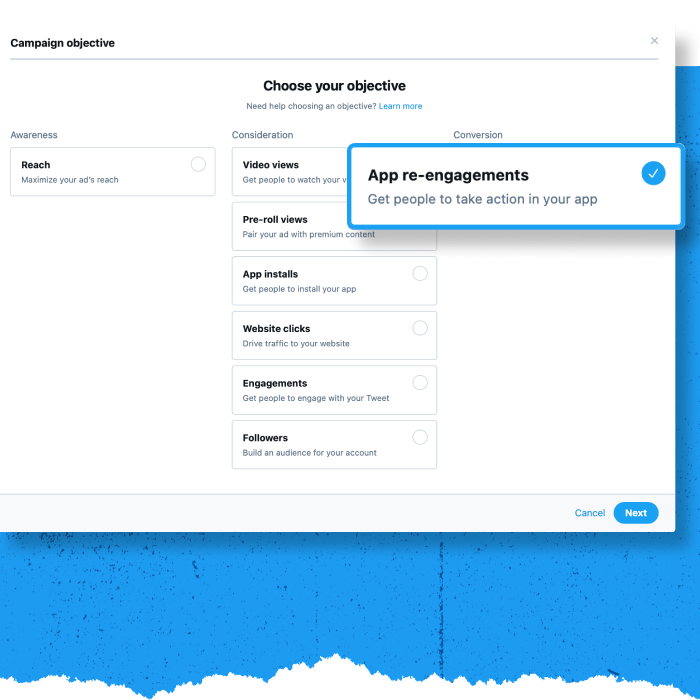
Enter your campaign details
On the campaign details screen, choose the app you want to promote, name your campaign, and enter your budget and timeline information.
Choose your app
In the drop-down menu, select the app you’d like to promote with your App Re-engagement campaign. Make sure you already have conversion tracking set up beforehand.
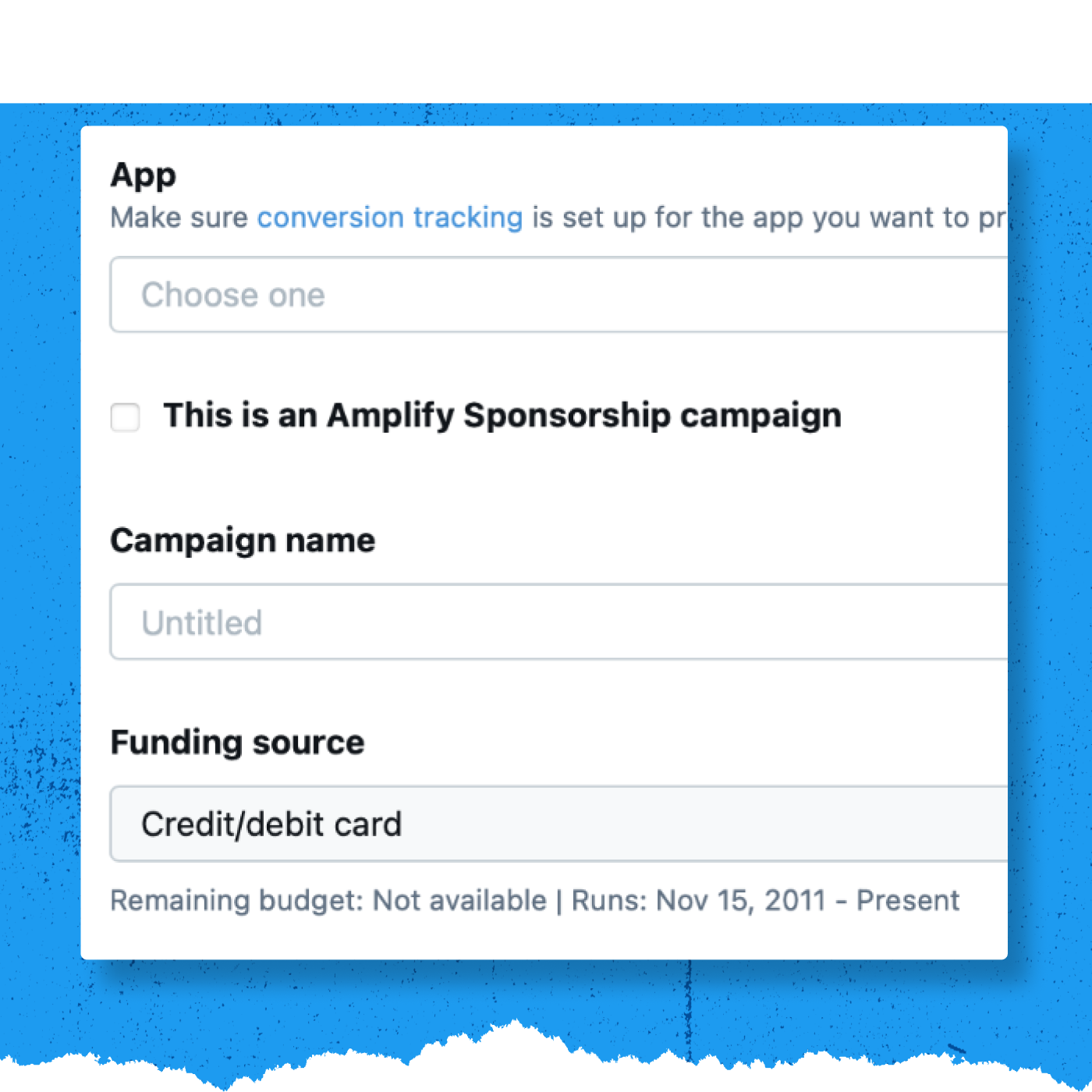
Name your campaign
Choose a name for the campaign. The naming isn’t important (you can change it later), but try to create something unique and memorable that will identify the campaign later.
Choose your funding source
Select a funding source from the list. If you don’t have a funding source set up for your account, visit this page for more information.
Click Next to continue.
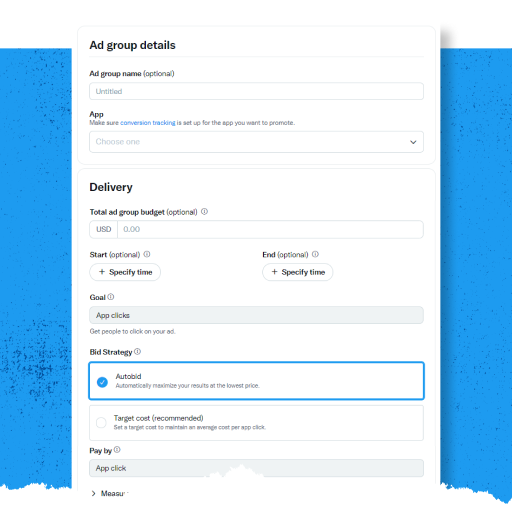
Set up your Ad Group
Now, it’s time to set up your Ad Group details. Ad groups allow you to run different audiences, creatives, and bidding types in one campaign. You can create ad groups within your campaign during its setup. Every campaign will, by default, have one ad group—but you can create up to 100 ad groups within a campaign.
For App Re-engagements campaigns, your Ad group goal will default to optimizing towards driving App clicks.
Click Next to continue.
Set your targeting criteria
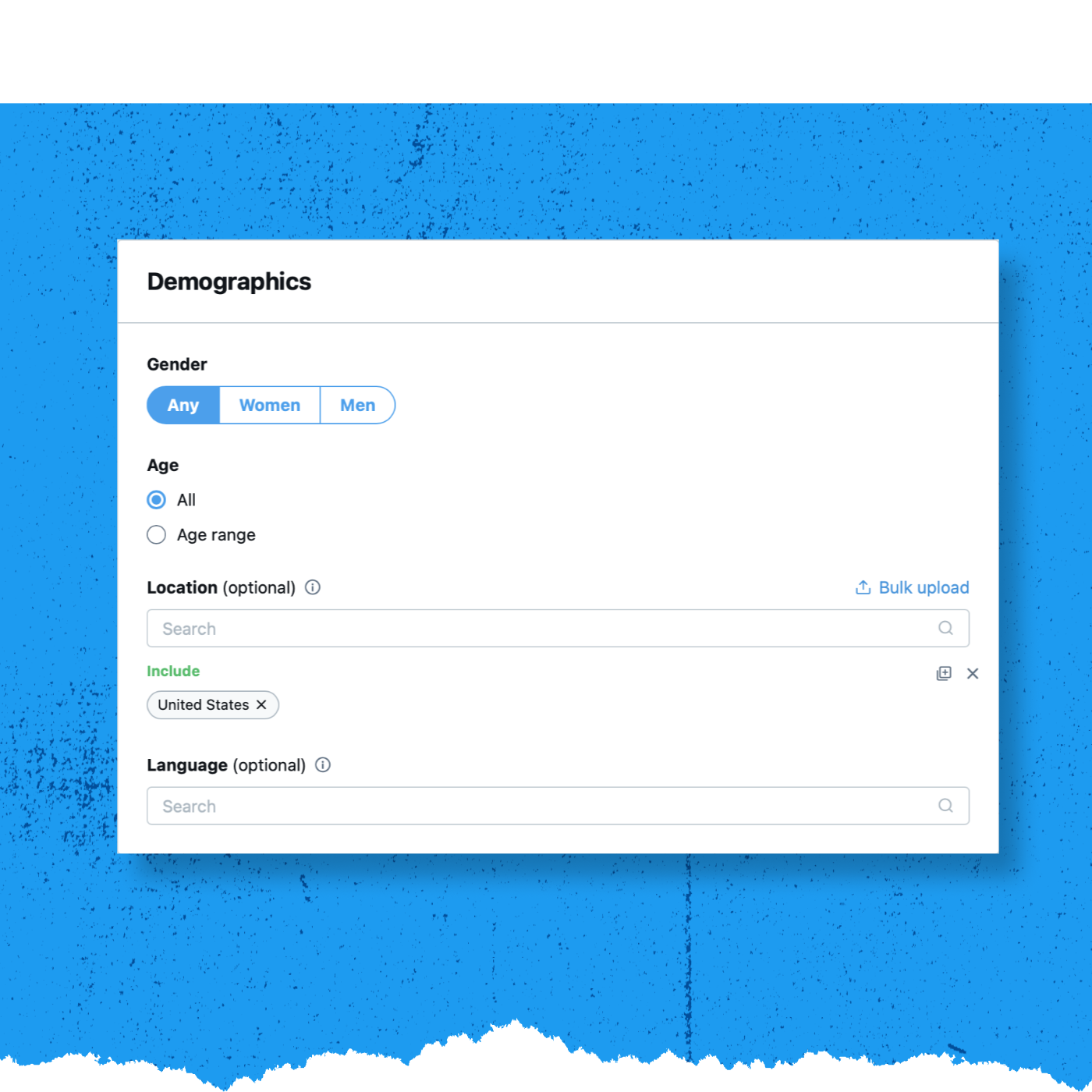
The targeting you choose determines the size of your campaign’s audience. Generally, the larger your campaign audience is, the more efficiently your campaign will serve, as there will be more people to receive your ad. For more detailed targeting information, visit this page on the Twitter Business website.
You can target your campaigns to specific geographies, genders, age ranges, and languages. For more information, click here.
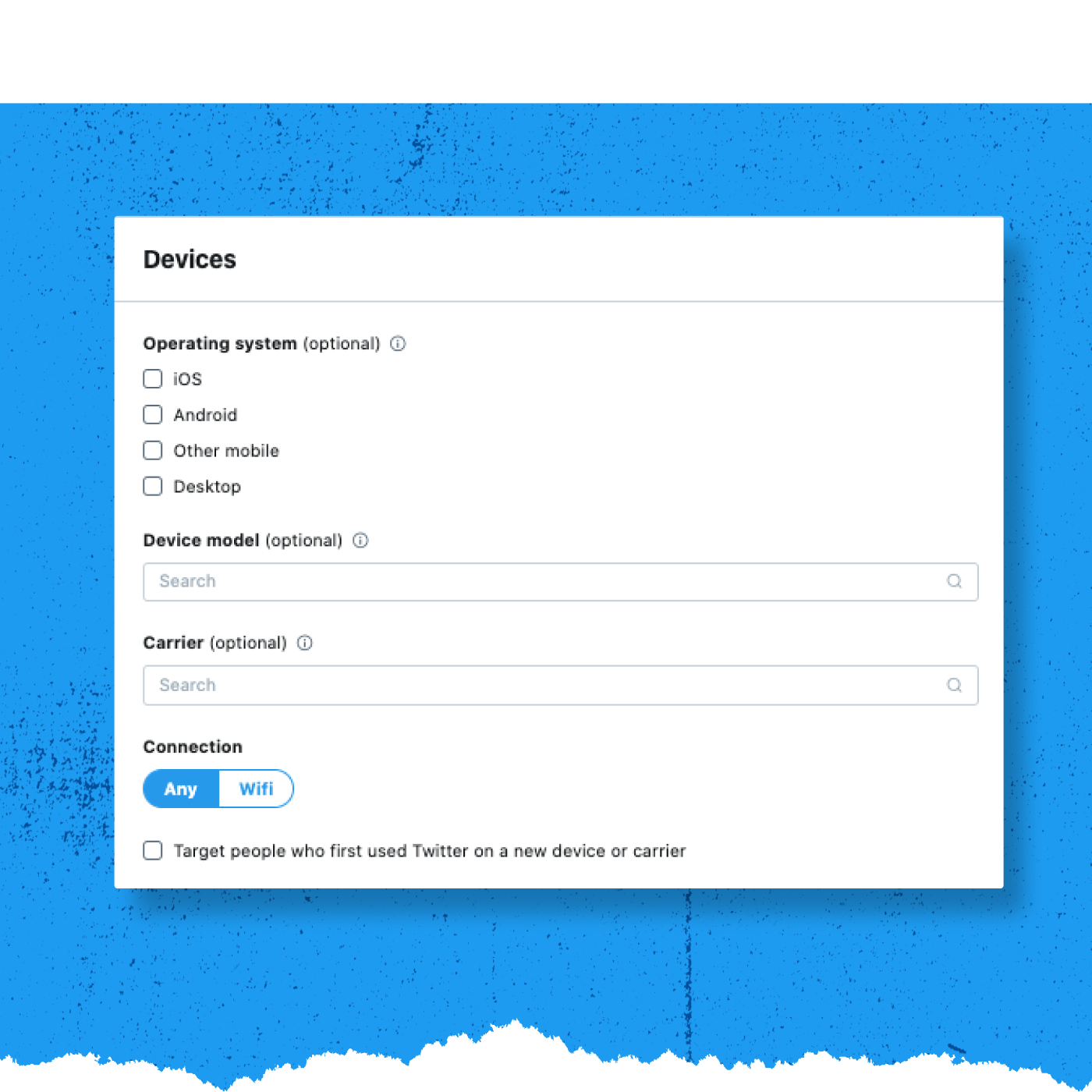
App Re-engagement campaigns can also target people based on the type of mobile device they use, their device’s operating system, and/or their mobile carrier. For more information, click here.
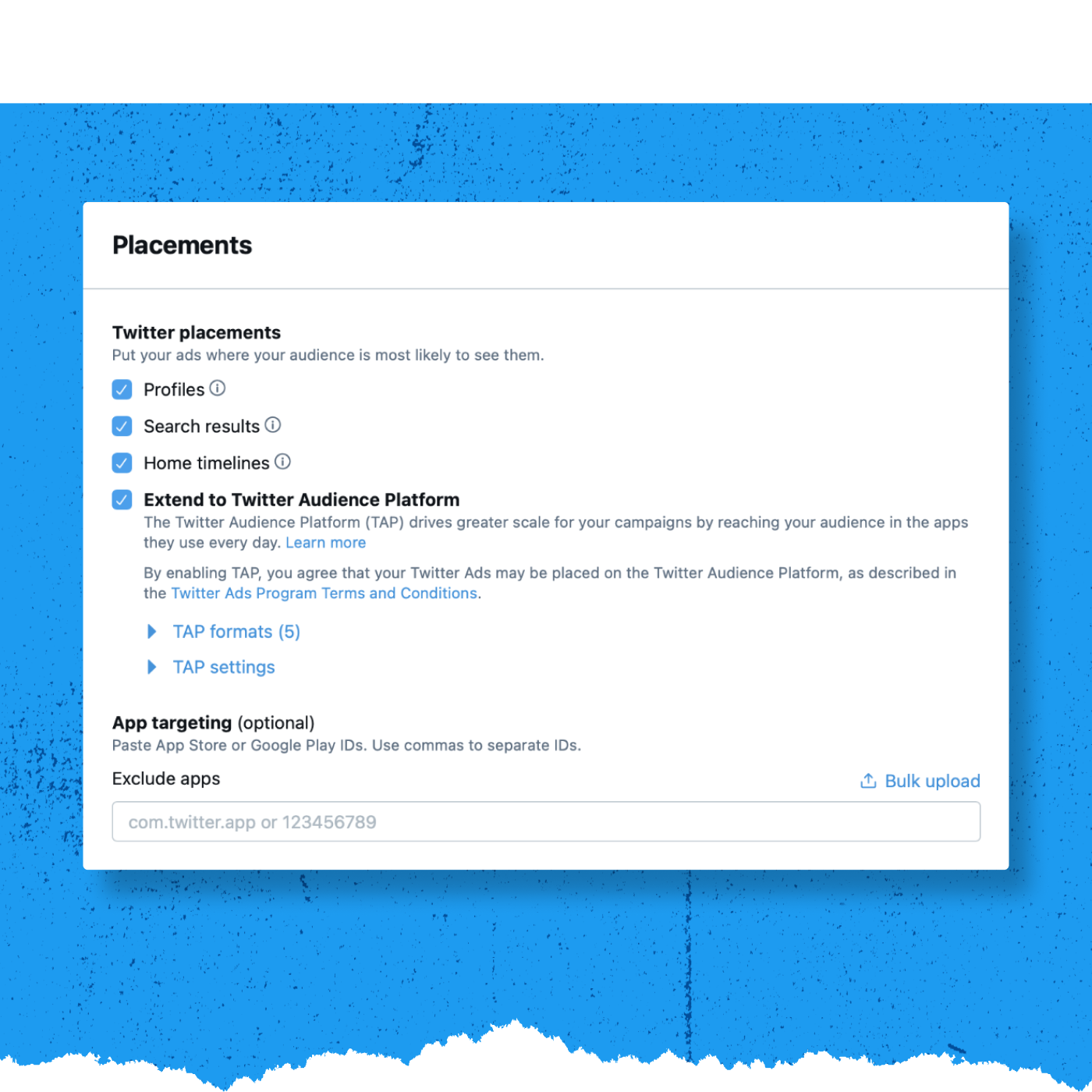
Choose your placements
Decide where within the Twitter environment your message should appear. Click the check box next to each location you’d like to select. You can also enable and customize your Twitter Audience Platform (TAP) settings on this screen. For more information about TAP, please visit this page on the Twitter Business website.
Click to continue.
Next
Choose your creatives
Next, choose the creatives you’d like to include in the campaign. Click the check box on the right-hand side to select the individual Tweets you’d like to use in your App Re-engagement Ad.
Click Next to continue.
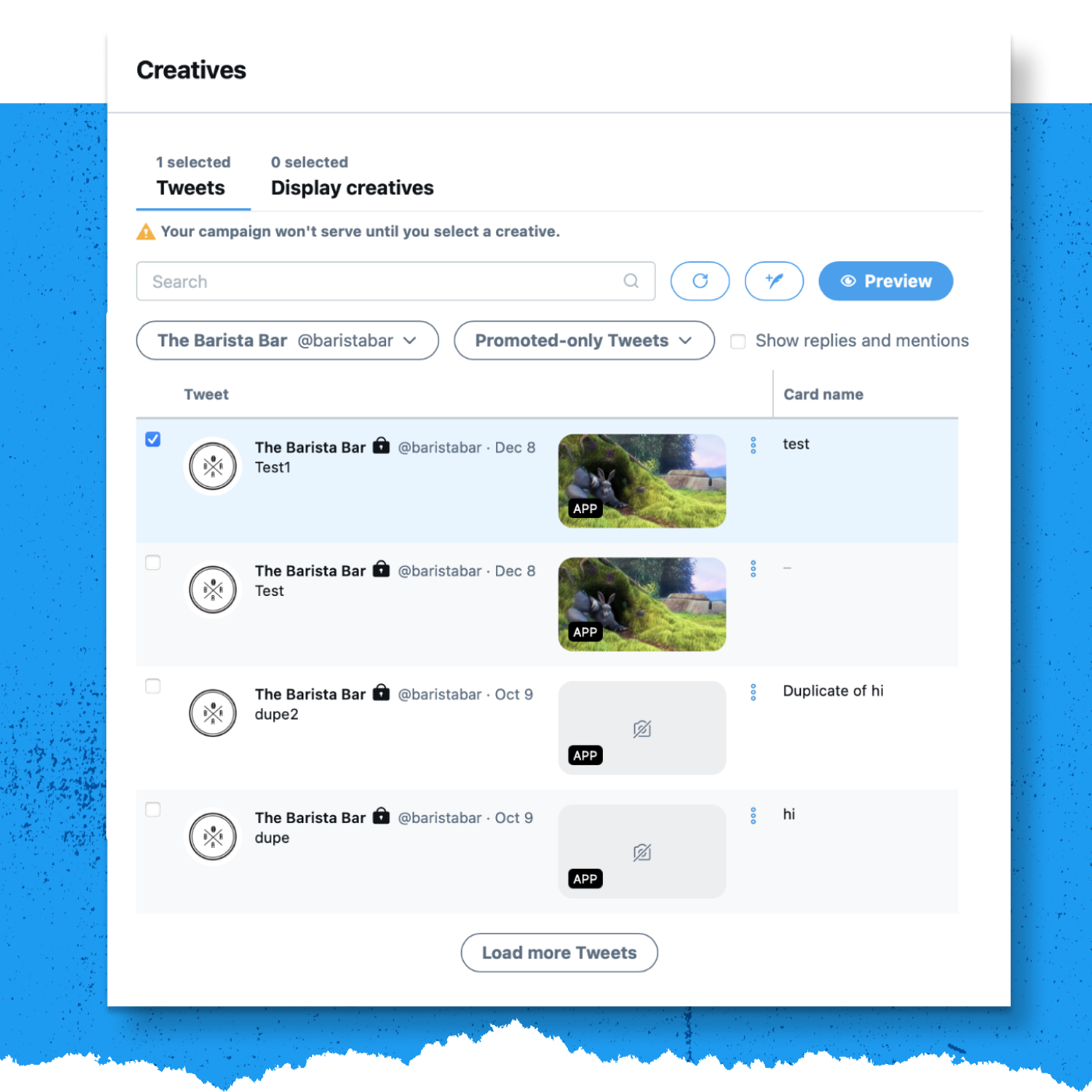
Review and launch your campaign
The final step is reviewing your campaign details. Make sure each section reflects what you’d like to see in the campaign. When you’re ready, click Launch campaign. If you’ve set a specific date range, the campaign will begin serving during that window. If you’ve chosen to go live immediately, the campaign will start serving once you launch.
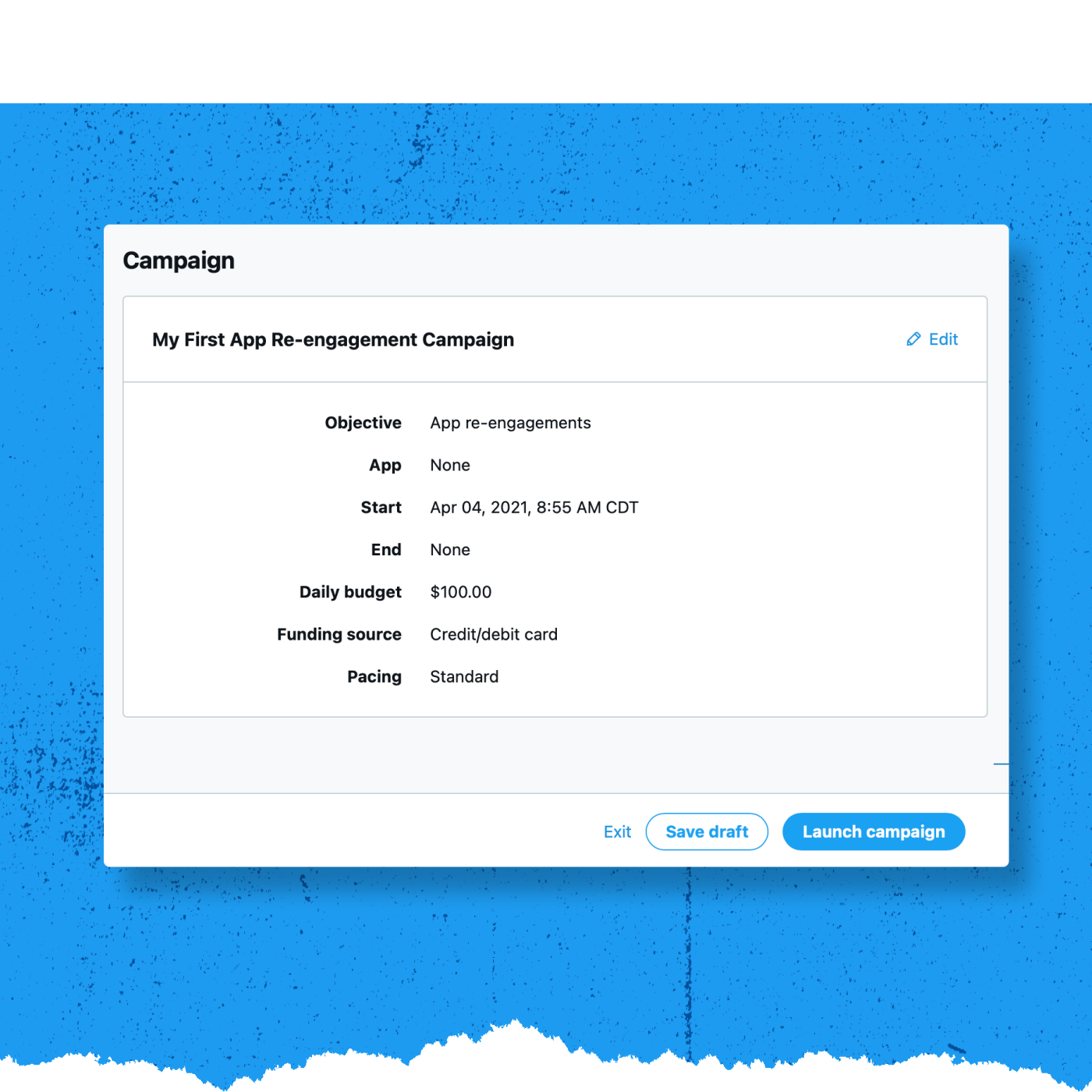
4. Mobile App Promotion Measurement Basics
-
Measurement: What You Need to Know
Measure your mobile app
Performance measurement is critical to advertisers because they need to prove their advertising drives results. In digital marketing, it’s easy to associate results with advertising because we have more data on user behavior. However, accurately attributing results to an advertising campaign is both an art and a science. To do so, advertisers must make assumptions about whether the advertising influenced users to take action using associations and rules.
What’s needed for attribution?
For attribution to happen, data and information must be shared between the client and Twitter. For apps to collate, organize, and standardize their data, and to deliver uniform metrics, you must integrate with a MACT partner via an SDK. Twitter must also be connected to that solution to take credit for conversions and to correctly display attributed conversions Ads Manager.
How attribution works
Match the click/impression with the installation:
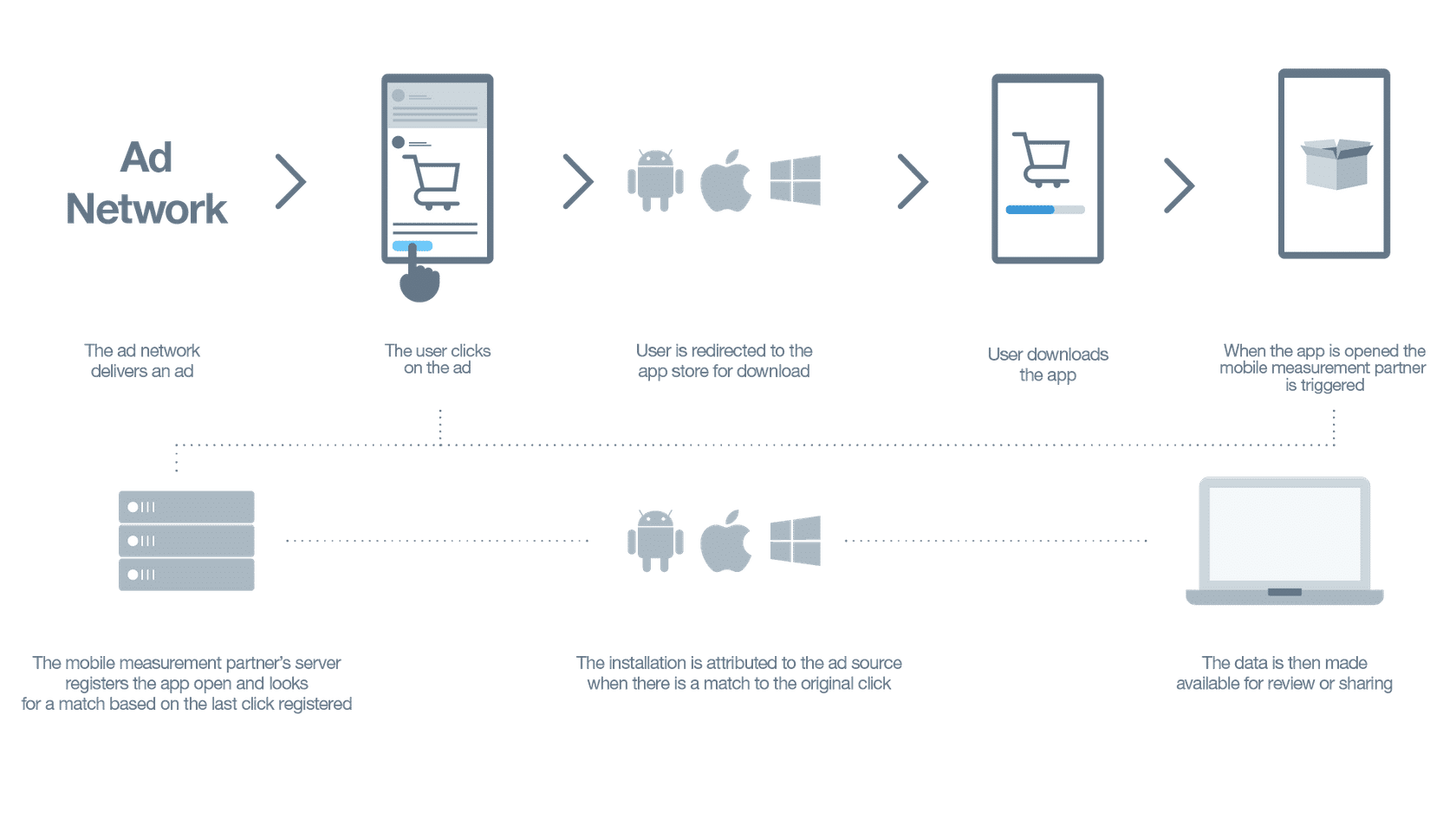
-
How to View Your Campaign Results
When you log in, the Ads Manager defaults to the performance dashboard. You can return to this page by clicking Campaigns in the toolbar.
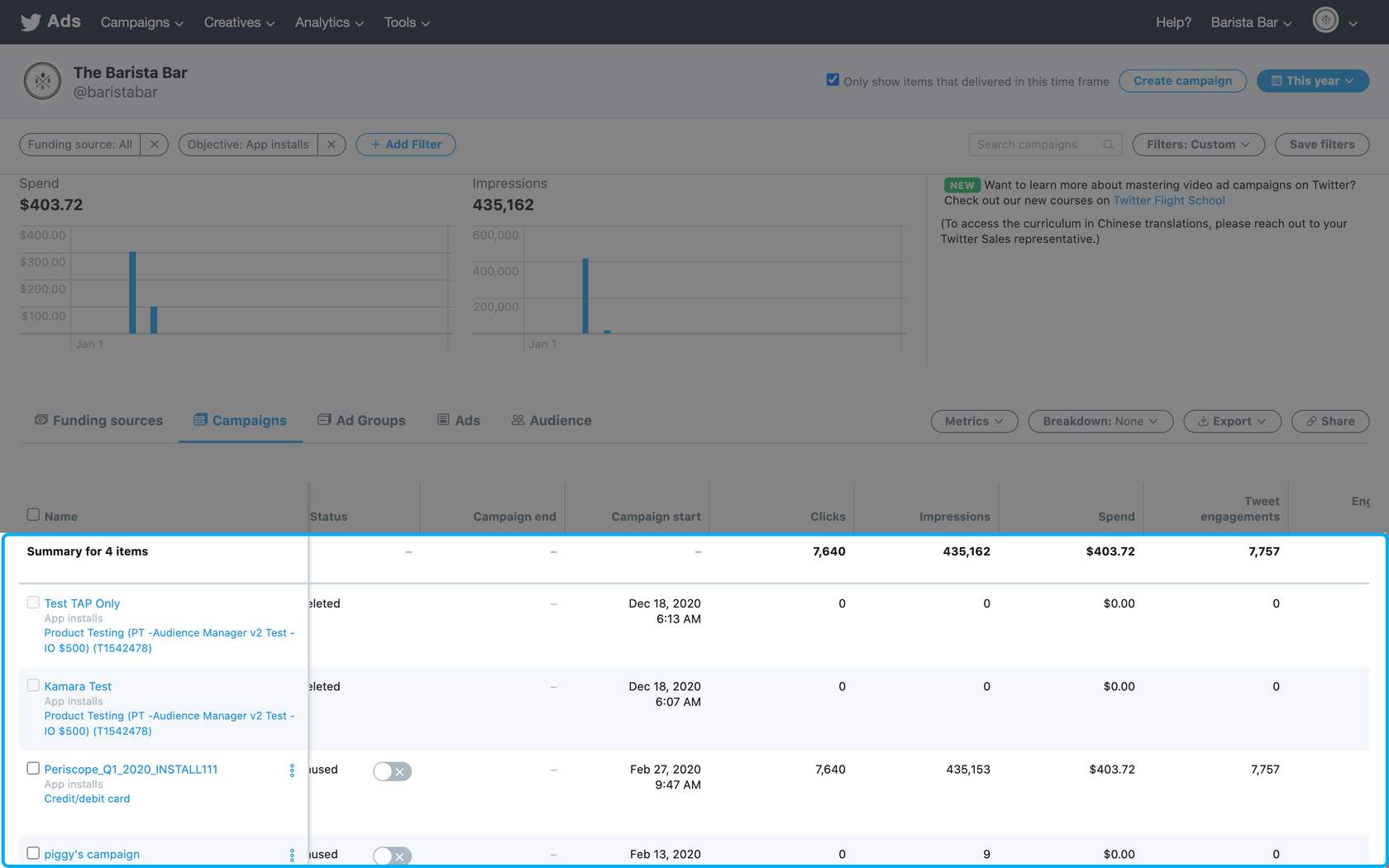
By default, the bottom of the dashboard lists your campaigns’ results for the specified date range. The values listed in the Results columns are tied to your campaign objectives. For example, if your goal is app installs, the results will be app installs. For an awareness campaign, the results will be related to impressions.
-
Create Your Own Custom Metrics
You may want to view a different set of metrics than our presets offer. Follow these steps to learn more:
- Click Metrics and select the preset that is closest to the report you want to create.
- Select Customize metrics to view the Custom metrics window.
For example, if you want to see the cost per app click metric, start by navigating to the app installs or re-engagements view. Then, select the cost per app click metric from the list of options in the custom metrics window.
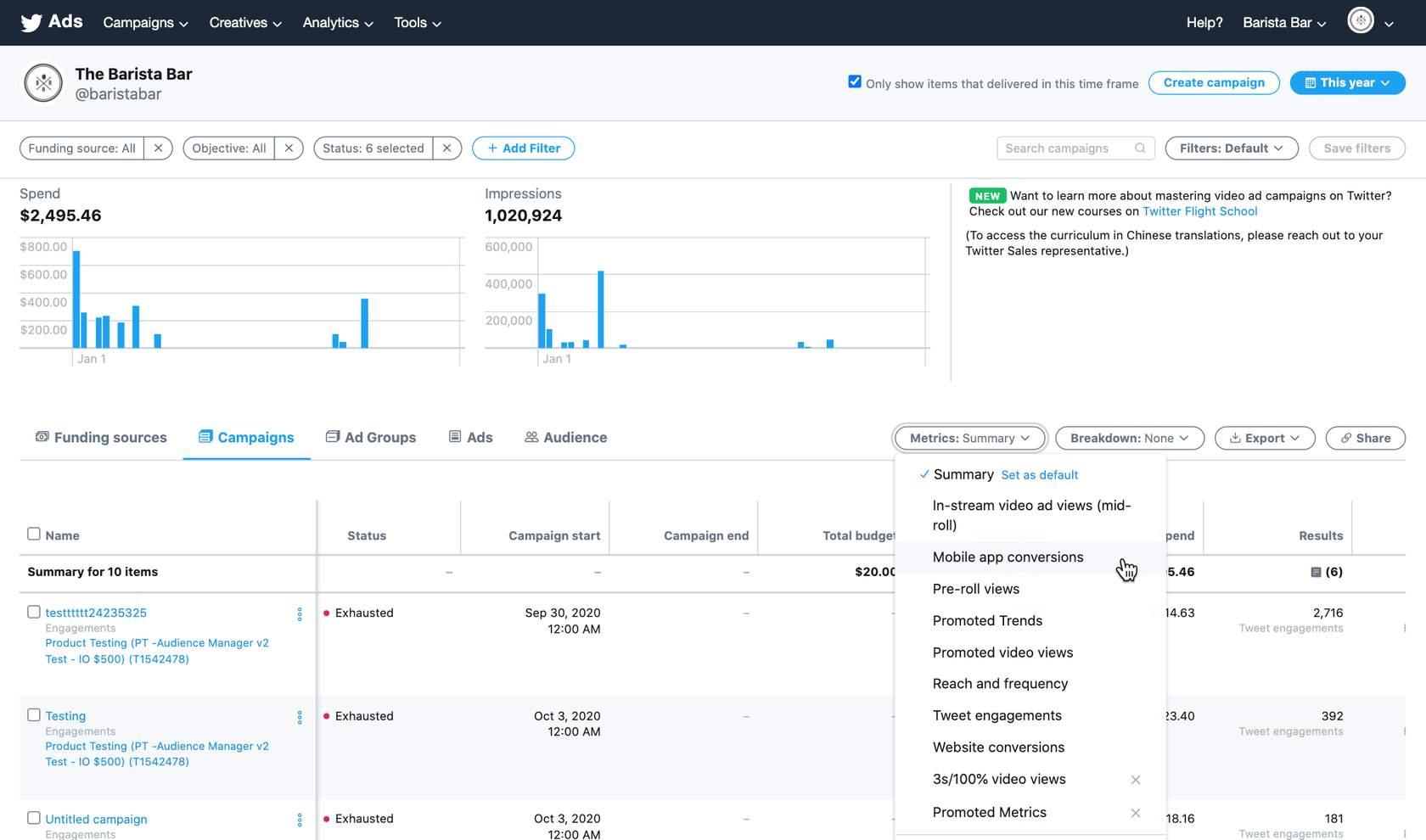
Add or Remove Metrics
The custom metrics window lets you add or delete metrics, change column order, and save customized metric sets.
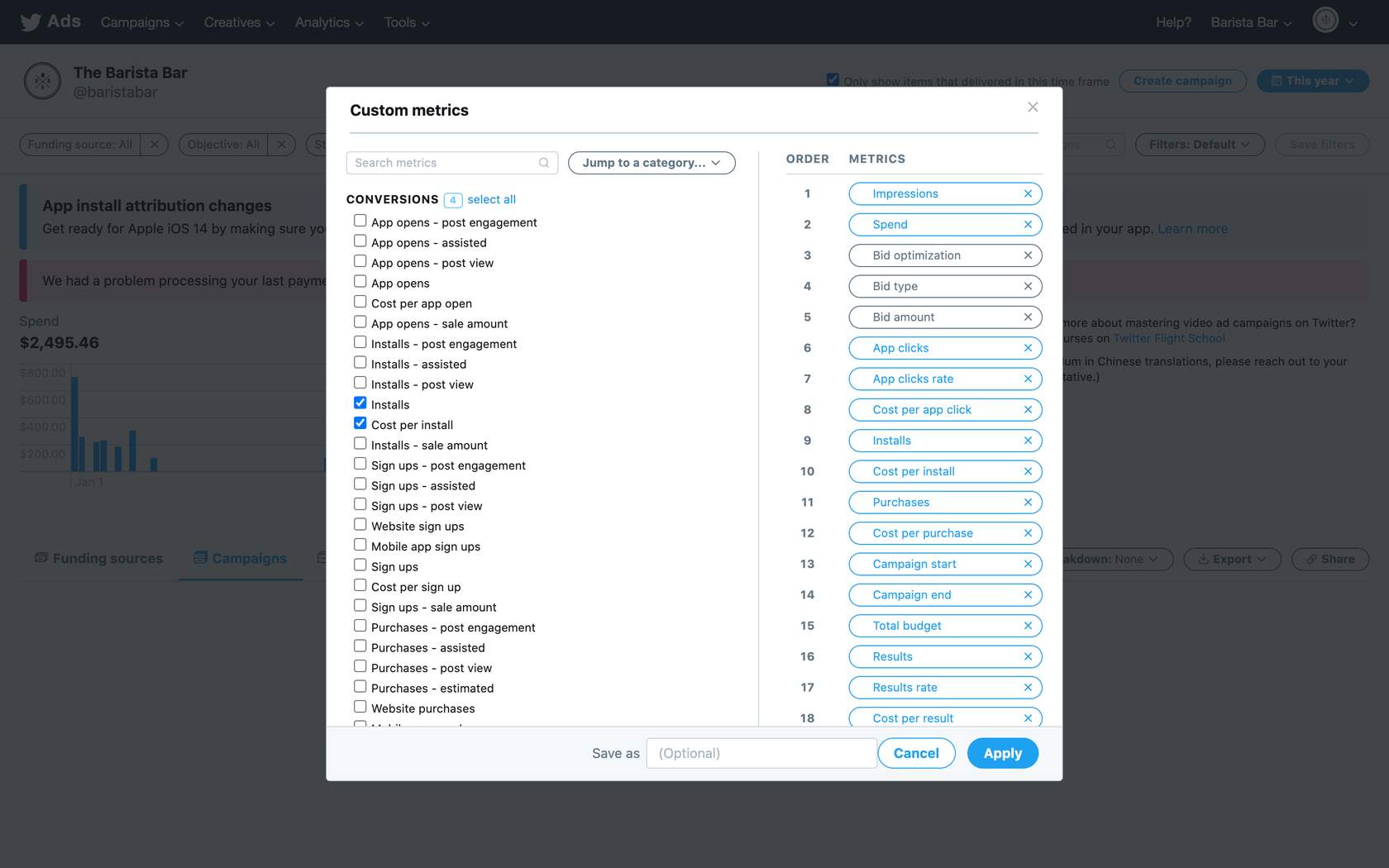
Saved Metric Sets
Customized metric sets are unique to each user and are available in the metrics drop-down menu and the other presets. Check out the video below to see how you can create your own set of custom metrics in Ads Manager.
Once saved, customized metrics can be set as the default by clicking Set as default next to the name.
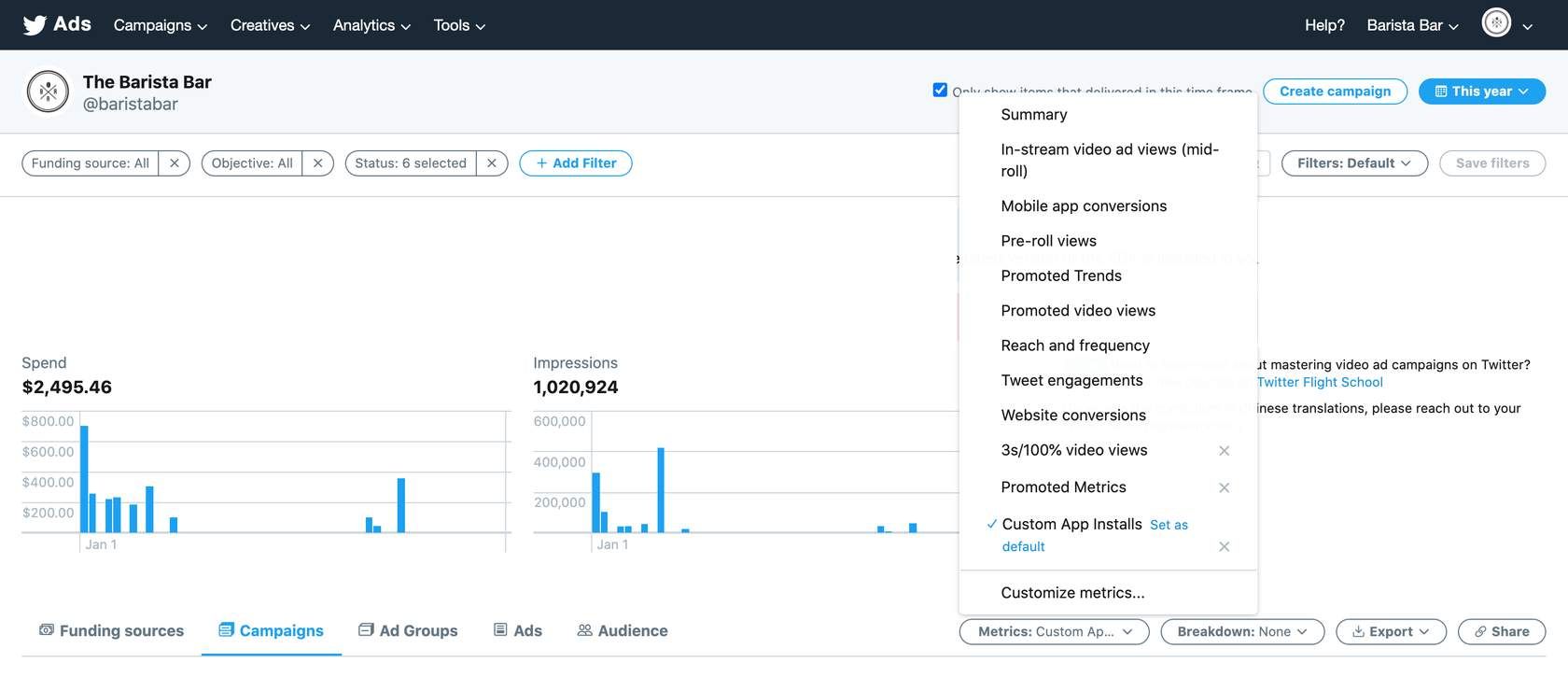
Customized metric sets can be updated at any time:
- Select the metric set.
- Select Customize metrics.
- Make the desired changes.
- Enter the name in the Save as box.
- Click Update.
- Create a Website Clicks Campaign
Create a Website Clicks Campaign
1. Set up Website Conversion Tracking
-
Get Started with Conversion Tracking
Before diving in, let’s look at some key terms we’ll be using in this lesson.
Key Terms
- Conversion Tracking
Conversion tracking for websites allows you to track the actions a user takes after viewing or engaging with your ads on Twitter. You can measure which of your campaigns drive actions such as site visits, sign-ups, and purchases. This information provides you with the off-Twitter measurement capabilities to understand the performance of your direct-response ads, empowering you to acquire customers cost-effectively.
- Twitter Website Tag
A tag (snippet of code) an advertiser places across their website in order to track and measure actions that users take. There are (2) types of tags that can be used, 1) Universal Website Tag and 2) Single Event Tag.
- Conversion Event
This specifies the type of conversion event being tracked by our tag. This guidance is referring to Site Visit events in particular. Other event types include “purchase”, “sign up”, “download” or “custom”.
- Universal Website Tag
A tag the advertiser places across their site in order to track conversion events that can be specified by a URL in the Twitter dashboard.
- Single Event Tag
A tag an advertiser places on web pages to track non-page load events such as a download button. The single event tag does not require URL matching rules like Universal Website Tag.
You can use a variety of website actions to measure conversion tracking. Make your choices in accordance with the user action(s) you are looking to drive with your ad campaign. You can select more than one!
- Site visit: When a user visits your website after viewing or clicking on your ad within your chosen attribution window. Only one site visit per user is captured within a one hour window.
- Purchase: User completes a purchase of a product or service on your site
- Download: User downloads a file, such as a white paper or software package, from your site
- Sign up: User signs up for your service, newsletter, or email communication
- Custom: This is a catchall category for a custom action that does not fall into one of the categories above
Twitter’s conversion tracking provides a full view of conversion attribution. Our conversion tag allows you to track conversions attributed to Tweet expands, Retweets, favorites, replies, and follows, as well as impressions.
How conversion tracking works
Step 1

.First, you’ll need to create a conversion tag, which is a snippet of code provided by Twitter, and place it on your website
Step 2

.Once the tag is on your website, it’s ready to measure conversions when users completes the designated action
Step 3
.Users are then exposed to your ad on Twitter, leading them to your website and the action you have tagged
Step 4
.If the user completes that action during the attribution window(s) you specified when setting up your tags, the tag recognizes that the user has previously interacted with a Twitter ad
Step 5
.The tag then fires (or sends) a notification to Twitter’s servers, alerting Twitter that the conversion can be attributed to the ad that generated conversion
Step 6
.Once a tag is set up, the system automatically tracks which ad drove users to conversions on a certain tag. The product is not set up to attach specific conversion tags to specific campaigns
Attribution Windows
- Post-engagement Attribution Window
Select the time window for crediting Twitter with conversions that happen after a person engages with your ads. Some examples of engagement can include likes, Retweets, follows, replies, or URL clicks.
The options for post-engagement attribution windows are 1, 2, 3, 5, 7, 14, 20, 60, and 90 days. If you’re not sure which window to select, we recommend the default setting of 14 days. If you change this setting, your conversion data is updated retroactively. Feel free to come back later and experiment with a different attribution window.
- Post-view Attribution Window
When someone on Twitter sees your Promoted Tweet and does not immediately engage with it, but later visits your website and converts, this is a post-view action. People on Twitter often see, read, and view media in your Promoted Tweets without clicking on them. As such, including post-view attribution gives you insight into conversions you received but weren’t actually charged an engagement for.
The options for post-view attribution windows are none, 1, 2, 3, 5, 7, 14, 30, 60, and 90 days. If you’re unsure which setting to choose, we recommend the default of 1 day after view.
If you want to track other conversions, you’ll need to repeat this step to create conversion events for different metrics.
In almost all cases, conversion types should only be used once on your website. Creating several conversion events of the same conversion type can lead to duplicated data in your Twitter Ads dashboard.
-
Set Up Conversion Tracking
Choose your website tag
A website tag is a tool used to gather data on a website. Either a piece of Javascript code or a transparent image, the tag enables the collection of unique information about a person and their on-site behaviors across an organization’s digital properties.
There are two types of website tags:
- Universal Website Tag
A Universal Website Tag is a single code snippet placed across your entire website to track multiple site actions or conversions.
- Single Event Website Tag
Single Event Website Tags are unique snippets of code used to track a single conversion on your website.
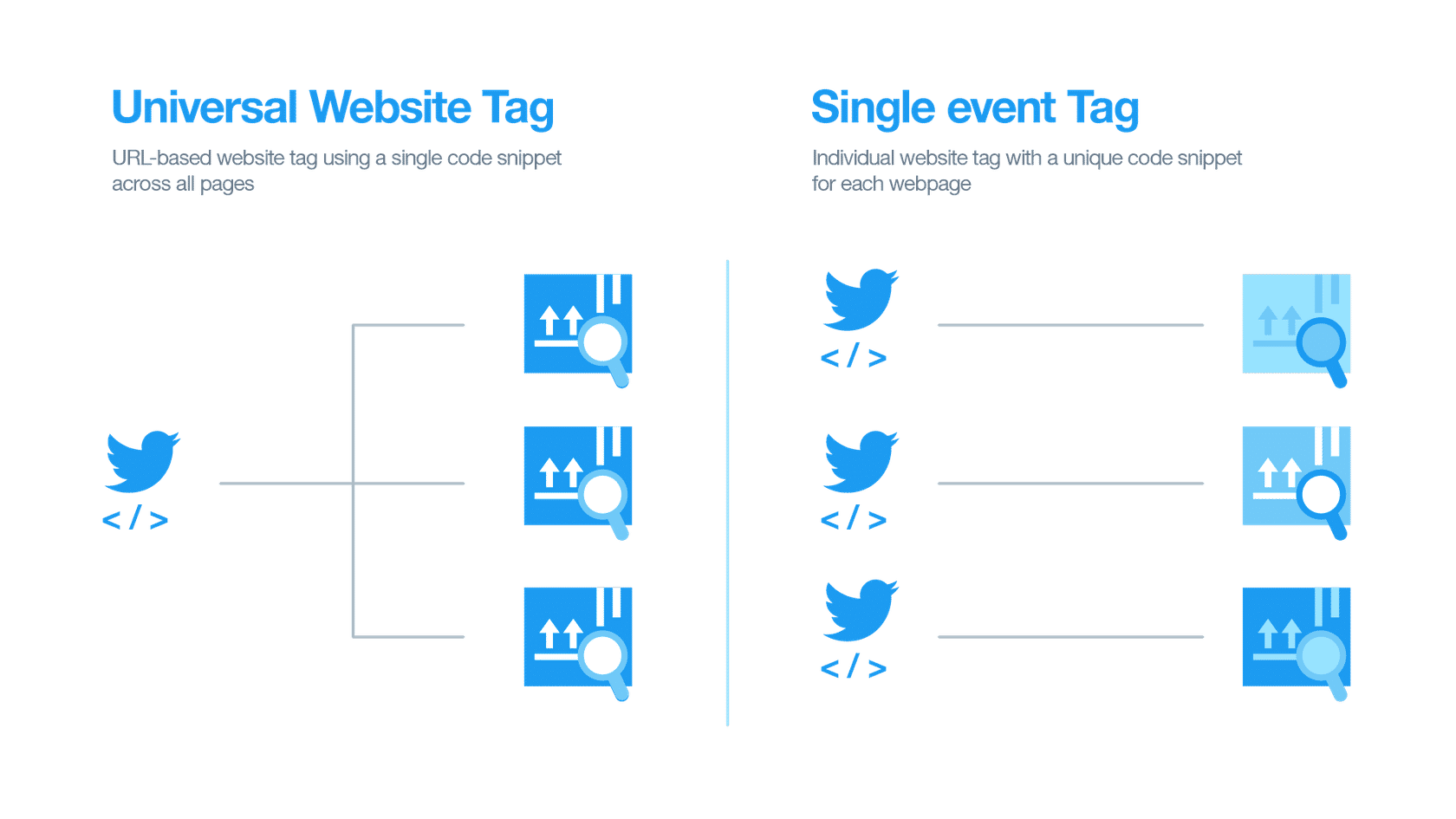
We recommend using the universal website tag. It simplifies the tagging process and allows for tracking of a user’s journey across your entire website.
You may need a single event tag to track conversions for a non-page loading event (i.e., a button click, downloading a white paper, or submitting a registration form).
Generate and install your website tag
Once you’ve decided on the type of website tag you want to use, it’s time to generate it and add to your website. To do this:
- Log into your ads account at ads.twitter.com.
- Under Tools, select Conversion tracking.
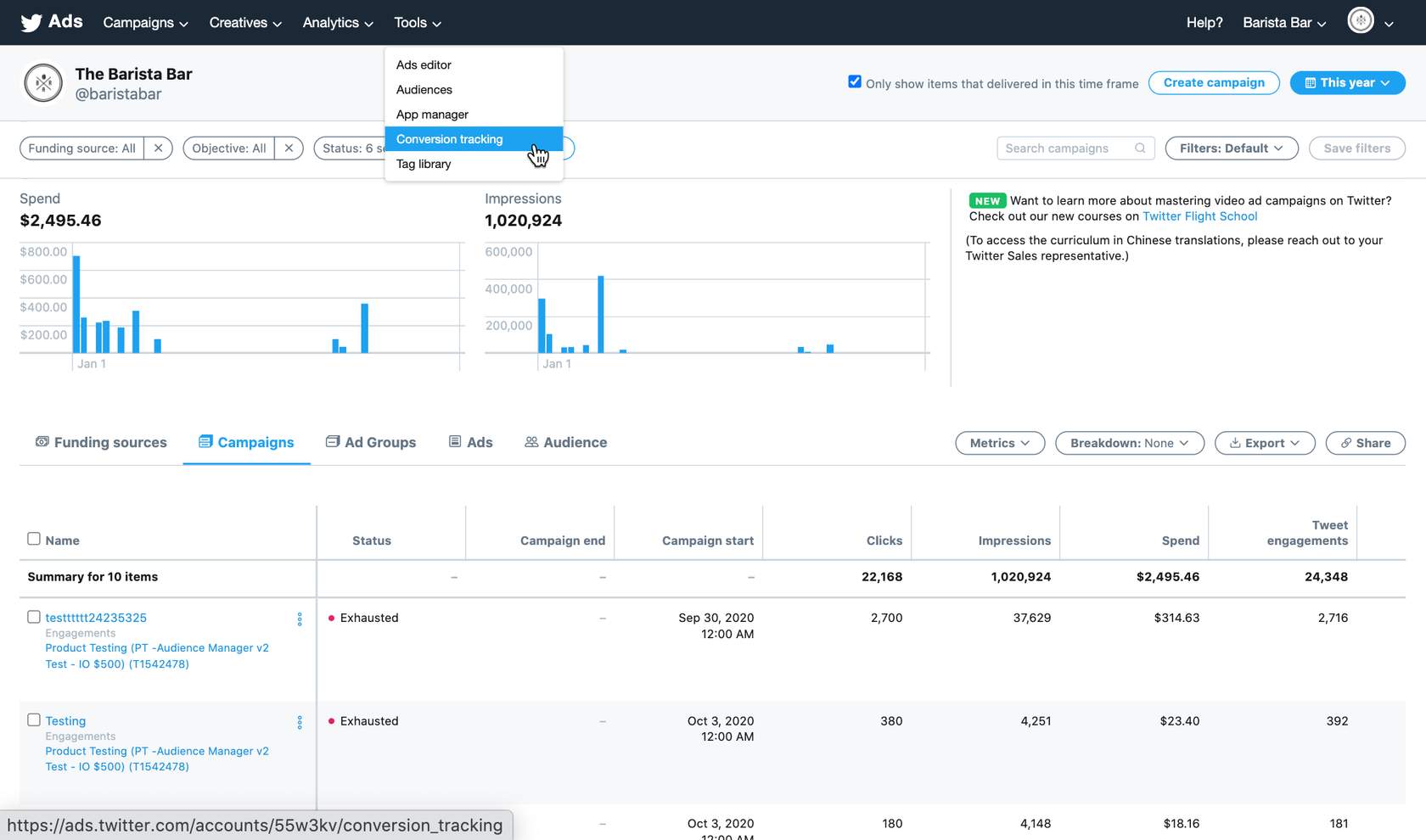
If you don’t see a Tools tab, it is likely because a credit card hasn’t been added to your account.
For single event tags, skip to step 4.
For a universal website tag, continue with step 3.
3. After agreeing to our Terms and Conditions, click the Generate website tag for conversion tracking button.
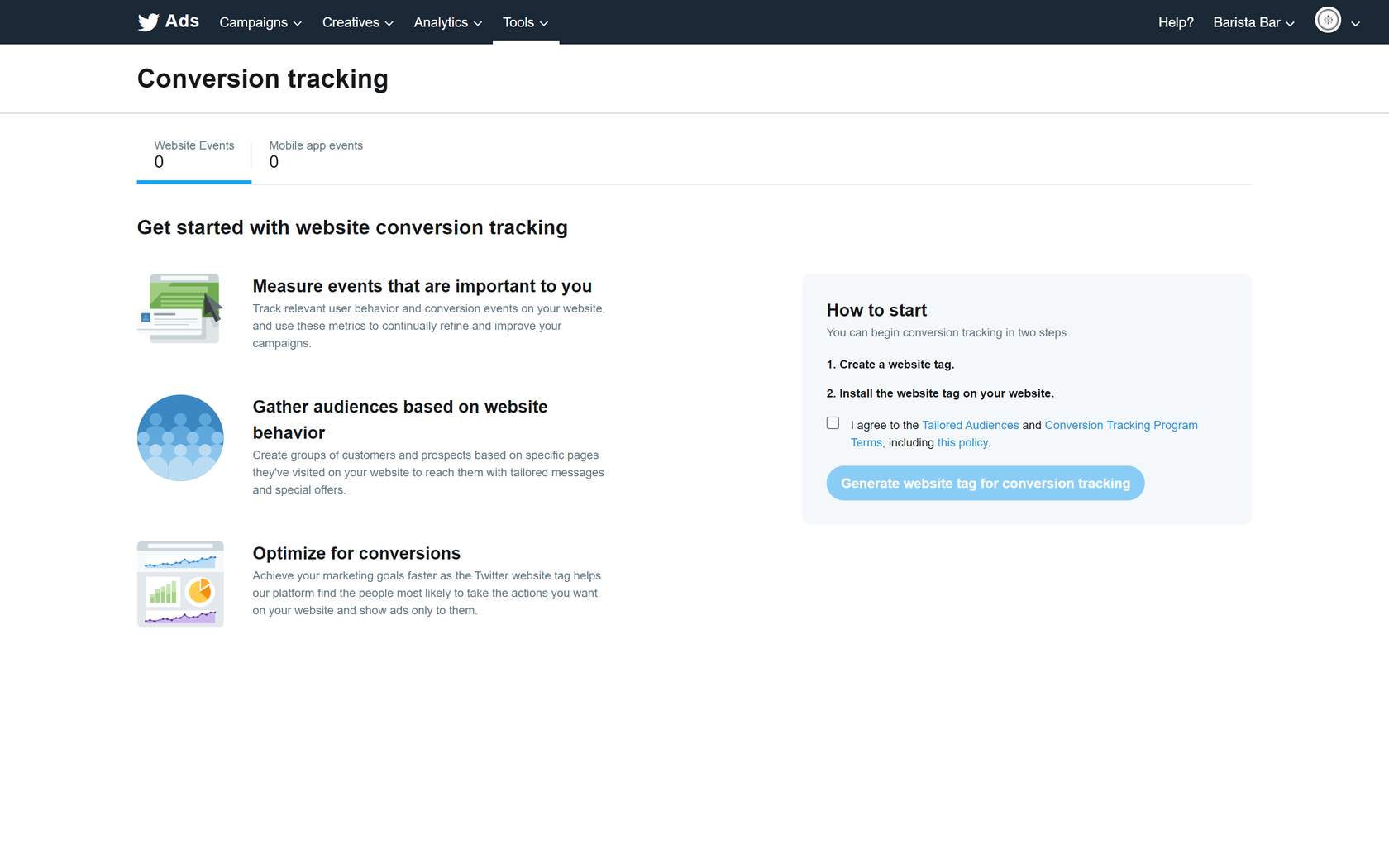
4. Paste the generated code snippet just before the closing HTML </body> tag of your web page, or inside a container tag or tag management system. You may need a developer or technical resource assist with implementation. You can also implement the tag within a tag manager such as Google Tag Manager, Tealium, Signal, etc.
A universal website tag only needs to be installed on your website once, and can be used across multiple campaigns. You don’t need to create a new website tag for each campaign.
To track more than one conversion on your site, create a conversion event for each conversion you want your tag to track.
-
Create Your Conversion Event(s)
Website tags
If you selected a single event website tag, the code is generated when you save the form. Once the tag is placed on your site, you can create your conversion event to tell your tag what to track. If you opted for a single-event tag, you’ll create that here as well.
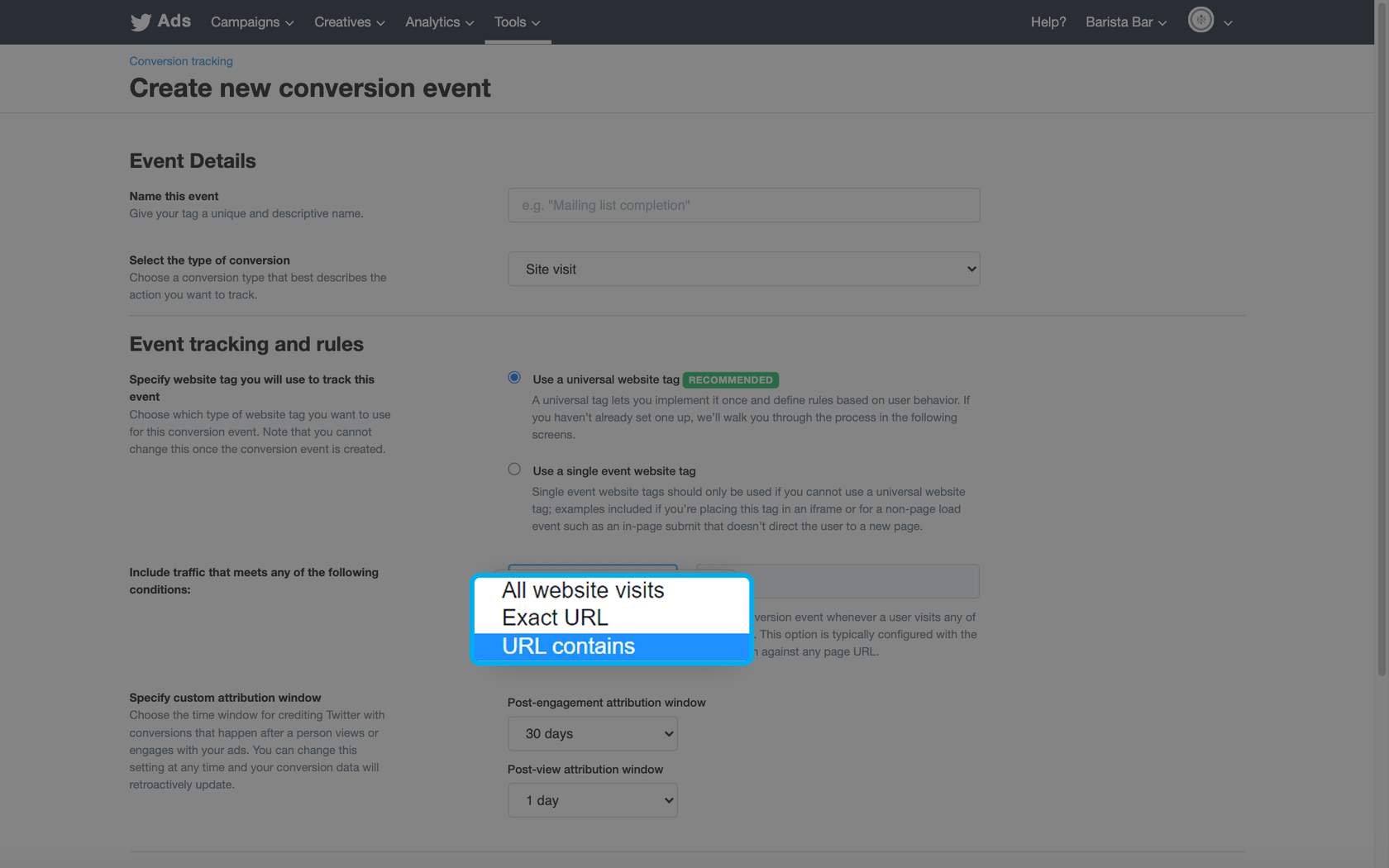
From the conversion tracking page on ads.twitter.com, click the Create new conversion event button and enter your event details.
Select your trigger for URL matching
We recommend using the “URL contains” match rule rather than the “Exact URL” match rule. The “Exact URL” option aims to match the given URL exactly, including URL query string parameters and the page’s protocol (i.e. HTTP and HTTPS). URL string query parameters can vary between users and site navigation paths, so we suggest selecting “Exact URL” only in rare use cases.
Specify your custom attribution windows:
- Post-engagement attribution windows
- Post-view attribution window
Click-through vs. View-through
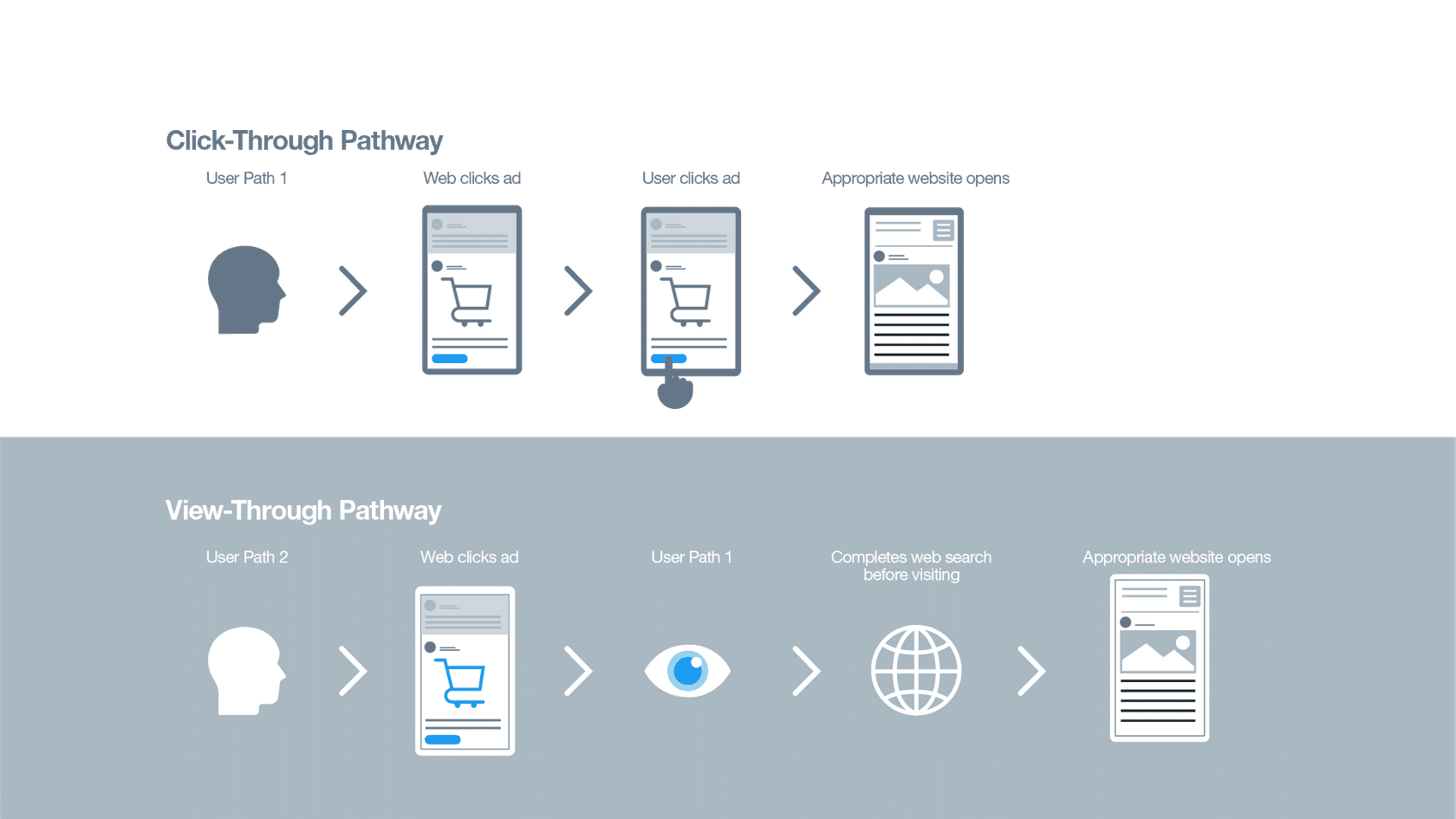
-
How to Verify Your Website Tags are Tracking
Once you’ve placed the tag code on your website, return to the Conversions tab in Twitter Ads to verify its status. There are three different status types for tags:
- Tracking: Twitter has gotten pings from the tag within the last 24 hours
- Unverified: Twitter has not gotten any pings from the tag yet
- Dormant: Twitter has not gotten any pings from the tag in the last 24 hours
There are two different ways to verify your website tag. Let’s take a look at each of these verification methods.
Pixel helper extension
To further debug your conversion tracking setup, consider using our Twitter pixel helper extension. This extension allows you to quickly see whether the tag is firing on a particular page and, if so, what parameters are being sent to Twitter. For more information on how to set up and use this extension, visit this page on our Twitter Business website.
Browser verification
Your tag begins sending data to the Twitter Ads UI the first time someone visits your tagged web page. Your tag doesn’t need to be “tracking” in our UI to collect data, but if you’re experiencing problems with your tag or want to be thorough, please complete the following steps to explore the code from your site and confirm your website tag is placed and working properly.
- Verifying using Google Chrome
- Go to the drop-down menu on Chrome: View > Developer > Developer Tools > Network.
- Type “Twitter” in the filter search box and refresh the page.
- Look for Twitter conversion tags and match the pixel ID to the ID from our Ads UI.
- Confirm you’re using a conversion tag. The tag should look exactly like the syntax in the Ads UI.
- Confirm the status column says “200.”
- Confirm there are two pixels installed: one for desktop, and the other (t.co) for mobile.
- Container tags should also appear here.
- Verifying using Mozilla Firefox
- Go to the drop-down menu on Firefox: Tools > Web Developer > Network.
- Sort by “Domain” and refresh the page.
- Scroll down to look for “analytics.twitter.com” and “t.co.”
- Look for Twitter conversion tags and match the pixel ID to the ID from our Ads UI.
- Confirm you’re using conversion tags. The tags should look exactly like the syntax in the Ads UI.
- Confirm the status column says “200.”
- Confirm there are two pixels installed: one for desktop, and the other (t.co) for mobile.
- Container tags should also appear here.
-
Advanced Conversion Tracking
Website tags allow you to understand your Promoted Ads campaigns’ ROI. Using tags can provide helpful data, including the total revenue or total conversion value your campaign generated as well as the total number of items purchased.
Conversion tracking automatically logs the path someone takes through your tagged pages. To record how much someone is spending or the amount they’re buying, apply the proper tag event type and attribute values to your base code. You’ll want to use the Purchase tag event type to track this kind of data.
The purchase tag must be executed independently of PageView tag type, otherwise the dynamic values will be overwritten.
Universal Website Tag purchase code
The universal website tag purchase code is below:
<!-- Twitter universal website tag code -->
<script>
!function(e,t,n,s,u,a){e.twq||(s=e.twq=function(){s.exe?s.exe.apply(s,arguments):s.queue.push(arguments);
},s.version='1.1',s.queue=[],u=t.createElement(n),u.async=!0,u.src='//static.ads-twitter.com/uwt.js',
a=t.getElementsByTagName(n)[0],a.parentNode.insertBefore(u,a))}(window,document,'script');
// Insert Twitter Pixel ID and Standard Event data below
twq('init','twitter_pixel_id');
twq('track','Purchase', {
//required parameters
value: '29.95',
currency: 'USD',
num_items: '3',
});
</script>
<!-- End Twitter universal website tag code -->
Required parameters
At a minimum, you must define value, currency, and num_items for the purchase tag event type.
- Value: Refers to the actual value of the item or action conversion being tracked.
- Currency: If you’re not in the United States, or are using a currency other than the United States dollar, you’ll need to replace USD with the abbreviation of the local currency.
- num_items: Reflects the number of items purchased for the conversion. For most hardcoded implementations, this value will be 1.
2. Website Click Campaign Basics
-
Get Started with Website Clicks
What are Website Click Ads?
Website Click Ads are clickable images or videos that drive users directly to your website. They’re paired with Tweet copy to create Promoted Tweets that direct people to a website when clicked. Let’s see how some of today’s leading brands use these formats on Twitter.

Why it matters…
Driving users to take action on your website is the bread and butter of digital advertising. Most companies rely on their websites to influence people to purchase products, order subscriptions, or input their information digitally.
What’s new in Website Click Ads?
Twitter Click ID
Measure site visits in a cookie-less way using Click ID, a unique identifier we added to the Twitter Pixel.
This new feature is a more reliable method of tracking the people who visit your site after clicking on your Twitter ad.
Conversion Optimization
Conversion optimization provides better delivery for campaigns that optimize for site visits. These improvements help identify people who are more likely to visit your site.
We observed improvements to cost per site visit in beta testing, as well as increases in the volume of site visits, site visit conversion rate, and click-to-land rates in the Twitter dashboard.
Ad Formats for Website Clicks
Video Ads
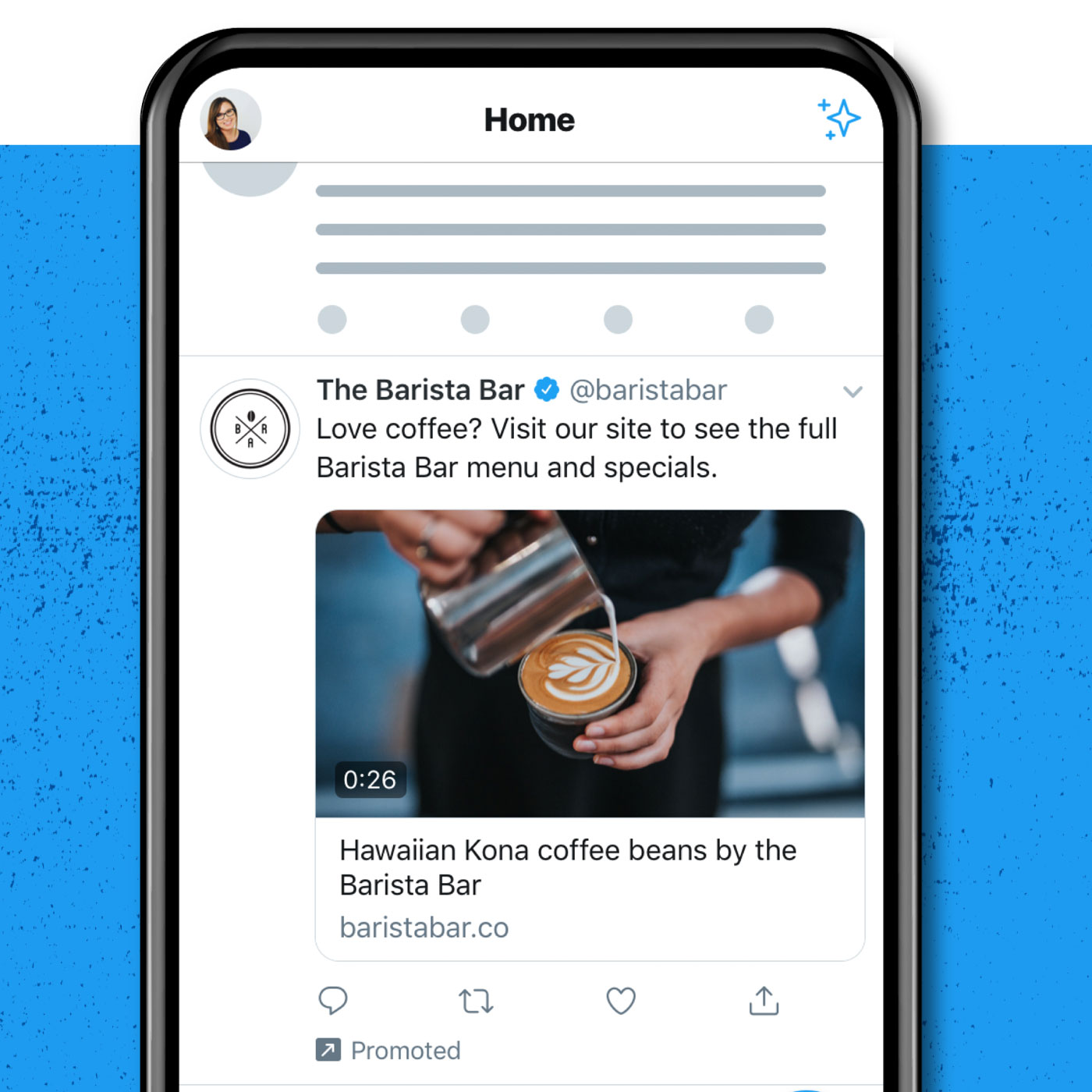
We recently overhauled our ad formats for Website Click Campaigns. These new formats help you stand out and engage with people on Twitter even better than before.
Our Video Ads have been redesigned with a much easier-to-use navigation interface. In preliminary testing, this redesign led to a +12.77% improvement of CTL on iOS.
Clicking on the details component below the video opens a full-screen browser. We’ve found this experience is more aligned with the viewer’s expectations and shows click-to-land improvements in testing (+5% CTL on iOS, and +17% CTL on Android in preliminary testing).
Carousel Ads
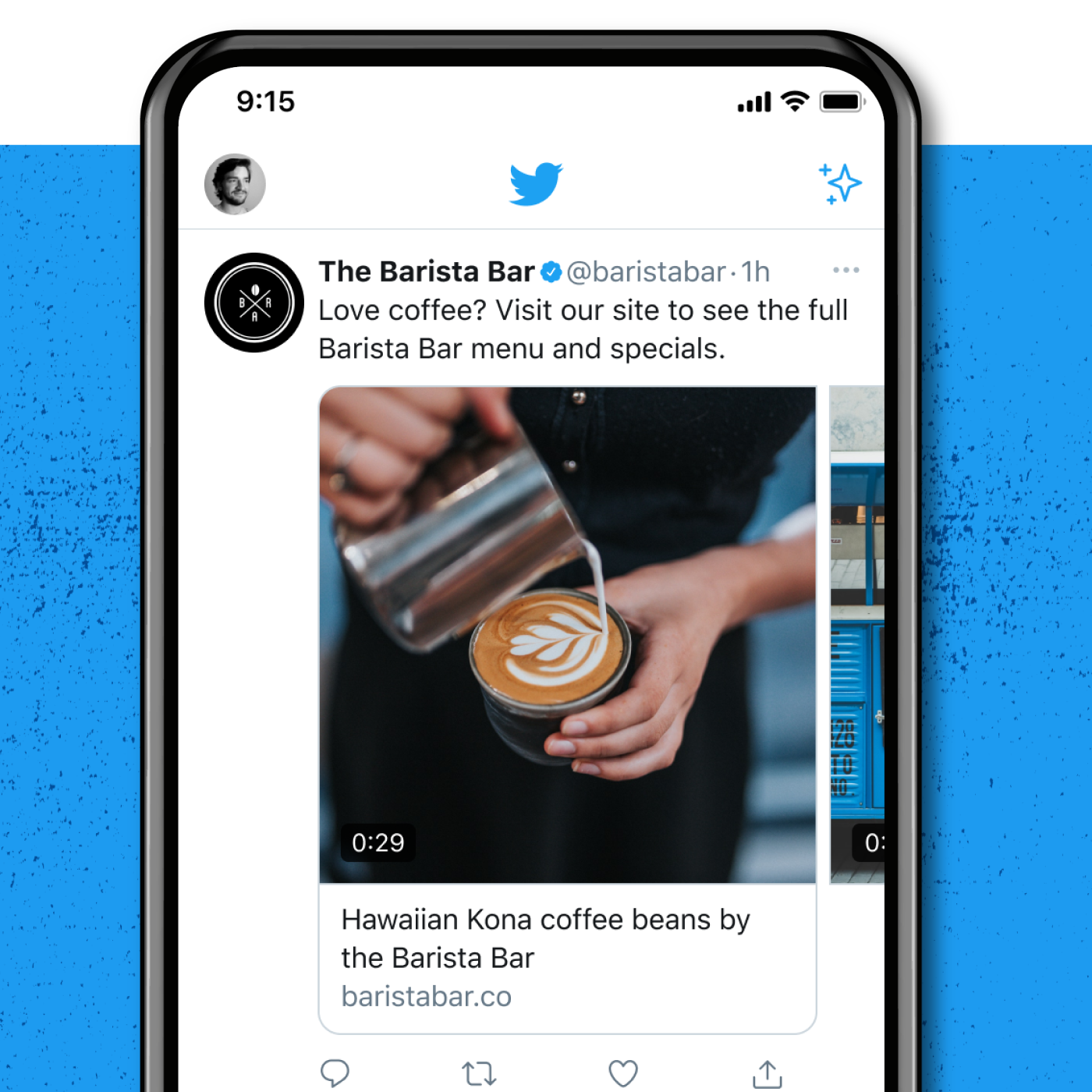
Carousels feature an edge-to-edge design with peeking previews of the next image or video in your sequence, which encourages swiping. They now include improved analytics and measurement coverage to help you understand performance—including swipes and card-level reporting.
On average, our new Carousel ad format shows a 15.9% higher click-through rate than our single asset ads.
-
Targeting and Bidding Options for Website Clicks
Which audiences can I target with a Website Clicks campaign?
You can access all Twitter social targeting and demographic targeting to find the right user base to serve your advertising. Advertisers who use Twitter Pixel can also build audiences of site visitors to retarget on Twitter.
How do I buy a Website Clicks campaign?
Buying a Website Clicks Ad on Twitter has three parts: your goal, your bid strategy, and how you pay. Let’s explore those below.
Your goal
Link clicks: We’ll show your ads to the people most likely to click on them.
Website conversions: We will show your ads to the people most likely to take action on your website based on the key conversion event you specify. If you select Conversions as your campaign goal, you will need to set up the Twitter Pixel and Conversion Event for the action you want us to prioritize. If you do not have these set up, the prompts within the Ads Manager UI will guide you to complete setup to launch your Conversions campaign.
Note: With a Twitter Pixel installed on your site, campaigns can be auto-optimized toward a key conversion event. Our system then prioritizes clicks among users who are more likely to take action on the particular conversion event.
Your bid strategy
Target cost (Automatic bid): You name the bid you’d like to pay per link click. Your campaign will auto-optimize your bids to achieve a daily average cost per link click that meets or beats your target. You will pay the actual average cost for all link clicks during the day. If you change your bid over the course of a day, it will average to the highest target cost you set.
Note: This is not guaranteed.
Automatic bid: Your bid will auto-optimize to get the best results at the lowest price (within your budget). An automatic bid is the easiest way to quickly get your campaigns live and serving impressions on the platform.
Maximum bid: This bid type allows greater control over how much you pay per link click. Choose exactly how much you are willing to pay for either a link click (your maximum bid), and your charge will not surpass this price. This bid type is well-suited for experienced advertisers who know exactly how much they intend to pay per link click at scale.
How you pay
For Website Clicks campaigns, your “Pay by” metric will default to “Link click.”
- Create a Website Clicks Campaign
Creating a Website Clicks campaign using Ads Manager
Go to https://ads.twitter.com and log in using your Twitter username and password.
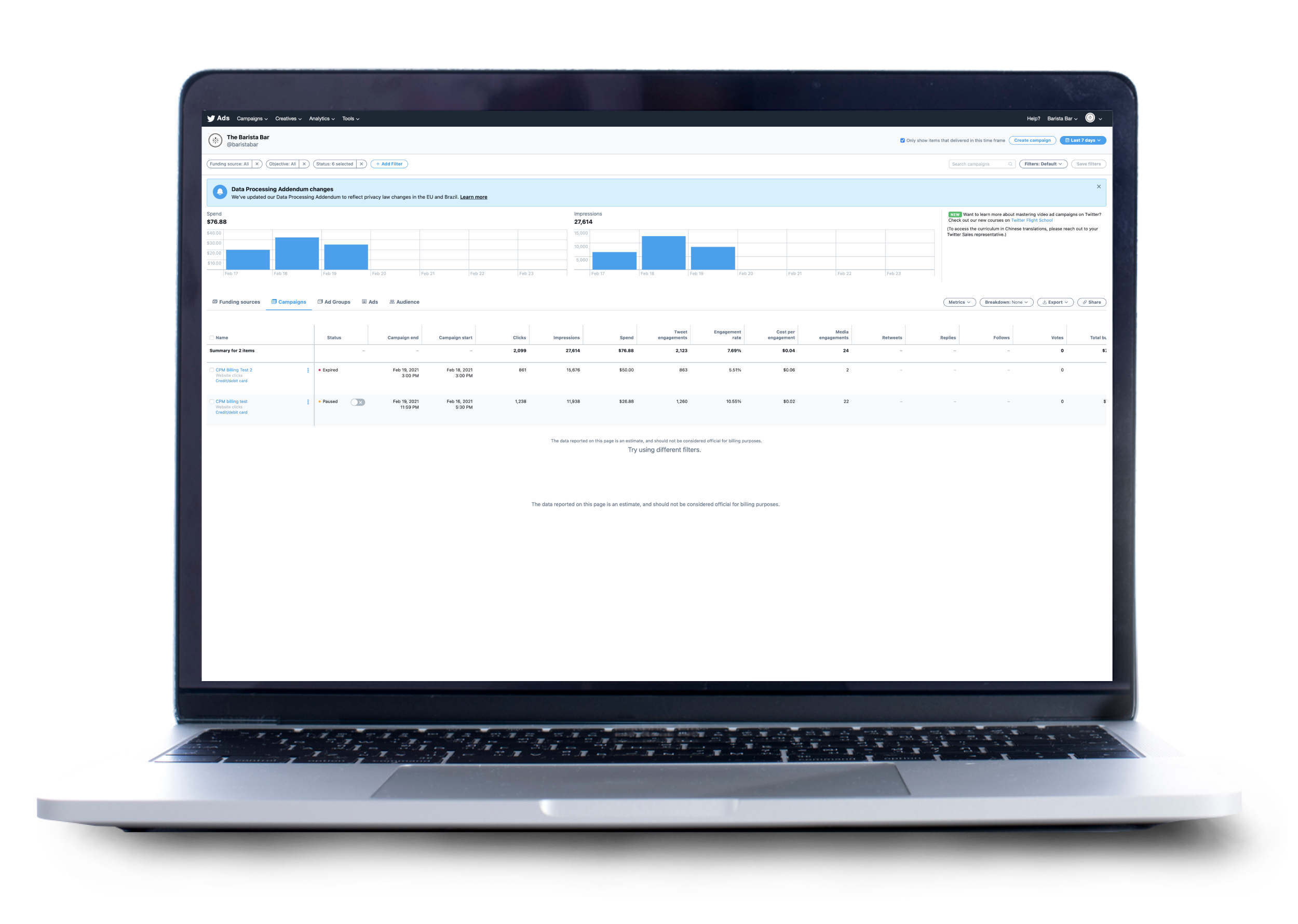
Create your campaign
Once you’re logged into Ads Manager, click the Create Campaign button at the top right to begin creating your Website Clicks campaign.
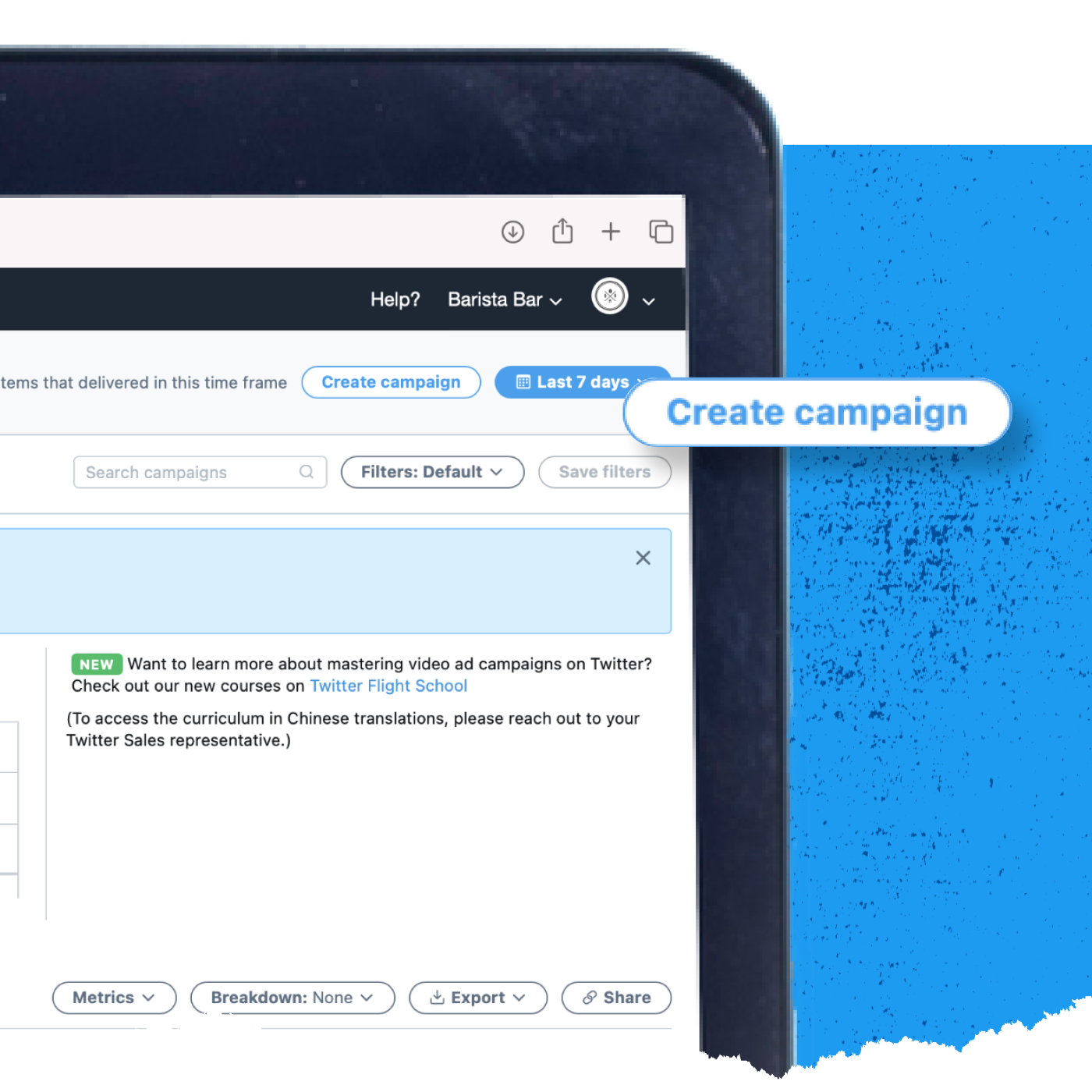
Select Website Clicks
Next, you’ll see the objective picker. Select Website Clicks from the list of available objectives. Click Next at the bottom right to continue.
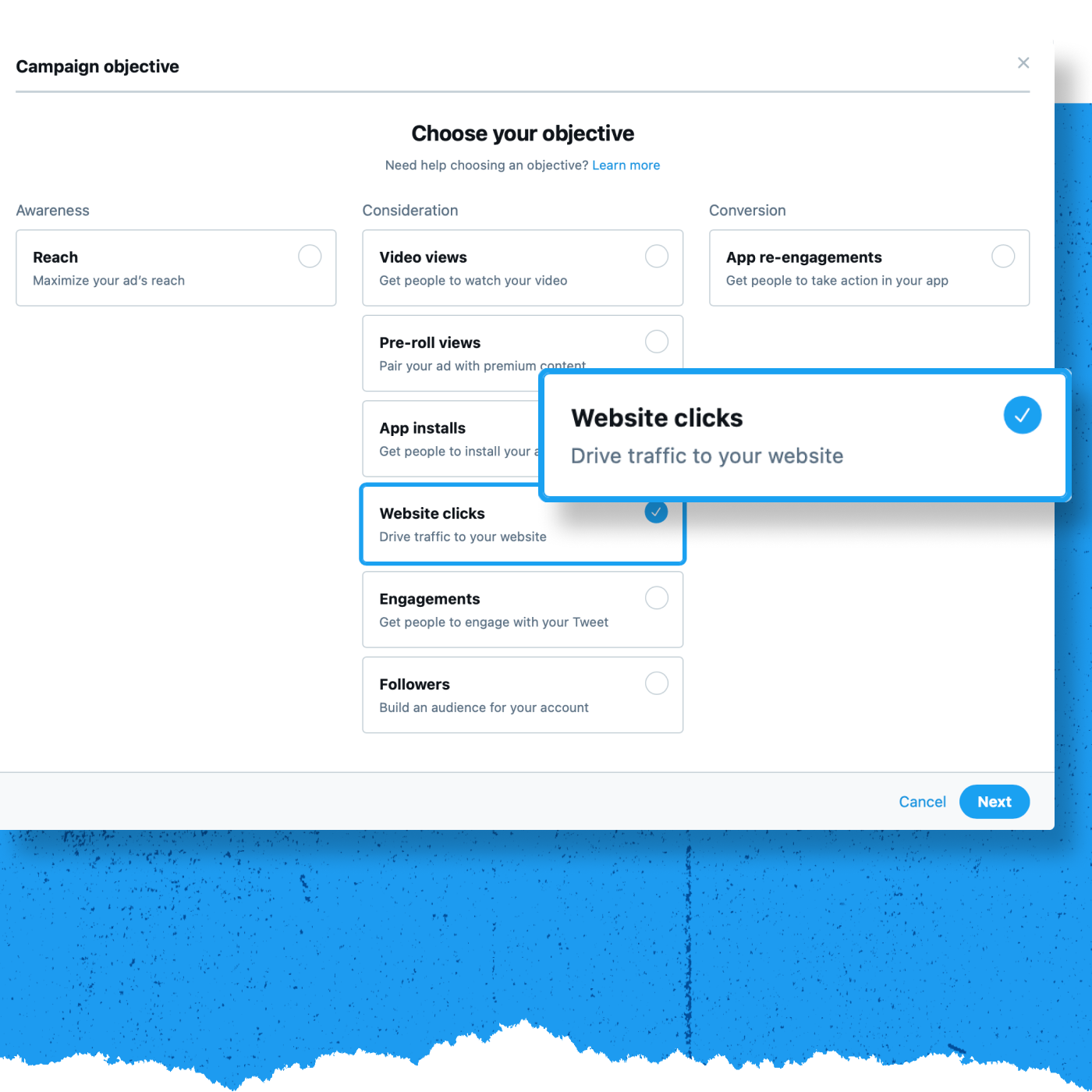
Enter your campaign details
On the campaign details screen, choose a name for your campaign and a funding source. Then, set your campaign dates and budget.
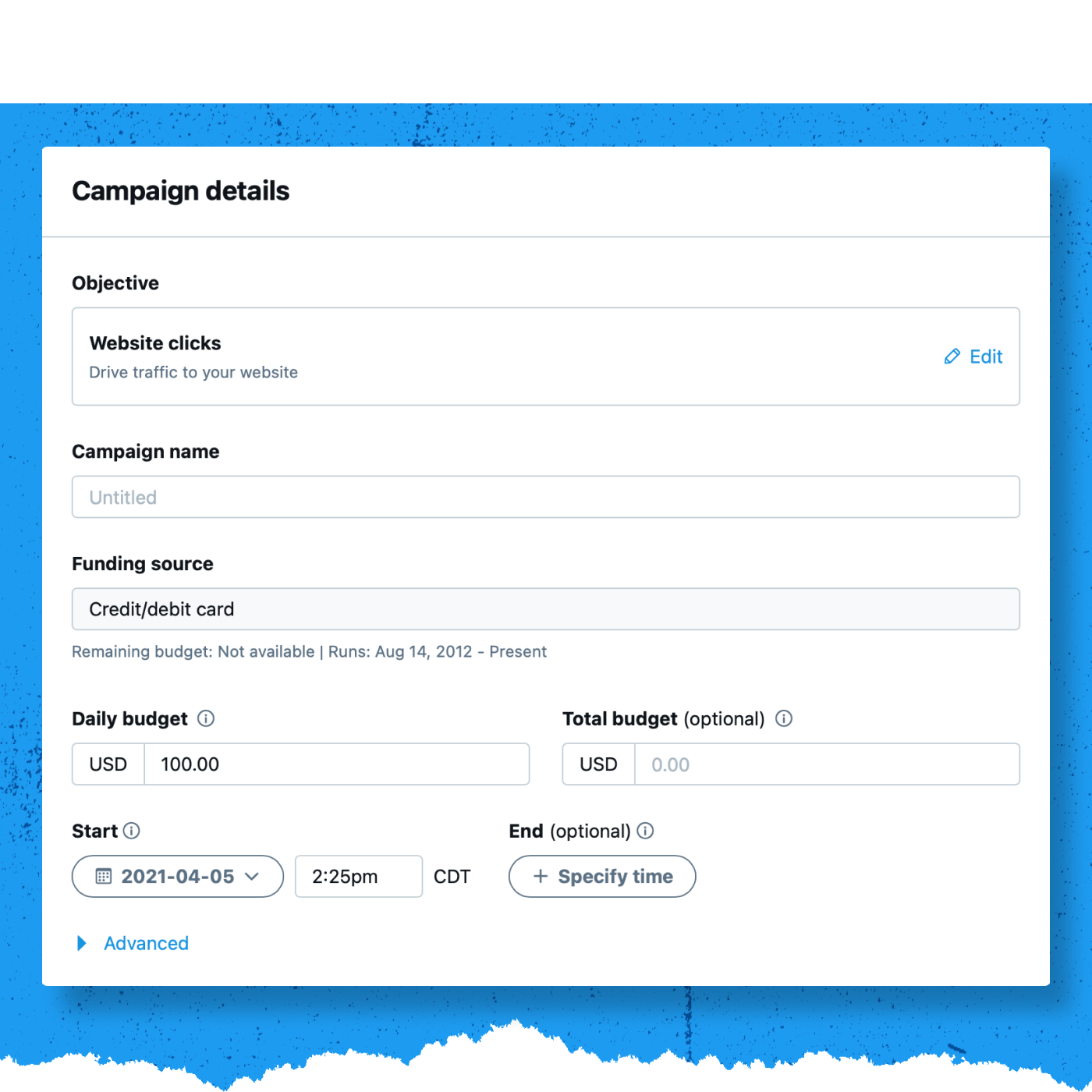
Naming your campaign
The naming isn’t important (you can change it later), but try to create something unique and memorable that will identify the campaign later.
Choose your funding source
Select a funding source from the list. If you don’t have a funding source set up for your account, visit this page for more information. Click Next when finished.
Set up your Ad Group
Now, it’s time to set up your Ad Group details. Ad groups allow you to run different audiences, creatives, and bidding types in one campaign. Use the information you learned in the previous section, “Targeting and Bidding Options for Website Clicks,” to inform your decisions.
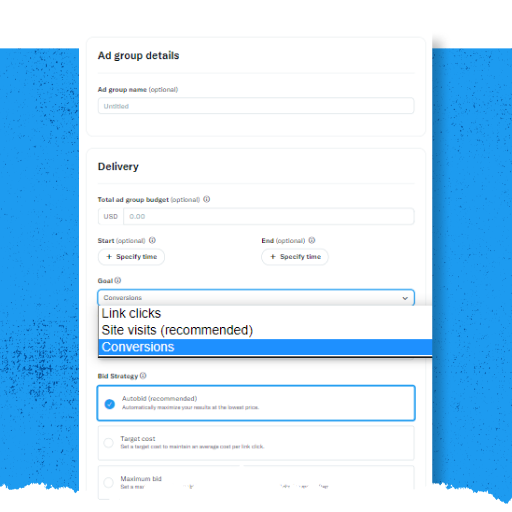
After seeing up your Ad Group details, click Next.
Set your targeting criteria
The targeting you choose determines the size of your campaign’s audience. Generally, the larger your campaign audience is, the more efficiently your campaign will serve, as there will be more people to receive your ad. For more detailed targeting information, visit this page on the Twitter Business website.
You can target your campaigns to specific geographies, genders, age ranges, and languages. For more information, click here.
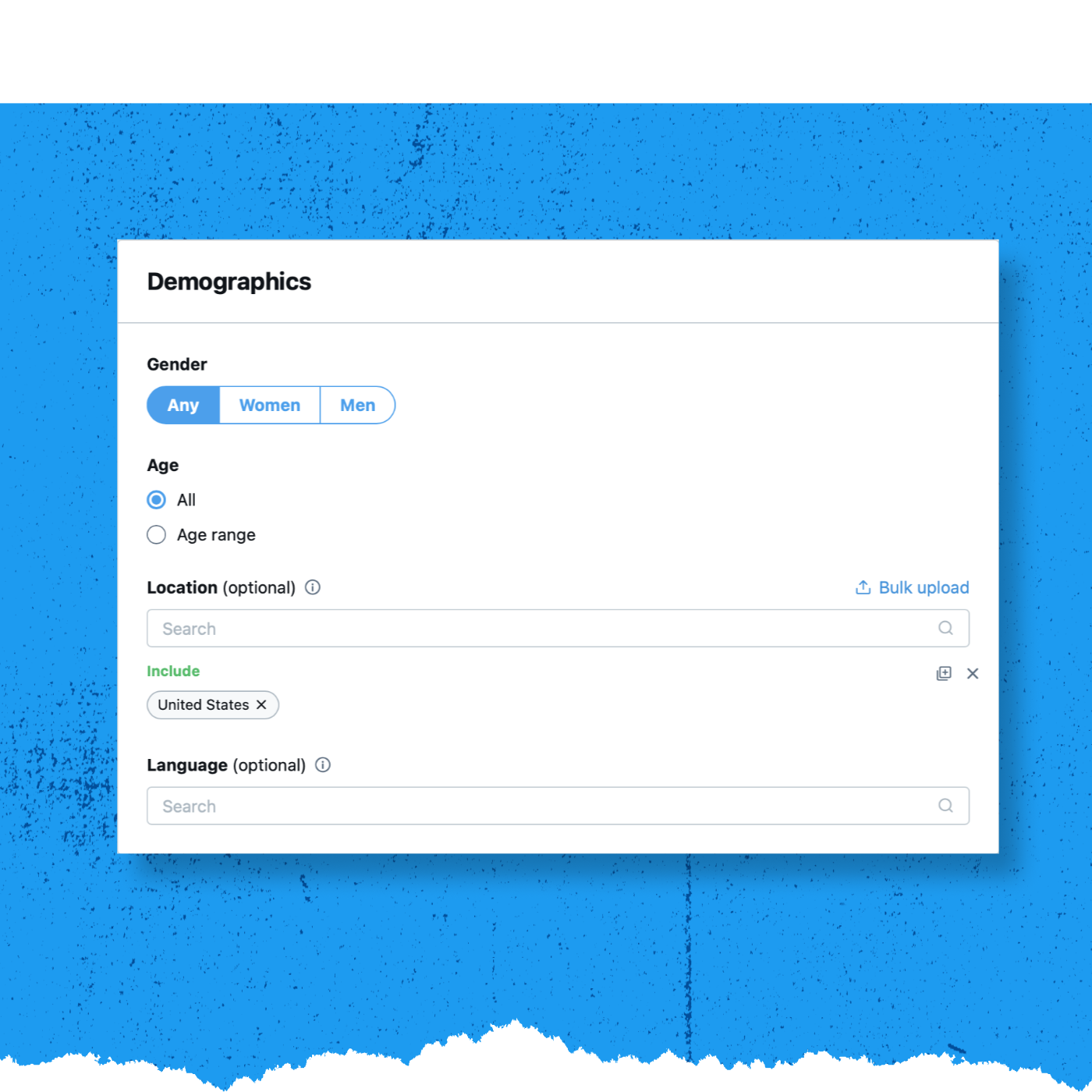
Website Clicks campaigns can also target people based on the type of mobile device they use, their device’s operating system, and/or their mobile carrier. For more information, click here.
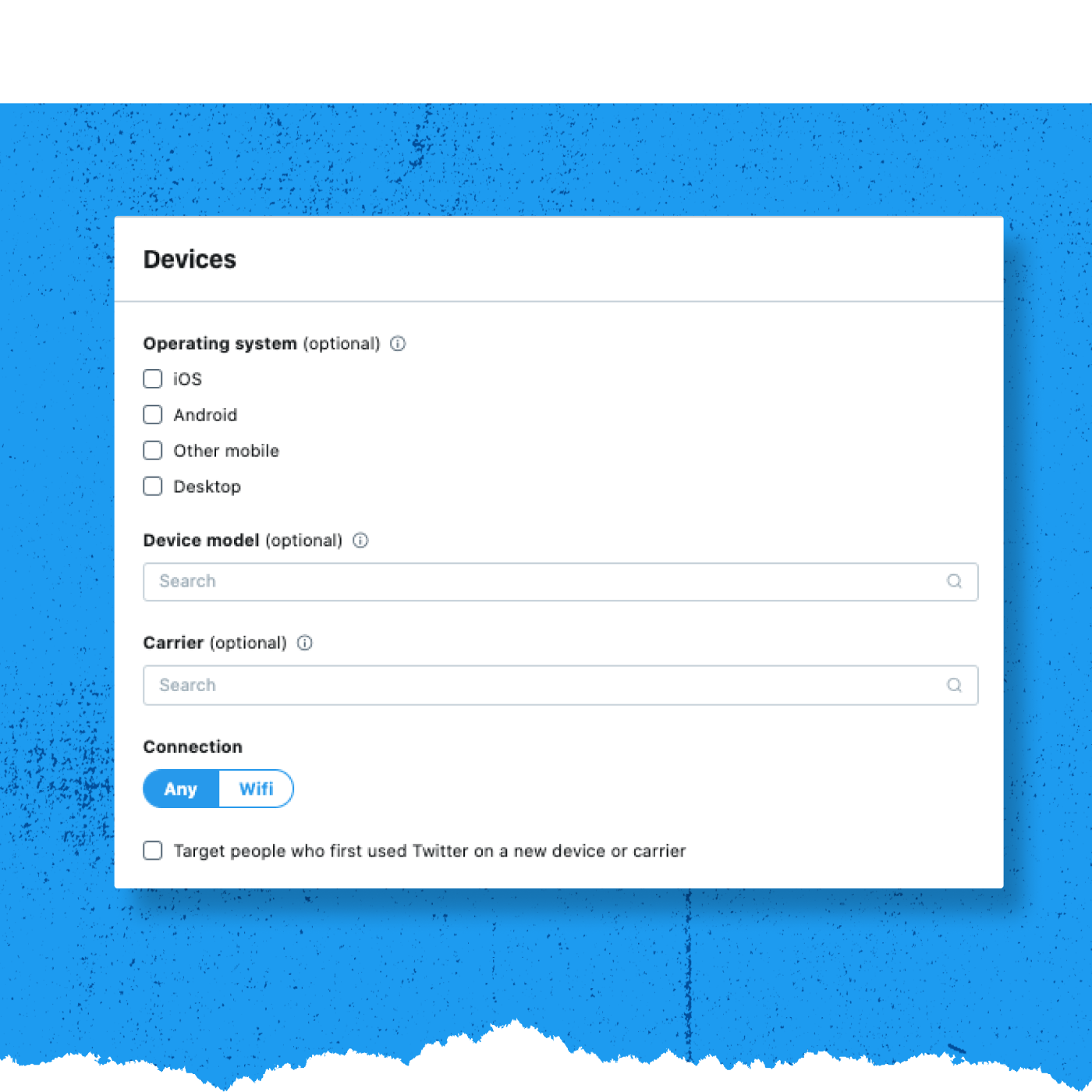
Custom Audiences target your existing followers and customers to create relevant re-marketing campaigns by uploading your own CRM lists to reach highly-specific groups of people. Visit our Twitter Business site for more information on custom audiences.
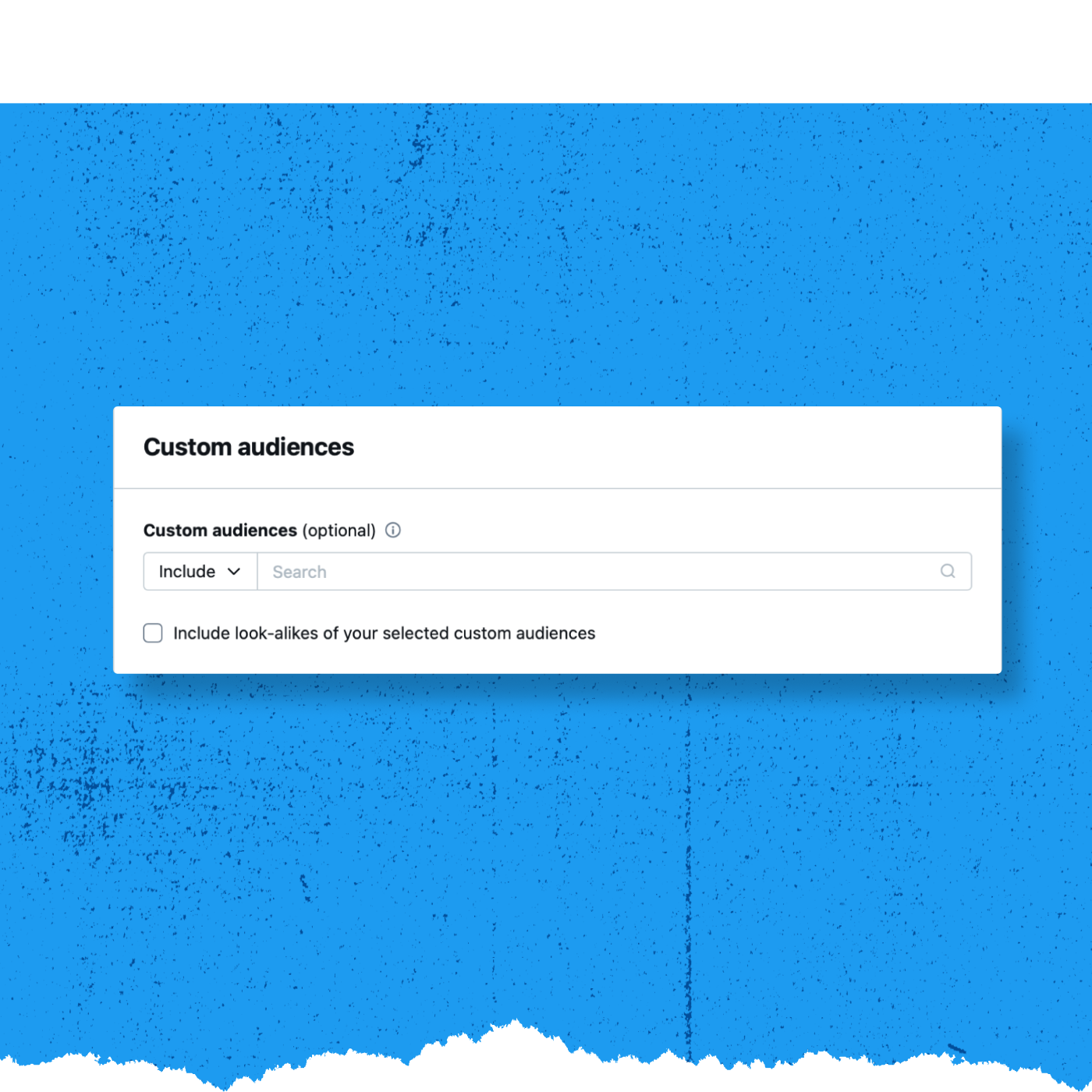
Targeting features allow you to target people based on keywords, Follower look-alike, interests, movies & TV shows, events, and conversations. For more information on how to use these targeting options, click here.
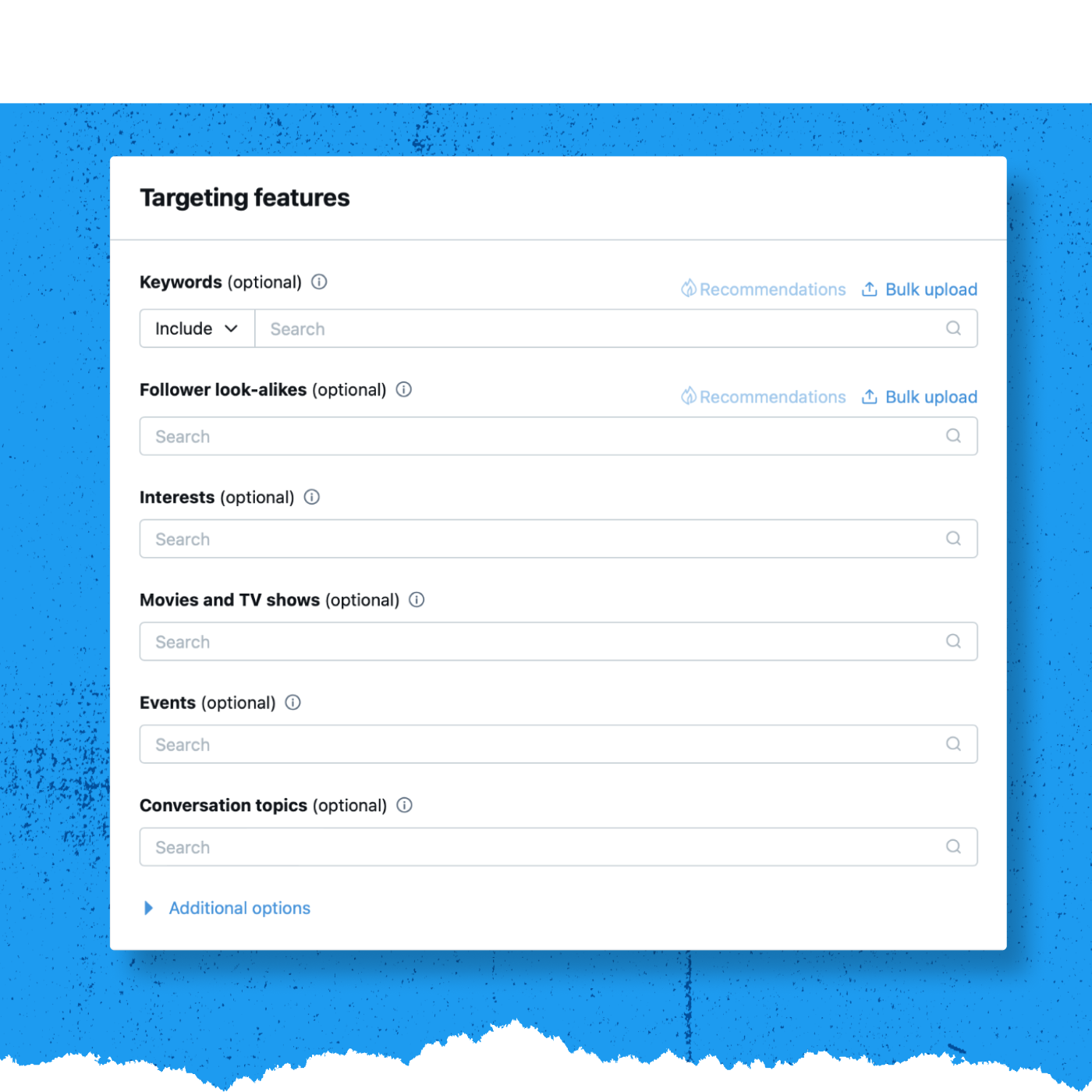
Choose your placements
Decide where within the Twitter environment your message should appear. Click the check box next to each location you’d like to select. You can also enable and customize your Twitter Audience Platform (TAP) settings on this screen. For more information about TAP, please visit this page on the Twitter Business website.
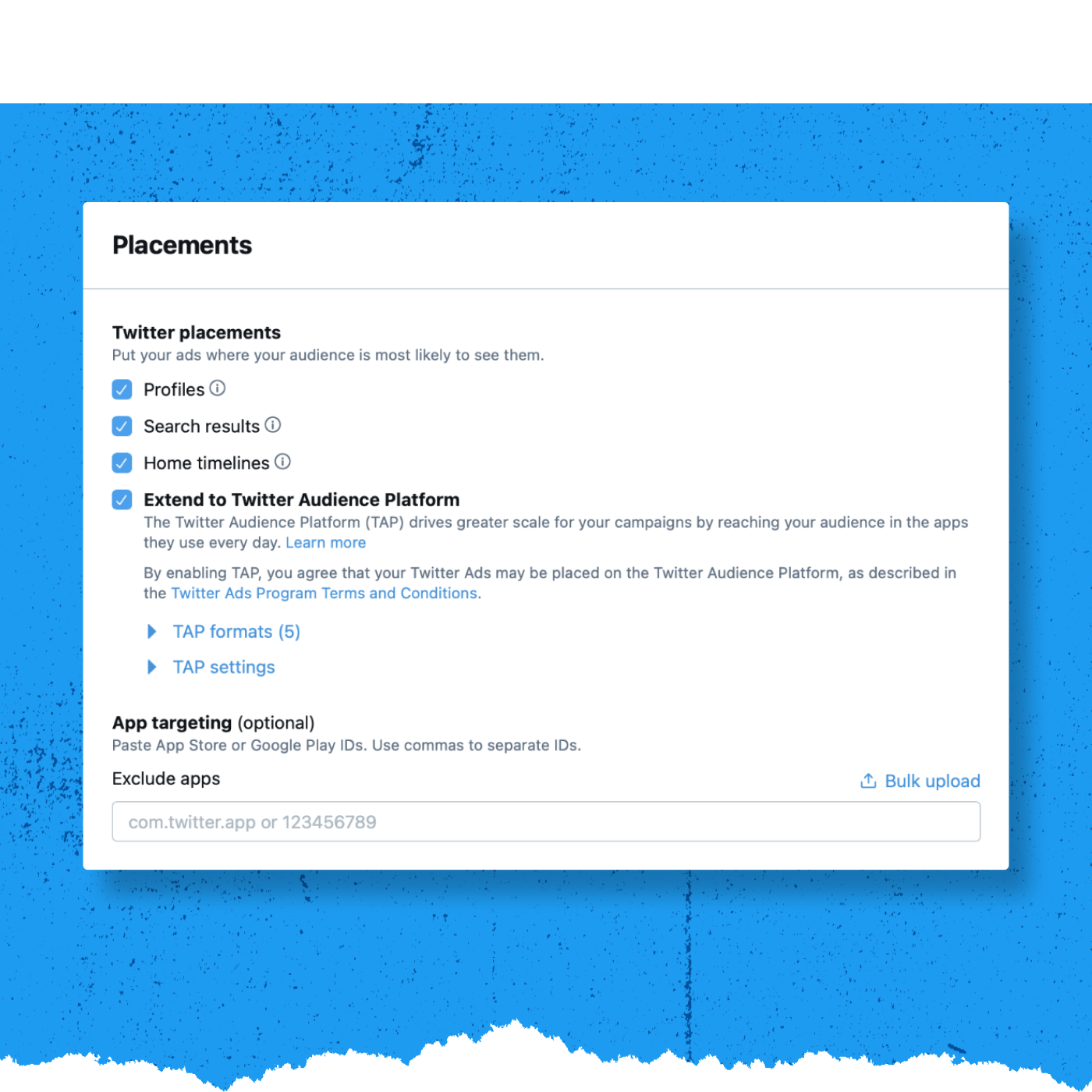
Click Next when finished.
Choose your creatives
Next, choose the creatives you’d like to include in the campaign. Click the check box on the right-hand side to select the individual Tweets you’d like to use in your App Installs Ad.
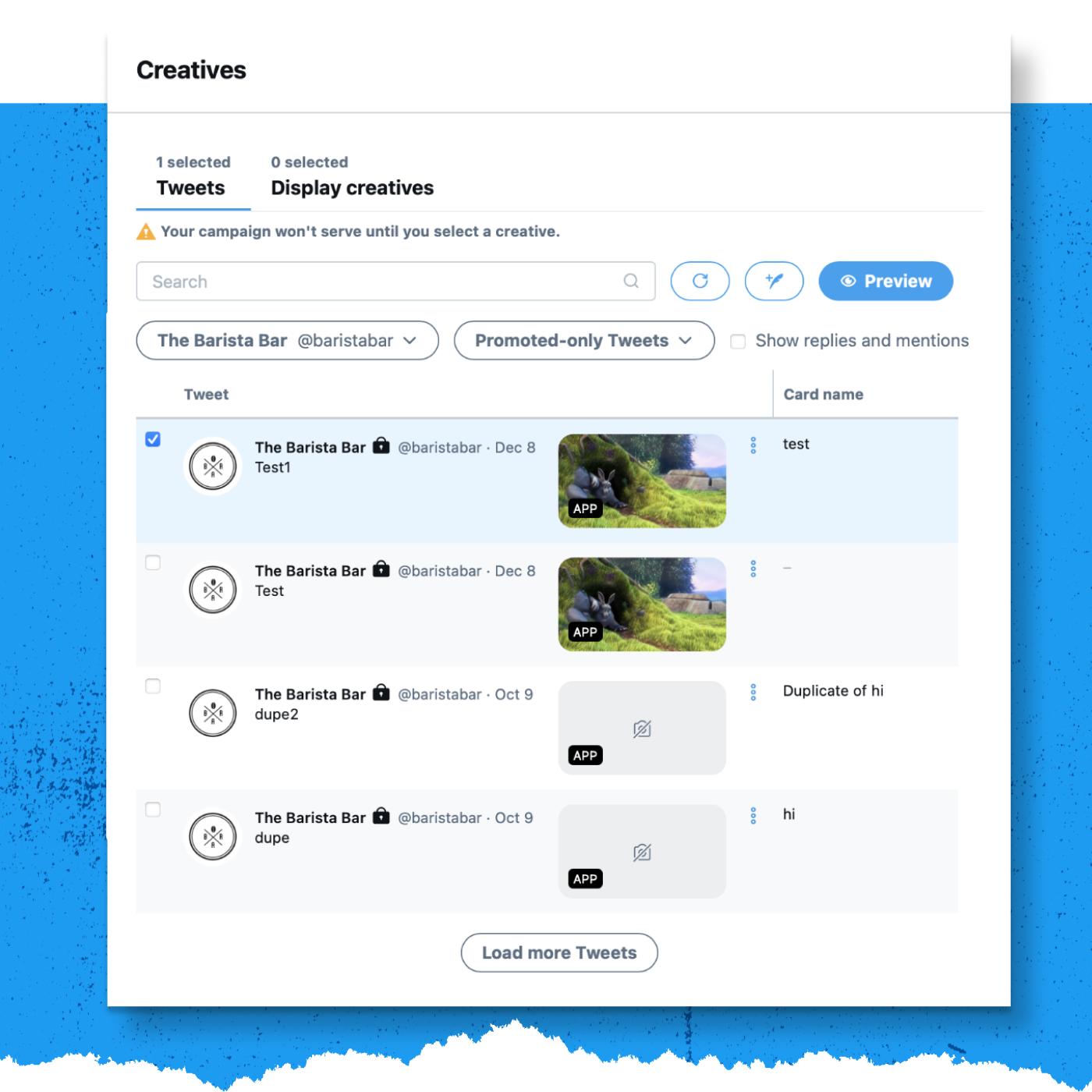
Click Next once you’ve chosen the Tweets for your campaign.
Review and launch your campaign
The final step is reviewing your campaign details. Make sure each section reflects what you’d like to see in the campaign. When you’re ready, click Launch campaign. If you’ve set a specific date range, the campaign will begin serving during that window. If you’ve chosen to go live immediately, the campaign will start serving once you launch.
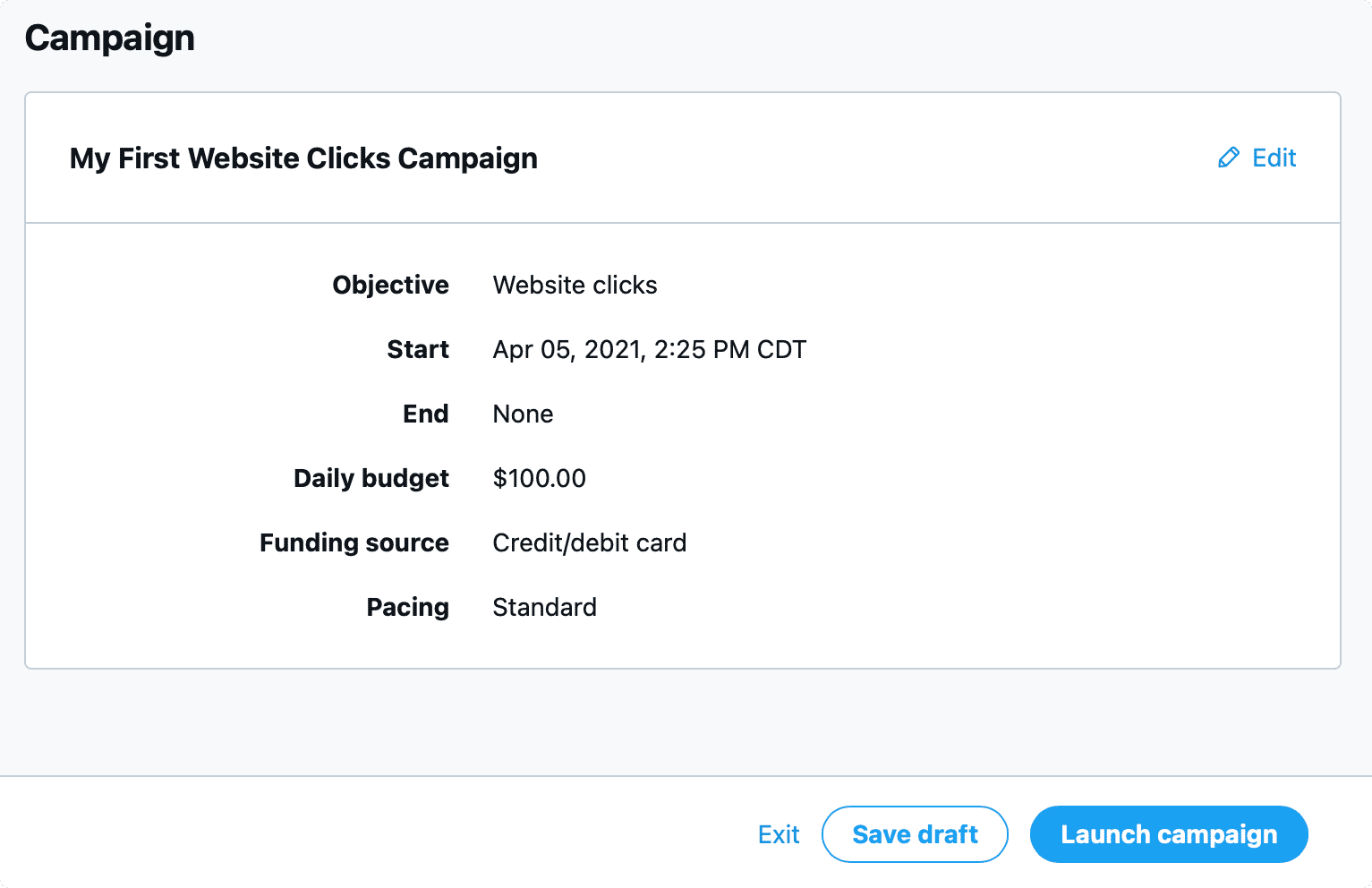
3. Website Clicks Measurement Basics
-
Get Started with Website Clicks Measurement
How do advertisers measure results?
Twitter Website Tag
The Twitter website tag allows you to track conversions using either a universal or single-event tag.
- The universal website tag offers a single code snippet for all website pages.
- Single event tags are individual code snippets that allow you to track non-page load events such as button clicks.
- Track up to 1,000 conversion events through individual tag creation and URL-path rules.
- Create up to 200 audience segments for more effective retargeting.
- Measure and track transaction values and order quantities from a centralized dashboard (Twitter Ads UI).
Partner-Provided Measurement
Twitter’s measurement integration with DoubleClick enables DoubleClick clients to view their campaign’s performance using the DoubleClick Campaign Manager. This tool allows performance comparisons across advertising channels.
With our integration, DoubleClick’s clients can:
- Set up tracking by merely placing the DCM impression tracking URL into the campaign form on ads.twitter.com.
- View Twitter campaign performance by receiving DCM automated reports.
For more information on setting up a Twitter website tag, please visit this page on our Twitter Business Website.
Once your campaign is live, you can track real-time results in your Ads Manager dashboard. Important metrics include total spend, results (i.e. link clicks), cost-per-result (or cost-per-click), and result rate.
Through Twitter’s website tracking tag, you’ll also be able to track cross-device conversions and measure your return-on-ad-spend by tracking the actions people take after viewing or engaging with your ads on Twitter. And with the additional Click ID parameter, you’ll have even more reliability in post-visit attributions and reductions in measurement discrepancies.
You can use the web pages you are promoting to measure the success of your campaign. After placing the Twitter website tag on your website, create a Website Activity Audience in your Audiences tab.
A Website Activity Audience is created when the Twitter website tag has collected over 100 IDs of visitors from Twitter users.
Twitter’s tracking and measurement capabilities are available on the Twitter Audience Platform. These tools include flexible post-view, cross-device attribution, and post-click attribution settings, as well as the ability to see reporting within the campaign dashboard.
-
Measure ROI with Website Tags
Your website tag can also be used to understand the return on investment (ROI) of your Promoted Tweets campaigns, including the total revenue or total conversion value your campaign generated and the total number of items purchased.
Conversion tracking automatically logs the path someone takes through your tagged pages. To record how much someone is spending, apply the proper tag event type and attribute values to your base code. You’ll want to use the Purchase tag event type to track this kind of data.
The purchase tag must execute independently of PageView tag type, otherwise the dynamic values will be overwritten.
Universal Website Tag purchase code:
The universal website tag purchase code is below:
<!-- Twitter universal website tag code -->

<script>

!function(e,t,n,s,u,a){e.twq||(s=e.twq=function(){s.exe?s.exe.apply(s,arguments):s.queue.push(arguments);

},s.version='1.1',s.queue=[],u=t.createElement(n),u.async=!0,u.src='//static.ads-twitter.com/uwt.js',

a=t.getElementsByTagName(n)[0],a.parentNode.insertBefore(u,a))}(window,document,'script');

// Insert Twitter Pixel ID and Standard Event data below

twq('init','twitter_pixel_id');

twq('track','Purchase', {

    //required parameters

    value: '29.95',

    currency: 'USD',

    num_items: '3',

});

</script>

<!-- End Twitter universal website tag code -->
Required parameters:
At a minimum, you must define value, currency, and num_items for the purchase tag event type.
- Value: Refers to the actual value of the item or action conversion being tracked.
- Currency: If you’re not in the United States, or are using a currency other than the United States dollar, you’ll need to replace USD with the abbreviation of the local currency.
- num_items: Reflects the number of items purchased for the conversion. For most hardcoded implementations, this value will be 1.
Once you’ve set up a website tag, reporting for website conversion tracking is available in the Campaigns tab. You’ll see the number of conversions driven at the campaign or Tweet level, as well as related metrics such as impressions, engagements, spend, and CPA.
- Measure Metrics and View Results
When you’re trying to grow your business, setting goals and tracking performance in a timely and accurate manner is essential. The campaign dashboard displays the data you need to optimize your Twitter Ads campaigns. Let’s take a look:
What does my Ads Manager track?
See some of the features tracked in the Ads Manager campaign dashboard:
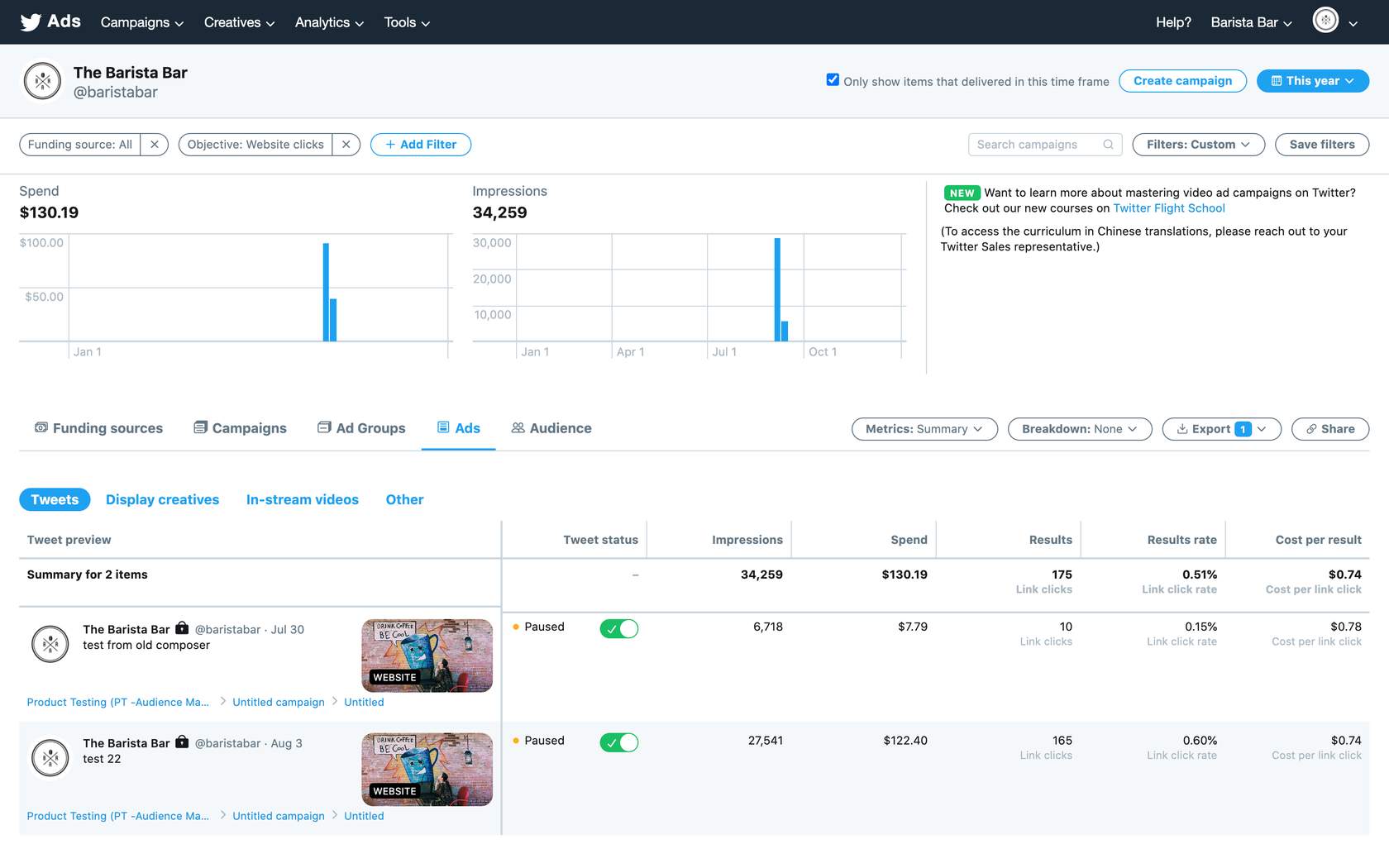
- Impressions: This is how many times your ads have been seen by people on twitter.
- Results: These are the actions that are directly tied to your campaign objective(s). For example, if your goal is website clicks, the results tracked will be link clicks.
- Engagement rate: This is the number of impressions for your ads divided by the number of results.
- Cost-per-result (CPR): This is how much you’re paying, on average, for each relevant action people take from your ads.
Results can be segmented by:
 Your different objectives – See the average results for your Website Clicks campaigns or the average results of your followers campaigns.
Individual campaigns – See how specific campaigns are performing against your goals.
Individual Tweets – See which combinations of copy and creative are contributing the most to your campaigns.
Targeting criteria – See which of your targeted audiences are responding the most to your ads.
View Your results
To get even more out of your campaign dashboard, consider setting up conversion tracking to understand exactly how every dollar spent on Twitter contributes to your desired results.
Once you’ve set up a website tag, reporting for website conversion tracking is available in the Campaigns tab.
You’ll see the number of conversions driven at the campaign or Tweet level, as well as related metrics such as impressions, engagements, spend, and CPA.
View results for your conversion events by selecting Ads Manager > Customize Metrics.
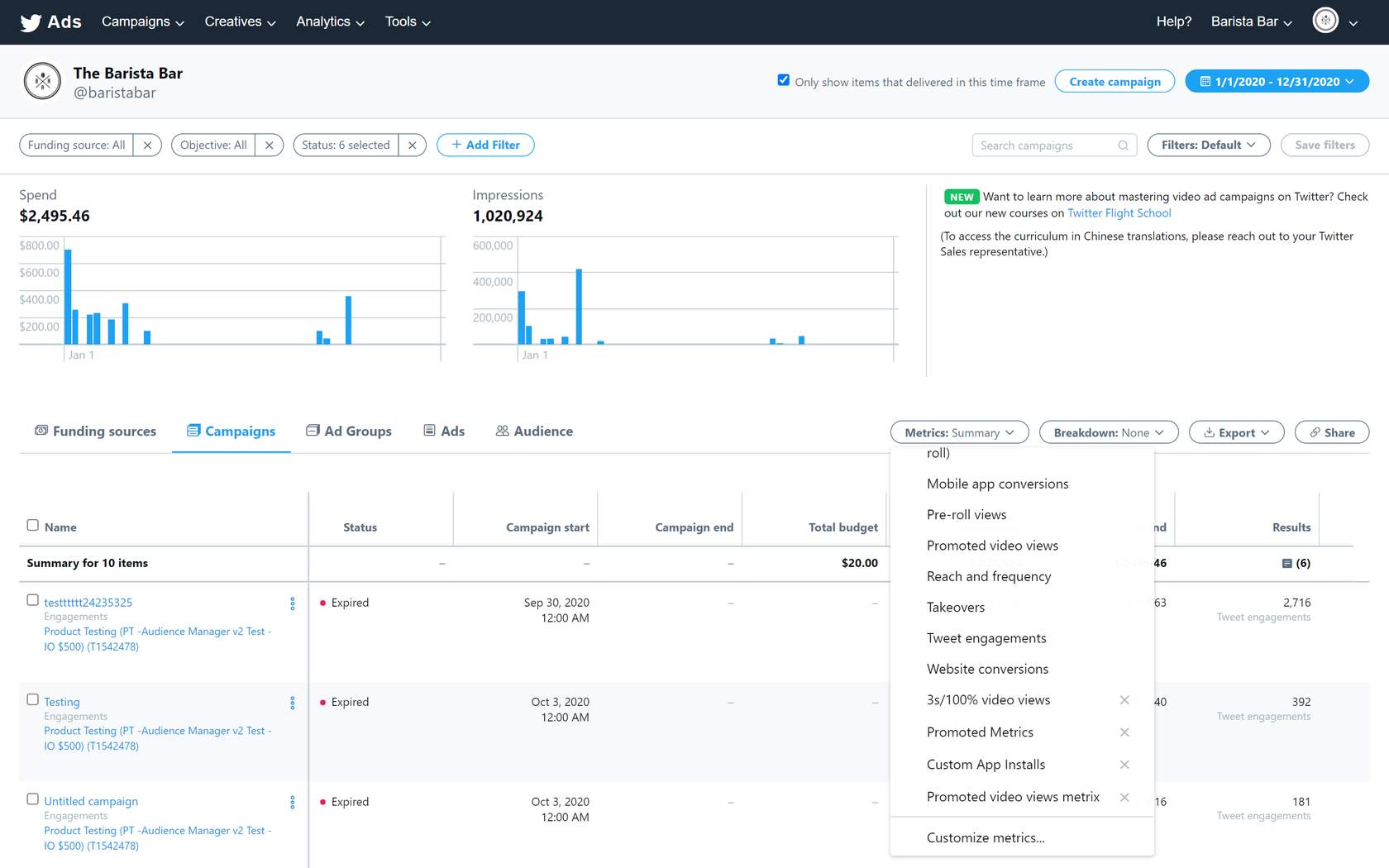
Then, scroll to the Conversions section of customizable metrics, and select the conversion event types you want to view.
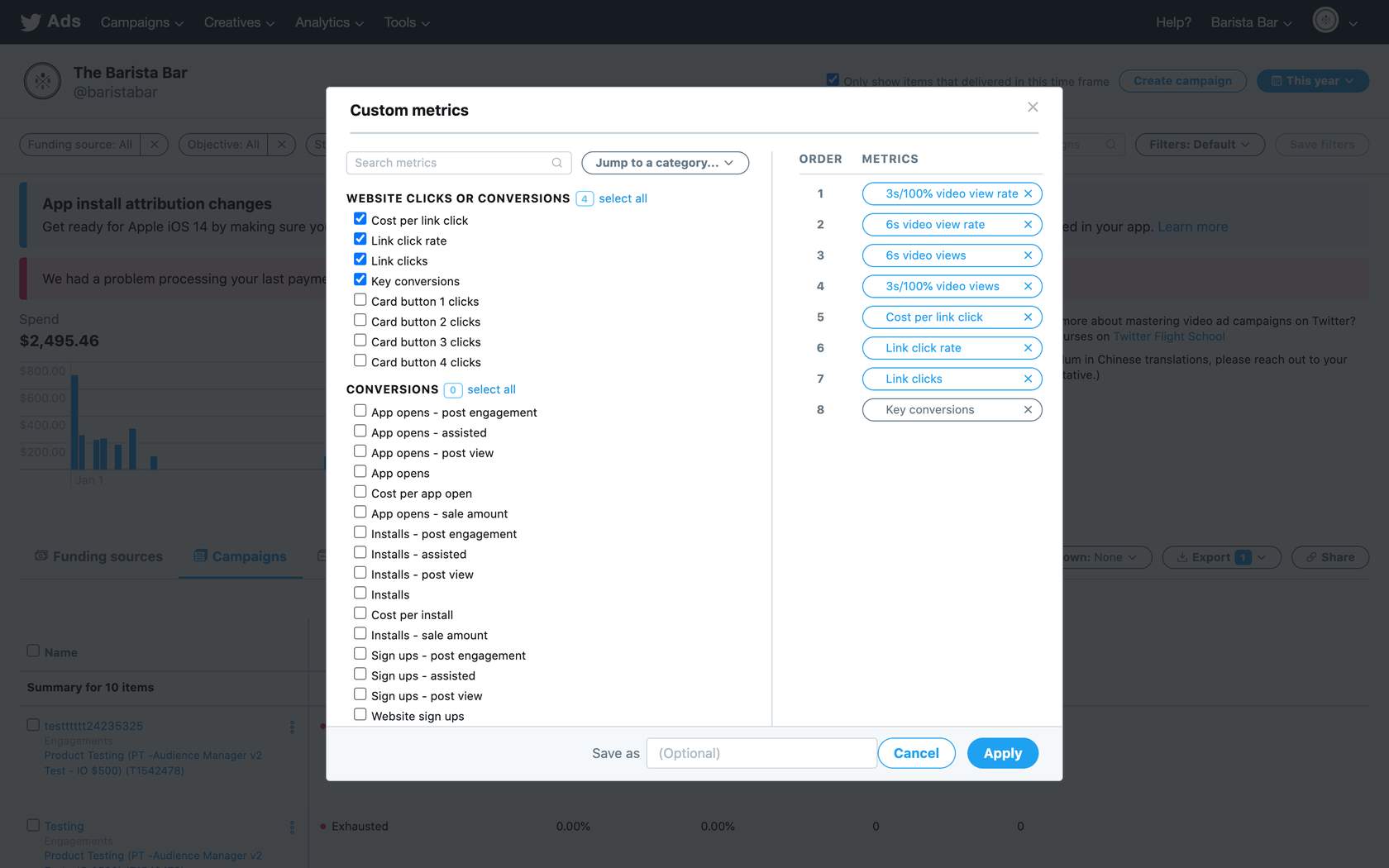
These analytics are also available via a downloadable .csv file under Export Data within Ads Manager.
The campaign dashboard will show conversions by conversion type. For example, if you’re interested in tracking two different types of purchases, you may want to set one up as a purchase tag and the other as a custom tag to report on the two separately.
Otherwise, the downloadable .csv file offers an option to break out conversions by conversion event name. Post-view and post-engagement conversions can also broken out separately by selecting Website Conversions by tag when exporting your metrics.
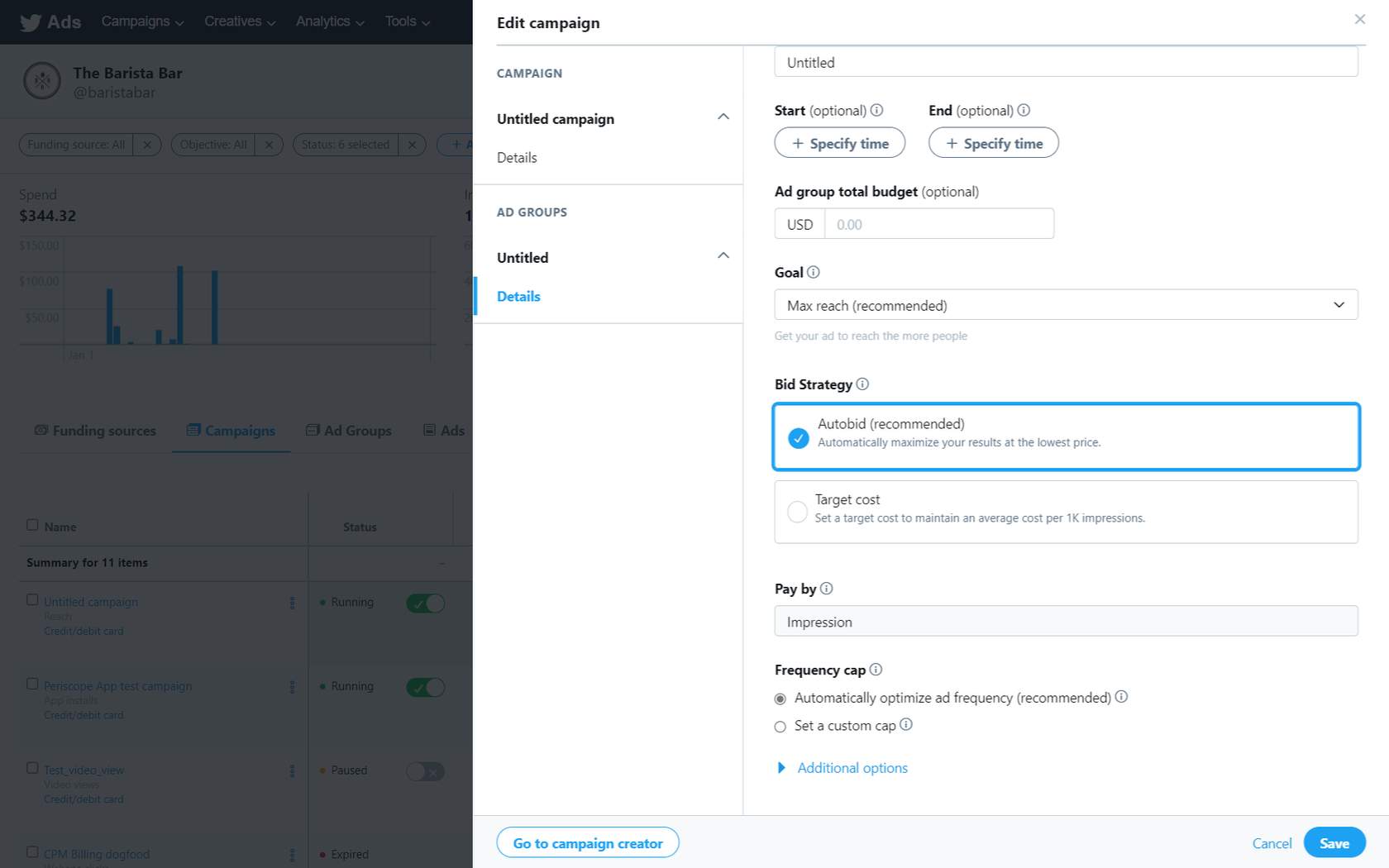 For Website Clicks campaigns, better performance is seen when the Website Activity Custom Audience is used in targeting.
-
DCM Impression Tags and UTM Parameters
Twitter also offers the option of DoubleClick Campaign Manager (DCM) as a solution to measuring web campaign activity. DCM is a very popular ad serving and measurement platform. UTM parameters are a partner-provided solution.
DCM server-to-server solution
You can locate the DCM server-to-server option within the Campaign Form> at the Ad Group level.
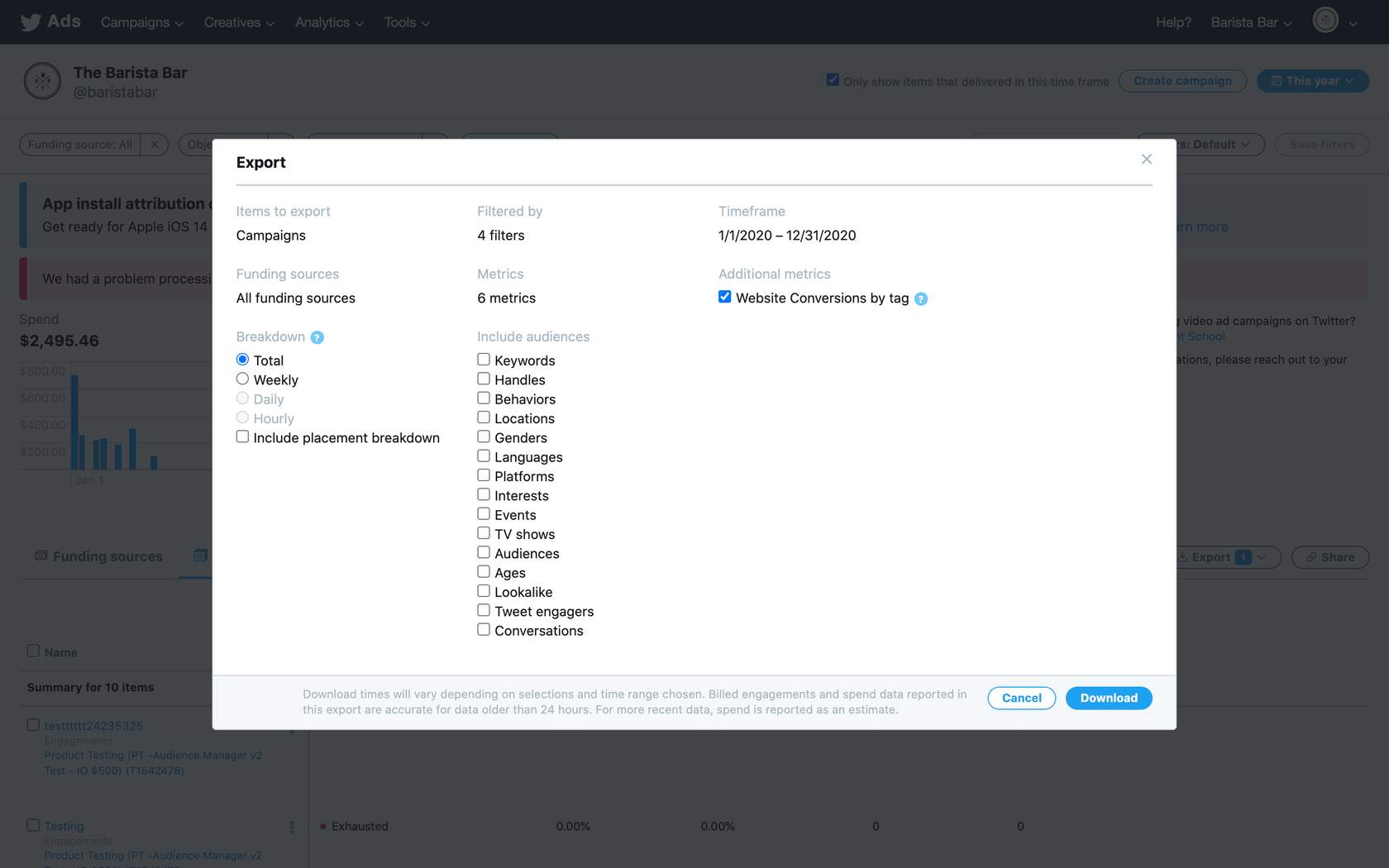
The DCM server-to-server solution enables a URL link that fires when a Twitter user sees a promoted impression. That information then passes back to Google. DCM relies on an ID match between Google and Twitter (it only reports on users Google recognizes). Twitter has a very unique server-to-server integration with DCM: the advertiser generates an impression tag that passes information back to Google any time a user on Twitter sees a Promoted Tweet and/or takes action.
Advertisers can receive deduplicated view-through and click-through conversions; however, since DCM relies on an ID bridge, Twitter conversions are underreported.
Example of an Impression tag
https://ad.doubleclick.net/ddm/trackimp/N9281.2061500TWITTER-OFFICIAL/

B23726162.267488755;dc_tr k_aid=[12345678];dc_trk_cid=12345678
UTM parameters
Click tracking
Click trackers—or Urchin Tracking Module (UTM) parameters—are appended to the destination URLs for tracking purposes. They were introduced by Urchin, the predecessor to Google Analytics, and consequently, are supported out-of-the-box by Google Analytics.
Some examples of UTM partner providers are below:

Example of a UTM parameter
https://business.twitter.com/utm_source=social&utm_medium=twitter&utm_campaign=thanksgiving&utm_ content=video&utm_term=set1
These UTM solutions aren’t offered by Twitter but can be integrated to track your campaign results.
Why don’t my conversions match my partner-provided analytics conversion tracking?
Your Ads Manager reports link clicks according to the number of times someone on Twitter clicks on a link in your Tweet. The link clicks are logged as soon as the action happens.
On partner-provided platforms, you’ll receive reporting on the number of times a unique user lands on your webpage. You’ll also see whether they stayed long enough for the page to completely load (which triggers the analytics tracking code). The difference between these outcomes is what drives the discrepancy between the two numbers, and can vary based on:
- Load time: For example, on slow cell networks, it may take longer for the link to request and page to load, so users may exit out before the web page fully loads.
- Intent: People may click on an image but exit out when they realize a website is loading.
If your campaign runs on TAP, your partner-provided analytics will not reflect that your link clicks came from Twitter, even though they originated from an ad served as part of your Twitter Ads campaign.
To improve these numbers, we recommend testing different creative formats, including:
- Picture + link in Tweet copy: Try replacing the Website Card in your Tweet copy with an image and a link. This has increased link click intent in certain cases.
- Only a link in Tweet copy: Try using just a link in your Tweet copy. This, too, has resulted in more intentional link-clicking behavior from users.
When using a Website Card, we suggest using the Optimize for website conversions campaign optimization preference. This ensures your campaign drives more link clicks from people with a high likelihood to convert.